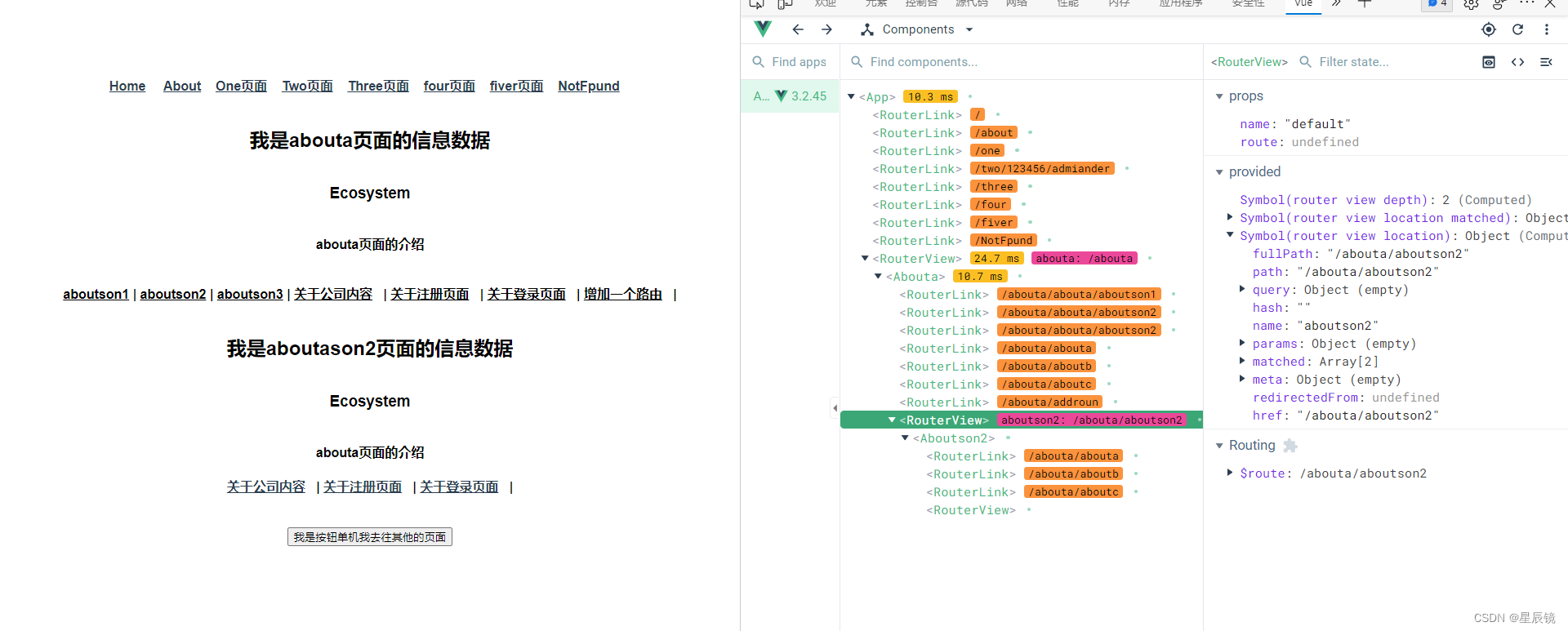
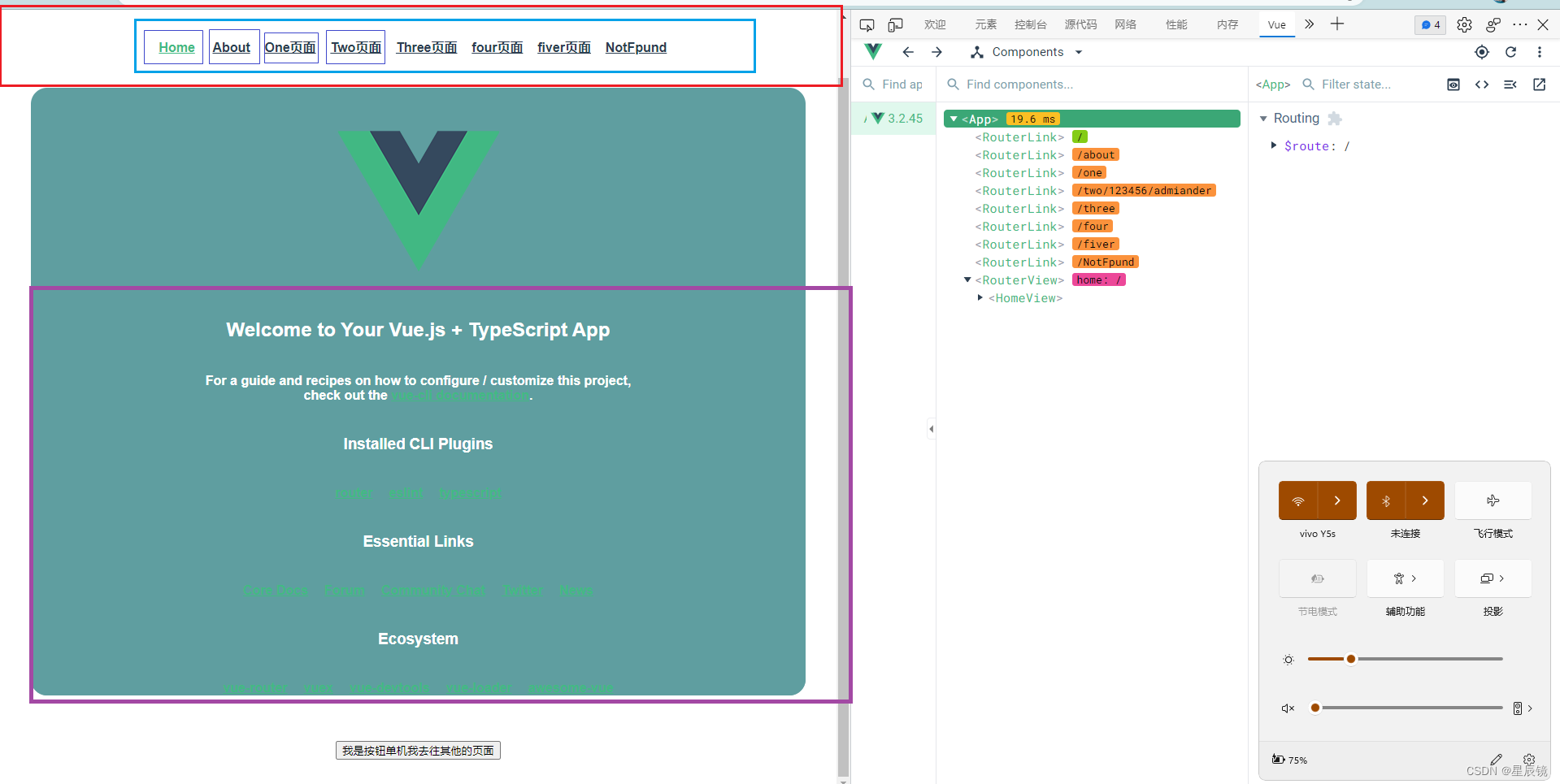
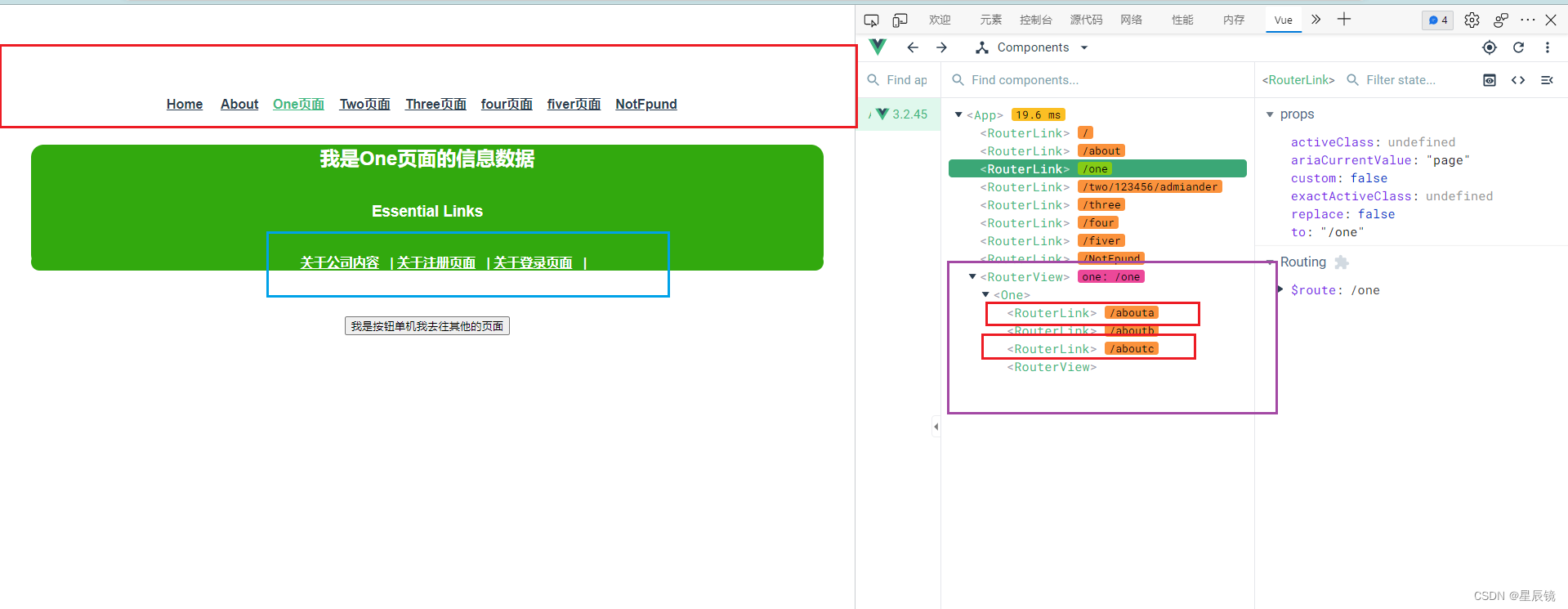
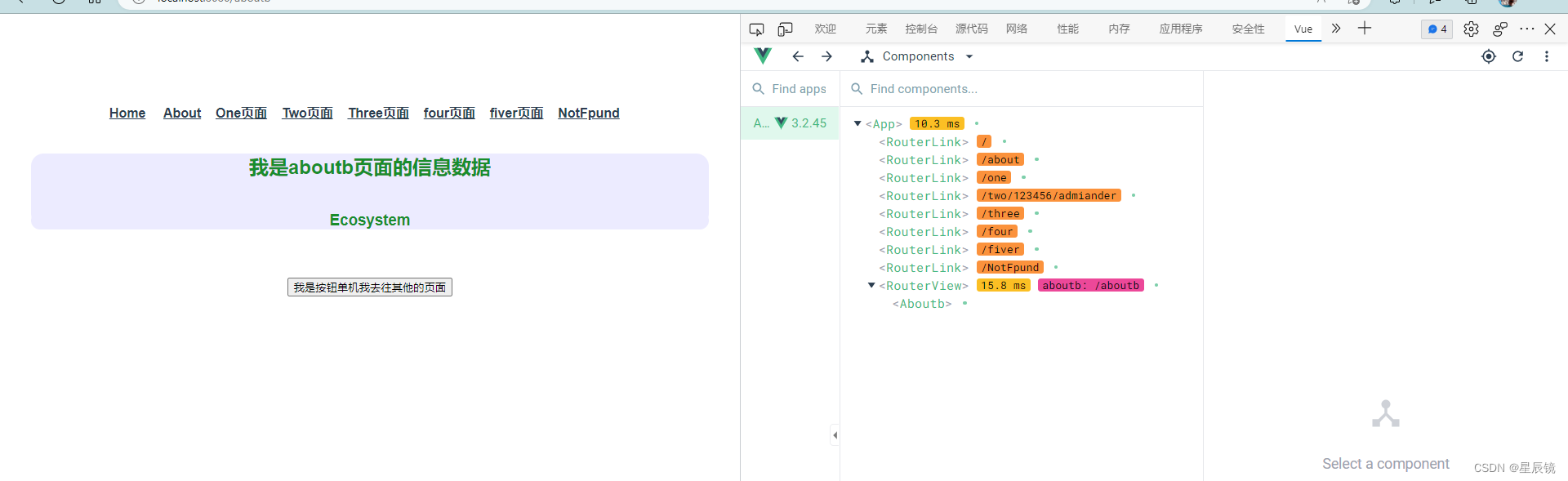
使用 vue-router 的步 骤 :
p
第一步:
创建路由需要映射的组件
(
打
算
显
示
的
页
面);
p
第二步:
通过
createRouter
创
建
路由
对
象
,
并
且
传
入
routes
和
history
模式
;
ü
配置路由映射
:
组件和路径映射关系
的
routes
数组;
ü
创建基于hash或
者
history
的模式;
p
第三步:使用app注册路由对象
(use
方
法);
p
第四步:路由使用:
通过
<router-link>
和
<router-view>
;
n
router-link 事实 上 有很 多 属性 可 以配 置 :
to 属性:
p
是一个字符串,或者是一个对象
replace 属性:
p
设
置
replace
属性的话,当点击时,会调
用
router.replace(),
而
不
是
router.push();
active-class属性:
p
设置激活
a
元素后应用的class,默认是
router-link-active
exact-active-class 属性:
p
链接精准激活时,应用于渲染的
<a>
的
class,默认是
router-link-exact-active;
编号2
编号3
编号四
编号五
编号六
编号七
编号八
用到了文件的信息
路由文件的配置信息 /* eslint-disable indent */
import { createRouter, createWebHashHistory, createWebHistory, RouteRecordRaw } from 'vue-router'
import HomeView from '../views/HomeView.vue'
// 第一步 配置路由的基本信息内容
// 第二步 将路由的必要包文件导入进来
// 第三步 定义变量 配置文件信息
const routes: Array<RouteRecordRaw> = [
{
path: '/',
name: 'home',
component: HomeView
},
{
path: '/:pathMatch(.*)*',
name: 'NotFpund',
component: () => import(/* webpackChunkName: "about" */ '../views/NotFpund.vue')
},
{
path: '/two/:id:name',
name: 'two',
component: () => import(/* webpackChunkName: "about" */ '../views/Two.vue')
},
{
path: '/four',
name: 'four',
component: () => import(/* webpackChunkName: "about" */ '../views/four.vue')
},
{
path: '/abouta',
name: 'abouta',
component: () => import(/* webpackChunkName: "about" */ '../views/abouta.vue'),
children: [
{
path: '/abouta/aboutson1',
name: 'aboutson1',
component: () => import(/* webpackChunkName: "about" */ '../views/aboutson1.vue')
},
{
path: '/abouta/aboutson2',
name: 'aboutson2',
component: () => import(/* webpackChunkName: "about" */ '../views/aboutson2.vue')
},
{
path: '/abouta/aboutson3',
name: 'aboutson3',
component: () => import(/* webpackChunkName: "about" */ '../views/aboutson3.vue'),
children: [
{
path: '/abouta/aboutson3/aboutb',
name: 'aboutb',
component: () => import(/* webpackChunkName: "about" */ '../views/aboutb.vue')
},
{
path: '/abouta/aboutson3/aboutc',
name: 'aboutc',
component: () => import(/* webpackChunkName: "about" */ '../views/aboutc.vue')
}
]
}
]
},
{
path: '/aboutb',
name: 'aboutb',
component: () => import(/* webpackChunkName: "about" */ '../views/aboutb.vue')
},
{
path: '/aboutc',
name: 'aboutc',
component: () => import(/* webpackChunkName: "about" */ '../views/aboutc.vue')
},
{
path: '/fiver',
name: 'fiver',
component: () => import(/* webpackChunkName: "about" */ '../views/fiver.vue')
},
{
path: '/three',
name: 'three',
component: () => import(/* webpackChunkName: "about" */ '../views/three.vue'),
meta: {
name: 'qhy',
age: 34
}
},
{
path: '/about',
name: 'about',
// 路由的赖加载技术
component: () => import(/* webpackChunkName: "about" */ '../views/AboutView.vue')
},
{
path: '/one',
name: 'one',
component: () => import(/* webpackChunkName: "about" */ '../views/One.vue')
}
]
const router = createRouter({
history: createWebHistory(process.env.BASE_URL),
// history: createWebHashHistory(process.env.BASE_URL),
routes
})
// 增加一个动态的路由
const addrount = {
path: '/addrount',
name: 'addroun',
component: () => import(/* webpackChunkName: "about" */ '../views/addroun.vue')
}
router.addRoute(addrount)
export default router
控制器文件信息 import { createApp } from 'vue'
import App from './App.vue'
// import App from '../01 状态管理/App.vue'
// 注册状态管理
import store from './store'
// 注册路由
import router from './router'
createApp(App).use(router).use(store).mount('#app')
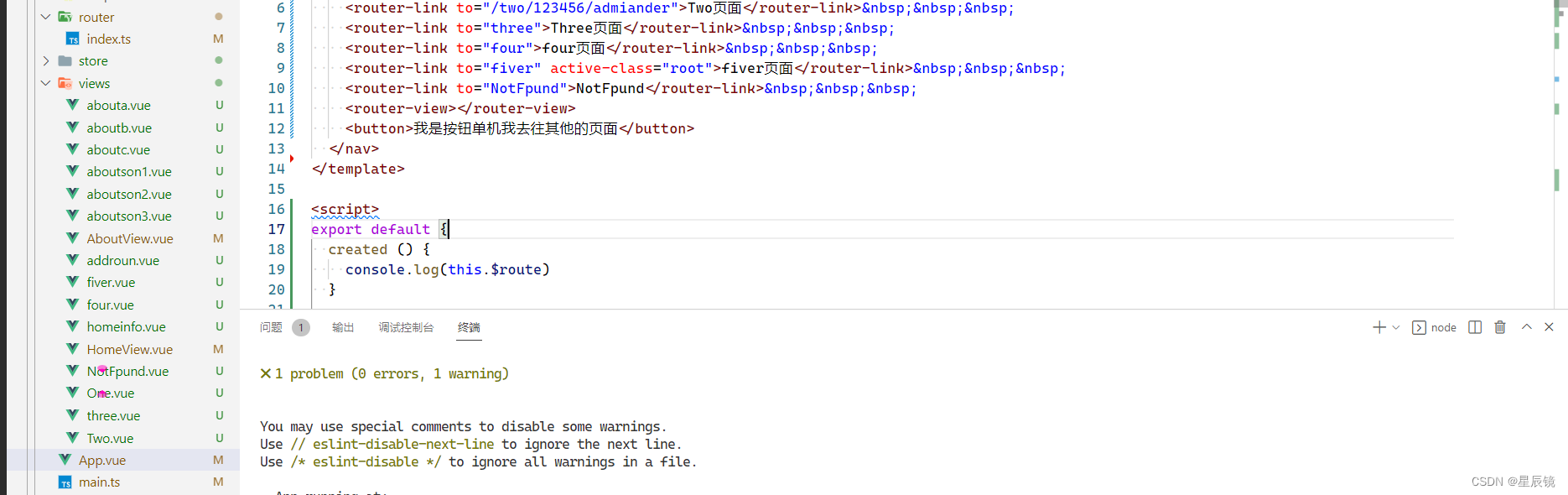
一级目录 <template>
<nav>
<router-link to="/">Home</router-link>
<router-link to="/about">About</router-link>
<router-link to="/one">One页面</router-link>
<router-link to="/two/123456/admiander">Two页面</router-link>
<router-link to="three">Three页面</router-link>
<router-link to="four">four页面</router-link>
<router-link to="fiver" active-class="root">fiver页面</router-link>
<router-link to="NotFpund">NotFpund</router-link>
<router-view></router-view>
<button>我是按钮单机我去往其他的页面</button>
</nav>
</template>
<script>
export default {
created () {
console.log(this.$route)
}
}
</script>
<style>
*{
margin-top: 40px;
}
#app {
font-family: Avenir, Helvetica, Arial, sans-serif;
-webkit-font-smoothing: antialiased;
-moz-osx-font-smoothing: grayscale;
text-align: center;
color: #0080ff;
}
nav {
padding: 30px;
font-weight: 700;
color: darkcyan;
}
nav a {
font-weight: bold;
color: #2c3e50;
}
nav a.router-link-exact-active {
color: #42b983;
}
.root {
background-color: rgb(0, 0, 0);
color: green;
}
</style>
二级目录 <!-- eslint-disable vue/multi-word-component-names -->
<template>
<div class="One">
<h1>我是One页面的信息数据</h1>
<h3>Essential Links</h3>
<ul>
<router-link to="abouta">关于公司内容</router-link> |
<router-link to="aboutb">关于注册页面</router-link> |
<router-link to="aboutc">关于登录页面</router-link> |
<router-view></router-view>
</ul>
</div>
</template>
<style scoped>
*{
background-color: rgb(50, 169, 14);
color: white;
border-radius: 20px;
}
</style>
三级目录 <!-- eslint-disable vue/multi-word-component-names -->
<template>
<div class="Two">
<h1>我是abouta页面的信息数据</h1>
<h3>Ecosystem</h3>
<h4>abouta页面的介绍</h4>
<div>
<router-link to="abouta/aboutson1">aboutson1</router-link> |
<router-link to="abouta/aboutson2">aboutson2</router-link> |
<router-link to="abouta/aboutson2">aboutson3</router-link> |
<router-link to="abouta">关于公司内容</router-link> |
<router-link to="aboutb">关于注册页面</router-link> |
<router-link to="aboutc">关于登录页面</router-link> |
<router-link to="addroun">增加一个路由</router-link> |
<router-view></router-view>
</div>
</div>
</template>
<style scoped>
* {
background-color: rgb(255, 255, 255);
color: rgb(0, 0, 0);
border-radius: 20px;
}
</style>
四级目录 <!-- eslint-disable vue/multi-word-component-names -->
<template>
<div class="aboutason2">
<h1>我是aboutason2页面的信息数据</h1>
<h3>Ecosystem</h3>
<h4>abouta页面的介绍</h4>
<router-link to="abouta">关于公司内容</router-link> |
<router-link to="aboutb">关于注册页面</router-link> |
<router-link to="aboutc">关于登录页面</router-link> |
<router-view></router-view>
</div>
</template>
一级目录的其他文件 <!-- eslint-disable vue/multi-word-component-names -->
<template>
<div class="Two">
<h1>我是Two页面的信息数据</h1>
<h3>Ecosystem</h3>
</div>
</template>
<style scoped>
*{
background-color: rgb(13, 0, 255);
color: rgb(206, 9, 9);
border-radius: 20px;
}
</style>
<!-- eslint-disable vue/multi-word-component-names -->
<template>
<div class="Three">
<h1>我是Three页面的信息数据</h1>
<h3>Ecosystem</h3>
</div>
</template>
<style scoped>
*{
background-color: rgb(174, 234, 10);
color: rgb(255, 255, 255);
border-radius: 20px;
}
</style>
<!-- eslint-disable vue/multi-word-component-names -->
<template>
<div class="four">
<h1>我是Four页面的信息数据</h1>
<h3>Ecosystem</h3>
</div>
</template>
<style scoped>
*{
background-color: rgb(0, 68, 105);
color: rgb(255, 0, 0);
border-radius: 20px;
}
</style>
<!-- eslint-disable vue/multi-word-component-names -->
<template>
<div class="Fiver">
<h1>我是Fiver页面的信息数据</h1>
<h3>Ecosystem</h3>
</div>
</template>
<style scoped>
*{
background-color: rgb(255, 0, 195);
color: rgb(81, 0, 255);
border-radius: 20px;
}
</style>
<template>
<h2>Not Fund:{{ $route.params.pathMatch}}</h2>
</template>
二级目录的其他文件 <!-- eslint-disable vue/multi-word-component-names -->
<template>
<div class="Two">
<h1>我是abouta页面的信息数据</h1>
<h3>Ecosystem</h3>
<h4>abouta页面的介绍</h4>
<div>
<router-link to="abouta/aboutson1">aboutson1</router-link> |
<router-link to="abouta/aboutson2">aboutson2</router-link> |
<router-link to="abouta/aboutson2">aboutson3</router-link> |
<router-link to="abouta">关于公司内容</router-link> |
<router-link to="aboutb">关于注册页面</router-link> |
<router-link to="aboutc">关于登录页面</router-link> |
<router-link to="addroun">增加一个路由</router-link> |
<router-view></router-view>
</div>
</div>
</template>
<style scoped>
* {
background-color: rgb(255, 255, 255);
color: rgb(0, 0, 0);
border-radius: 20px;
}
</style>
<!-- eslint-disable vue/multi-word-component-names -->
<template>
<div class="Two">
<h1>我是aboutb页面的信息数据</h1>
<h3>Ecosystem</h3>
</div>
</template>
<style scoped>
*{
background-color: rgb(236, 235, 255);
color: rgb(25, 141, 44);
border-radius: 20px;
}
</style>
<!-- eslint-disable vue/multi-word-component-names -->
<template>
<div class="Two">
<h1>我是aboutc页面的信息数据</h1>
<h3>Ecosystem</h3>
</div>
</template>
<style scoped>
*{
background-color: rgb(236, 235, 255);
color: rgb(57, 132, 218);
border-radius: 20px;
}
</style>