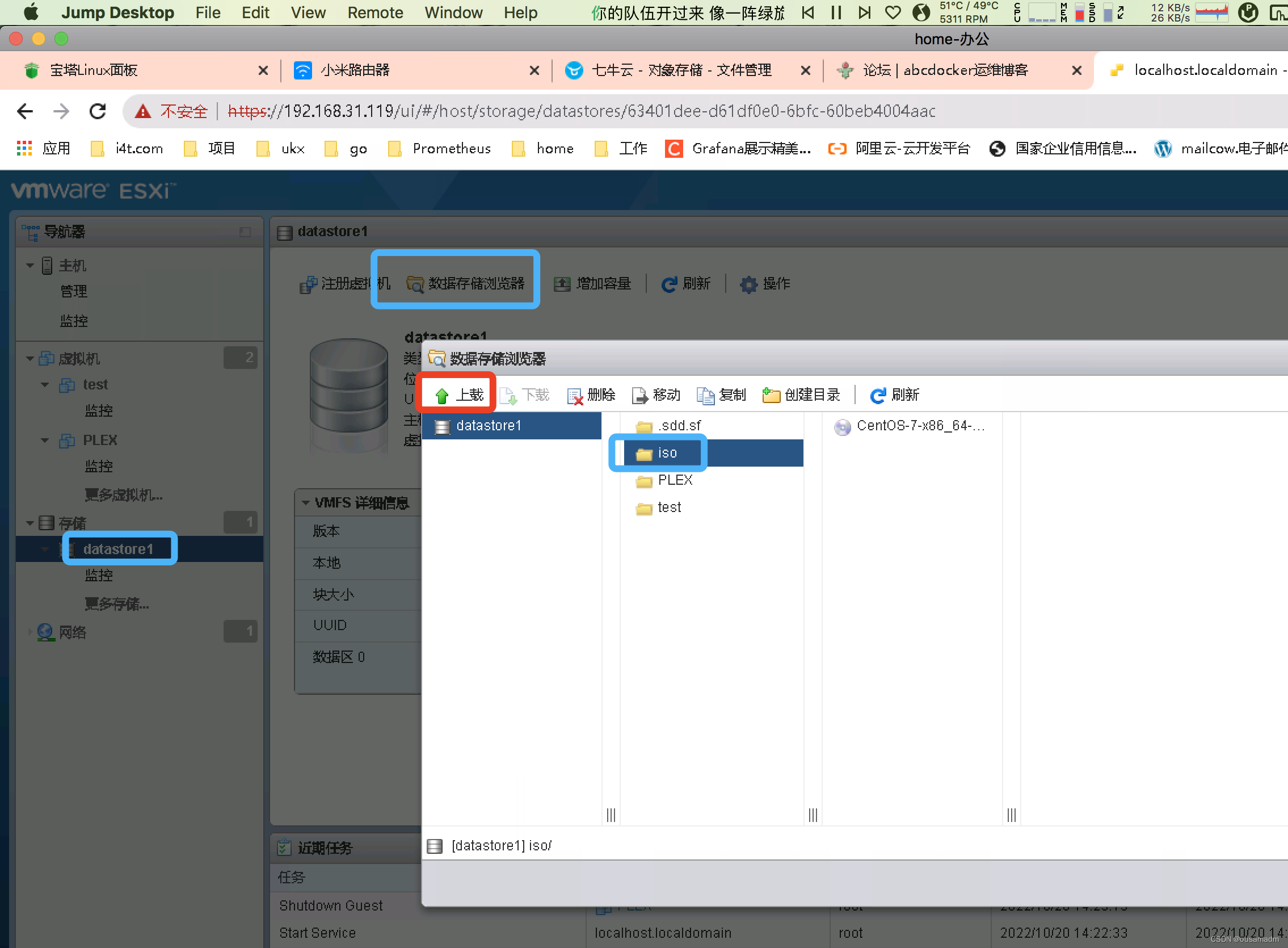
1 、上传VMware-Esxi-8.0安装包
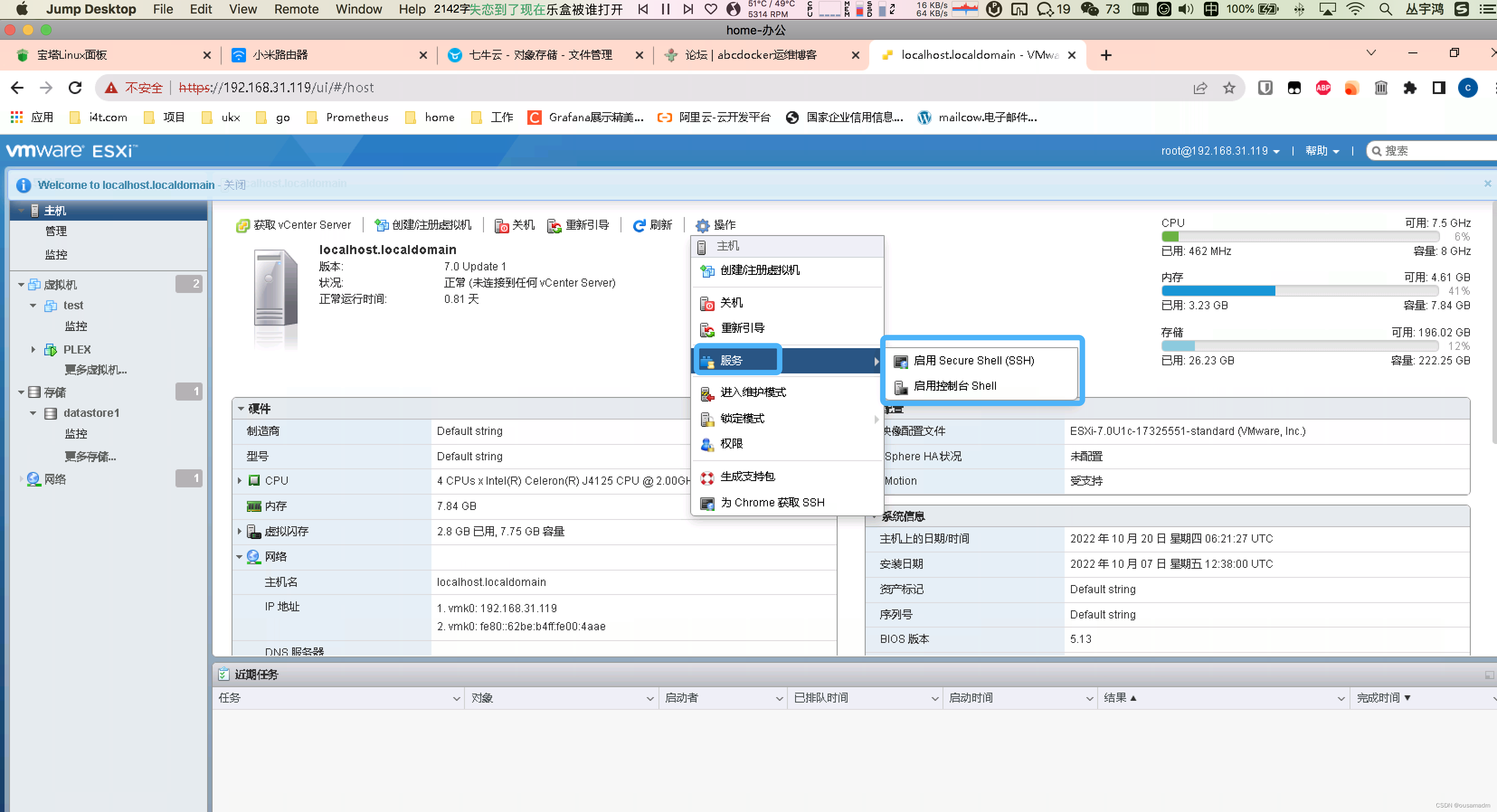
2开启ssh
3、 远程登录到Esxi主机
ssh root@192.168.31.119
[root@localhost:~]
4、升级到Esxi 8.0
[root@localhost:~] esxcli software sources profile list -d /vmfs/volumes/datastore1/iso/VMware-ESXi-8.0-20513097-depot.zip
Name Vendor Acceptance Level Creation Time Modification Time
ESXi-8.0.0-20513097-standard VMware, Inc. PartnerSupported 2022-09-23T18:59:28 2022-09-23T18:59:28
ESXi-8.0.0-20513097-no-tools VMware, Inc. PartnerSupported 2022-09-23T18:59:28 2022-09-23T18:59:28
[root@localhost:~]esxcli software profile update -d /vmfs/volumes/datastore1/iso/VMware-ESXi-8.0-20513097-depot.zip -p ESXi-8.0.0-20513097-standard
Update Result
Message: The update completed successfully, but the system needs to be rebooted for the changes to be effective.
Reboot Required: true
VIBs Installed: VMW_bootbank_atlantic_1.0.3.0-10vmw.800.1.0.20513097,
…
VIBs Skipped:
[root@localhost:~]vmware -vl
VMware ESXi 8.0.0 build-20513097
VMware ESXi 8.0 GA
[root@localhost:~]reboot





![[C++]类和对象【中】](https://img-blog.csdnimg.cn/fb7efb77258e4cef80c5f2616d527f4e.png)


![[附源码]Nodejs计算机毕业设计基于响应式交友网站Express(程序+LW)](https://img-blog.csdnimg.cn/41828d29e8d64e56a5611df5aacf9d0f.png)

