本地 (Local)
1、使用命令生成公钥(pub文件)
1. $ ssh-keygen -t rsa -C "xxxxxxx@email.com" -f "github_id_rsa"
2. $ ssh-keygen -t rsa -C "xxxxxxx@email.com" -f "gitee_id_rsa"
2、创建config文件,并配置
# gitee
Host gitee.com
HostName gitee.com
PreferredAuthentications publickey
IdentityFile ~/.ssh/gitee_id_rsa

# github
Host github.com
HostName github.com
PreferredAuthentications publickey
IdentityFile ~/.ssh/github_id_rsa
远程(Remote)
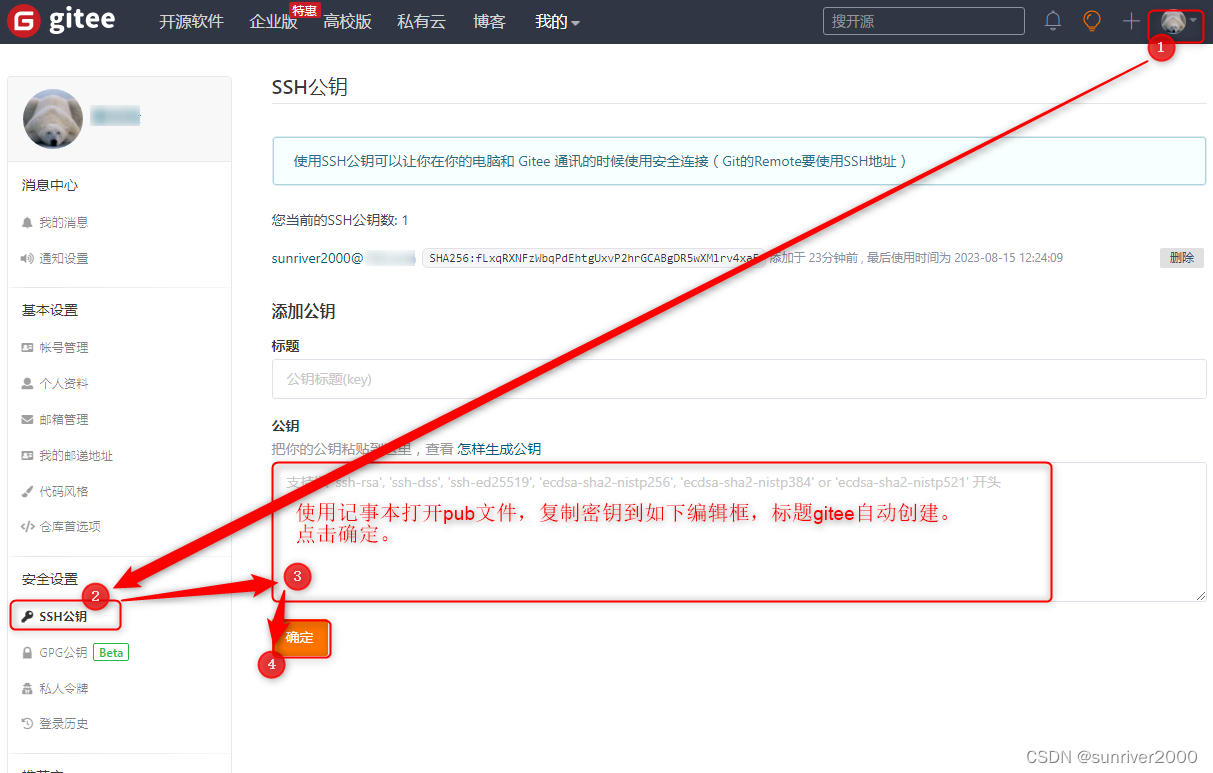
1、gitee配置公钥
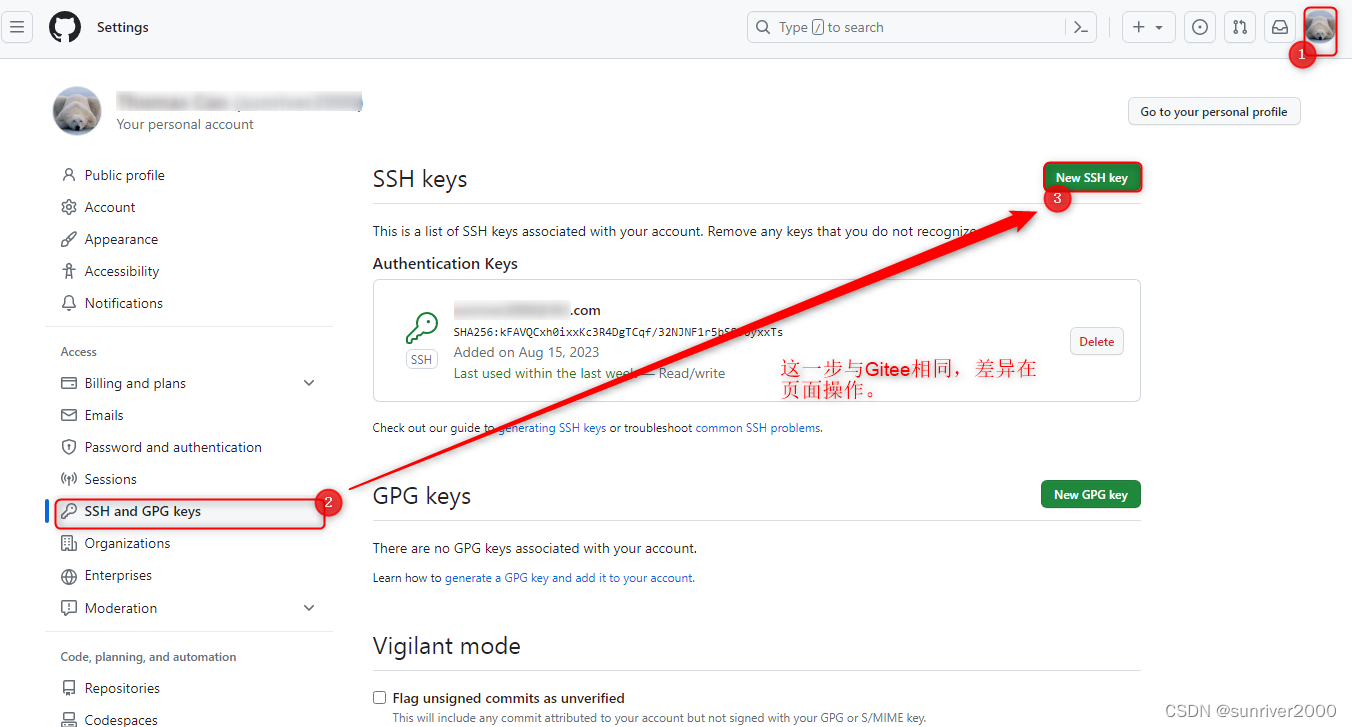
2、github配置公钥
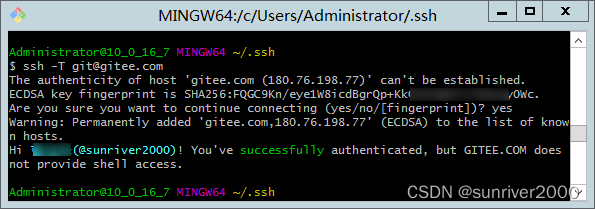
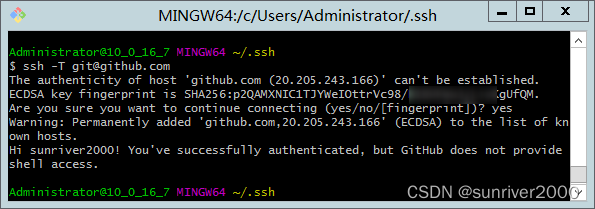
验证




![[NDK]从Opengles到Vulkan-基础篇(4)-图形管线](https://img-blog.csdnimg.cn/img_convert/c9f7dac62b67e16ad6478d93dde198c8.png)
![[NDK]从Opengles到Vulkan-基础篇(7)-创建纹理容器](https://img-blog.csdnimg.cn/img_convert/3248da3e15ce19ef560c2a4f08265b2d.png)