使用到的github公开项目
https://github.com/castai/promwrite
拉下来装依赖,然后使用
client_test.go
t.Run(“write with custom options”, func(t *testing.T)
这个测试用例里面,删掉srv初始化的部分,这个是模拟一个客户端,直接写入自己的普罗米修斯测试的客户端路径,/api/v1/write普罗米修斯是写入的路径
client := promwrite.NewClient(
			//srv.URL,
			"http://localhost:9090/api/v1/write",
			promwrite.HttpClient(&http.Client{
				Timeout: 1 * time.Second,
				Transport: &customTestHttpClientTransport{
					reqChan: sentRequest,
					next:    http.DefaultTransport,
				},
			}),
		)
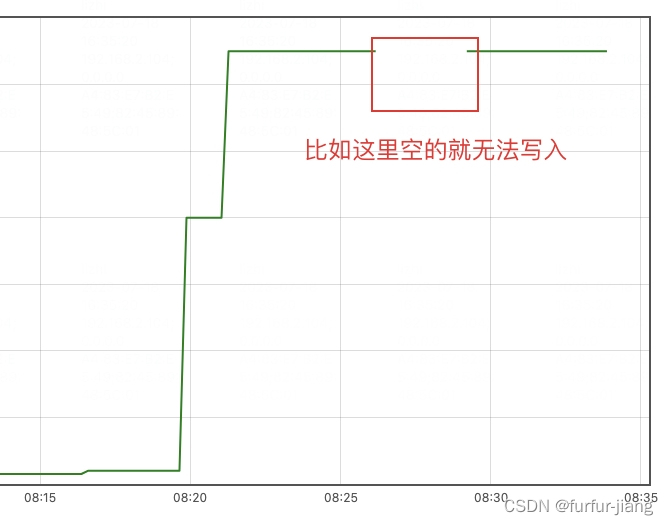
效果

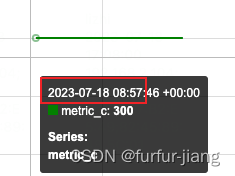
注意:
普罗米修斯对写操作有限制,所以要按时间顺序写入
expected status 200, got 400: out of order sample
这个错误通常是由于 Prometheus 写入数据时样本的时间戳顺序不正确导致的。Prometheus 要求样本的时间戳必须按照递增的顺序进行写入









![[数据结构 -- 手撕排序算法第六篇] 递归实现快速排序(集霍尔版本,挖坑法,前后指针法为一篇的实现方法,很能打)](https://img-blog.csdnimg.cn/img_convert/81f1e2032bf35a1cf9b1461b550484d1.png)