metersphere自动化测试场景,可以用过jenkins job配至界面化传参数,传递给metersphere动态执行脚本。
1.下载metersphere jenkins插件
Releases · metersphere/jenkins-plugin · GitHub
2.jenkins安装metersphere插件
Jenkins 的插件管理页面,系统设置 --> 插件管理 --> 高级,往下找到上传插件这个选项,把刚刚下载的.hpi文件上传
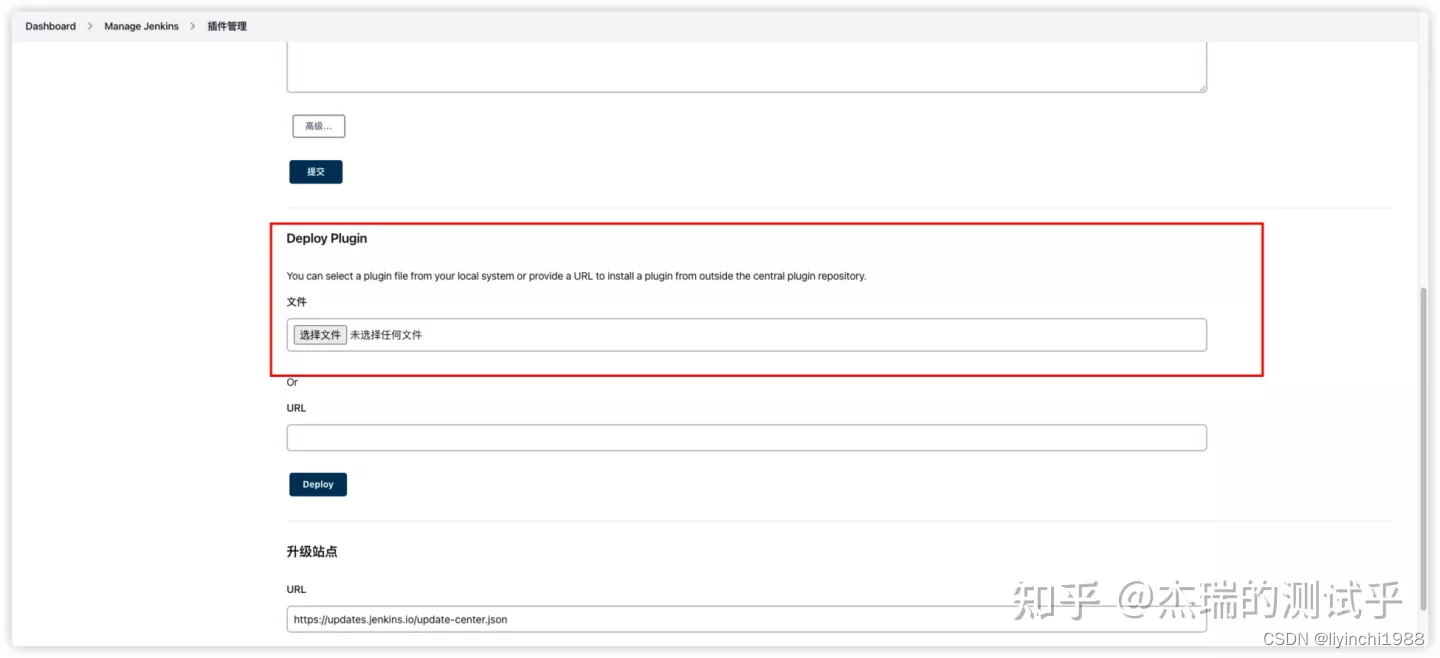
3.新建常规jenkins job 并配置metersphere API Keys
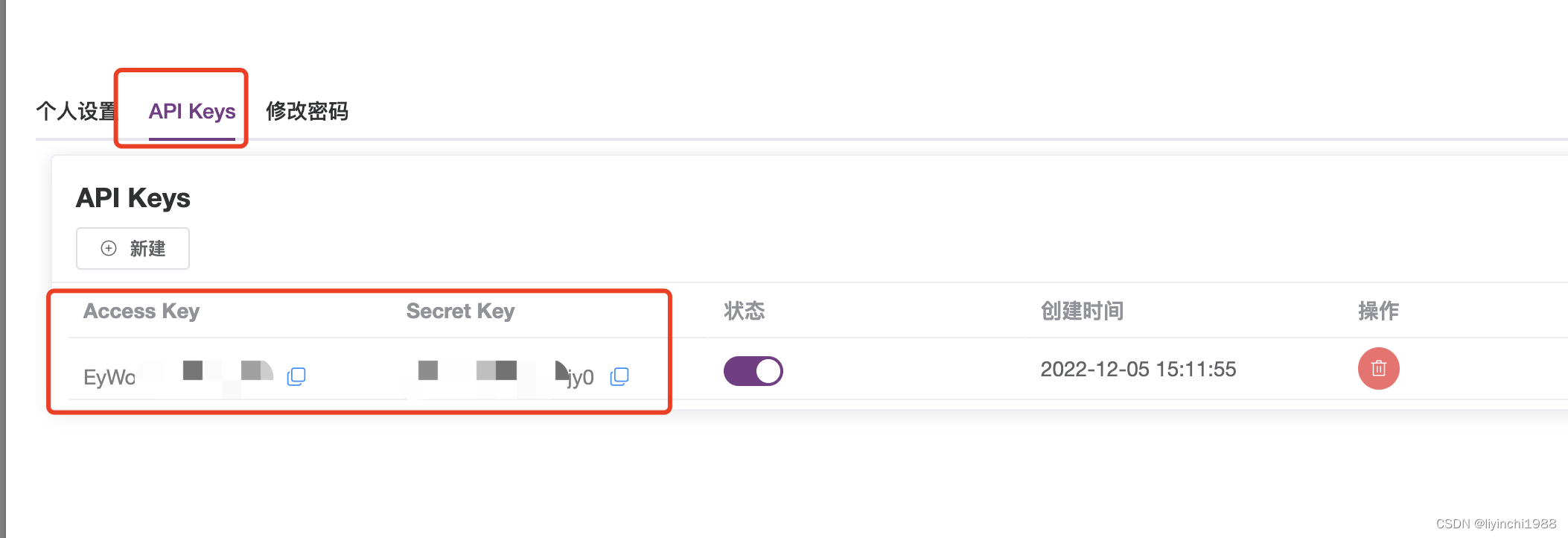
(1)查看metersphere鉴权参数
metersphere个人信息 --> API Keys
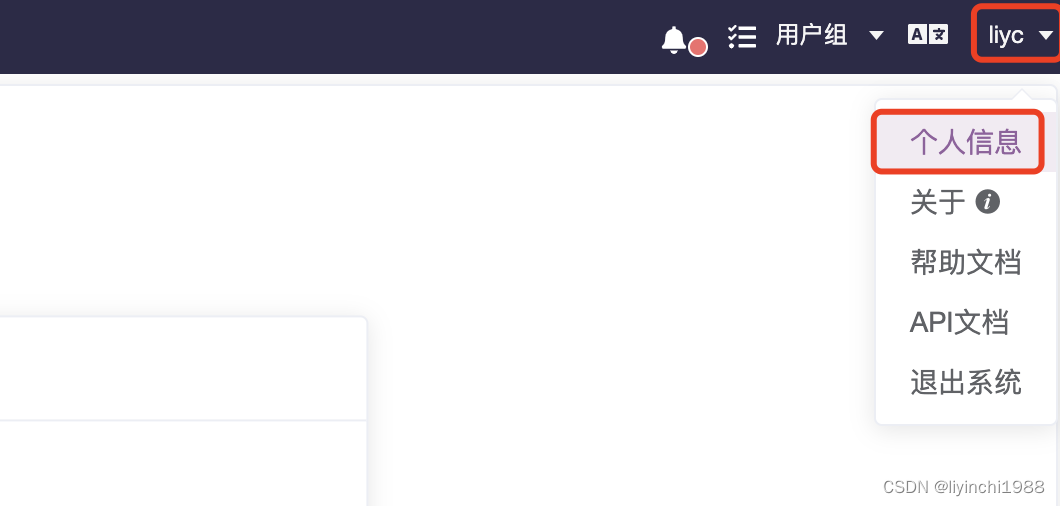
查看metersphere的 Access Key和Secret Key
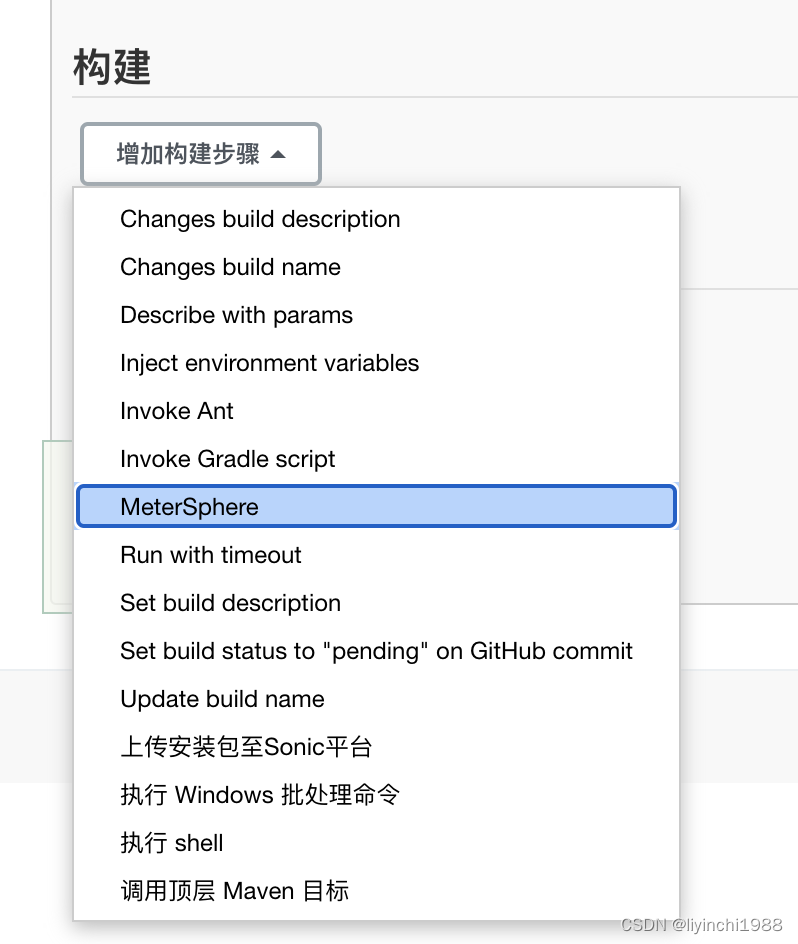
(2)构建添加metersphere插件配置
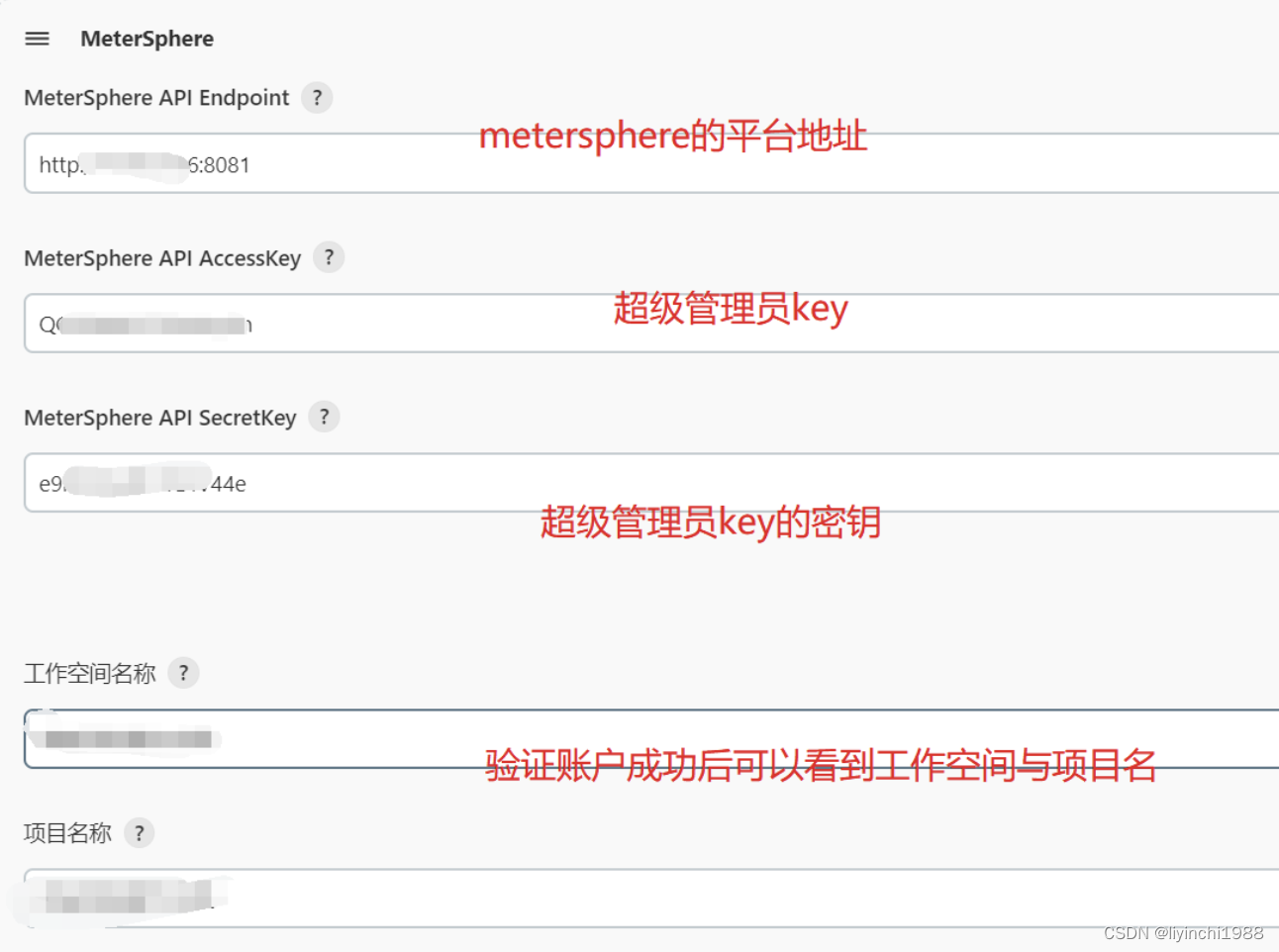
验证账号后获取到空间、项目、测试计划等数据,找到要执行的自动化猜测是脚本
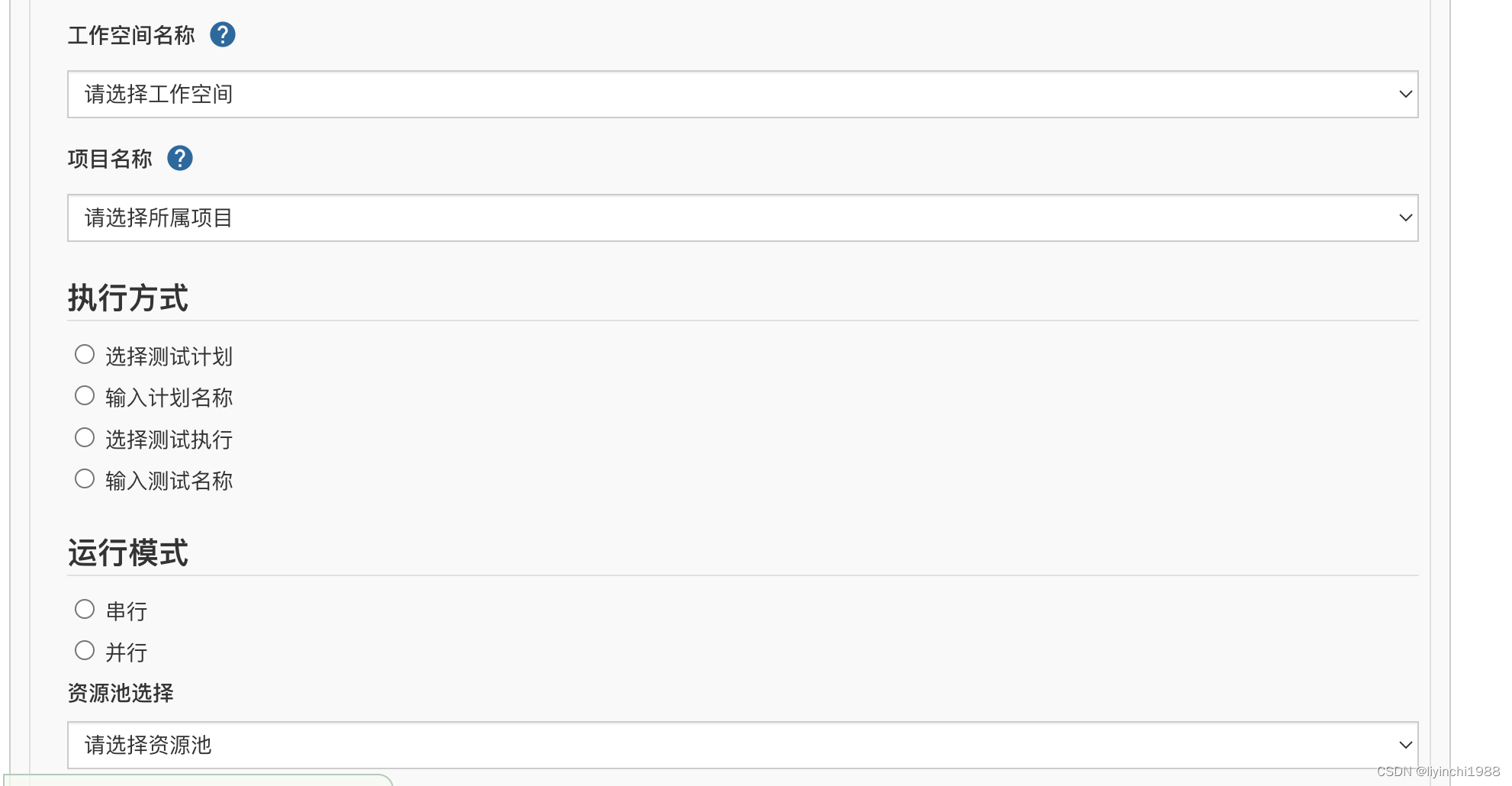

(3)配置jenkins动态入参
4.常见问题
(1)jenkins配置metersphere后,可以校验成功,但是就是查不到空间与项目
解决办法:
查看填写的账户API keys是否拥有该空间和项目的权限
查看metersphere的管理地址填写是否含有路径(一定不写路径只写http(s)://ip:端口号)
![[激光原理与应用-37]:《光电检测技术-4》- 光学测量基础 - 噪声与光学中的常见电路](https://img-blog.csdnimg.cn/33a386a5161a4f6db8816f0f8e66007e.png)

![[附源码]计算机毕业设计数字乡村基础治理系统Springboot程序](https://img-blog.csdnimg.cn/6a451369471d4ce4a5278f2ea0b7a121.png)
![[Mysql]数据库约束](https://img-blog.csdnimg.cn/045859dcb98a426c9dbb10fdce5ece20.png)