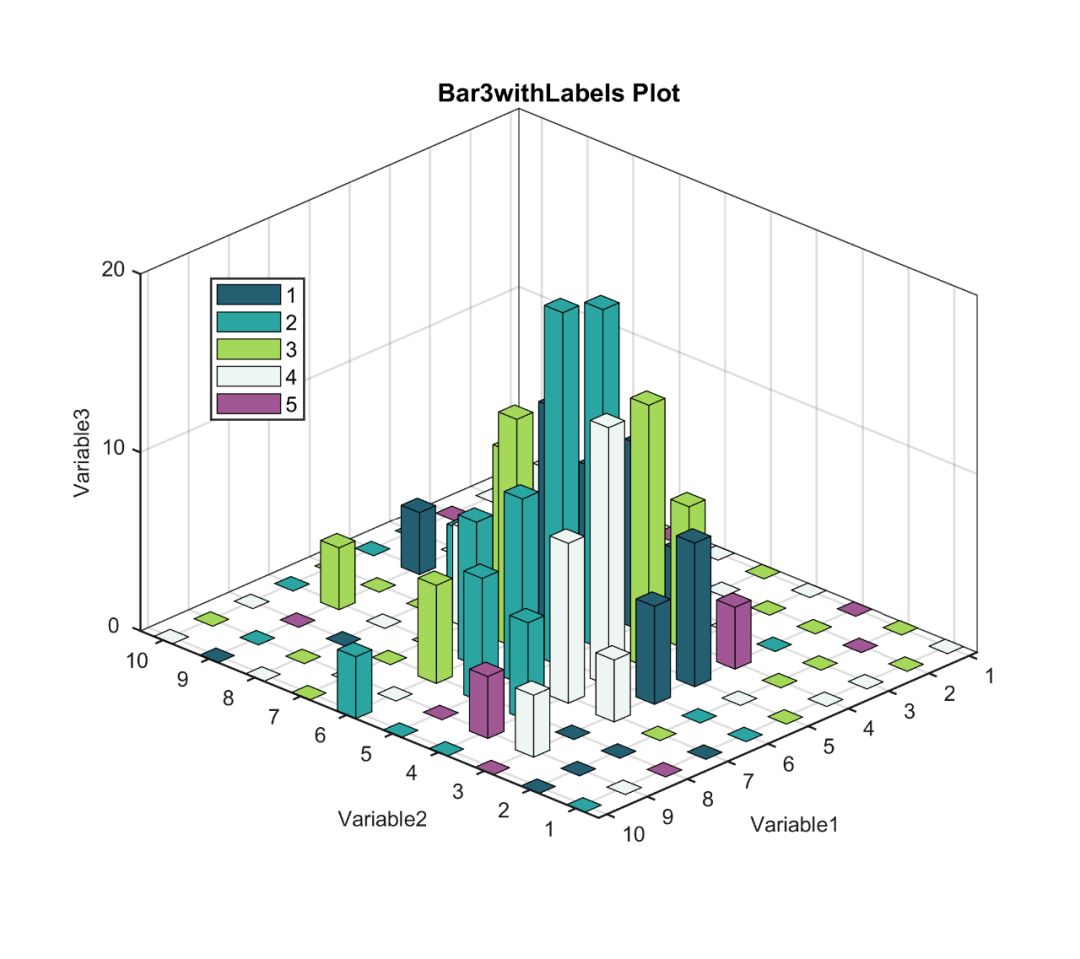
带类别标签的三维柱状图是一种特殊的三维柱状图。
与三维柱状图相比,带类别标签的三维柱状图通过颜色表示每根柱子的所属类别,从而可以更加直观地表示四维/四变量数据。
由于Matlab中未收录带类别标签的三维柱状图的绘制函数,因此需要大家自行想办法。
本文使用自制的bar3withlabel小工具进行带类别标签的三维柱状图的绘制,先来看一下成品效果:
特别提示:本期内容『数据+代码』已上传资源群中,加群的朋友请自行下载。有需要的朋友可以关注同名公号【阿昆的科研日常】,后台回复关键词【绘图桶】查看加入方式。
1. 数据准备
此部分主要是读取原始数据,并初始化绘图参数。
% 读取数据load data.mat% 初始化s = 0.4; % 柱子宽度MA = dataset;Labels = lbs;
2. 颜色定义
作图不配色就好比做菜不放盐,总让人感觉少些味道。
但颜色搭配比较考验个人审美,需要多加尝试。
这里直接使用TheColor配色工具中的SCI权威配色库:
%% 颜色定义map = TheColor('dream',1);

3. 带类别标签的三维柱状图绘制
调用‘bar3withlabel’命令,绘制初始带类别标签的三维柱状图。
h = bar3withlabel(MA,s,map,Labels);hTitle = title('Bar3withLabels Plot');hXLabel = xlabel('Variable1');hYLabel = ylabel('Variable2');hZLabel = zlabel('Variable3');view(134,25)% alpha(0.9) % 透明度
4. 细节优化
为了插图的美观,对坐标轴细节等进行美化:
% 坐标区调整set(gca, 'Box', 'on', ... % 边框'LineWidth', 1, 'GridLineStyle', '-',... % 坐标轴线宽'XGrid', 'on', 'YGrid', 'on','ZGrid', 'on', ... % 网格'TickDir', 'out', 'TickLength', [.015 .015], ... % 刻度'XMinorTick', 'off', 'YMinorTick', 'off', 'ZMinorTick', 'off',... % 小刻度'XColor', [.1 .1 .1], 'YColor', [.1 .1 .1], 'ZColor', [.1 .1 .1],... % 坐标轴颜色'xtick',1:10,... % 坐标轴刻度'xticklabels',1:10,...'ytick',1:10,...'ylim',[0.5 10.5],...'yticklabels',1:10,...'ztick',0:10:60,...'zticklabels',0:10:60,...'zlim',[0 20])% Legend设置[u1,u2,u3] = unique(lbs(:),'stable');idx = [4 5 2 1 3];% idx = 1:length(u1); %标签默认顺序u1 = num2str(u1);hLegend = legend(h(u2(idx)),u1(idx),...'Location', 'northwest',...'Orientation','vertical');% hLegend.ItemTokenSize = [5 5];% Legend位置微调P = hLegend.Position;hLegend.Position = P + [0.05 -0.2 0 0];% 字体和字号set(gca, 'FontName', 'Arail', 'FontSize', 10)set([hLegend,hXLabel, hYLabel,hZLabel], 'FontName', 'Arail', 'FontSize', 10)set(hTitle, 'FontSize', 12, 'FontWeight' , 'bold')% 背景颜色set(gcf,'Color',[1 1 1])
设置完毕后,以期刊所需分辨率、格式输出图片。
%% 图片输出figW = figureWidth;figH = figureHeight;set(figureHandle,'PaperUnits',figureUnits);set(figureHandle,'PaperPosition',[0 0 figW figH]);fileout = 'test';print(figureHandle,[fileout,'.png'],'-r300','-dpng');
以上。