CMake Tutorial Step1
参考资料:Step 1: A Basic Starting Point — CMake 3.26.3 Documentation
Tutorial工程:官方Tutorial工程
开发环境:CLion
CMake简介
方便起见直接问New Bing。
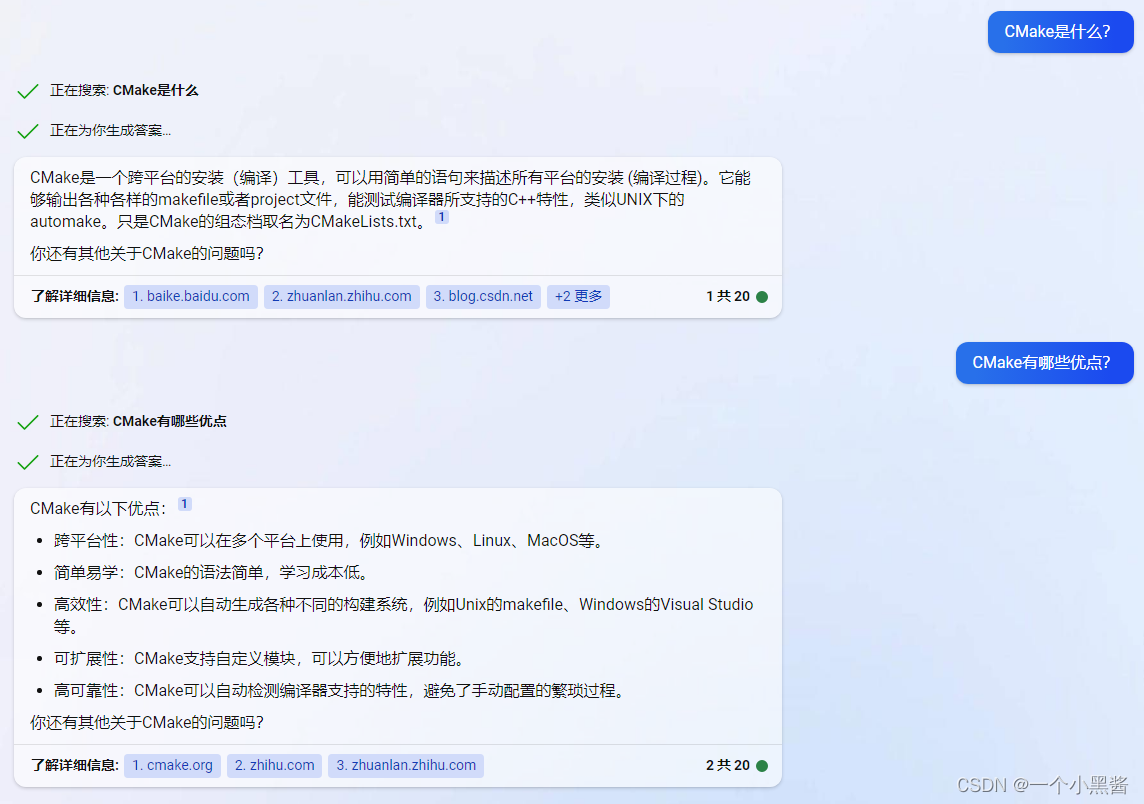
为什么要学习CMake?
CMake的最大特点和Qt一样,跨平台工具,因此学习它可以应用在大多数场合,投入产出比很高。
步骤一:一个基础的起点
本章一共3个练习,分别用于实现3个目标:
- 练习1:构建一个基础的工程
- 练习2:指定C++标准版本
- 练习3:增加一个软件版本号和配置头文件
练习1:构建一个基础的工程
背景:
假如现在你想练习C++编程,但是不想使用Visual Studio或Qt Creator这样的图像化集成工具。
目标:
理解如何创建一个简单的CMake工程。
辅助资源:
add_executable()
cmake_minimum_required()
project()
需要编辑的文件:
CMakeLists.txt
解决方案
# TODO 1: Set the minimum required version of CMake to be 3.10
cmake_minimum_required(VERSION 3.25)

# TODO 2: Create a project named Tutorial
project(Tutorial)

# TODO 3: Add an executable called Tutorial to the project
# Hint: Be sure to specify the source file as tutorial.cxx
add_executable(Tutorial tutorial.cxx)
cmake_minimum_required:指定cmake至少应该是某个版本以上
project:指定工程名字,相当于创建一个工程
add_executable:指定可执行文件的名字以及生成它的源文件
提示:上面三行是所有CMake工程都要有的,其中 add_executable 在实际工程中指定的源文件会是成百上千个,因此后面多半会被替换成变量,变量中包含工程中所有需要用到的源文件。
练习2:指定C++标准版本
背景:
假如现在你已经把最古老的C++ 98学习完了,现在想继续学习C++ 11,17,20等更新的标准。
目标:
增加C++11特性,使工程可以使用新标准的语法。
辅助资源:
CMAKE_CXX_STANDARD
CMAKE_CXX_STANDARD_REQUIRED
set()
需要编辑的文件:
CMakeLists.txt,tutorial.cxx
解决方案
- 先在
tutorial.cxx文件中使用C++ 11的语法,此时如果你编译它会报错
// convert input to double
// TODO 4: Replace atof(argv[1]) with std::stod(argv[1])
const double inputValue = std::stod(argv[1]);
- 删除
tutorial.cxx文件中的这一行,因为原先的atof(argv[1])不用了
#include <cstdlib> // TODO 5: Remove this line
- 在
CMakeLists.txt中添加这两行,明确告诉CMake要用C++ 11来构建工程
# TODO 6: Set the variable CMAKE_CXX_STANDARD to 11
#         and the variable CMAKE_CXX_STANDARD_REQUIRED to True
set(CMAKE_CXX_STANDARD 11)
set(CMAKE_CXX_STANDARD_REQUIRED True)
提示:需要注意的是 set(CMAKE_CXX_STANDARD 11),set(CMAKE_CXX_STANDARD_REQUIRED True) 这两行需要放在 add_executable(Tutorial tutorial.cxx) 上面
练习3:增加一个软件版本号和配置头文件
背景:
软件工程上一般都会给软件分配一个版本号,用于版本管理和缺陷追溯等功能。CMake可以使这个过程变得很方便。
目标:
定义和输出软件版本号。
辅助资源:
<PROJECT-NAME>_VERSION_MAJOR
<PROJECT-NAME>_VERSION_MINOR
<PROJECT-NAME>_VERSION_PATCH
<PROJECT-NAME>_VERSION_TWEAK
configure_file()
target_include_directories()
需要编辑的文件:
CMakeLists.txt,tutorial.cxx
解决方案
-
在
project()指定工程名时,指定VERSION版本号# TODO 7: Set the project version number as 1.0 in the above project command project(Tutorial VERSION 1.2.3.4) -
用
configure_file()指令将指定的版本号从TutorialConfig.h.in复制进TutorialConfig.h中# TODO 8: Use configure_file to configure and copy TutorialConfig.h.in to # TutorialConfig.h configure_file(TutorialConfig.h.in TutorialConfig.h)提示:当前版本号只在
CMakeLists.txt中有指定,TutorialConfig.h.in如何能知道版本号呢?TutorialConfig.h.in中一定需要编写一些内容,使其获得版本号 -
让工程包含
TutorialConfig.h所在的头文件路径# TODO 9: Use target_include_directories to include ${PROJECT_BINARY_DIR} target_include_directories(Tutorial PUBLIC ${PROJECT_BINARY_DIR}) -
在
TutorialConfig.h.in文件中编写内容,使其可以获得CMakeLists.txt中指定的版本号// the configured options and settings for Tutorial // TODO 10: Define Tutorial_VERSION_MAJOR and Tutorial_VERSION_MINOR #define Tutorial_VERSION_MAJOR @Tutorial_VERSION_MAJOR@ #define Tutorial_VERSION_MINOR @Tutorial_VERSION_MINOR@ #define Tutorial_VERSION_PATCH @Tutorial_VERSION_PATCH@ #define Tutorial_VERSION_TWEAK @Tutorial_VERSION_TWEAK@ -
tutorial.cxx文件中包含TutorialConfig.h头文件// TODO 11: Include TutorialConfig.h #include "TutorialConfig.h" -
tutorial.cxx中输出版本号if (argc < 2) { // TODO 12: Create a print statement using Tutorial_VERSION_MAJOR // and Tutorial_VERSION_MINOR and Tutorial_VERSION_PATCH // and Tutorial_VERSION_TWEAK std::cout << argv[0] << " Version " << Tutorial_VERSION_MAJOR << "." << Tutorial_VERSION_MINOR << "." << Tutorial_VERSION_PATCH << "." << Tutorial_VERSION_TWEAK << std::endl; std::cout << "Usage: " << argv[0] << " number" << std::endl; return 1; }



![[晕事]今天做了件晕事7](https://img-blog.csdnimg.cn/7d50591aee264c3dbad4bb335e5fb88e.png#pic_center)