python自带的第三方库使用pip安装速度会很慢,还有可能会报错。
常见的报错信息有:
-
check_hostname requires server_hostname
raise ValueError(“check_hostname requires server_hostname”)
-
EOF occurred in violation of protocol
Could not fetch URL https://pypi.org/simple/xxx/: There was a problem confirming the ssl certificate: HTTPSConnectionPool(host=‘pypi.org’, port=443): Max retries exceeded with url: /simple/xxx/ (Caused by SSLError(SSLEOFError(8, ‘EOF occurred in violation of protocol (_ssl.c:997)’))) - skipping
出现以上报错信息,可能的根源在SSL安全协议上,这样的问题但通常可以修改pip的全局第三方库地址解决。
换源代码
清华第三方库源码下载地址
pip config set global.index-url https://pypi.tuna.tsinghua.edu.cn/simple
阿里云第三方库源码下载地址
pip config set global.index-url http://mirrors.aliyun.com/pypi/simple/
中国科技大学第三方库源码下载地址
pip config set global.index-url https://pypi.mirrors.ustc.edu.cn/simple/
豆瓣第三方库源码下载地址
pip config set global.index-url http://pypi.douban.com/simple/
中国科学技术大学第三方库源码下载地址
pip config set global.index-url http://pypi.mirrors.ustc.edu.cn/simple/
详细操作
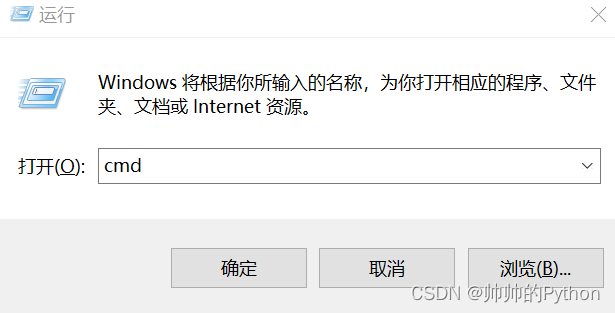
1.使用window+R快捷键打开如下窗口,输入:cmd
2.随便输入上面的一个换源代码,如图所示,按下回车【Enter】键即可。
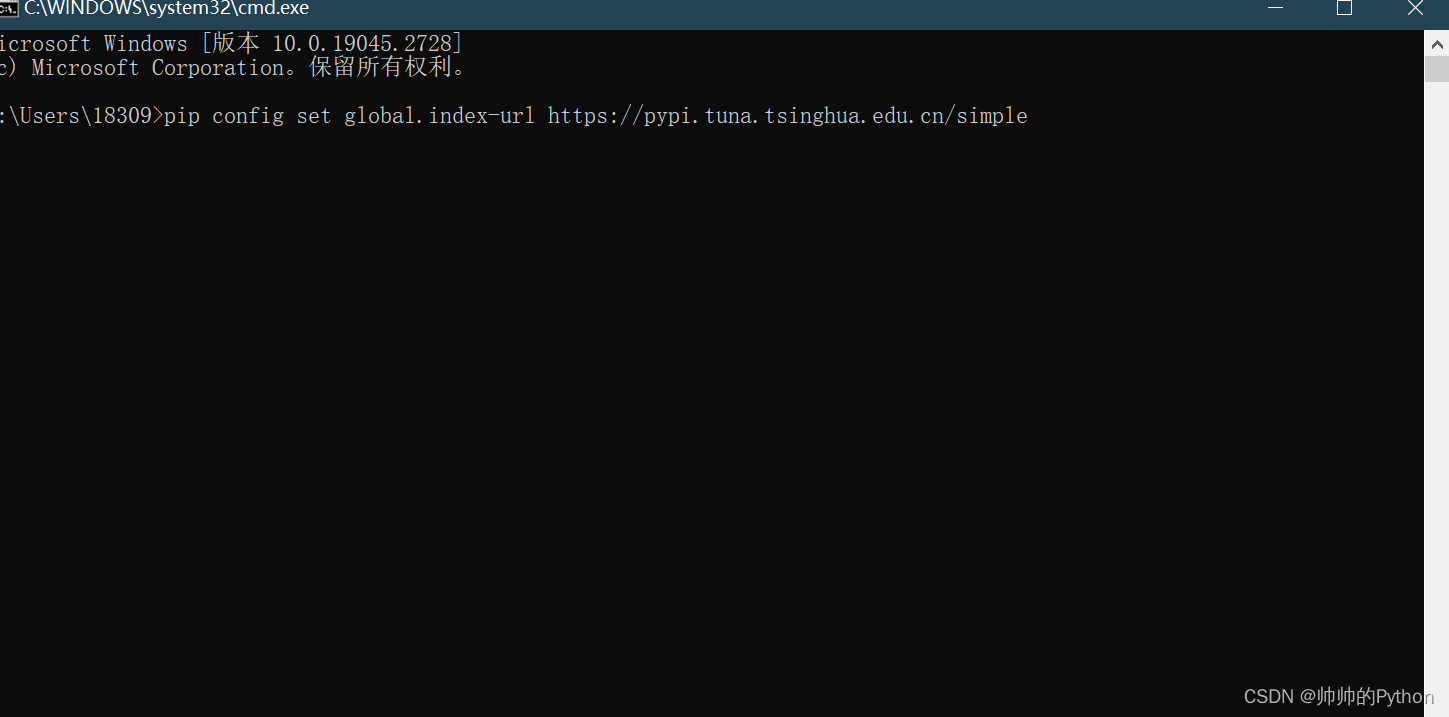
出现:Writing to C:\Users\AppData\Roaming\pip\pip.ini 表示修改成功!



![[ 应急响应基础篇 ] evtx提取安全日志 事件查看器提取安全日志](https://img-blog.csdnimg.cn/ce0be5ee41dc4990bfe0536d72683fdb.png)

![[建议收藏]45 个 Git 经典操作场景,专治各种不会合并代码的童鞋~~](https://img-blog.csdnimg.cn/20210818181529121.png?x-oss-process=image/watermark,type_ZmFuZ3poZW5naGVpdGk,shadow_10,text_aHR0cHM6Ly9ibG9nLmNzZG4ubmV0L3FxXzQxNTcwNjU4,size_16,color_FFFFFF,t_70)