总目录 iOS开发笔记目录 从一无所知到入门
文章目录
- Intro
- NSObject 源码
- 测试类
- 截图
- 测试代码
- 输出
Intro
在 Java 中,对于自定义类一般会重写集成自Object类的toString方法,这样在打印该类的对象时,打印出的字符串就是我们在 toString() 方法中返回的字符串值。
而在 Objective-C 中,也有这样的方法。
description 和 debugDescription
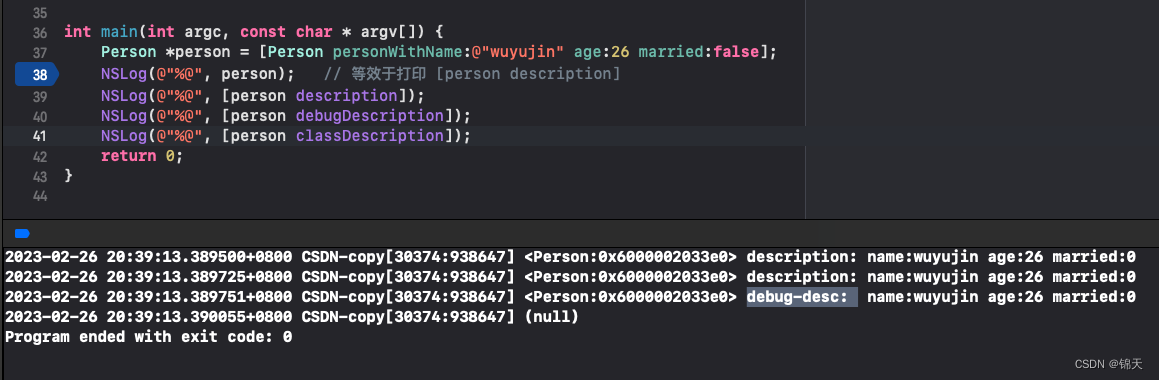
当执行NSLog(@"%@", obj)时候,等效于NSLog(@"%@", [obj description]),该方法的大致实现为:
- (NSString *)description {
    return [NSString stringWithFormat:@"<%@:%p>", [self class], self];
}
因此,你随意自定义一个类,然后直接打印该类的对象,会看到对象输出为 <Person: 0x6000002033e0> 的格式。
对于自定义类,我们可以重写两个方法:
- (NSString *)description;
- (NSString *)debugDescription;
其中:
description 会在使用%@打印某对象时自动调用,显式调用也可以:[obj description] 。
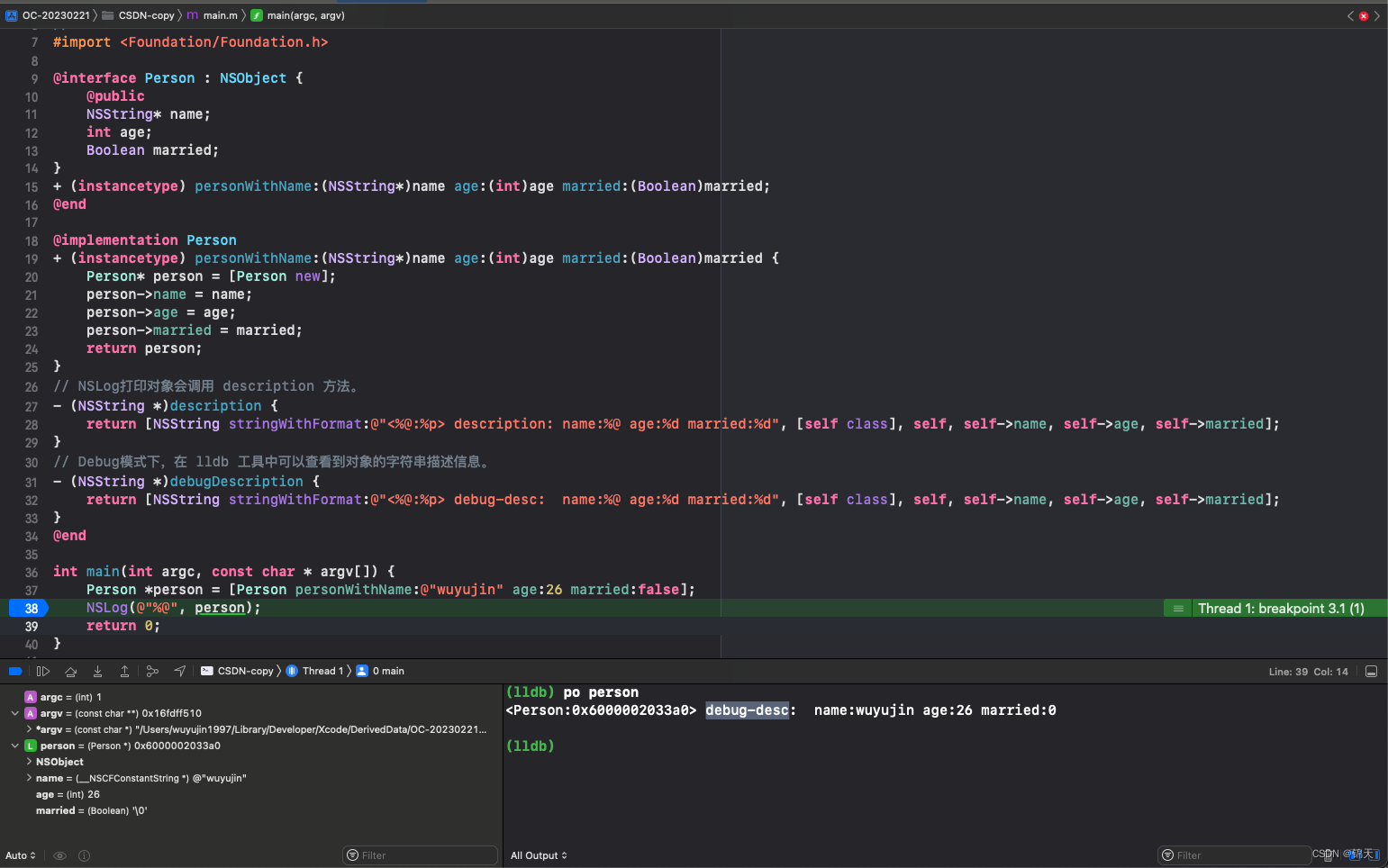
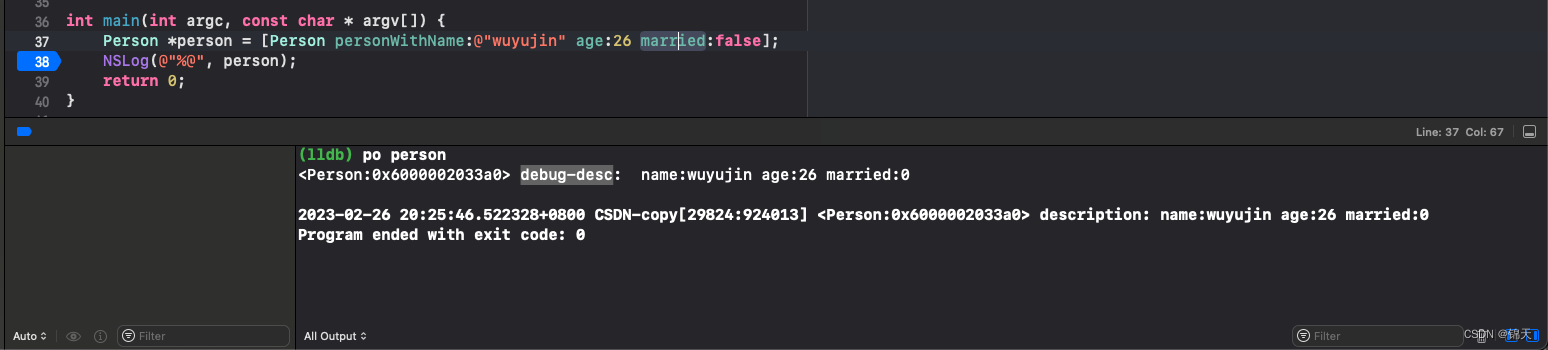
debugDescription 要么显式调用[obj debugDescription],要么在Xcode中debug模式下,使用命令po 对象名可以看到重写后的debugDescription返回值( 操作图见后)。
NSObject 源码
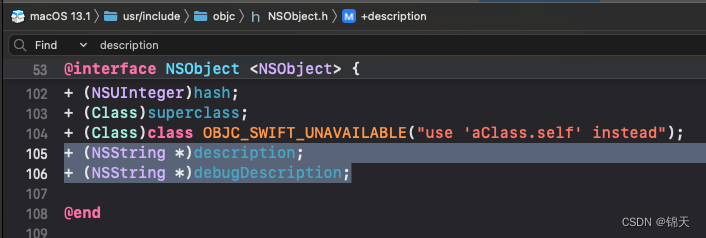
删除一些暂时不需要关注的代码,只关注结构和description相关的成员:
@protocol NSObject
// ...
@property (readonly, copy) NSString *description;
@optional
@property (readonly, copy) NSString *debugDescription;
@end

@interface NSObject <NSObject> {
    Class isa  OBJC_ISA_AVAILABILITY;
}
// ...
+ (NSString *)description;
+ (NSString *)debugDescription;
@end
有两个description相关属性,以及两个description相关的类方法。
【怎么是类方法,不是对象方法?这个问题等暂时不研究。】
在 NSString 源码中搜索 description:

在 NSArray 源码中搜索:

测试类
截图
测试代码
//
//  main.m
//  CSDN-copy
//
//  Created by wuyujin1997 on 2023/2/25.
//
#import <Foundation/Foundation.h>

@interface Person : NSObject {
    @public
    NSString* name;
    int age;
    Boolean married;
}
+ (instancetype) personWithName:(NSString*)name age:(int)age married:(Boolean)married;
@end

@implementation Person
+ (instancetype) personWithName:(NSString*)name age:(int)age married:(Boolean)married {
    Person* person = [Person new];
    person->name = name;
    person->age = age;
    person->married = married;
    return person;
}
// NSLog打印对象会调用 description 方法。
- (NSString *)description {
    return [NSString stringWithFormat:@"<%@:%p> description: name:%@ age:%d married:%d", [self class], self, self->name, self->age, self->married];
}
// Debug模式下,在 lldb 工具中可以查看到对象的字符串描述信息。
- (NSString *)debugDescription {
    return [NSString stringWithFormat:@"<%@:%p> debug-desc:  name:%@ age:%d married:%d", [self class], self, self->name, self->age, self->married];
}
@end

int main(int argc, const char * argv[]) {
    Person *person = [Person personWithName:@"wuyujin" age:26 married:false];
    NSLog(@"%@", person);   // 等效于打印 [person description]
    NSLog(@"%@", [person description]);
    NSLog(@"%@", [person debugDescription]);
    NSLog(@"%@", [person classDescription]);
    return 0;
}
输出
2023-02-26 20:39:13.389500+0800 CSDN-copy[30374:938647] <Person:0x6000002033e0> description: name:wuyujin age:26 married:0
2023-02-26 20:39:13.389725+0800 CSDN-copy[30374:938647] <Person:0x6000002033e0> description: name:wuyujin age:26 married:0
2023-02-26 20:39:13.389751+0800 CSDN-copy[30374:938647] <Person:0x6000002033e0> debug-desc:  name:wuyujin age:26 married:0
2023-02-26 20:39:13.390055+0800 CSDN-copy[30374:938647] (null)
Program ended with exit code: 0
![[架构之路-121]-《软考-系统架构设计师》-计算机体系结构 -3-汇编语言与ARM系统的初始化](https://img-blog.csdnimg.cn/img_convert/a61431ba399354b5d5fd596471fdbc23.png)