Linux硬盘分区管理
news2026/4/9 8:21:56
硬盘分区管理大容量的硬盘分区使用C盘系统盘D盘办公E盘娱乐。类似于买了一个房子100平方隔断主卧、次卧1、次卧2、厨房、卫生间。识别硬盘设备接口类型设备命名示例说明SATA/SAS/USB/SCSI/dev/sda、/dev/sdb…物理机常用的磁盘设备命名virtio-blk虚拟机/dev/vda、/dev/vdb…KVM 虚拟机常用磁盘命名NVMe SSD/dev/nvme0n1、/dev/nvme1n1…高性能 NVMe 固态硬盘命名SD/MMC/eMMC/dev/mmcblk0、/dev/mmcblk1…嵌入式设备常用存储命名虚拟机添加2个硬盘sata 接口20GNVMe接口40G关机添加# 查看块block设备清单[rootcentos7 ~ 09:45:14]# lsblkNAME MAJ:MIN RM SIZE RO TYPE MOUNTPOINT sda8:00200G0disk ├─sda18:101G0part /boot#sda 硬盘的第一个分区└─sda28:20199G0part ├─centos-root253:0050G0lvm / ├─centos-swap253:102G0lvm[SWAP]└─centos-home253:20147G0lvm /home sdb8:16020G0disk# 新增的sata硬盘sr011:014.4G0rom nvme0n1259:0040G0disk# 新增的NVMe硬盘设备类型块设备b大部分情况下都是存储设备例如光盘、硬盘、U盘。字符设备c一般是输入和输出设备例如终端设备tty1、vty、pst/0等硬盘分区方案直接管理主板上外接设备的系统称之为固件。例如调整设备启动顺序光盘作为第一启动项用来安装系统。分区方案MBR自1982年起主启动记录MBR分区方案成为运行BIOS 固件系统的磁盘分区标准。主分区数量限制最多支持4个主分区。扩展分区与逻辑分区Linux 系统中可通过“主分区扩展分区”的方式突破主分区限制扩展分区仅作为逻辑分区的“容器”不可格式化逻辑分区可格式化使用整体最多可创建15个分区。容量限制MBR 用4个字节存储分区总扇区数按单扇区512字节计算单个分区最大容量不超过2 TiB。GPT全局唯一标识分区表GPT是运行统一可扩展固件接口UEFI系统的磁盘分区标准。容量支持使用8个字节存储分区总扇区数单分区/磁盘最大支持18 ZiB18亿 TiB完全满足大磁盘需求。分区数量默认支持128个分区无需扩展分区/逻辑分区实际使用中建议不超过120个避免格式化异常。数据冗余GPT 分区表包含主表和备份表且自带 CRC32 校验码可自动检测并恢复损坏的分区表。fdisk 管理 MBRfdisk 管理 MBR新版本的fdisk也可以用来管理GPT。查看硬盘信息# 查看所有块设备进一步过滤出sd相关设备[rootcentos7 ~ 08:19:43]# fdisk -l | grep sdDisk /dev/sda:214.7GB,214748364800bytes,419430400sectors /dev/sda1 *20482099199104857683Linux /dev/sda220992004194303992086656008e Linux LVM Disk /dev/sdb:21.5GB,21474836480bytes,41943040sectors# 查看特定硬盘信息[rootcentos7 ~ 08:21:43]# fdisk -l /dev/sdaDisk /dev/sda:214.7GB,214748364800bytes,419430400sectors Unitssectors of1*512512bytes Sector size(logical/physical):512bytes /512bytes I/O size(minimum/optimal):512bytes /512bytes Disk label type: dos# MBR分区格式Disk identifier: 0x000bd48e Device Boot Start End Blocks Id System /dev/sda1 *20482099199104857683Linux /dev/sda220992004194303992086656008e Linux LVM# sdb 硬盘没有分区[rootcentos7 ~ 08:21:50]# fdisk -l /dev/sdbDisk /dev/sdb:21.5GB,21474836480bytes,41943040sectors Unitssectors of1*512512bytes Sector size(logical/physical):512bytes /512bytes I/O size(minimum/optimal):512bytes /512bytes帮助信息# 交互方式管理sdb硬盘[rootcentos7 ~ 08:21:53]# fdisk /dev/sdbWelcome tofdisk(util-linux2.23.2). Changes will remaininmemory only,untilyou decide towritethem. Be careful before using thewritecommand. Device does not contain a recognized partition table Building a new DOS disklabel with disk identifier 0xdfdac101.# m 查看帮助Command(mforhelp):mCommand action a toggle a bootable flag b edit bsd disklabel c toggle the dos compatibility flag d delete a partition g create a new empty GPT partition table G create an IRIX(SGI)partition table l list known partition types m print this menu nadda new partition o create a new empty DOS partition table p print the partition table q quit without saving changes s create a new empty Sun disklabel t change a partitions systemidu change display/entryunitsvverify the partition table wwritetable to disk andexitx extra functionality(experts only)查看分区表# p 查看分区表Command(mforhelp):pDisk /dev/sdb:21.5GB,21474836480bytes,41943040sectors Unitssectors of1*512512bytes Sector size(logical/physical):512bytes /512bytes I/O size(minimum/optimal):512bytes /512bytes Disk label type: dos Disk identifier: 0xdfdac101 Device Boot Start End Blocks Id System# sdb硬盘是空盘没有分区创建分区# n 新建分区Command(mforhelp):nPartition type: p primary(0primary,0extended,4free)e extended Select(default p):回车# 主分区类型Using default response p Partition number(1-4, default1):回车# 分区号First sector(2048-41943039, default2048):回车# 分区的起始位置Using default value2048Last sector, sectors or size{K,M,G}(2048-41943039, default41943039):5G# 分区的结束位置Partition1oftypeLinux and of size5GiB isset# 再次查看多了一个分区Command(mforhelp):pDisk /dev/sdb:21.5GB,21474836480bytes,41943040sectors Unitssectors of1*512512bytes Sector size(logical/physical):512bytes /512bytes I/O size(minimum/optimal):512bytes /512bytes Disk label type: dos Disk identifier: 0xdfdac101 Device Boot Start End Blocks Id System /dev/sdb1204810487807524288083Linux保存分区表# w 保存修改Command(mforhelp):wThe partition table has been altered!Calling ioctl()to re-read partition table. Syncing disks.# 再次查看块设备[rootcentos7 ~ 08:29:58]# lsblk /dev/sdbNAME MAJ:MIN RM SIZE RO TYPE MOUNTPOINT sdb8:16020G0disk └─sdb18:1705G0part删除分区[rootcentos7 ~ 08:30:05]# fdisk /dev/sdbWelcome tofdisk(util-linux2.23.2). Changes will remaininmemory only,untilyou decide towritethem. Be careful before using thewritecommand.# d 删除分区Command(mforhelp):dSelected partition1Partition1is deleted Command(mforhelp):pDisk /dev/sdb:21.5GB,21474836480bytes,41943040sectors Unitssectors of1*512512bytes Sector size(logical/physical):512bytes /512bytes I/O size(minimum/optimal):512bytes /512bytes Disk label type: dos Disk identifier: 0xdfdac101 Device Boot Start End Blocks Id System# 对应的分区被删除# 保存退出Command(mforhelp):wThe partition table has been altered!Calling ioctl()to re-read partition table. Syncing disks.计算机存储单位。GB1000MBGiB1024MiBgdisk 工具gdisk 工具用于管理 GPT 分区方案的硬盘。# 安装工具[rootcentos7 ~ 08:47:43]# yum install -y gdisk查看硬盘信息[rootcentos7 ~ 08:47:53]# gdisk -l /dev/sdbGPTfdisk(gdisk)version0.8.10 Partition table scan: MBR: MBR only# MBR 管理方案BSD: not present APM: not present GPT: not present *************************************************************** Found invalid GPT and valid MBR;converting MBR to GPTformatinmemory. *************************************************************** Disk /dev/sdb:41943040sectors,20.0GiB Logical sector size:512bytes Disk identifier(GUID): 338C66BF-D237-43A9-8551-4C038013BAD5 Partition table holds up to128entries First usable sector is34, last usable sector is41943006Partitions will be aligned on2048-sector boundaries Totalfreespace is41942973sectors(20.0GiB)Number Start(sector)End(sector)Size Code Name帮助信息[rootcentos7 ~ 08:48:20]# gdisk /dev/sdbGPTfdisk(gdisk)version0.8.10 Partition table scan: MBR: MBR only BSD: not present APM: not present GPT: not present *************************************************************** Found invalid GPT and valid MBR;converting MBR to GPTformatinmemory. THIS OPERATION IS POTENTIALLY DESTRUCTIVE!Exit by typingqifyou dont want to convert your MBR partitions to GPT format! *************************************************************** Command (? for help): ? b back up GPT data to a file # 备份GPT数据到文件 c change a partitions name# 修改分区名称d delete a partition# 删除分区i show detailed information on a partition# 查看分区详细信息l list known partition types# 列出已知分区类型nadda new partition# 创建新分区o create a new empty GUID partition table(GPT)# 创建空GPT分区表p print the partition table# 打印分区表q quit without saving changes# 退出不保存r recovery and transformation options(experts only)# 恢复/转换选项专家模式ssortpartitions# 排序分区t change a partitionstypecode# 修改分区类型码vverify disk# 校验磁盘wwritetable to disk andexit# 保存并退出x extra functionality(experts only)# 扩展功能专家模式? print this menu# 打印帮助菜单查看分区表Command(?forhelp): p Disk /dev/sdb:41943040sectors,20.0GiB Logical sector size:512bytes Disk identifier(GUID): 7EAD059D-101E-4C4F-A263-B30CF8B6FD42 Partition table holds up to128entries First usable sector is34, last usable sector is41943006Partitions will be aligned on2048-sector boundaries Totalfreespace is41942973sectors(20.0GiB)Number Start(sector)End(sector)Size Code Name创建分区Command(?forhelp): n Partition number(1-128, default1): First sector(34-41943006, default2048)or{-}size{KMGTP}: Last sector(2048-41943006, default41943006)or{-}size{KMGTP}: 10G CurrenttypeisLinux filesystemHex code or GUID(L to show codes, Enter8300):回车# 分区也是有类型例如lvm表明分区的用途Changedtypeof partition toLinux filesystemCommand(?forhelp): p Disk /dev/sdb:41943040sectors,20.0GiB Logical sector size:512bytes Disk identifier(GUID): 7EAD059D-101E-4C4F-A263-B30CF8B6FD42 Partition table holds up to128entries First usable sector is34, last usable sector is41943006Partitions will be aligned on2048-sector boundaries Totalfreespace is20971453sectors(10.0GiB)Number Start(sector)End(sector)Size Code Name120482097356710.0GiB8300Linux filesystem保存分区表Command(?forhelp): w Final checks complete. About towriteGPT data. THIS WILL OVERWRITE EXISTING PARTITIONS!!Do you want to proceed?(Y/N): Y OK;writing new GUID partition table(GPT)to /dev/sdb. The operation has completed successfully.# 再次查看[rootcentos7 ~ 08:53:39]# lsblk /dev/sdbNAME MAJ:MIN RM SIZE RO TYPE MOUNTPOINT sdb8:16020G0disk └─sdb18:17010G0part删除分区[rootcentos7 ~ 08:53:59]# gdisk /dev/sdbGPTfdisk(gdisk)version0.8.10 Partition table scan: MBR: protective# 保护式MBR属于GPT的一部分BSD: not present APM: not present GPT: present# GPT 格式Found valid GPT with protective MBR;using GPT. Command(?forhelp): p Disk /dev/sdb:41943040sectors,20.0GiB Logical sector size:512bytes Disk identifier(GUID): 7EAD059D-101E-4C4F-A263-B30CF8B6FD42 Partition table holds up to128entries First usable sector is34, last usable sector is41943006Partitions will be aligned on2048-sector boundaries Totalfreespace is20971453sectors(10.0GiB)Number Start(sector)End(sector)Size Code Name120482097356710.0GiB8300Linux filesystem# d 删除Command(?forhelp): d Using1# 再次确认Command(?forhelp): p Disk /dev/sdb:41943040sectors,20.0GiB Logical sector size:512bytes Disk identifier(GUID): 7EAD059D-101E-4C4F-A263-B30CF8B6FD42 Partition table holds up to128entries First usable sector is34, last usable sector is41943006Partitions will be aligned on2048-sector boundaries Totalfreespace is41942973sectors(20.0GiB)Number Start(sector)End(sector)Size Code Name# 保存退出Command(?forhelp): w Final checks complete. About towriteGPT data. THIS WILL OVERWRITE EXISTING PARTITIONS!!Do you want to proceed?(Y/N): Y OK;writing new GUID partition table(GPT)to /dev/sdb. The operation has completed successfully.# 再次查看[rootcentos7 ~ 08:53:39]# lsblk /dev/sdbNAME MAJ:MIN RM SIZE RO TYPE MOUNTPOINT sdb8:16020G0disk
本文来自互联网用户投稿,该文观点仅代表作者本人,不代表本站立场。本站仅提供信息存储空间服务,不拥有所有权,不承担相关法律责任。如若转载,请注明出处:http://www.coloradmin.cn/o/2498828.html
如若内容造成侵权/违法违规/事实不符,请联系多彩编程网进行投诉反馈,一经查实,立即删除!相关文章
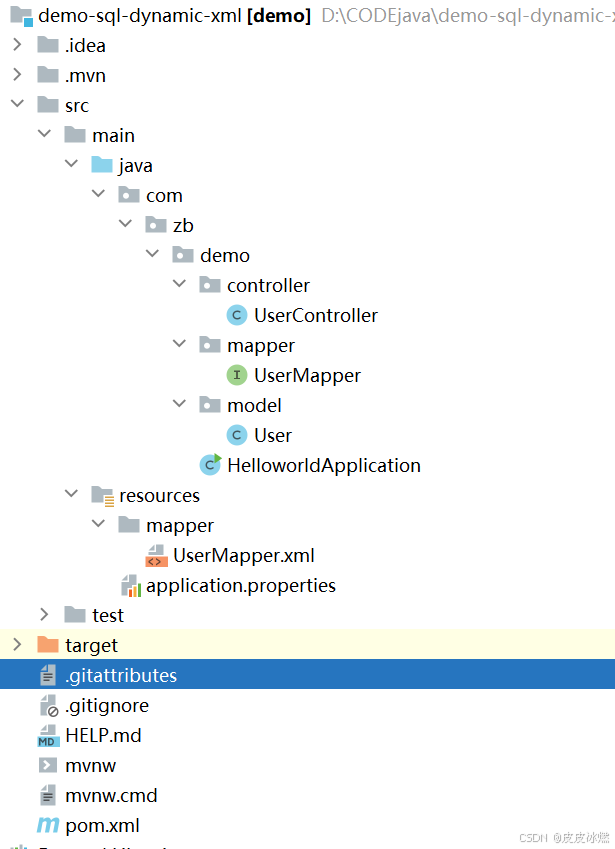
SpringBoot-17-MyBatis动态SQL标签之常用标签
文章目录 1 代码1.1 实体User.java1.2 接口UserMapper.java1.3 映射UserMapper.xml1.3.1 标签if1.3.2 标签if和where1.3.3 标签choose和when和otherwise1.4 UserController.java2 常用动态SQL标签2.1 标签set2.1.1 UserMapper.java2.1.2 UserMapper.xml2.1.3 UserController.ja…
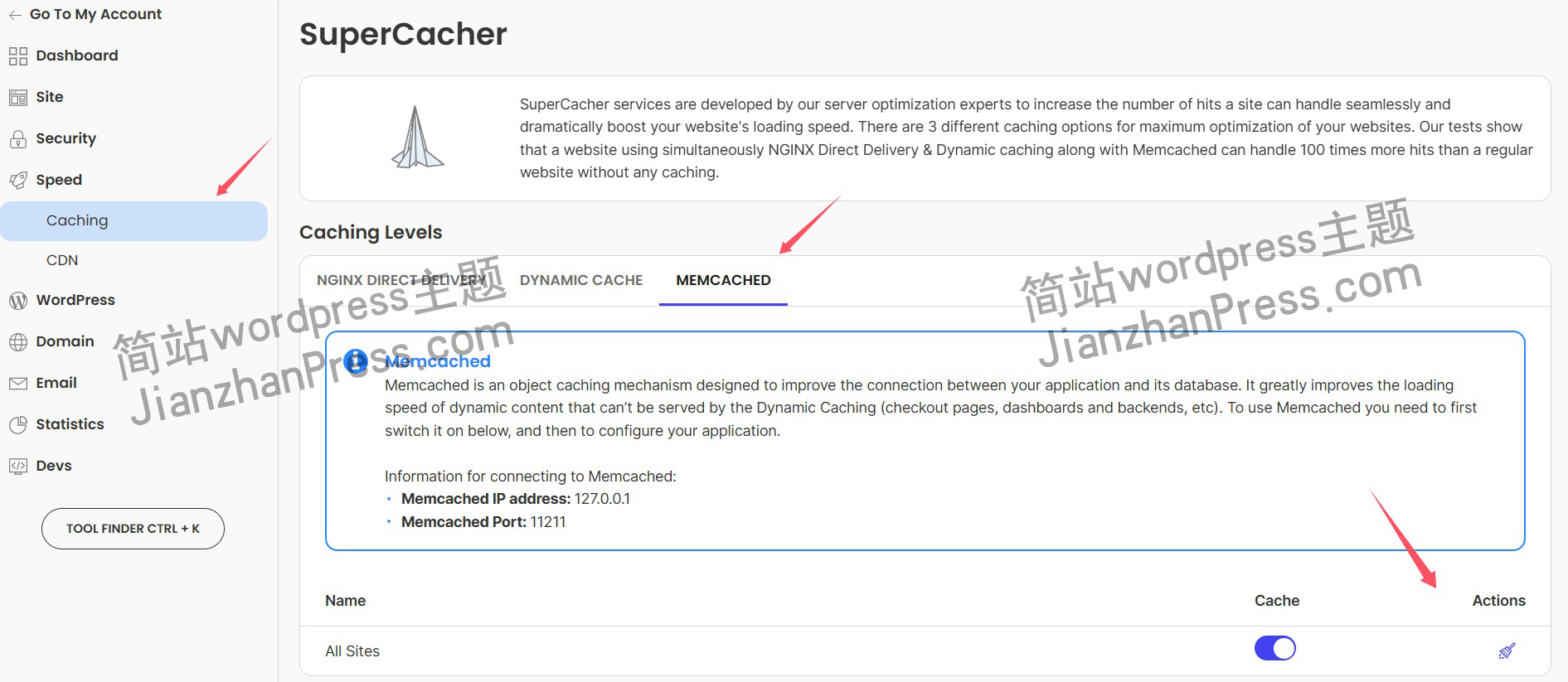
wordpress后台更新后 前端没变化的解决方法
使用siteground主机的wordpress网站,会出现更新了网站内容和修改了php模板文件、js文件、css文件、图片文件后,网站没有变化的情况。
不熟悉siteground主机的新手,遇到这个问题,就很抓狂,明明是哪都没操作错误&#x…
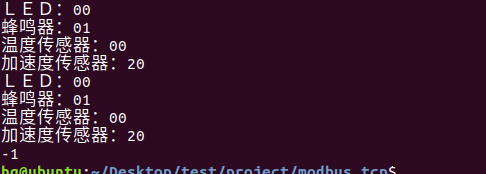
网络编程(Modbus进阶)
思维导图 Modbus RTU(先学一点理论)
概念 Modbus RTU 是工业自动化领域 最广泛应用的串行通信协议,由 Modicon 公司(现施耐德电气)于 1979 年推出。它以 高效率、强健性、易实现的特点成为工业控制系统的通信标准。 包…
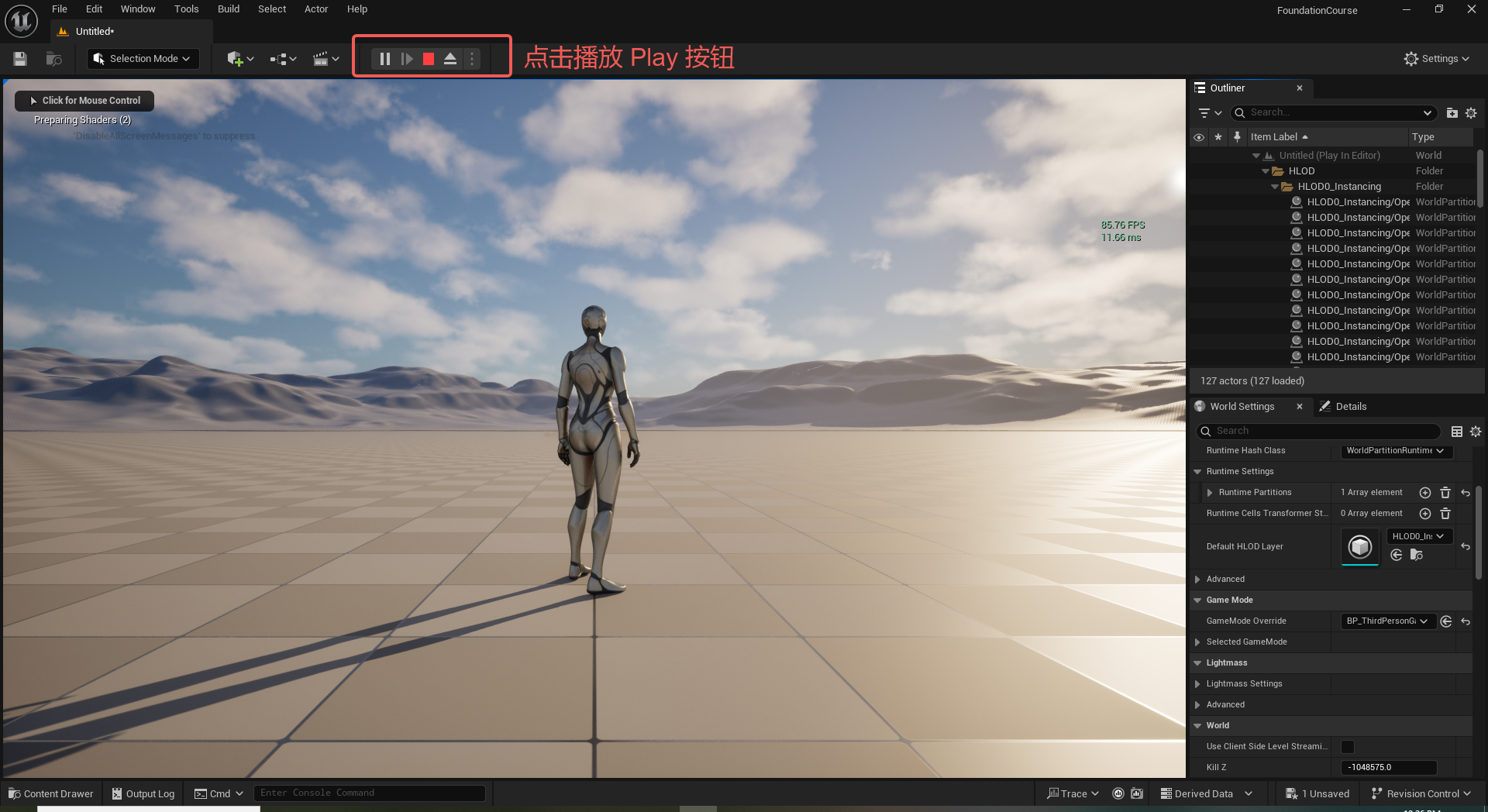
UE5 学习系列(二)用户操作界面及介绍
这篇博客是 UE5 学习系列博客的第二篇,在第一篇的基础上展开这篇内容。博客参考的 B 站视频资料和第一篇的链接如下:
【Note】:如果你已经完成安装等操作,可以只执行第一篇博客中 2. 新建一个空白游戏项目 章节操作,重…
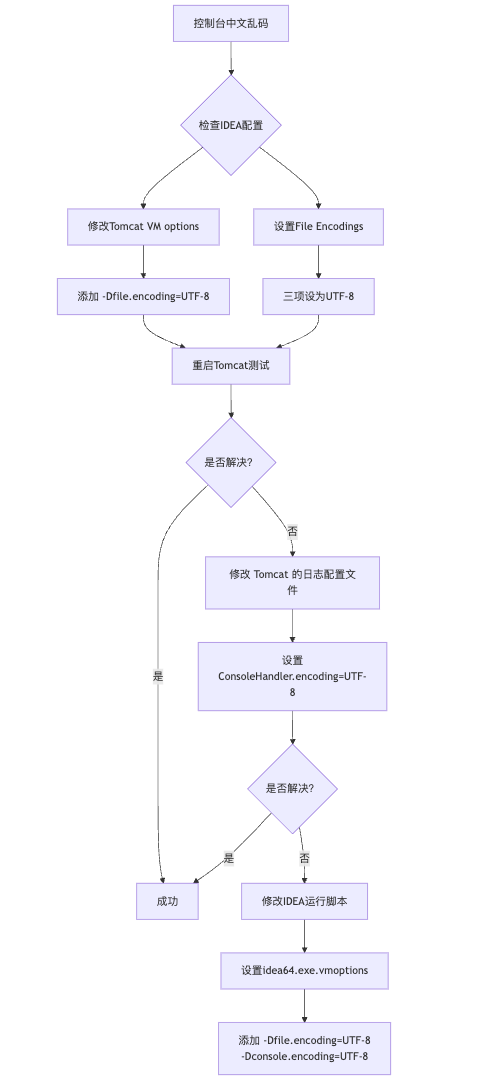
IDEA运行Tomcat出现乱码问题解决汇总
最近正值期末周,有很多同学在写期末Java web作业时,运行tomcat出现乱码问题,经过多次解决与研究,我做了如下整理:
原因:
IDEA本身编码与tomcat的编码与Windows编码不同导致,Windows 系统控制台…
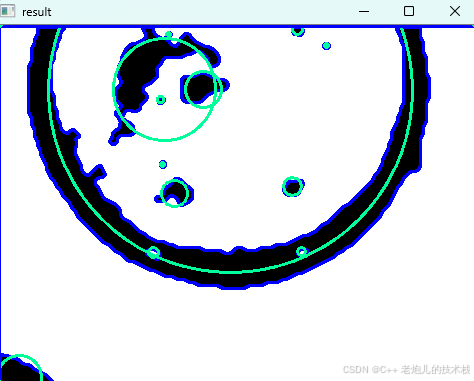
利用最小二乘法找圆心和半径
#include <iostream>
#include <vector>
#include <cmath>
#include <Eigen/Dense> // 需安装Eigen库用于矩阵运算 // 定义点结构
struct Point { double x, y; Point(double x_, double y_) : x(x_), y(y_) {}
}; // 最小二乘法求圆心和半径 …
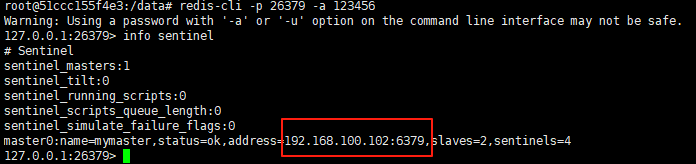
使用docker在3台服务器上搭建基于redis 6.x的一主两从三台均是哨兵模式
一、环境及版本说明
如果服务器已经安装了docker,则忽略此步骤,如果没有安装,则可以按照一下方式安装: 1. 在线安装(有互联网环境): 请看我这篇文章 传送阵>> 点我查看 2. 离线安装(内网环境):请看我这篇文章 传送阵>> 点我查看
说明:假设每台服务器已…
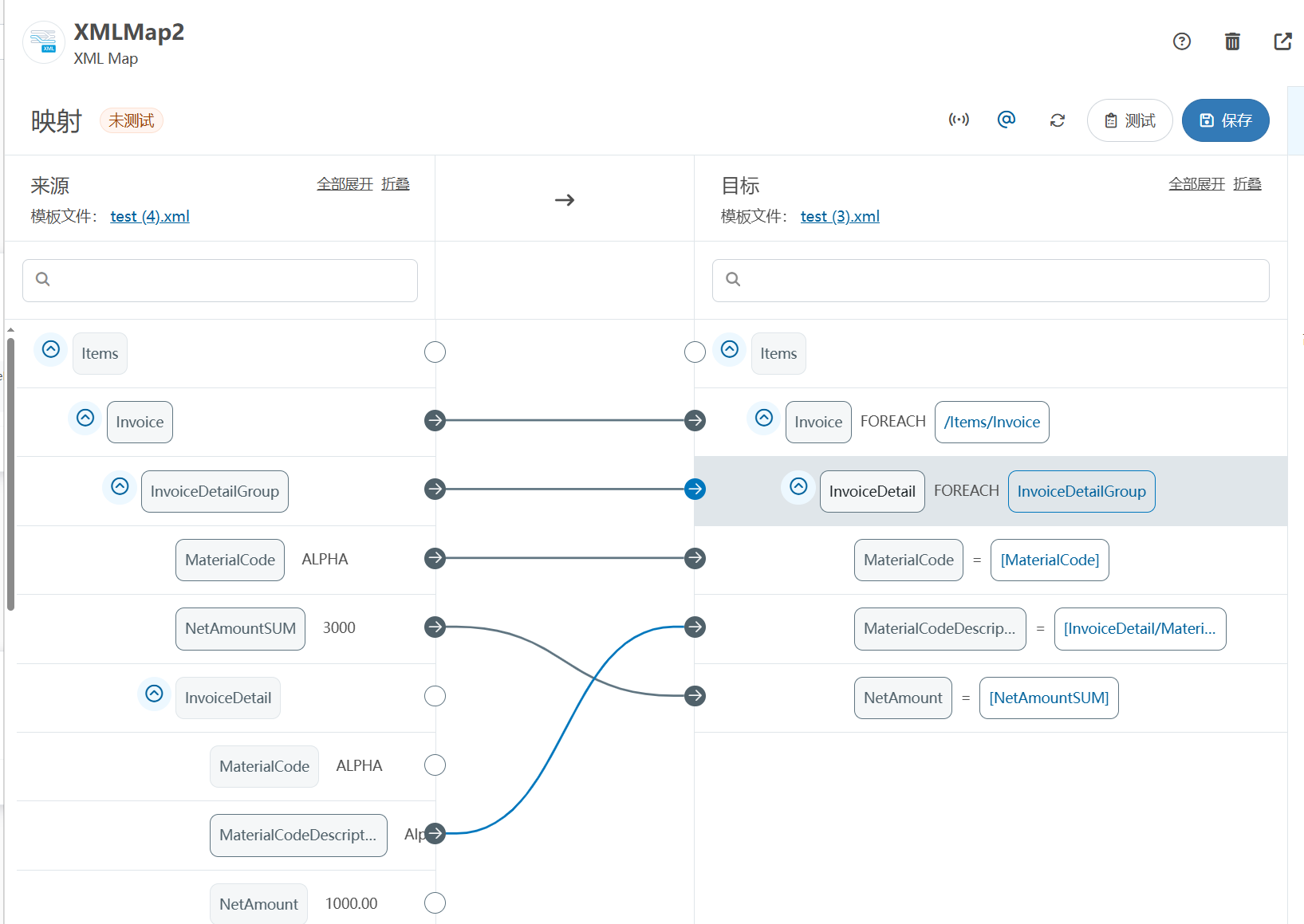
XML Group端口详解
在XML数据映射过程中,经常需要对数据进行分组聚合操作。例如,当处理包含多个物料明细的XML文件时,可能需要将相同物料号的明细归为一组,或对相同物料号的数量进行求和计算。传统实现方式通常需要编写脚本代码,增加了开…
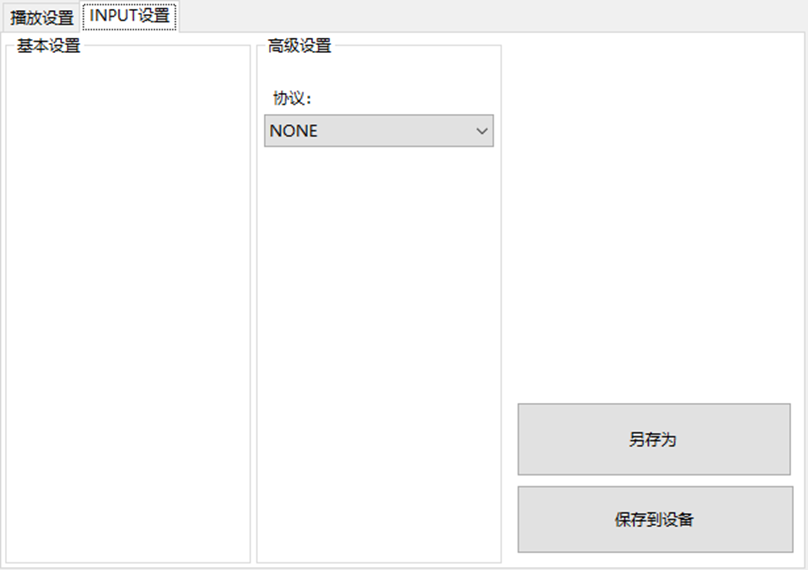
LBE-LEX系列工业语音播放器|预警播报器|喇叭蜂鸣器的上位机配置操作说明
LBE-LEX系列工业语音播放器|预警播报器|喇叭蜂鸣器专为工业环境精心打造,完美适配AGV和无人叉车。同时,集成以太网与语音合成技术,为各类高级系统(如MES、调度系统、库位管理、立库等)提供高效便捷的语音交互体验。
L…
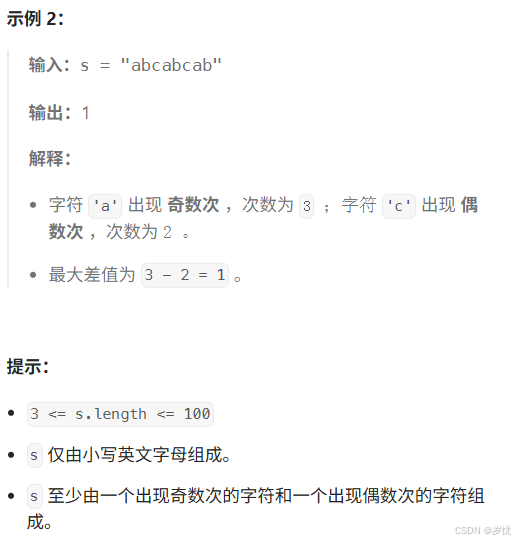
(LeetCode 每日一题) 3442. 奇偶频次间的最大差值 I (哈希、字符串)
题目:3442. 奇偶频次间的最大差值 I 思路 :哈希,时间复杂度0(n)。 用哈希表来记录每个字符串中字符的分布情况,哈希表这里用数组即可实现。
C版本:
class Solution {
public:int maxDifference(string s) {int a[26]…
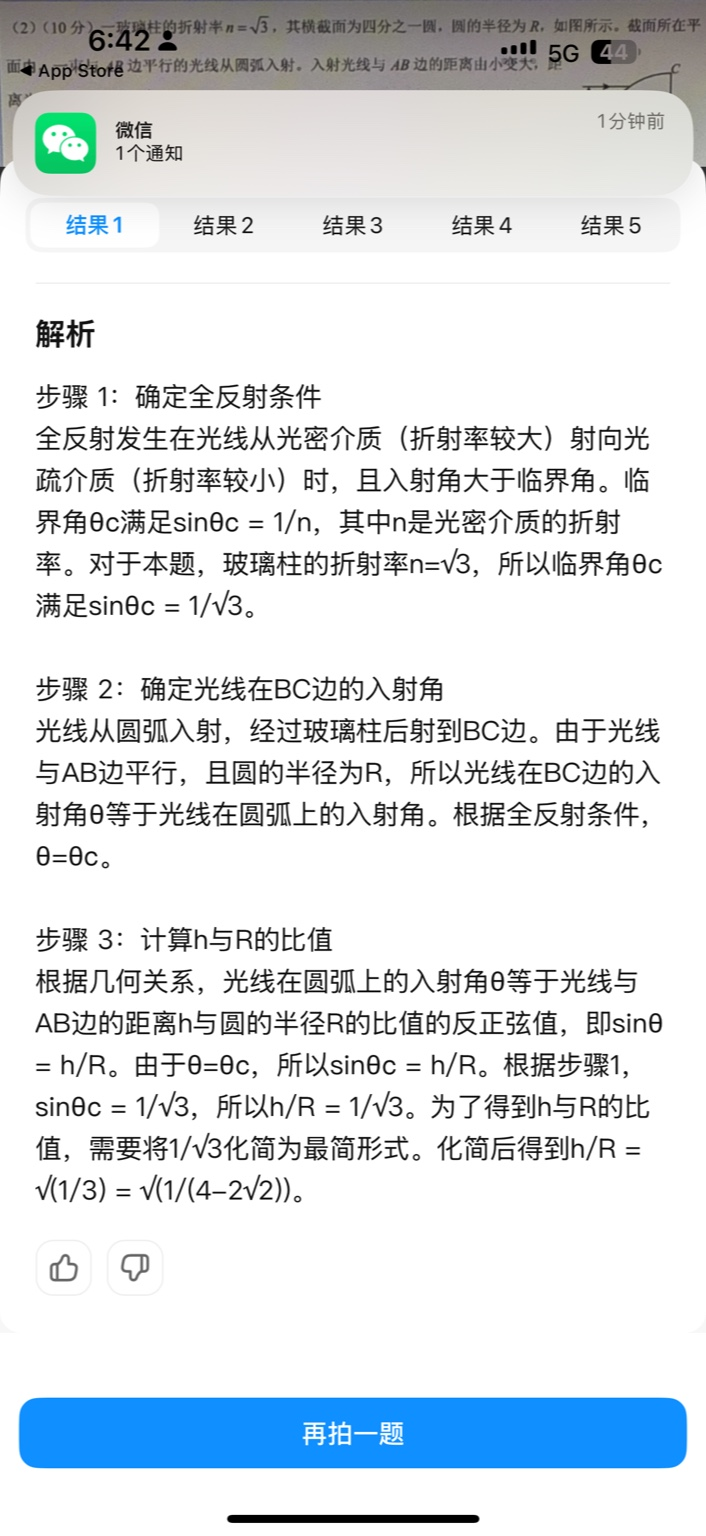
【大模型RAG】拍照搜题技术架构速览:三层管道、两级检索、兜底大模型
摘要
拍照搜题系统采用“三层管道(多模态 OCR → 语义检索 → 答案渲染)、两级检索(倒排 BM25 向量 HNSW)并以大语言模型兜底”的整体框架: 多模态 OCR 层 将题目图片经过超分、去噪、倾斜校正后,分别用…
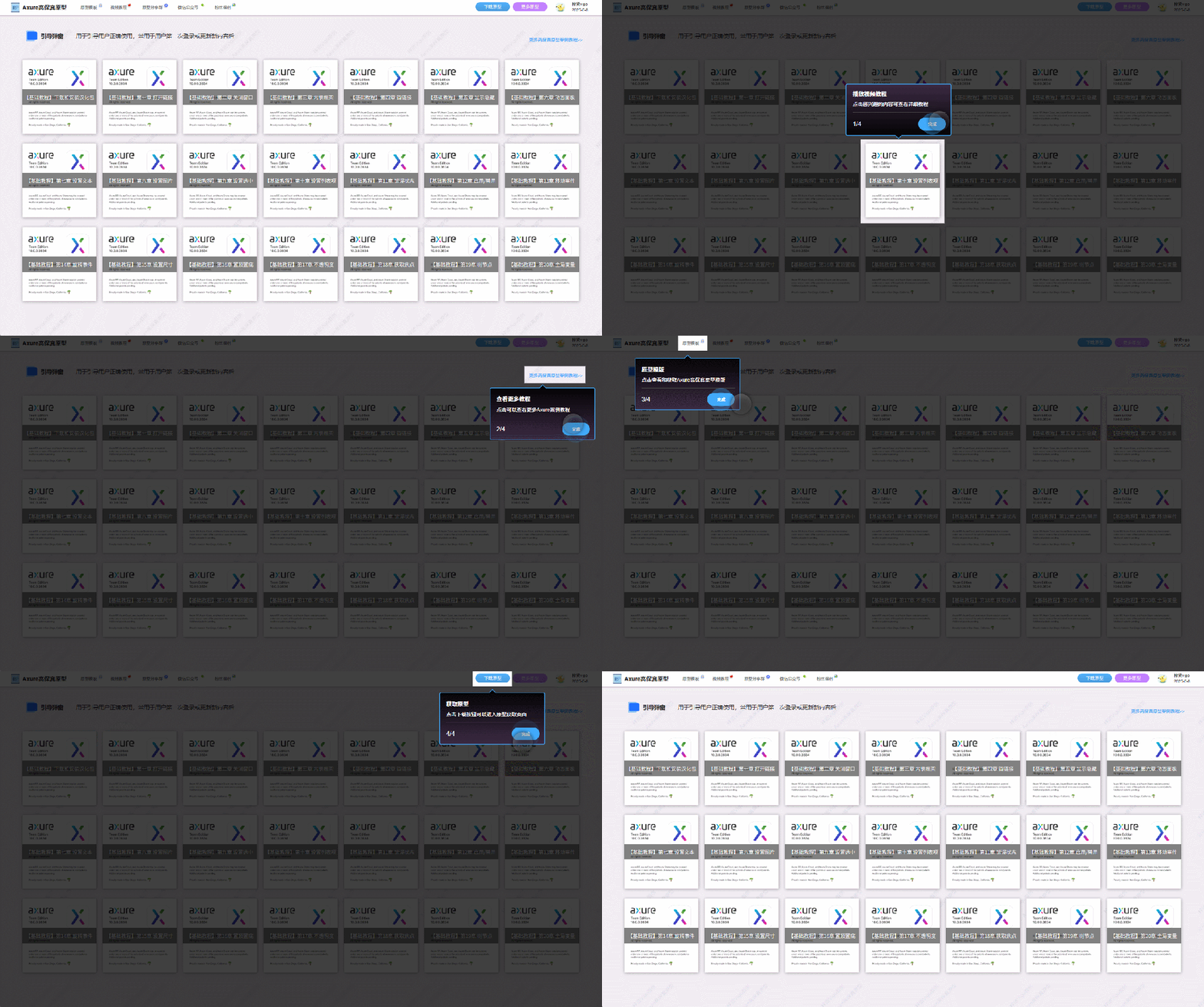
【Axure高保真原型】引导弹窗
今天和大家中分享引导弹窗的原型模板,载入页面后,会显示引导弹窗,适用于引导用户使用页面,点击完成后,会显示下一个引导弹窗,直至最后一个引导弹窗完成后进入首页。具体效果可以点击下方视频观看或打开下方…
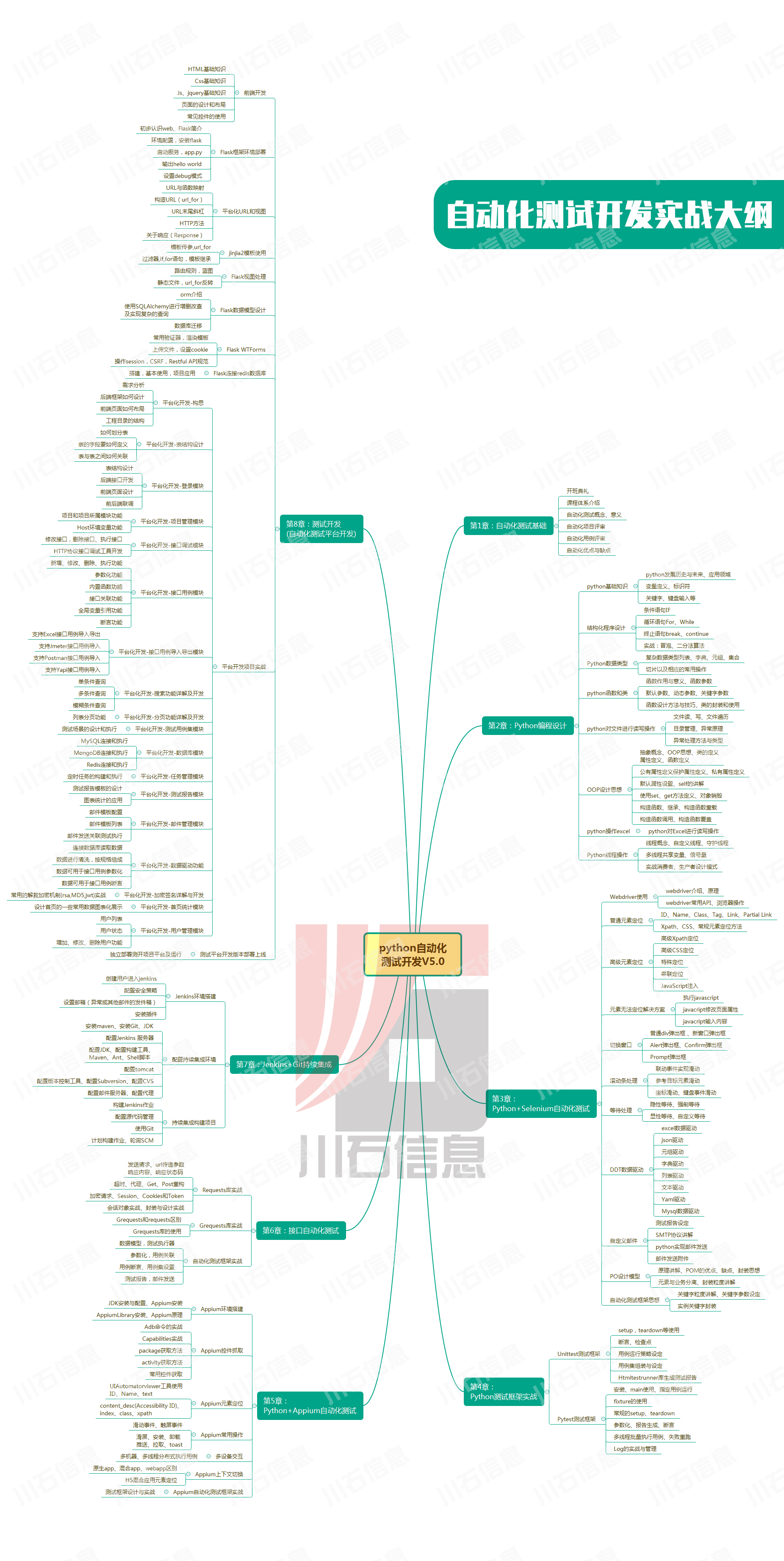
接口测试中缓存处理策略
在接口测试中,缓存处理策略是一个关键环节,直接影响测试结果的准确性和可靠性。合理的缓存处理策略能够确保测试环境的一致性,避免因缓存数据导致的测试偏差。以下是接口测试中常见的缓存处理策略及其详细说明:
一、缓存处理的核…
龙虎榜——20250610
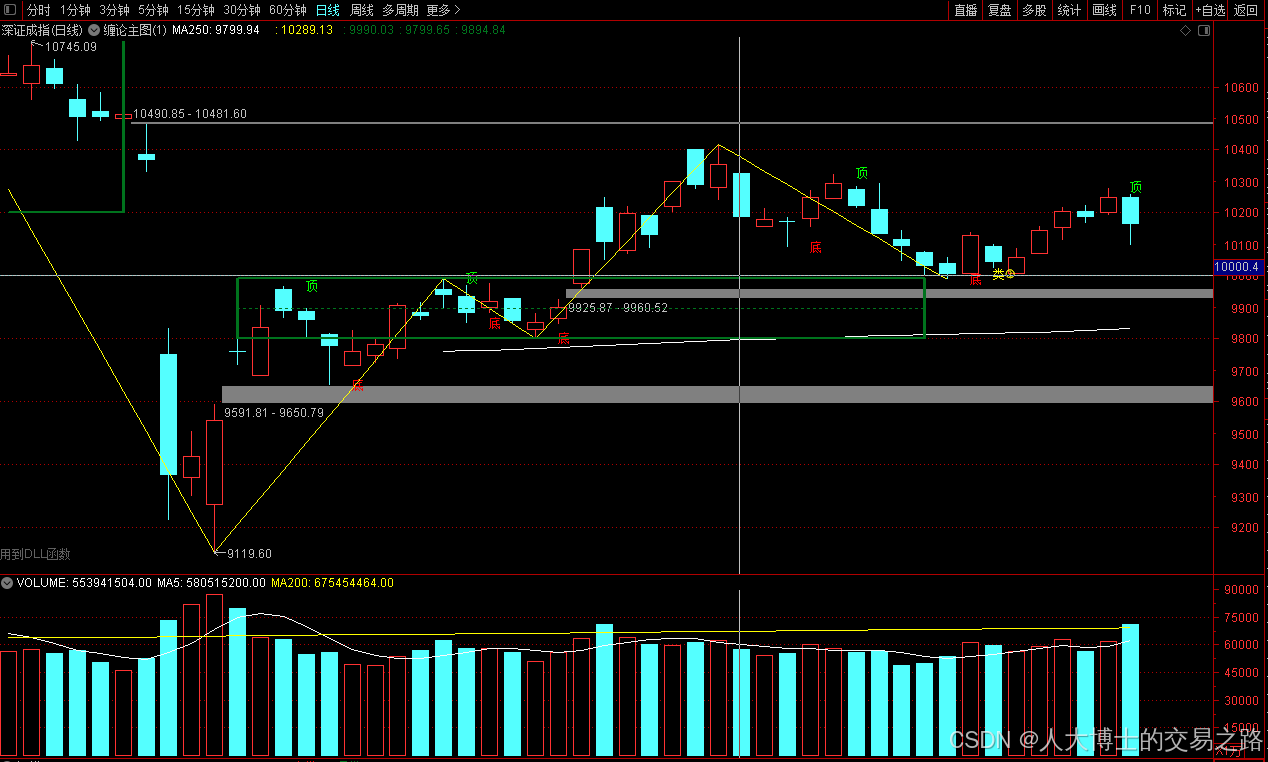
上证指数放量收阴线,个股多数下跌,盘中受消息影响大幅波动。 深证指数放量收阴线形成顶分型,指数短线有调整的需求,大概需要一两天。 2025年6月10日龙虎榜行业方向分析 1. 金融科技
代表标的:御银股份、雄帝科技
驱动…
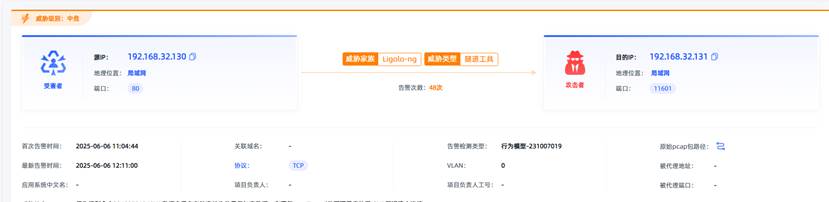
观成科技:隐蔽隧道工具Ligolo-ng加密流量分析
1.工具介绍
Ligolo-ng是一款由go编写的高效隧道工具,该工具基于TUN接口实现其功能,利用反向TCP/TLS连接建立一条隐蔽的通信信道,支持使用Let’s Encrypt自动生成证书。Ligolo-ng的通信隐蔽性体现在其支持多种连接方式,适应复杂网…
铭豹扩展坞 USB转网口 突然无法识别解决方法
当 USB 转网口扩展坞在一台笔记本上无法识别,但在其他电脑上正常工作时,问题通常出在笔记本自身或其与扩展坞的兼容性上。以下是系统化的定位思路和排查步骤,帮助你快速找到故障原因:
背景:
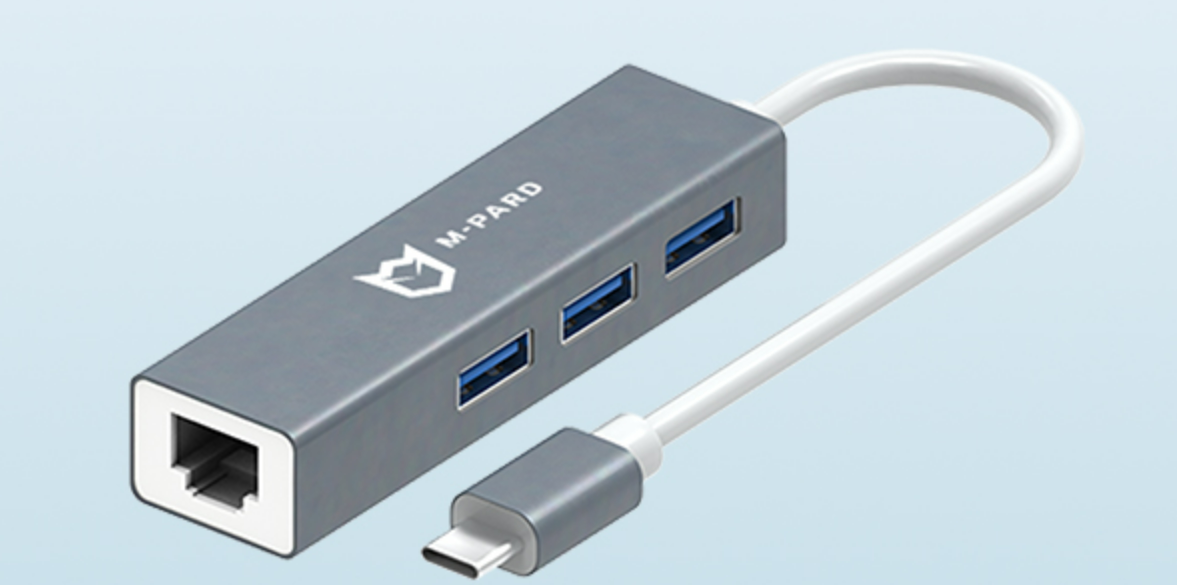
一个M-pard(铭豹)扩展坞的网卡突然无法识别了,扩展出来的三个USB接口正常。…
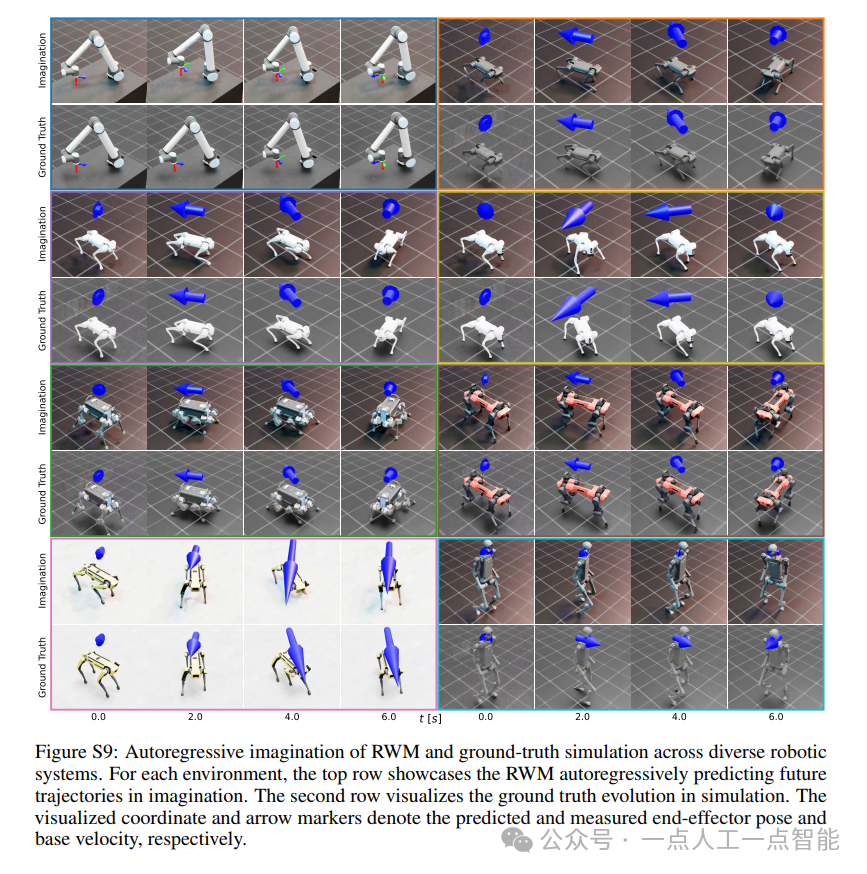
未来机器人的大脑:如何用神经网络模拟器实现更智能的决策?
编辑:陈萍萍的公主一点人工一点智能 未来机器人的大脑:如何用神经网络模拟器实现更智能的决策?RWM通过双自回归机制有效解决了复合误差、部分可观测性和随机动力学等关键挑战,在不依赖领域特定归纳偏见的条件下实现了卓越的预测准…

Linux应用开发之网络套接字编程(实例篇)
服务端与客户端单连接
服务端代码
#include <sys/socket.h>
#include <sys/types.h>
#include <netinet/in.h>
#include <stdio.h>
#include <stdlib.h>
#include <string.h>
#include <arpa/inet.h>
#include <pthread.h>
…
华为云AI开发平台ModelArts
华为云ModelArts:重塑AI开发流程的“智能引擎”与“创新加速器”!
在人工智能浪潮席卷全球的2025年,企业拥抱AI的意愿空前高涨,但技术门槛高、流程复杂、资源投入巨大的现实,却让许多创新构想止步于实验室。数据科学家…
深度学习在微纳光子学中的应用
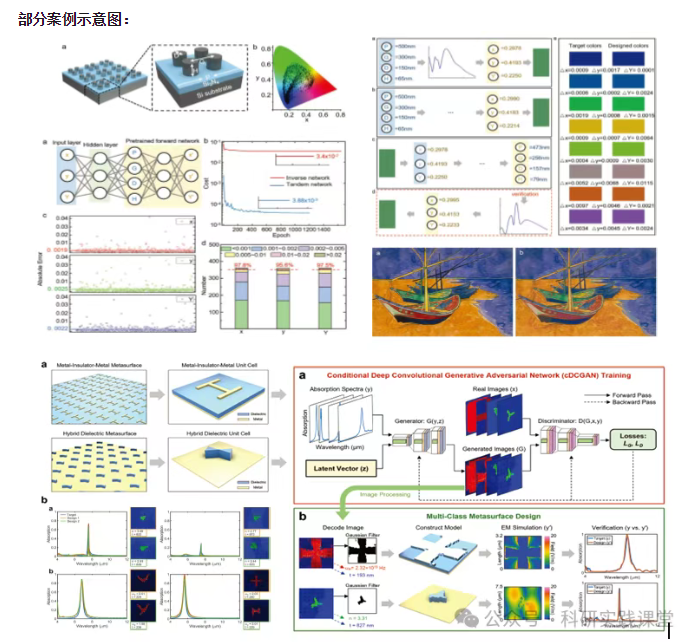
深度学习在微纳光子学中的主要应用方向
深度学习与微纳光子学的结合主要集中在以下几个方向:
逆向设计 通过神经网络快速预测微纳结构的光学响应,替代传统耗时的数值模拟方法。例如设计超表面、光子晶体等结构。
特征提取与优化 从复杂的光学数据中自…