把YOLOv8模型部署到边缘:在Jetson Orin Nano上导出ONNX并集成到C++项目的保姆级教程
news2026/4/4 17:25:31
在Jetson Orin Nano上实现YOLOv8模型的高效C部署实战边缘计算设备上的AI模型部署一直是工业界关注的焦点。NVIDIA Jetson Orin Nano凭借其强大的AI算力和能效比成为边缘端部署YOLOv8等目标检测模型的理想平台。本文将深入探讨如何将训练好的YOLOv8模型转换为ONNX格式并通过ONNX Runtime C API在Jetson Orin Nano上实现高效推理。1. 环境准备与模型导出1.1 Jetson Orin Nano开发环境配置Jetson Orin Nano预装了JetPack SDK包含CUDA、cuDNN和TensorRT等关键组件。首先确保系统环境正确配置# 检查JetPack版本 cat /etc/nv_tegra_release # 验证CUDA安装 nvcc --version # 安装基础编译工具 sudo apt-get install -y build-essential cmake git libopencv-dev对于Python环境建议使用conda或venv创建隔离环境python3 -m venv yolov8_env source yolov8_env/bin/activate pip install --upgrade pip1.2 YOLOv8模型训练与ONNX导出使用Ultralytics官方库训练YOLOv8模型后导出为ONNX格式需注意以下关键参数from ultralytics import YOLO # 加载训练好的模型 model YOLO(yolov8n.pt) # 导出ONNX模型 model.export( formatonnx, imgsz(640, 640), # 与训练时相同的输入尺寸 dynamicFalse, # 固定批次和尺寸以获得更好性能 simplifyTrue, # 启用模型简化 opset12, # ONNX算子集版本 devicecuda # 使用GPU加速导出 )导出后应验证ONNX模型的有效性import onnxruntime as ort # 创建推理会话 sess ort.InferenceSession(yolov8n.onnx, providers[CUDAExecutionProvider]) # 检查输入输出 for inp in sess.get_inputs(): print(fInput: {inp.name}, Shape: {inp.shape}, Type: {inp.type}) for out in sess.get_outputs(): print(fOutput: {out.name}, Shape: {out.shape}, Type: {out.type})2. ONNX Runtime C环境搭建2.1 编译ONNX Runtime for Jetson从源码编译可确保最佳性能git clone --recursive https://github.com/microsoft/onnxruntime cd onnxruntime # 配置编译选项 ./build.sh --config Release \ --parallel \ --use_cuda \ --cuda_home /usr/local/cuda \ --cudnn_home /usr/lib/aarch64-linux-gnu \ --arm64 \ --build_shared_lib \ --skip_tests编译完成后关键文件位于build/Linux/Release目录下libonnxruntime.so: 动态链接库onnxruntime.h: C API头文件2.2 CMake项目配置创建包含以下内容的CMakeLists.txtcmake_minimum_required(VERSION 3.16) project(YOLOv8_Deployment) set(CMAKE_CXX_STANDARD 17) set(CMAKE_BUILD_TYPE Release) # 查找OpenCV find_package(OpenCV REQUIRED) # 设置ONNX Runtime路径 set(ONNXRUNTIME_ROOT /path/to/onnxruntime) include_directories(${ONNXRUNTIME_ROOT}/include) link_directories(${ONNXRUNTIME_ROOT}/lib) # 可执行文件配置 add_executable(yolov8_inference src/main.cpp) target_link_libraries(yolov8_inference ${OpenCV_LIBS} onnxruntime pthread)3. C推理实现3.1 模型加载与初始化#include onnxruntime_cxx_api.h #include opencv2/opencv.hpp class YOLOv8Inference { public: YOLOv8Inference(const std::string model_path) { // 初始化ONNX Runtime环境 Ort::Env env(ORT_LOGGING_LEVEL_WARNING, YOLOv8); Ort::SessionOptions session_options; // 配置CUDA执行提供者 OrtCUDAProviderOptions cuda_options; cuda_options.device_id 0; session_options.AppendExecutionProvider_CUDA(cuda_options); // 启用图优化 session_options.SetGraphOptimizationLevel( GraphOptimizationLevel::ORT_ENABLE_ALL); // 创建会话 session_ std::make_uniqueOrt::Session( env, model_path.c_str(), session_options); // 获取输入输出信息 input_name_ session_-GetInputName(0, allocator_); output_name_ session_-GetOutputName(0, allocator_); } private: std::unique_ptrOrt::Session session_; Ort::AllocatorWithDefaultOptions allocator_; const char* input_name_; const char* output_name_; };3.2 图像预处理YOLOv8的预处理包括以下步骤BGR到RGB转换尺寸调整到模型输入尺寸归一化到0-1范围CHW布局转换cv::Mat YOLOv8Inference::preprocess(const cv::Mat image) { cv::Mat rgb_image; cv::cvtColor(image, rgb_image, cv::COLOR_BGR2RGB); cv::Mat resized_image; cv::resize(rgb_image, resized_image, cv::Size(640, 640), 0, 0, cv::INTER_LINEAR); cv::Mat float_image; resized_image.convertTo(float_image, CV_32F, 1.0/255.0); // CHW转换 std::vectorcv::Mat channels(3); cv::split(float_image, channels); cv::Mat chw_image; cv::vconcat(channels, chw_image); return chw_image.reshape(1, {1, 3, 640, 640}); }3.3 推理执行std::vectorOrt::Value YOLOv8Inference::run_inference(const cv::Mat input) { // 创建输入Tensor auto memory_info Ort::MemoryInfo::CreateCpu( OrtAllocatorType::OrtArenaAllocator, OrtMemType::OrtMemTypeDefault); std::vectorint64_t input_shape {1, 3, 640, 640}; Ort::Value input_tensor Ort::Value::CreateTensorfloat( memory_info, input.ptrfloat(), input.total(), input_shape.data(), input_shape.size()); // 执行推理 return session_-Run( Ort::RunOptions{nullptr}, input_name_, input_tensor, 1, output_name_, 1); }4. 后处理与性能优化4.1 输出解析YOLOv8的输出是(1, 84, 8400)的张量需要解析为检测框struct Detection { cv::Rect bbox; float confidence; int class_id; }; std::vectorDetection YOLOv8Inference::parse_output( const Ort::Value output_tensor, float conf_threshold 0.5, float iou_threshold 0.5) { const float* data output_tensor.GetTensorDatafloat(); auto shape output_tensor.GetTensorTypeAndShapeInfo().GetShape(); std::vectorDetection detections; // 8400是默认的anchor点数 for (int i 0; i 8400; i) { float confidence data[4 i * 84]; if (confidence conf_threshold) continue; // 获取类别概率 auto max_it std::max_element( data 4 i * 84, data 84 i * 84); float class_conf *max_it; int class_id std::distance( data 4 i * 84, max_it); // 计算最终置信度 float final_conf confidence * class_conf; if (final_conf conf_threshold) continue; // 解析边界框坐标 float cx data[0 i * 84]; float cy data[1 i * 84]; float w data[2 i * 84]; float h data[3 i * 84]; // 转换为图像坐标 int left static_castint((cx - w/2) * image_width_); int top static_castint((cy - h/2) * image_height_); int width static_castint(w * image_width_); int height static_castint(h * image_height_); detections.push_back({ cv::Rect(left, top, width, height), final_conf, class_id }); } // 应用NMS return apply_nms(detections, iou_threshold); }4.2 Jetson平台专属优化内存管理优化// 在初始化时设置内存分配策略 Ort::MemoryInfo memory_info Ort::MemoryInfo::CreateCpu( OrtAllocatorType::OrtArenaAllocator, OrtMemType::OrtMemTypeDefault); // 重用输入输出Tensor内存 std::vectorOrt::Value input_tensors; std::vectorOrt::Value output_tensors; void prepare_tensors() { input_tensors.clear(); output_tensors.clear(); // 预分配输入Tensor input_tensors.emplace_back(Ort::Value::CreateTensorfloat( memory_info, input_buffer_.data(), input_buffer_.size(), input_shape_.data(), input_shape_.size())); // 预分配输出Tensor output_tensors.emplace_back(Ort::Value::CreateTensorfloat( memory_info, output_buffer_.data(), output_buffer_.size(), output_shape_.data(), output_shape_.size())); }多线程流水线class InferencePipeline { public: InferencePipeline(const std::string model_path, int num_threads 2) : model_(model_path), running_(true) { for (int i 0; i num_threads; i) { workers_.emplace_back([this]() { while (running_) { std::unique_lockstd::mutex lock(mutex_); cv_.wait(lock, [this]() { return !tasks_.empty() || !running_; }); if (!running_) break; auto task std::move(tasks_.front()); tasks_.pop(); lock.unlock(); // 执行推理 auto result model_.infer(task.image); task.callback(result); } }); } } ~InferencePipeline() { running_ false; cv_.notify_all(); for (auto worker : workers_) { if (worker.joinable()) worker.join(); } } void submit(const cv::Mat image, std::functionvoid(std::vectorDetection) callback) { std::lock_guardstd::mutex lock(mutex_); tasks_.push({image, callback}); cv_.notify_one(); } private: YOLOv8Inference model_; std::vectorstd::thread workers_; std::queueInferenceTask tasks_; std::mutex mutex_; std::condition_variable cv_; bool running_; };5. 实际部署考量5.1 性能基准测试在Jetson Orin Nano 8GB上的测试结果模型版本输入尺寸推理时间(ms)内存占用(MB)功耗(W)YOLOv8n640x64028.578012.3YOLOv8s640x64042.189014.2YOLOv8m640x64078.6125018.7优化建议对于实时应用建议使用YOLOv8n或YOLOv8s启用halfTrue可减少约30%的内存占用使用TensorRT进一步优化可提升20-30%的推理速度5.2 常见问题排查问题1CUDA内存不足解决方案# 检查GPU内存使用 sudo tegrastats # 设置内存限制 export ORT_CUDA_GEMM_OPTIONS1 export ORT_CUDA_DEVICE_MEM_LIMIT2147483648 # 限制为2GB问题2推理结果异常检查步骤验证ONNX模型在Python环境下的输出确保C预处理与Python完全一致检查输入Tensor的数据布局和数值范围问题3低帧率优化方法使用cv::cuda::GpuMat减少CPU-GPU数据传输启用异步推理降低输入分辨率或使用更小模型6. 进阶集成方案6.1 多模型级联对于复杂场景可组合多个YOLOv8模型class MultiModelInference { public: void add_model(const std::string name, const std::string model_path) { models_[name] std::make_uniqueYOLOv8Inference(model_path); } std::mapstd::string, std::vectorDetection infer(const cv::Mat image) { std::mapstd::string, std::vectorDetection results; // 并行执行多个模型推理 std::vectorstd::futurevoid futures; for (auto [name, model] : models_) { futures.push_back(std::async(std::launch::async, [results, model model, image, name]() { results[name] model-infer(image); })); } for (auto f : futures) f.wait(); return results; } private: std::unordered_mapstd::string, std::unique_ptrYOLOv8Inference models_; };6.2 自定义算子集成如需处理特殊输出格式可注册自定义算子// 定义自定义算子 struct CustomOp : Ort::CustomOpBase { void Compute(OrtKernelContext* context) override { // 获取输入输出 Ort::KernelContext ctx(context); auto input ctx.GetInput(0); auto output ctx.GetOutput(0); // 自定义处理逻辑 const float* input_data input.GetTensorDatafloat(); float* output_data output.GetTensorMutableDatafloat(); // ... 实现具体转换逻辑 } }; // 注册自定义算子 Ort::CustomOpDomain custom_domain(yolov8); custom_domain.Add(std::make_uniqueCustomOp()); session_options.Add(custom_domain);在Jetson Orin Nano上部署YOLOv8模型时C实现相比Python有显著性能优势。通过合理的内存管理、异步处理和平台特定优化可以实现超过100FPS的实时目标检测性能。
本文来自互联网用户投稿,该文观点仅代表作者本人,不代表本站立场。本站仅提供信息存储空间服务,不拥有所有权,不承担相关法律责任。如若转载,请注明出处:http://www.coloradmin.cn/o/2482930.html
如若内容造成侵权/违法违规/事实不符,请联系多彩编程网进行投诉反馈,一经查实,立即删除!相关文章
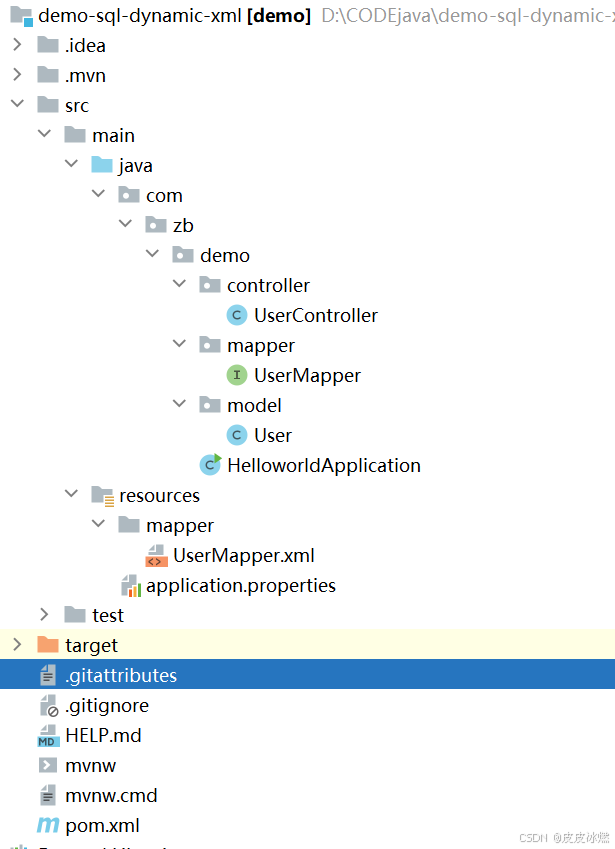
SpringBoot-17-MyBatis动态SQL标签之常用标签
文章目录 1 代码1.1 实体User.java1.2 接口UserMapper.java1.3 映射UserMapper.xml1.3.1 标签if1.3.2 标签if和where1.3.3 标签choose和when和otherwise1.4 UserController.java2 常用动态SQL标签2.1 标签set2.1.1 UserMapper.java2.1.2 UserMapper.xml2.1.3 UserController.ja…
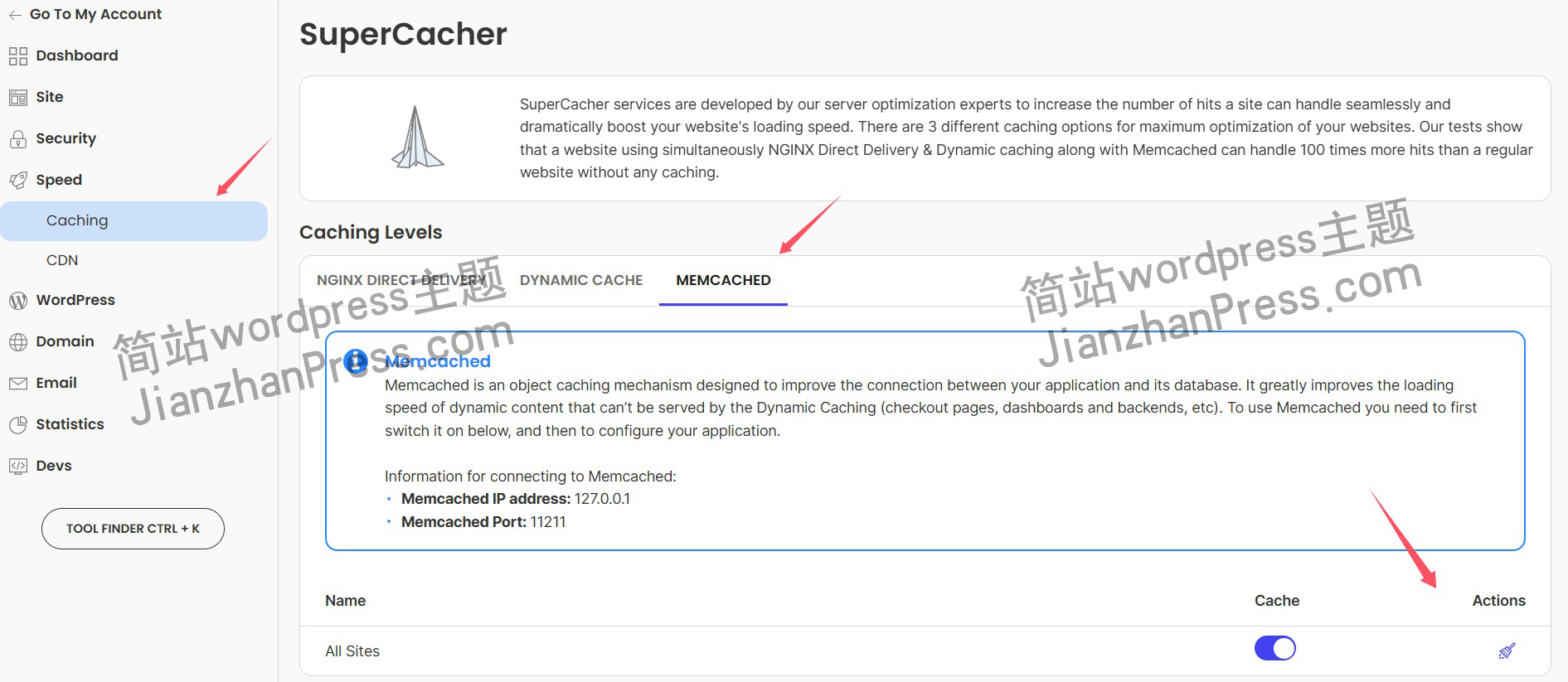
wordpress后台更新后 前端没变化的解决方法
使用siteground主机的wordpress网站,会出现更新了网站内容和修改了php模板文件、js文件、css文件、图片文件后,网站没有变化的情况。
不熟悉siteground主机的新手,遇到这个问题,就很抓狂,明明是哪都没操作错误&#x…
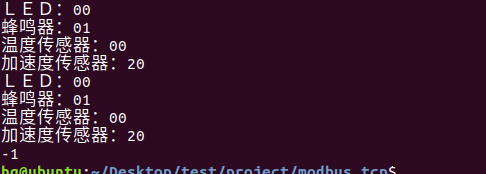
网络编程(Modbus进阶)
思维导图 Modbus RTU(先学一点理论)
概念 Modbus RTU 是工业自动化领域 最广泛应用的串行通信协议,由 Modicon 公司(现施耐德电气)于 1979 年推出。它以 高效率、强健性、易实现的特点成为工业控制系统的通信标准。 包…
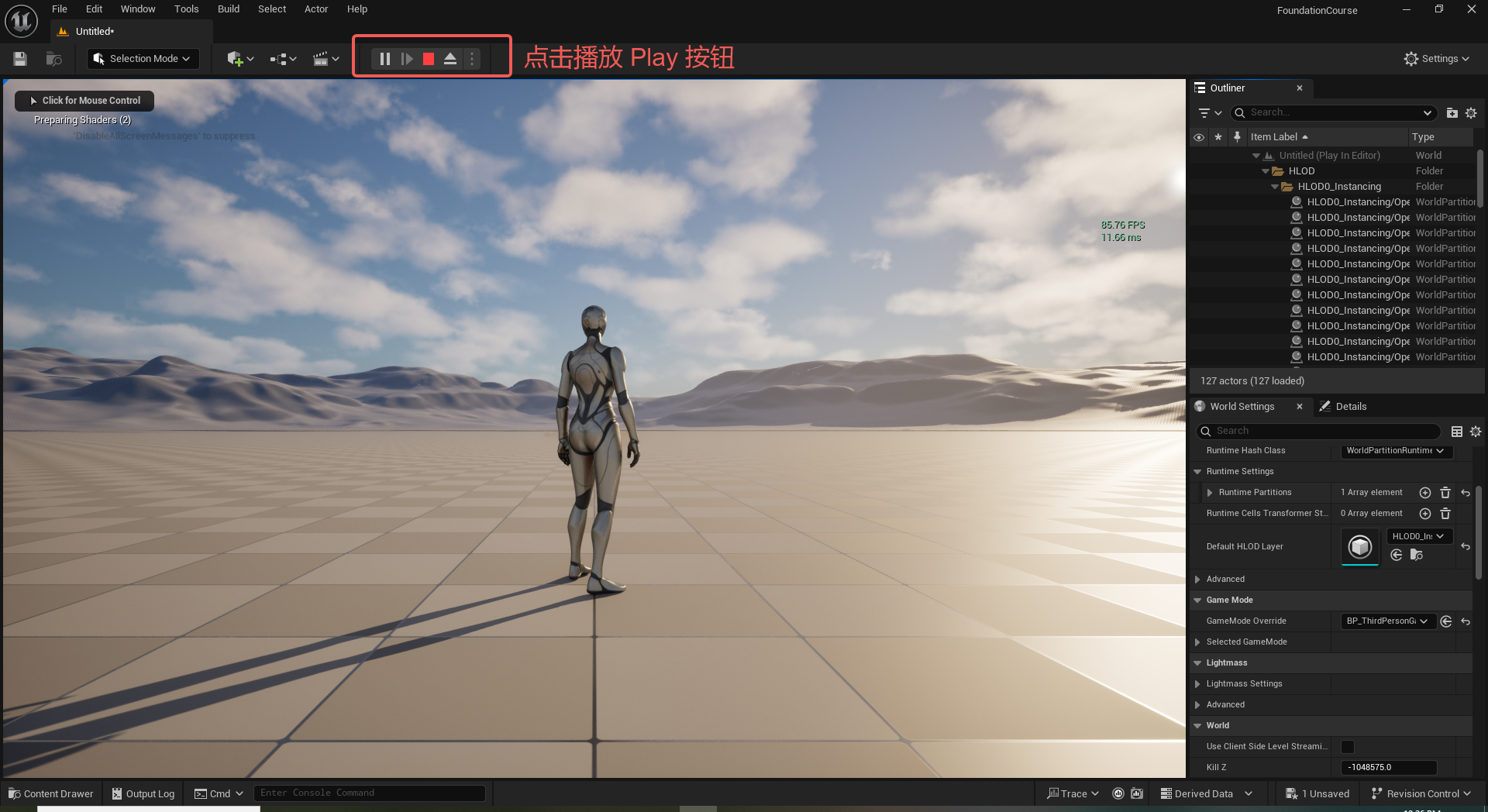
UE5 学习系列(二)用户操作界面及介绍
这篇博客是 UE5 学习系列博客的第二篇,在第一篇的基础上展开这篇内容。博客参考的 B 站视频资料和第一篇的链接如下:
【Note】:如果你已经完成安装等操作,可以只执行第一篇博客中 2. 新建一个空白游戏项目 章节操作,重…
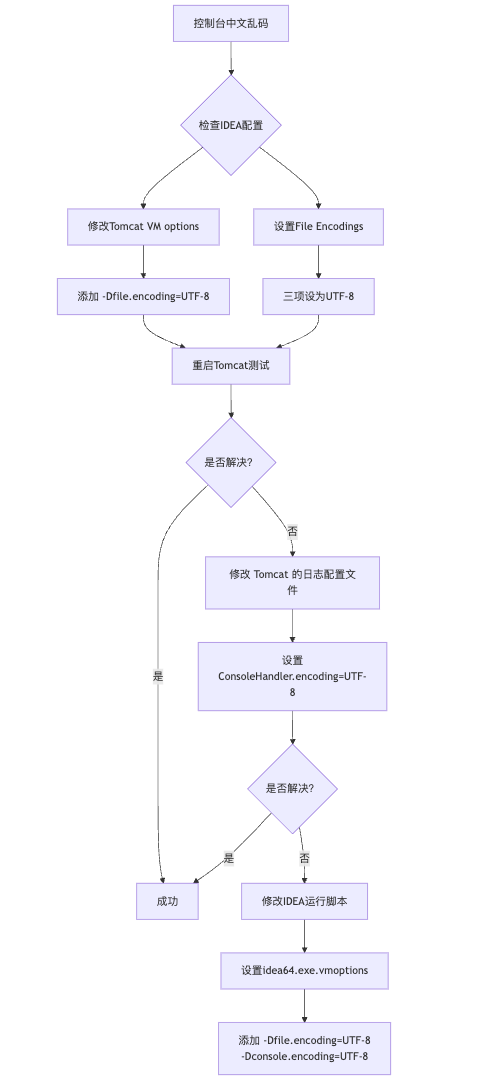
IDEA运行Tomcat出现乱码问题解决汇总
最近正值期末周,有很多同学在写期末Java web作业时,运行tomcat出现乱码问题,经过多次解决与研究,我做了如下整理:
原因:
IDEA本身编码与tomcat的编码与Windows编码不同导致,Windows 系统控制台…
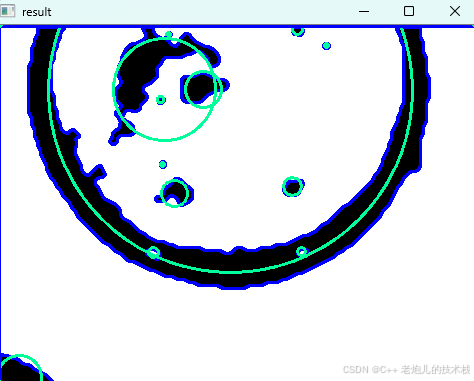
利用最小二乘法找圆心和半径
#include <iostream>
#include <vector>
#include <cmath>
#include <Eigen/Dense> // 需安装Eigen库用于矩阵运算 // 定义点结构
struct Point { double x, y; Point(double x_, double y_) : x(x_), y(y_) {}
}; // 最小二乘法求圆心和半径 …
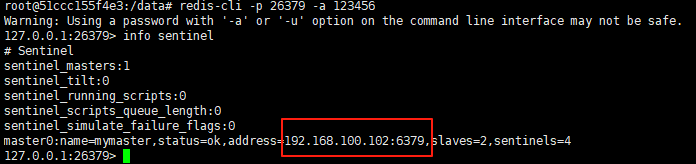
使用docker在3台服务器上搭建基于redis 6.x的一主两从三台均是哨兵模式
一、环境及版本说明
如果服务器已经安装了docker,则忽略此步骤,如果没有安装,则可以按照一下方式安装: 1. 在线安装(有互联网环境): 请看我这篇文章 传送阵>> 点我查看 2. 离线安装(内网环境):请看我这篇文章 传送阵>> 点我查看
说明:假设每台服务器已…
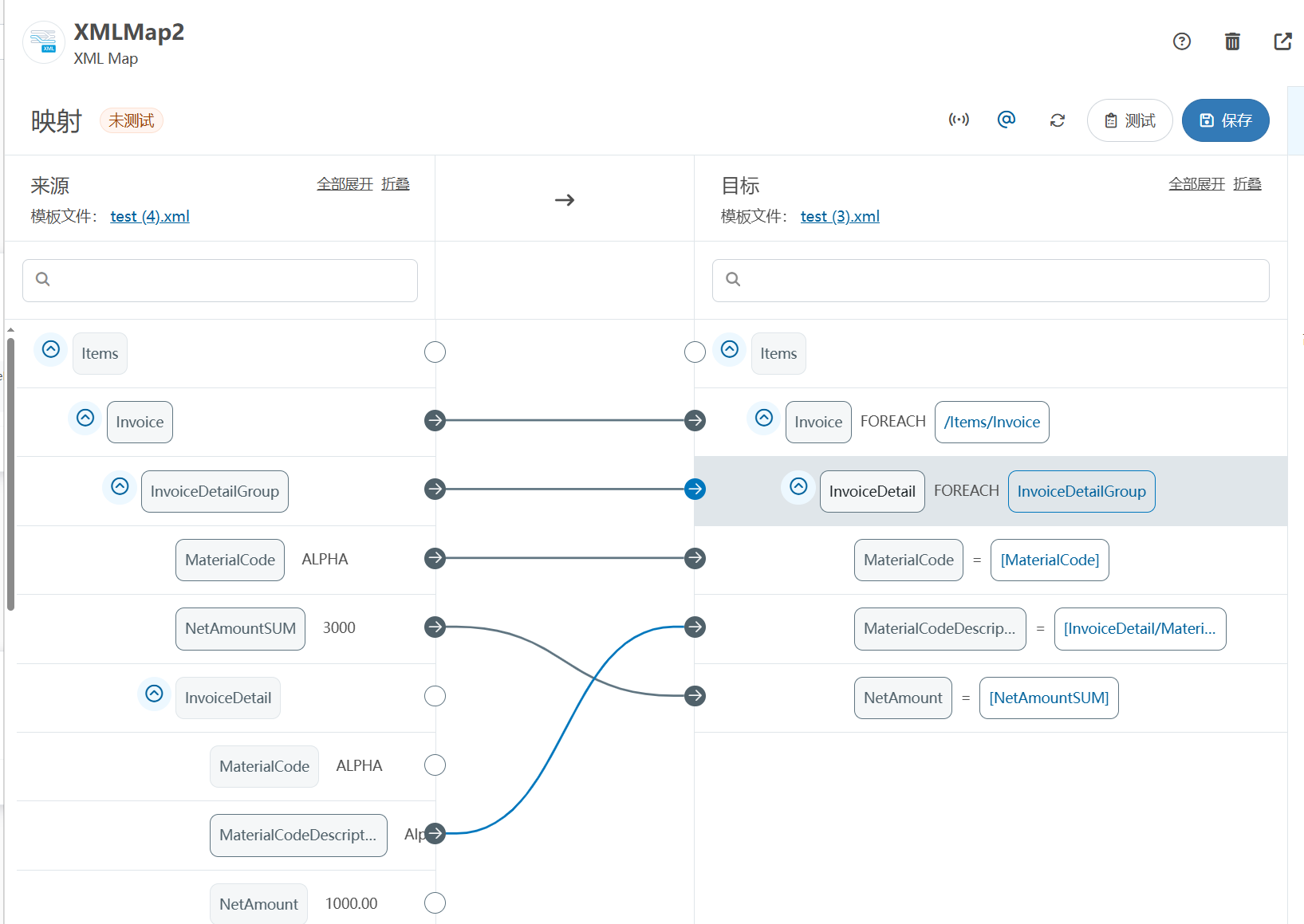
XML Group端口详解
在XML数据映射过程中,经常需要对数据进行分组聚合操作。例如,当处理包含多个物料明细的XML文件时,可能需要将相同物料号的明细归为一组,或对相同物料号的数量进行求和计算。传统实现方式通常需要编写脚本代码,增加了开…
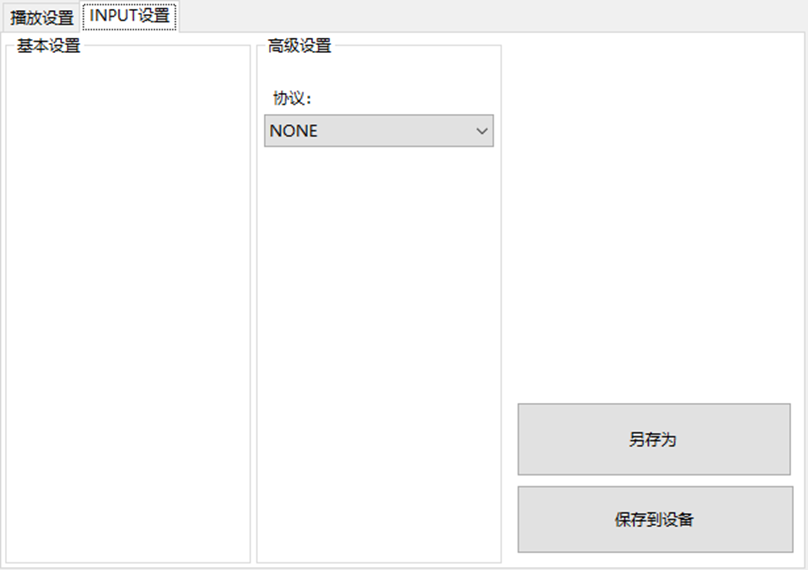
LBE-LEX系列工业语音播放器|预警播报器|喇叭蜂鸣器的上位机配置操作说明
LBE-LEX系列工业语音播放器|预警播报器|喇叭蜂鸣器专为工业环境精心打造,完美适配AGV和无人叉车。同时,集成以太网与语音合成技术,为各类高级系统(如MES、调度系统、库位管理、立库等)提供高效便捷的语音交互体验。
L…
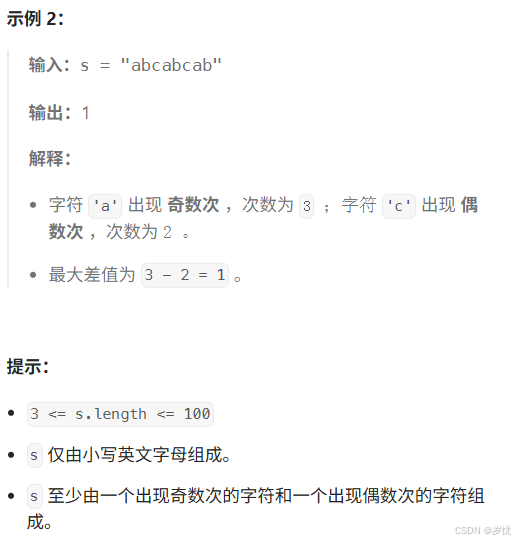
(LeetCode 每日一题) 3442. 奇偶频次间的最大差值 I (哈希、字符串)
题目:3442. 奇偶频次间的最大差值 I 思路 :哈希,时间复杂度0(n)。 用哈希表来记录每个字符串中字符的分布情况,哈希表这里用数组即可实现。
C版本:
class Solution {
public:int maxDifference(string s) {int a[26]…
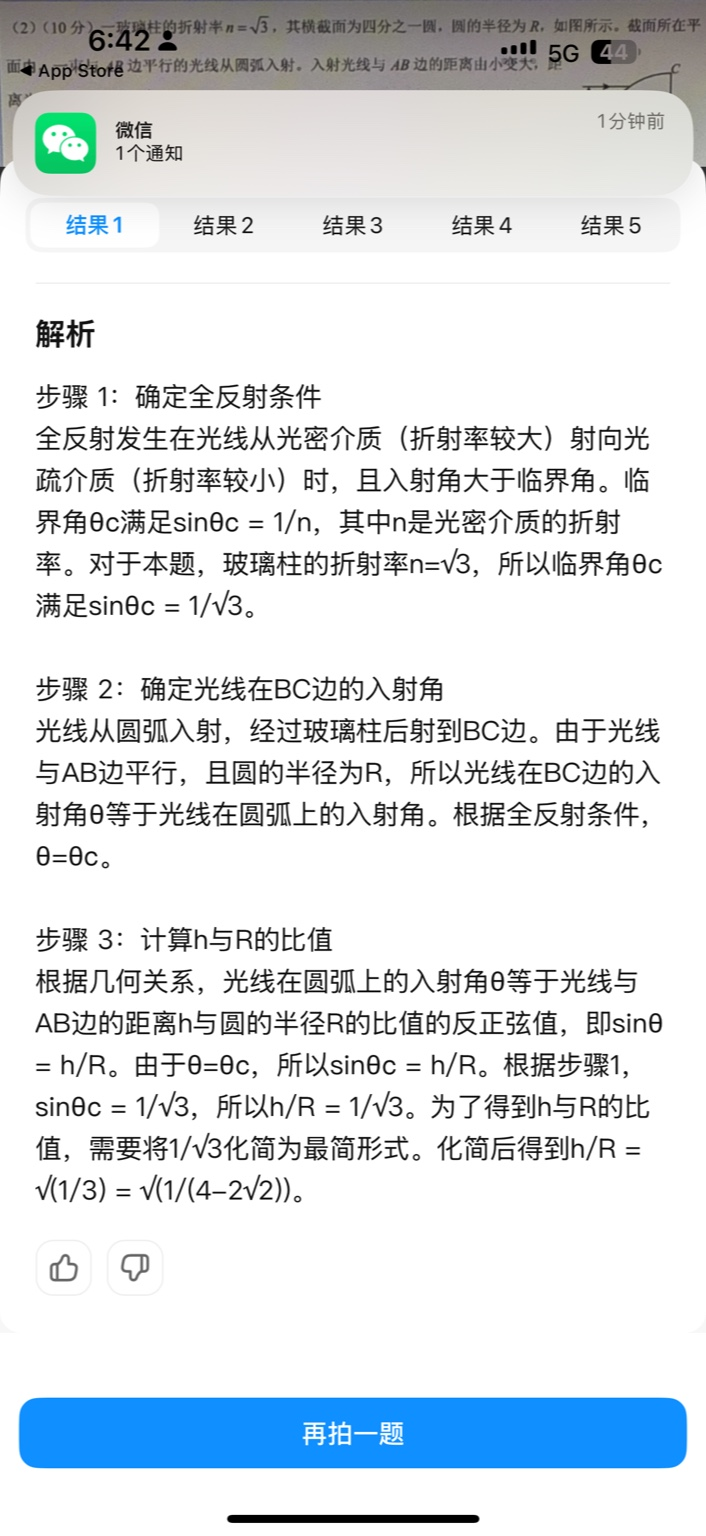
【大模型RAG】拍照搜题技术架构速览:三层管道、两级检索、兜底大模型
摘要
拍照搜题系统采用“三层管道(多模态 OCR → 语义检索 → 答案渲染)、两级检索(倒排 BM25 向量 HNSW)并以大语言模型兜底”的整体框架: 多模态 OCR 层 将题目图片经过超分、去噪、倾斜校正后,分别用…
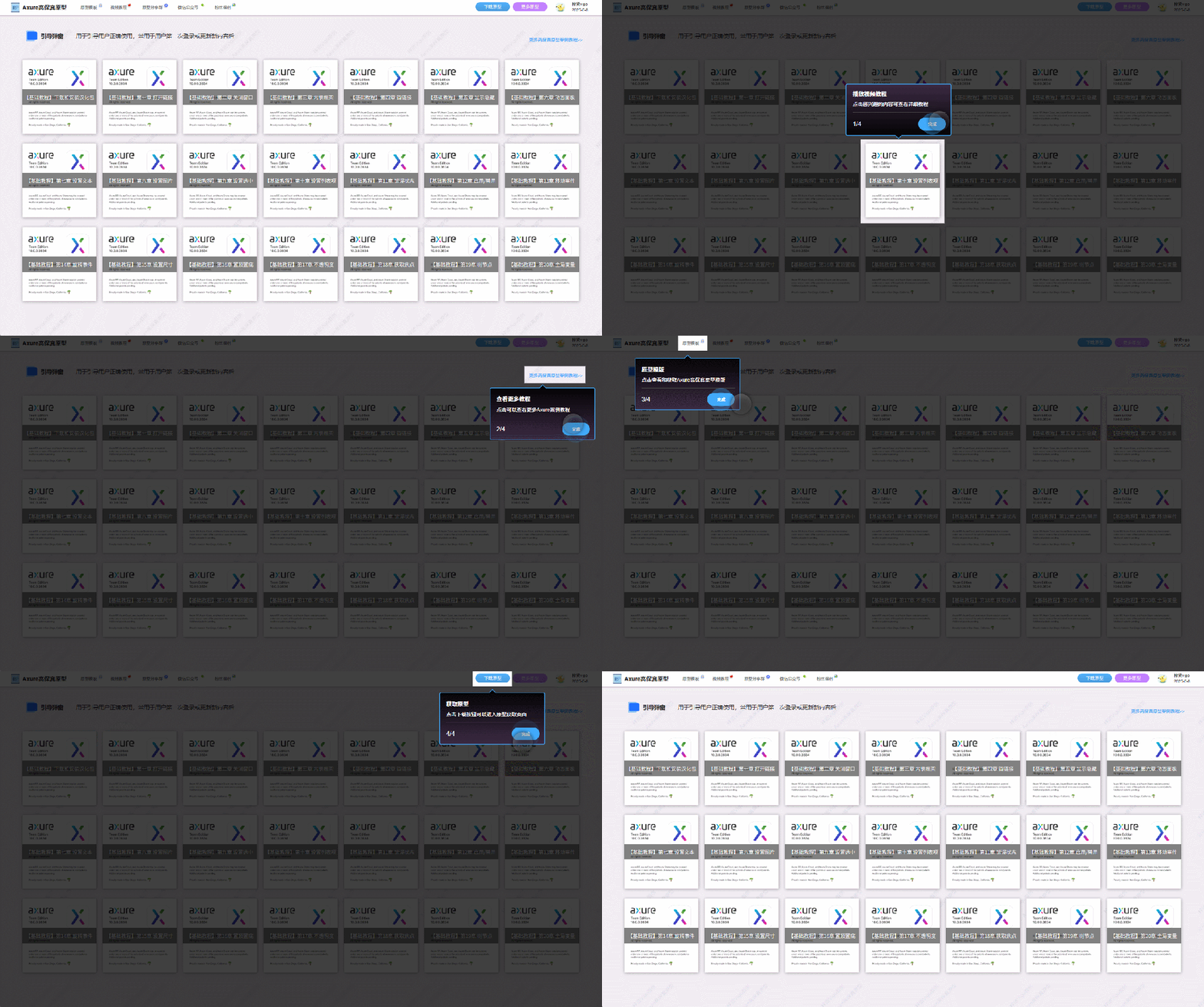
【Axure高保真原型】引导弹窗
今天和大家中分享引导弹窗的原型模板,载入页面后,会显示引导弹窗,适用于引导用户使用页面,点击完成后,会显示下一个引导弹窗,直至最后一个引导弹窗完成后进入首页。具体效果可以点击下方视频观看或打开下方…
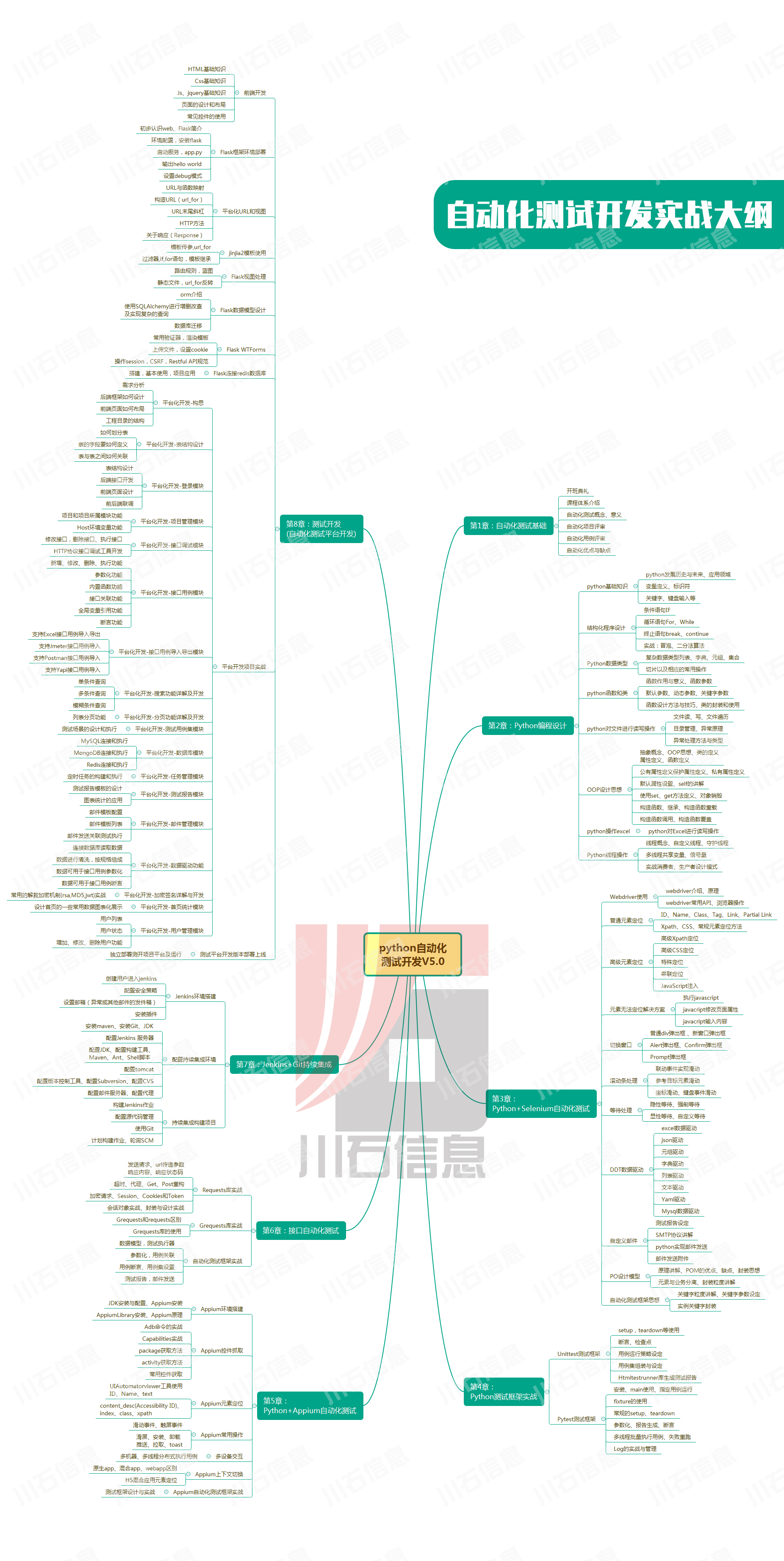
接口测试中缓存处理策略
在接口测试中,缓存处理策略是一个关键环节,直接影响测试结果的准确性和可靠性。合理的缓存处理策略能够确保测试环境的一致性,避免因缓存数据导致的测试偏差。以下是接口测试中常见的缓存处理策略及其详细说明:
一、缓存处理的核…
龙虎榜——20250610
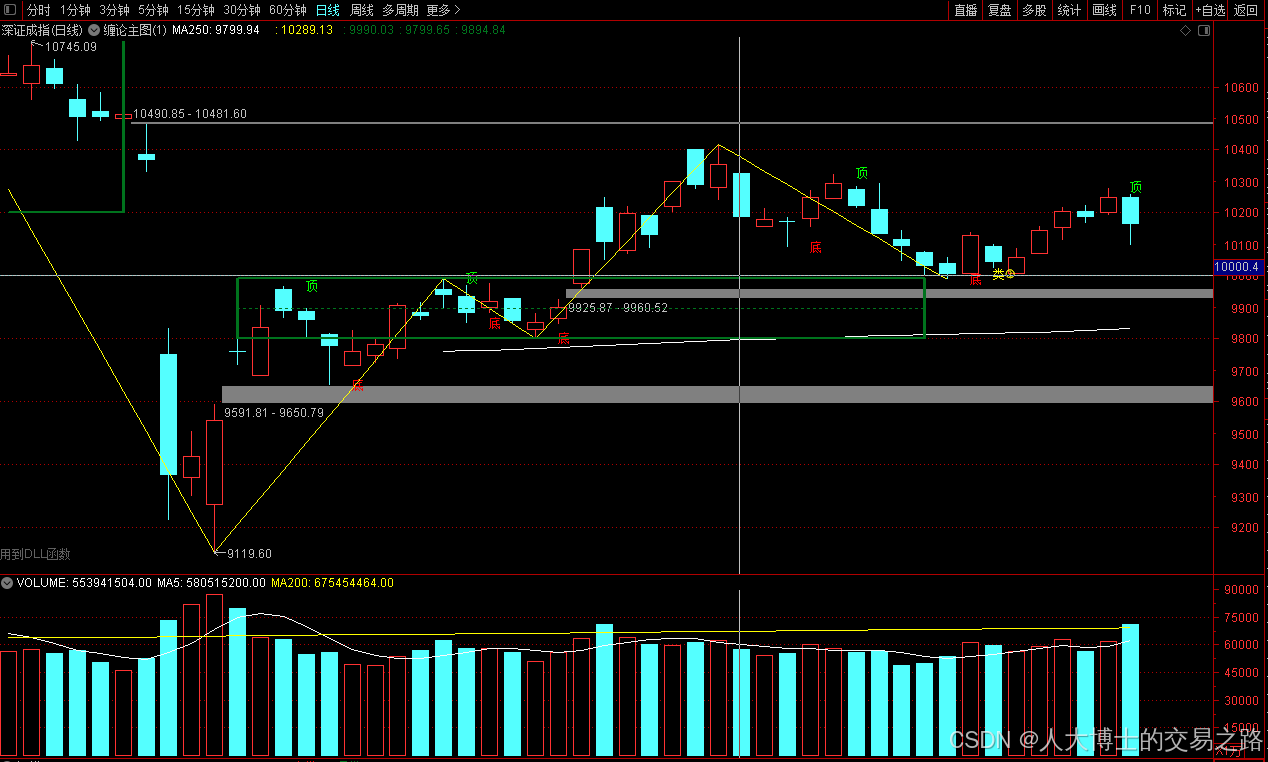
上证指数放量收阴线,个股多数下跌,盘中受消息影响大幅波动。 深证指数放量收阴线形成顶分型,指数短线有调整的需求,大概需要一两天。 2025年6月10日龙虎榜行业方向分析 1. 金融科技
代表标的:御银股份、雄帝科技
驱动…
观成科技:隐蔽隧道工具Ligolo-ng加密流量分析
1.工具介绍
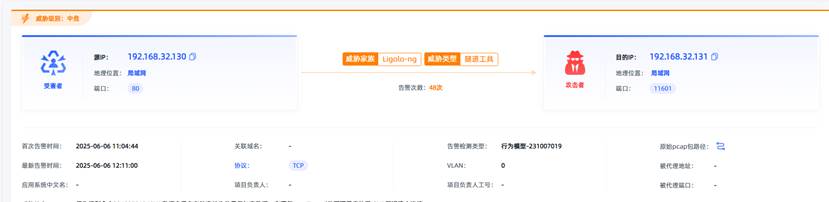
Ligolo-ng是一款由go编写的高效隧道工具,该工具基于TUN接口实现其功能,利用反向TCP/TLS连接建立一条隐蔽的通信信道,支持使用Let’s Encrypt自动生成证书。Ligolo-ng的通信隐蔽性体现在其支持多种连接方式,适应复杂网…
铭豹扩展坞 USB转网口 突然无法识别解决方法
当 USB 转网口扩展坞在一台笔记本上无法识别,但在其他电脑上正常工作时,问题通常出在笔记本自身或其与扩展坞的兼容性上。以下是系统化的定位思路和排查步骤,帮助你快速找到故障原因:
背景:
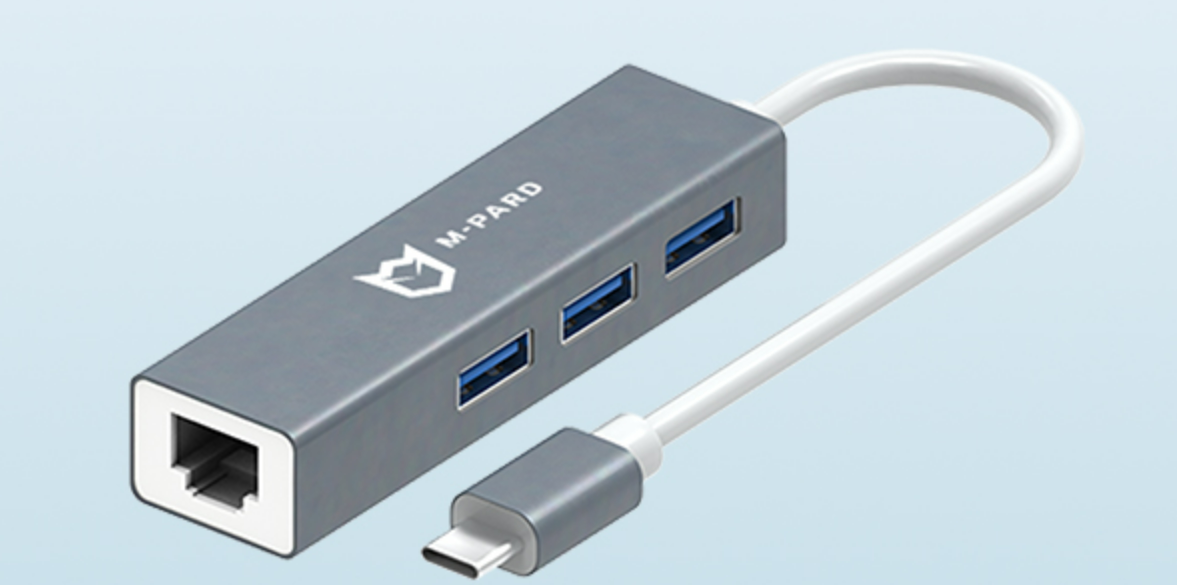
一个M-pard(铭豹)扩展坞的网卡突然无法识别了,扩展出来的三个USB接口正常。…
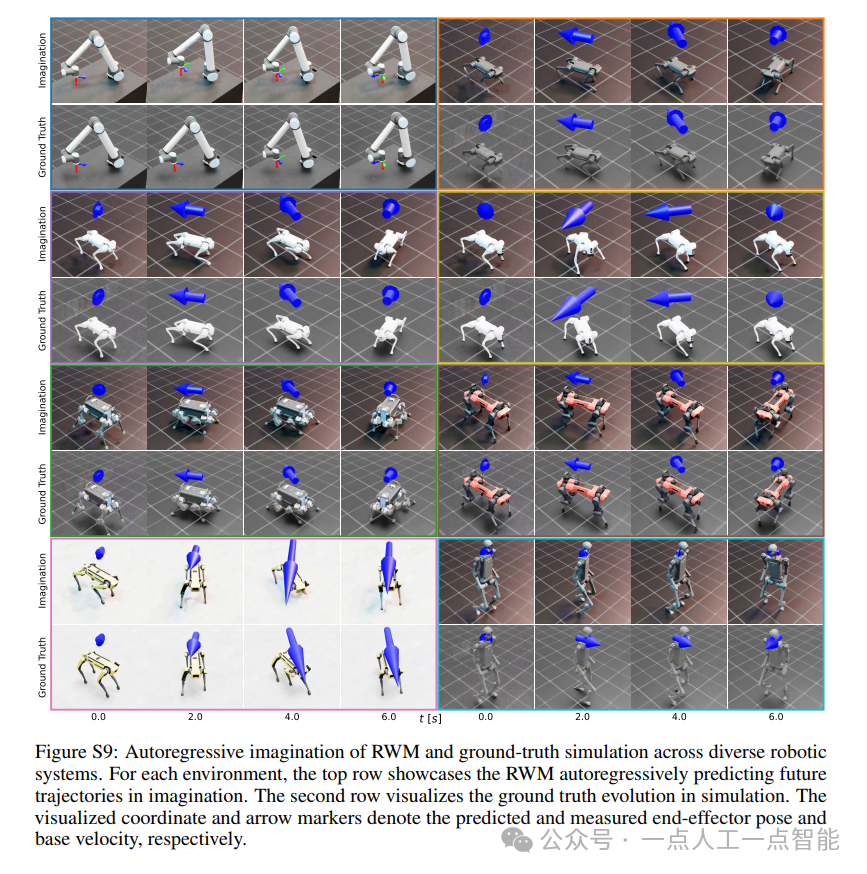
未来机器人的大脑:如何用神经网络模拟器实现更智能的决策?
编辑:陈萍萍的公主一点人工一点智能 未来机器人的大脑:如何用神经网络模拟器实现更智能的决策?RWM通过双自回归机制有效解决了复合误差、部分可观测性和随机动力学等关键挑战,在不依赖领域特定归纳偏见的条件下实现了卓越的预测准…

Linux应用开发之网络套接字编程(实例篇)
服务端与客户端单连接
服务端代码
#include <sys/socket.h>
#include <sys/types.h>
#include <netinet/in.h>
#include <stdio.h>
#include <stdlib.h>
#include <string.h>
#include <arpa/inet.h>
#include <pthread.h>
…
华为云AI开发平台ModelArts
华为云ModelArts:重塑AI开发流程的“智能引擎”与“创新加速器”!
在人工智能浪潮席卷全球的2025年,企业拥抱AI的意愿空前高涨,但技术门槛高、流程复杂、资源投入巨大的现实,却让许多创新构想止步于实验室。数据科学家…
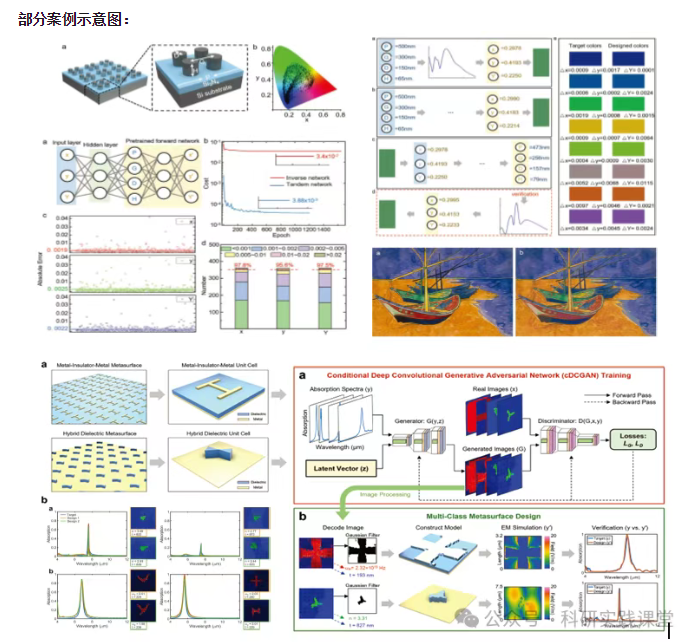
深度学习在微纳光子学中的应用
深度学习在微纳光子学中的主要应用方向
深度学习与微纳光子学的结合主要集中在以下几个方向:
逆向设计 通过神经网络快速预测微纳结构的光学响应,替代传统耗时的数值模拟方法。例如设计超表面、光子晶体等结构。
特征提取与优化 从复杂的光学数据中自…