从零封装Vue版JSMpeg播放器:支持截图/录制/旋转的直播流组件开发指南
news2026/3/30 10:28:42
从零封装Vue版JSMpeg播放器支持截图/录制/旋转的直播流组件开发指南1. 技术选型与架构设计在Web端实现低延迟视频直播需要解决三个核心问题编解码效率、传输协议选择和渲染性能。基于JSMpeg的方案优势在于超低延迟可达50ms级跨平台兼容无需插件支持所有现代浏览器硬件加速WebGL渲染典型技术栈组合如下表所示模块技术方案作用前端Vue JSMpeg组件化开发与解码渲染传输WebSocket实时数据传输通道转码FFmpegRTSP/RTMP转MPEG1中继Node.js流媒体协议转换关键性能指标对比# FFmpeg转码参数示例1080p 30fps ffmpeg -rtsp_transport tcp -i rtsp://stream_url \ -f mpegts -codec:v mpeg1video -b:v 1500k \ -codec:a mp2 -ar 44100 -b:a 128k \ http://localhost:8082/supersecret2. 核心功能实现2.1 WebSocket流接入创建WebSocket连接管理器类class StreamConnection { constructor(url) { this.socket new WebSocket(url) this.socket.binaryType arraybuffer this.socket.onmessage (event) { this.onDataCallback?.(event.data) } this.socket.onclose () { this.reconnectTimer setTimeout(() this.reconnect(), 3000) } } setDataHandler(callback) { this.onDataCallback callback } reconnect() { if (this.socket.readyState WebSocket.CLOSED) { this.socket new WebSocket(this.socket.url) } } }2.2 自定义控制栏开发通过Vue动态组件实现可扩展的控制栏template div classcontrol-bar button clicktogglePlay {{ isPlaying ? 暂停 : 播放 }} /button input typerange v-modelvolume inputsetVolume button clickcapture截图/button button clickstartRecording录制/button select v-modelrotation changerotate option value00°/option option value9090°/option option value180180°/option option value270270°/option /select /div /template script export default { data() { return { isPlaying: false, volume: 1, rotation: 0 } }, methods: { togglePlay() { this.isPlaying ? this.player.pause() : this.player.play() this.isPlaying !this.isPlaying }, capture() { const link document.createElement(a) link.download snapshot-${Date.now()}.png link.href this.canvas.toDataURL(image/png) link.click() } } } /script2.3 Canvas渲染优化实现双缓冲渲染策略避免画面撕裂class CanvasRenderer { constructor(canvas) { this.frontCanvas canvas this.backCanvas document.createElement(canvas) this.ctx this.frontCanvas.getContext(2d) // 自适应分辨率 this.resizeObserver new ResizeObserver(() { this.setSize(canvas.clientWidth, canvas.clientHeight) }) this.resizeObserver.observe(canvas) } setSize(width, height) { [this.frontCanvas, this.backCanvas].forEach(c { c.width width * devicePixelRatio c.height height * devicePixelRatio c.style.width ${width}px c.style.height ${height}px }) } render(frame) { // 后台Canvas绘制 const backCtx this.backCanvas.getContext(2d) backCtx.drawImage(frame, 0, 0, this.backCanvas.width, this.backCanvas.height) // 交换缓冲区 requestAnimationFrame(() { this.ctx.clearRect(0, 0, this.frontCanvas.width, this.frontCanvas.height) this.ctx.drawImage(this.backCanvas, 0, 0) }) } }3. 高级功能实现3.1 视频截图实现通过Canvas API实现三种截图方案基础截图canvas.toDataURL(image/jpeg, 0.8)带UI叠加的截图function captureWithOverlay() { const compositeCanvas document.createElement(canvas) // 绘制视频帧 compositeCanvas.getContext(2d).drawImage(videoCanvas, 0, 0) // 叠加时间水印 ctx.fillText(new Date().toLocaleString(), 10, 20) return compositeCanvas.toDataURL() }高分辨率截图function hiResCapture() { const tempCanvas document.createElement(canvas) tempCanvas.width videoCanvas.width * 2 tempCanvas.height videoCanvas.height * 2 tempCanvas.getContext(2d).drawImage( videoCanvas, 0, 0, tempCanvas.width, tempCanvas.height ) return tempCanvas.toDataURL() }3.2 MP4录制方案基于MediaRecorder API的录制实现class VideoRecorder { constructor(stream, options {}) { this.chunks [] this.recorder new MediaRecorder(stream, { mimeType: video/webm;codecsh264, bitsPerSecond: 2500000 }) this.recorder.ondataavailable (e) { this.chunks.push(e.data) } } start() { this.chunks [] this.recorder.start(1000) // 每1秒收集数据 } async stop() { return new Promise(resolve { this.recorder.onstop () { const blob new Blob(this.chunks, { type: video/mp4 }) resolve(URL.createObjectURL(blob)) } this.recorder.stop() }) } }3.3 画面旋转控制实现GPU加速的旋转方案function applyRotation(degrees) { const gl canvas.getContext(webgl) const program createShaderProgram(gl, attribute vec2 position; varying vec2 texCoord; uniform float angle; void main() { mat2 rotation mat2( cos(angle), -sin(angle), sin(angle), cos(angle) ); vec2 rotated rotation * position; gl_Position vec4(rotated, 0.0, 1.0); texCoord position * 0.5 0.5; } , ...片段着色器代码...) gl.uniform1f( gl.getUniformLocation(program, angle), degrees * Math.PI / 180 ) }4. NPM组件封装4.1 组件化设计创建可复用的Vue组件结构vue-jsmpeg-player/ ├── src/ │ ├── components/ │ │ ├── JSMpegPlayer.vue # 主组件 │ │ ├── ControlBar.vue # 控制栏 │ │ └── CanvasRender.vue # 渲染组件 │ ├── utils/ │ │ ├── stream.js # 流处理 │ │ └── recorder.js # 录制功能 │ └── index.js # 组件入口4.2 发布配置package.json关键配置{ name: vue-jsmpeg-player, version: 1.0.0, main: dist/vue-jsmpeg-player.umd.js, module: dist/vue-jsmpeg-player.esm.js, files: [dist], peerDependencies: { vue: ^2.6.0 }, scripts: { build: vite build, prepublishOnly: npm run build } }4.3 使用示例安装与基础用法npm install vue-jsmpeg-playertemplate jsmpeg-player :urlws://your-server/video readyonPlayerReady snapshotonSnapshot / /template script import JSMpegPlayer from vue-jsmpeg-player export default { components: { JSMpegPlayer }, methods: { onPlayerReady(player) { this.player player player.setVolume(0.5) }, onSnapshot(dataUrl) { // 处理截图数据 } } } /script5. 性能优化策略5.1 解码性能提升WebAssembly版本解码器配置const player new JSMpeg.Player(url, { disableWebAssembly: false, // 启用WASM videoBufferSize: 1024 * 1024 * 4, // 4MB缓冲区 chunkSize: 1024 * 256 // 256KB分块 })5.2 多实例管理实现资源池控制并发播放器数量class PlayerPool { constructor(maxInstances 4) { this.pool new Set() this.waitQueue [] this.maxInstances maxInstances } createPlayer(options) { return new Promise(resolve { if (this.pool.size this.maxInstances) { const player this._instantiatePlayer(options) resolve(player) } else { this.waitQueue.push({ options, resolve }) } }) } _instantiatePlayer(options) { const player new JSMpeg.Player(options) player.onEnded () this._releasePlayer(player) this.pool.add(player) return player } }5.3 自适应码率方案根据网络状况动态调整function adaptiveBitrate(player) { let lastDecodeTime performance.now() player.onVideoDecode (decoder, time) { const decodeDuration performance.now() - lastDecodeTime lastDecodeTime performance.now() if (decodeDuration 1000/30) { // 低于30fps decreaseBitrate() } else if (decodeDuration 1000/60) { // 高于60fps increaseBitrate() } } function decreaseBitrate() { // 通过WebSocket发送调整指令给服务端 } }6. 生产环境实践6.1 错误处理机制实现完整的错误恢复流程const ERROR_RECOVERY { NETWORK_ERROR: { retryInterval: [1000, 3000, 5000], action: reconnect }, DECODE_ERROR: { retryInterval: null, action: reload } } function handleError(error) { const strategy ERROR_RECOVERY[error.type] if (!strategy) return switch(strategy.action) { case reconnect: scheduleReconnect(strategy.retryInterval) break case reload: destroyAndCreatePlayer() break } }6.2 监控指标采集关键性能指标监控点const metrics { fps: calculateFPS(), decodeTime: measureDecodeTime(), networkLatency: calculateLatency(), memoryUsage: performance.memory?.usedJSHeapSize } function sendMetrics() { navigator.sendBeacon(/analytics, JSON.stringify({ ...metrics, timestamp: Date.now() })) } setInterval(sendMetrics, 10000)6.3 Web Worker优化将解码器移至Worker线程// worker.js self.importScripts(jsmpeg.min.js) self.onmessage function(e) { const player new JSMpeg.Player(e.data.url, { decodeInWorker: false // 已在Worker中 }) // ...处理解码数据 } // 主线程 const worker new Worker(worker.js) worker.postMessage({ url: ws://stream })
本文来自互联网用户投稿,该文观点仅代表作者本人,不代表本站立场。本站仅提供信息存储空间服务,不拥有所有权,不承担相关法律责任。如若转载,请注明出处:http://www.coloradmin.cn/o/2460664.html
如若内容造成侵权/违法违规/事实不符,请联系多彩编程网进行投诉反馈,一经查实,立即删除!相关文章
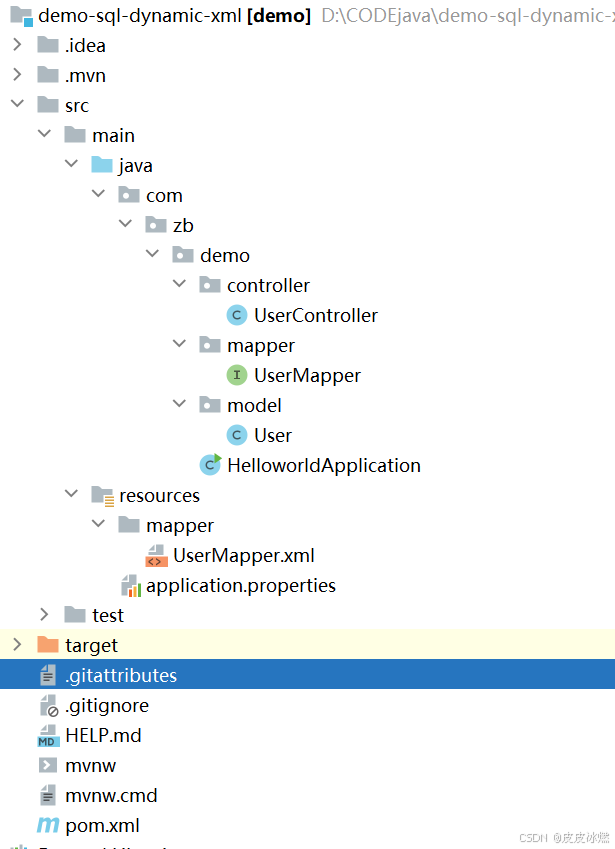
SpringBoot-17-MyBatis动态SQL标签之常用标签
文章目录 1 代码1.1 实体User.java1.2 接口UserMapper.java1.3 映射UserMapper.xml1.3.1 标签if1.3.2 标签if和where1.3.3 标签choose和when和otherwise1.4 UserController.java2 常用动态SQL标签2.1 标签set2.1.1 UserMapper.java2.1.2 UserMapper.xml2.1.3 UserController.ja…
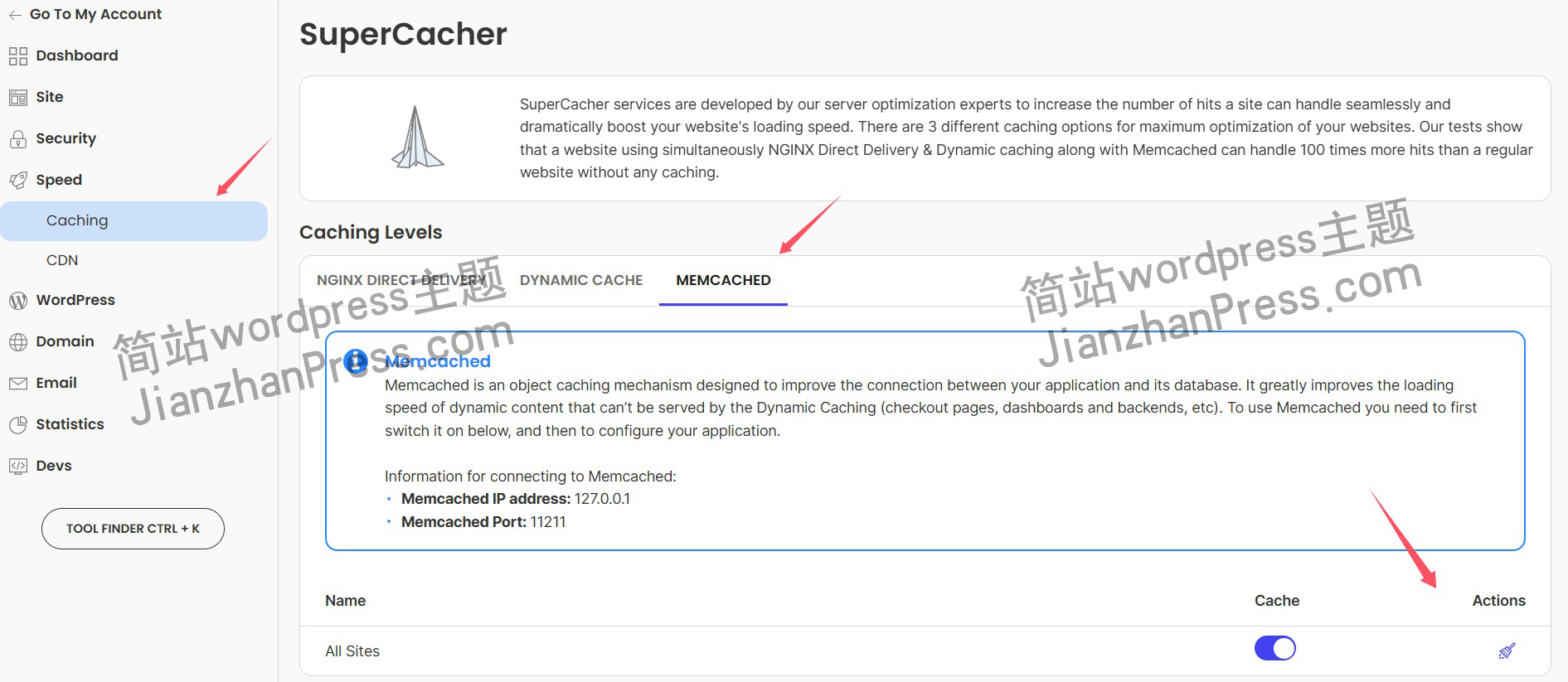
wordpress后台更新后 前端没变化的解决方法
使用siteground主机的wordpress网站,会出现更新了网站内容和修改了php模板文件、js文件、css文件、图片文件后,网站没有变化的情况。
不熟悉siteground主机的新手,遇到这个问题,就很抓狂,明明是哪都没操作错误&#x…
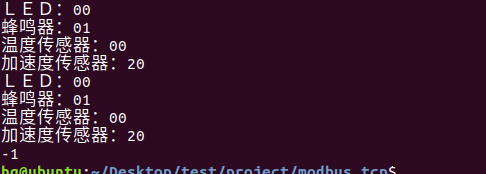
网络编程(Modbus进阶)
思维导图 Modbus RTU(先学一点理论)
概念 Modbus RTU 是工业自动化领域 最广泛应用的串行通信协议,由 Modicon 公司(现施耐德电气)于 1979 年推出。它以 高效率、强健性、易实现的特点成为工业控制系统的通信标准。 包…
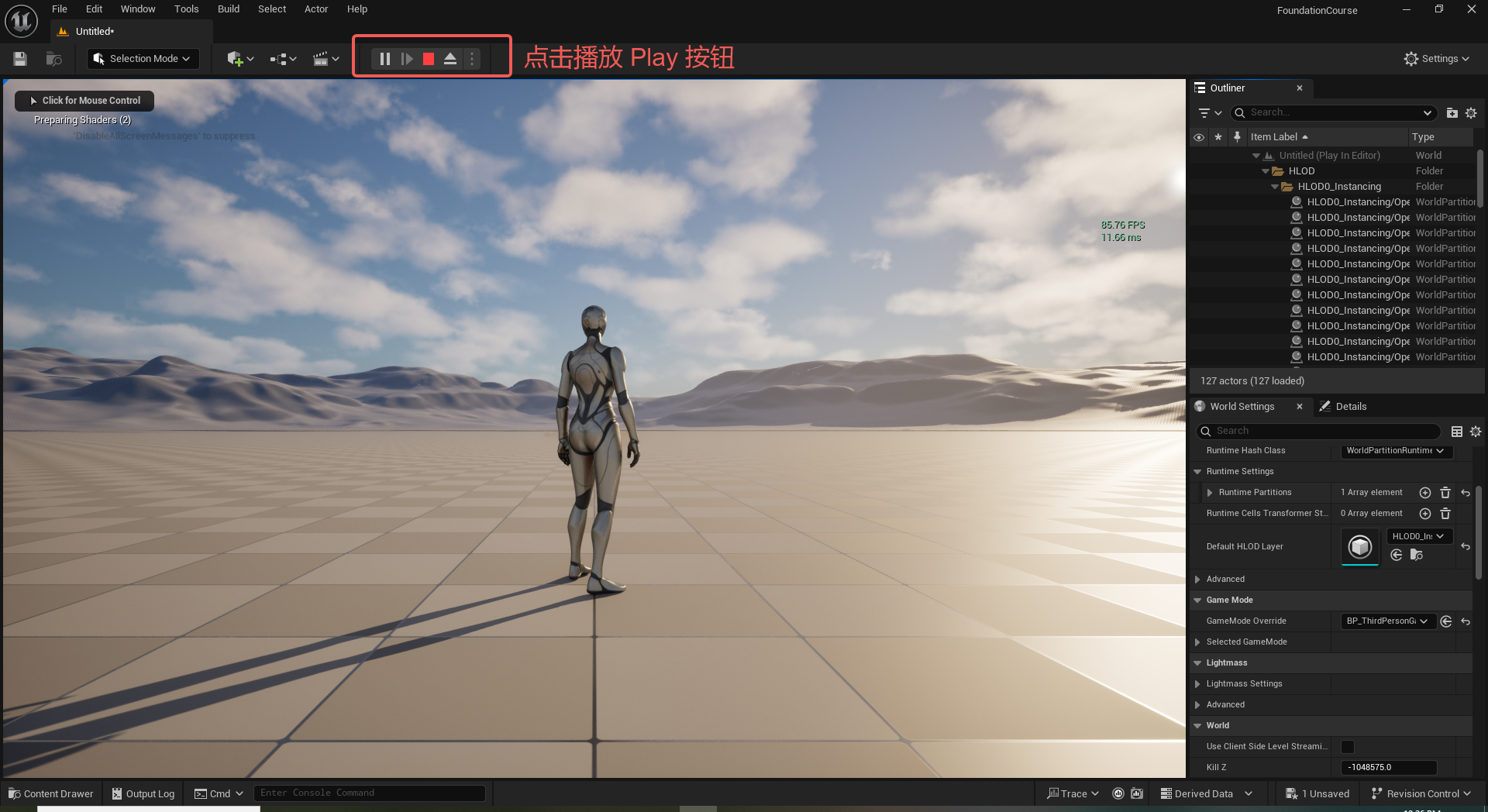
UE5 学习系列(二)用户操作界面及介绍
这篇博客是 UE5 学习系列博客的第二篇,在第一篇的基础上展开这篇内容。博客参考的 B 站视频资料和第一篇的链接如下:
【Note】:如果你已经完成安装等操作,可以只执行第一篇博客中 2. 新建一个空白游戏项目 章节操作,重…
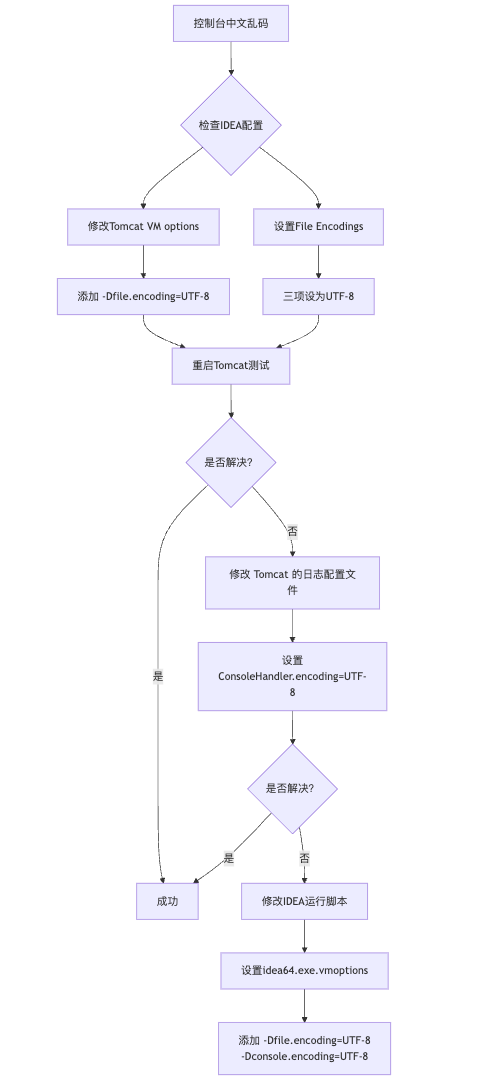
IDEA运行Tomcat出现乱码问题解决汇总
最近正值期末周,有很多同学在写期末Java web作业时,运行tomcat出现乱码问题,经过多次解决与研究,我做了如下整理:
原因:
IDEA本身编码与tomcat的编码与Windows编码不同导致,Windows 系统控制台…
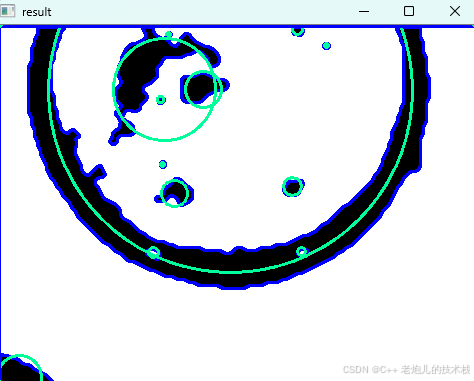
利用最小二乘法找圆心和半径
#include <iostream>
#include <vector>
#include <cmath>
#include <Eigen/Dense> // 需安装Eigen库用于矩阵运算 // 定义点结构
struct Point { double x, y; Point(double x_, double y_) : x(x_), y(y_) {}
}; // 最小二乘法求圆心和半径 …
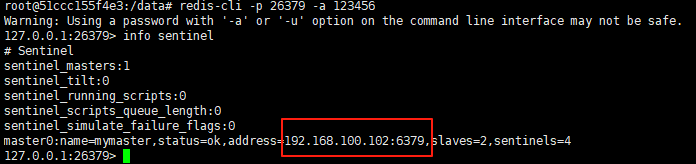
使用docker在3台服务器上搭建基于redis 6.x的一主两从三台均是哨兵模式
一、环境及版本说明
如果服务器已经安装了docker,则忽略此步骤,如果没有安装,则可以按照一下方式安装: 1. 在线安装(有互联网环境): 请看我这篇文章 传送阵>> 点我查看 2. 离线安装(内网环境):请看我这篇文章 传送阵>> 点我查看
说明:假设每台服务器已…
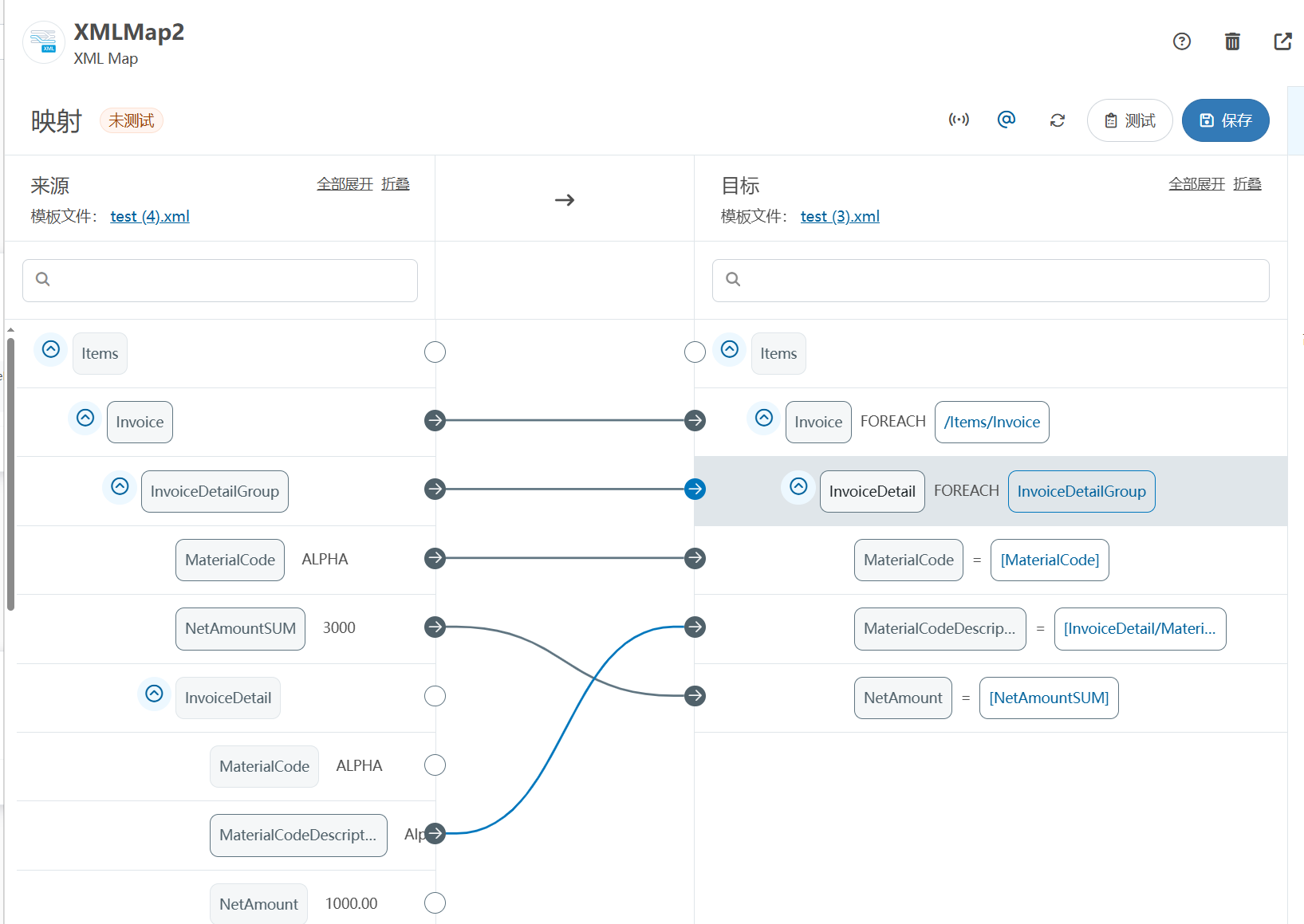
XML Group端口详解
在XML数据映射过程中,经常需要对数据进行分组聚合操作。例如,当处理包含多个物料明细的XML文件时,可能需要将相同物料号的明细归为一组,或对相同物料号的数量进行求和计算。传统实现方式通常需要编写脚本代码,增加了开…
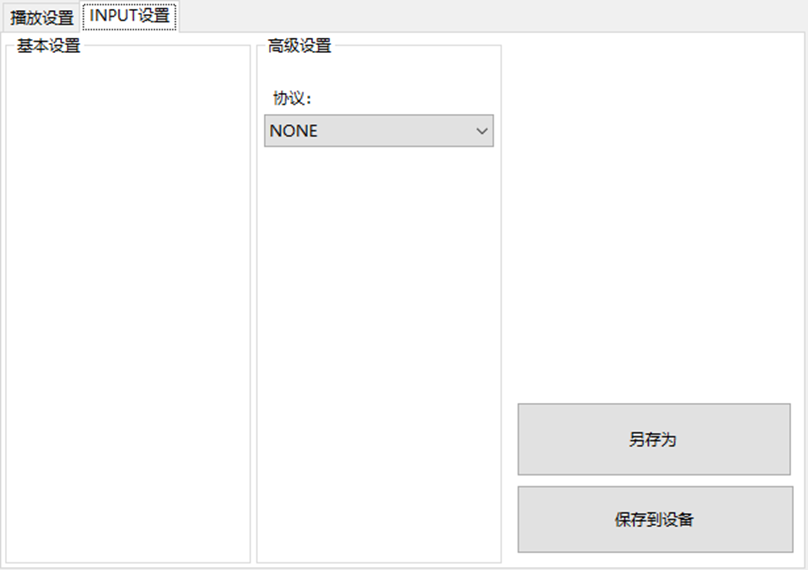
LBE-LEX系列工业语音播放器|预警播报器|喇叭蜂鸣器的上位机配置操作说明
LBE-LEX系列工业语音播放器|预警播报器|喇叭蜂鸣器专为工业环境精心打造,完美适配AGV和无人叉车。同时,集成以太网与语音合成技术,为各类高级系统(如MES、调度系统、库位管理、立库等)提供高效便捷的语音交互体验。
L…
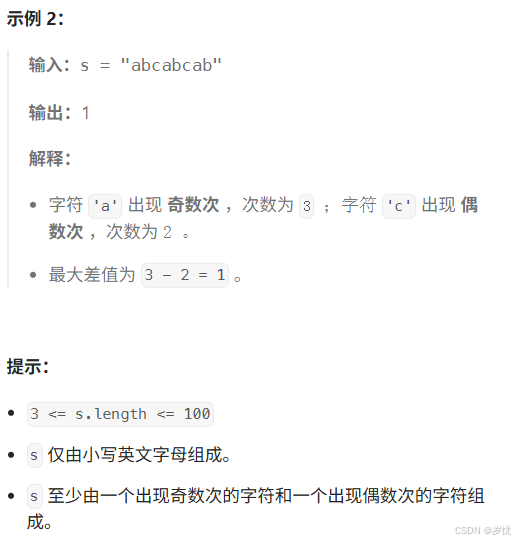
(LeetCode 每日一题) 3442. 奇偶频次间的最大差值 I (哈希、字符串)
题目:3442. 奇偶频次间的最大差值 I 思路 :哈希,时间复杂度0(n)。 用哈希表来记录每个字符串中字符的分布情况,哈希表这里用数组即可实现。
C版本:
class Solution {
public:int maxDifference(string s) {int a[26]…
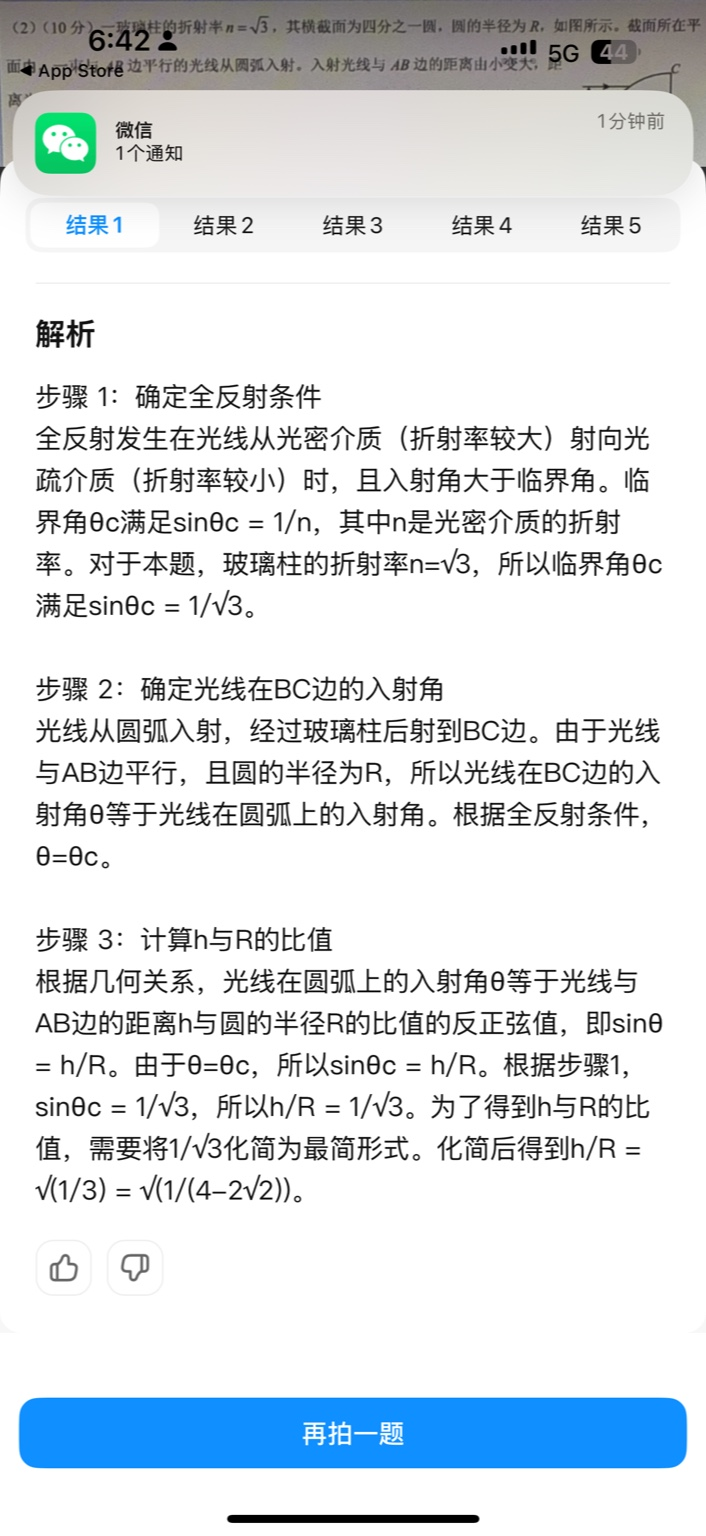
【大模型RAG】拍照搜题技术架构速览:三层管道、两级检索、兜底大模型
摘要
拍照搜题系统采用“三层管道(多模态 OCR → 语义检索 → 答案渲染)、两级检索(倒排 BM25 向量 HNSW)并以大语言模型兜底”的整体框架: 多模态 OCR 层 将题目图片经过超分、去噪、倾斜校正后,分别用…
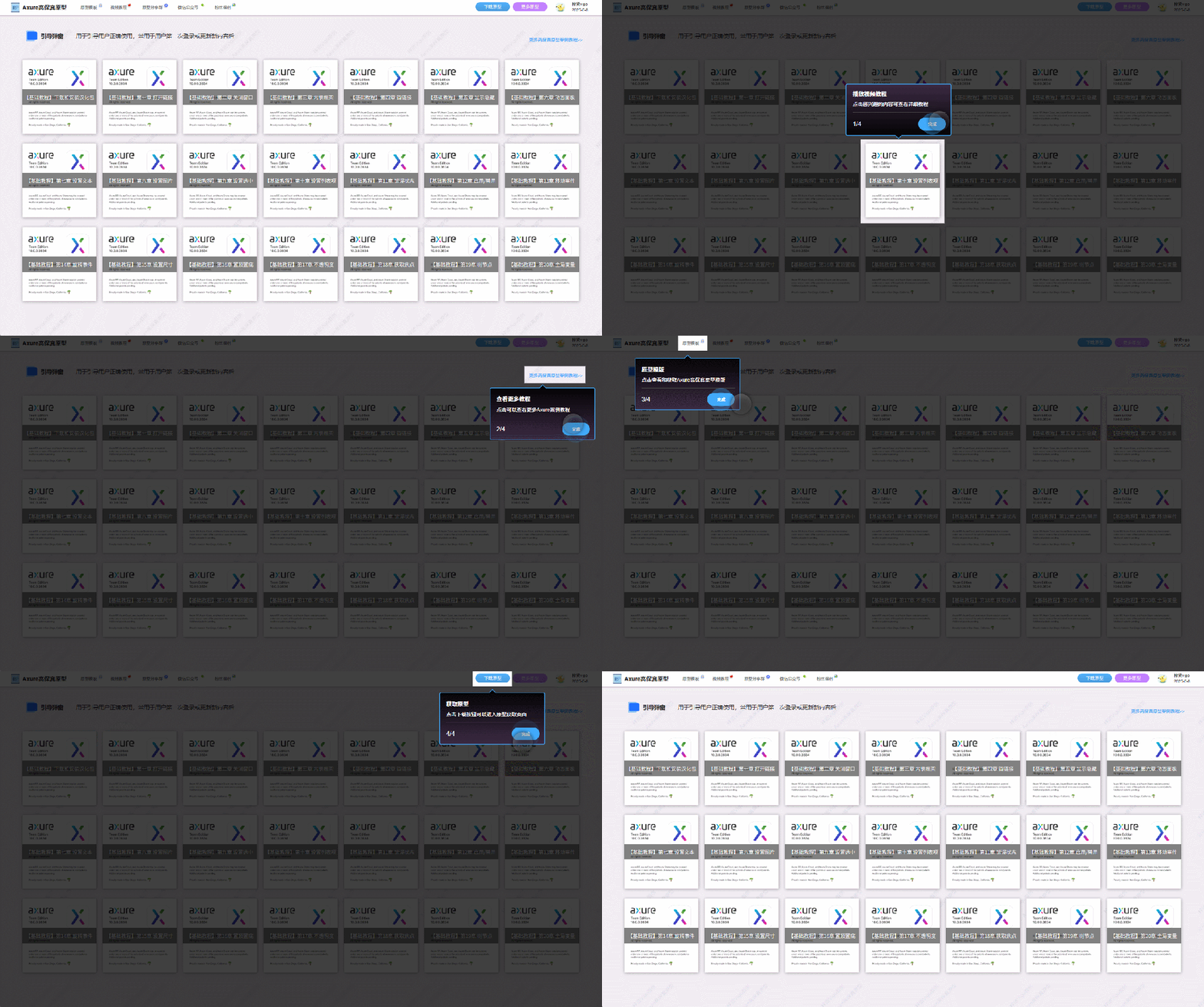
【Axure高保真原型】引导弹窗
今天和大家中分享引导弹窗的原型模板,载入页面后,会显示引导弹窗,适用于引导用户使用页面,点击完成后,会显示下一个引导弹窗,直至最后一个引导弹窗完成后进入首页。具体效果可以点击下方视频观看或打开下方…
接口测试中缓存处理策略
在接口测试中,缓存处理策略是一个关键环节,直接影响测试结果的准确性和可靠性。合理的缓存处理策略能够确保测试环境的一致性,避免因缓存数据导致的测试偏差。以下是接口测试中常见的缓存处理策略及其详细说明:
一、缓存处理的核…
龙虎榜——20250610
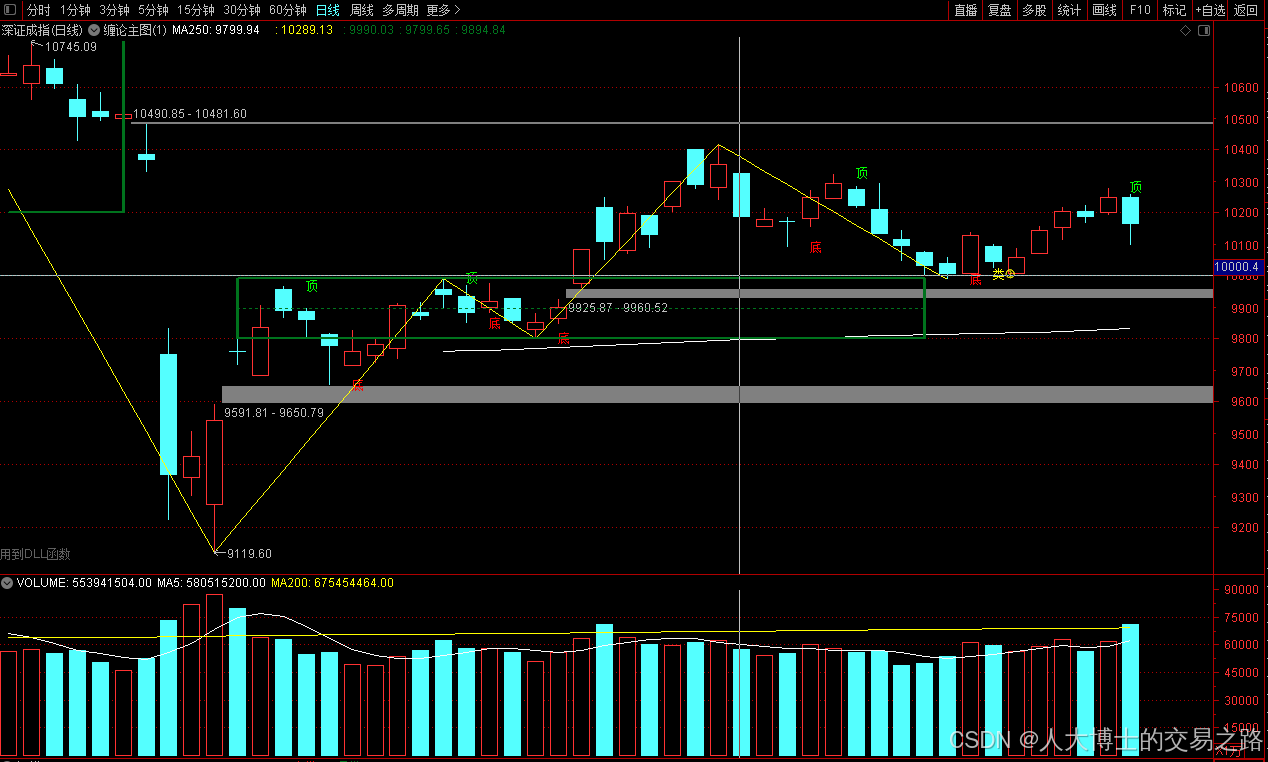
上证指数放量收阴线,个股多数下跌,盘中受消息影响大幅波动。 深证指数放量收阴线形成顶分型,指数短线有调整的需求,大概需要一两天。 2025年6月10日龙虎榜行业方向分析 1. 金融科技
代表标的:御银股份、雄帝科技
驱动…
观成科技:隐蔽隧道工具Ligolo-ng加密流量分析
1.工具介绍
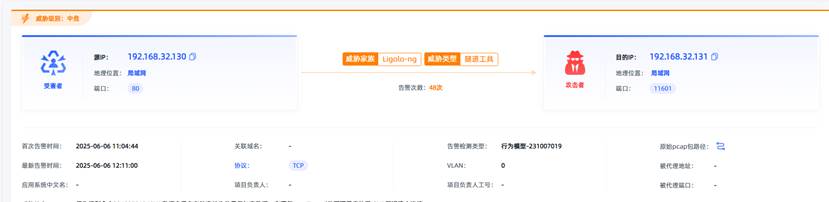
Ligolo-ng是一款由go编写的高效隧道工具,该工具基于TUN接口实现其功能,利用反向TCP/TLS连接建立一条隐蔽的通信信道,支持使用Let’s Encrypt自动生成证书。Ligolo-ng的通信隐蔽性体现在其支持多种连接方式,适应复杂网…
铭豹扩展坞 USB转网口 突然无法识别解决方法
当 USB 转网口扩展坞在一台笔记本上无法识别,但在其他电脑上正常工作时,问题通常出在笔记本自身或其与扩展坞的兼容性上。以下是系统化的定位思路和排查步骤,帮助你快速找到故障原因:
背景:
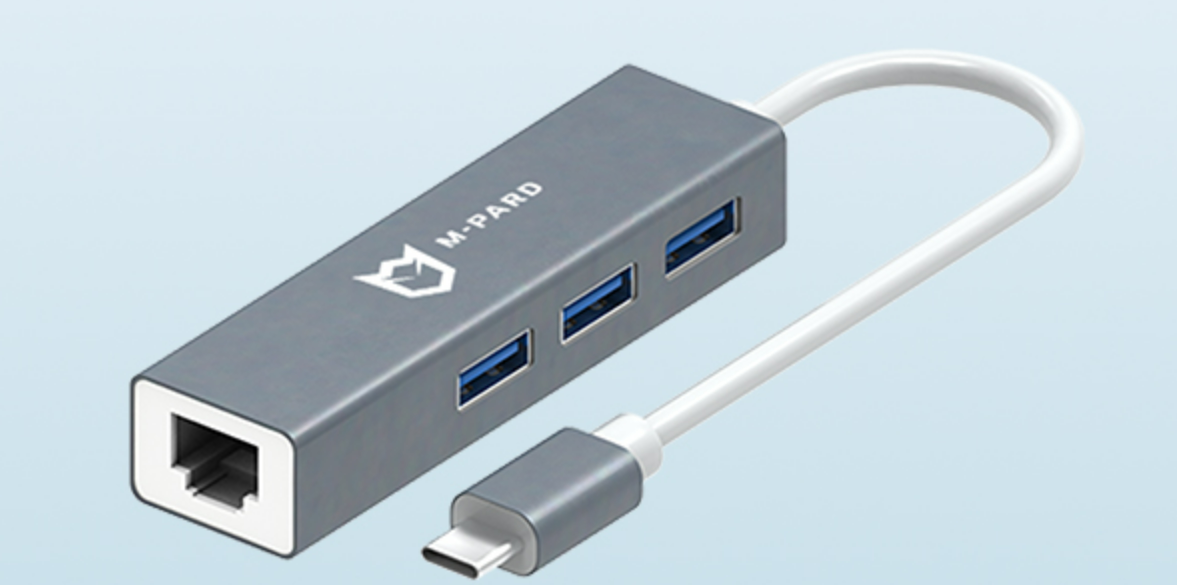
一个M-pard(铭豹)扩展坞的网卡突然无法识别了,扩展出来的三个USB接口正常。…
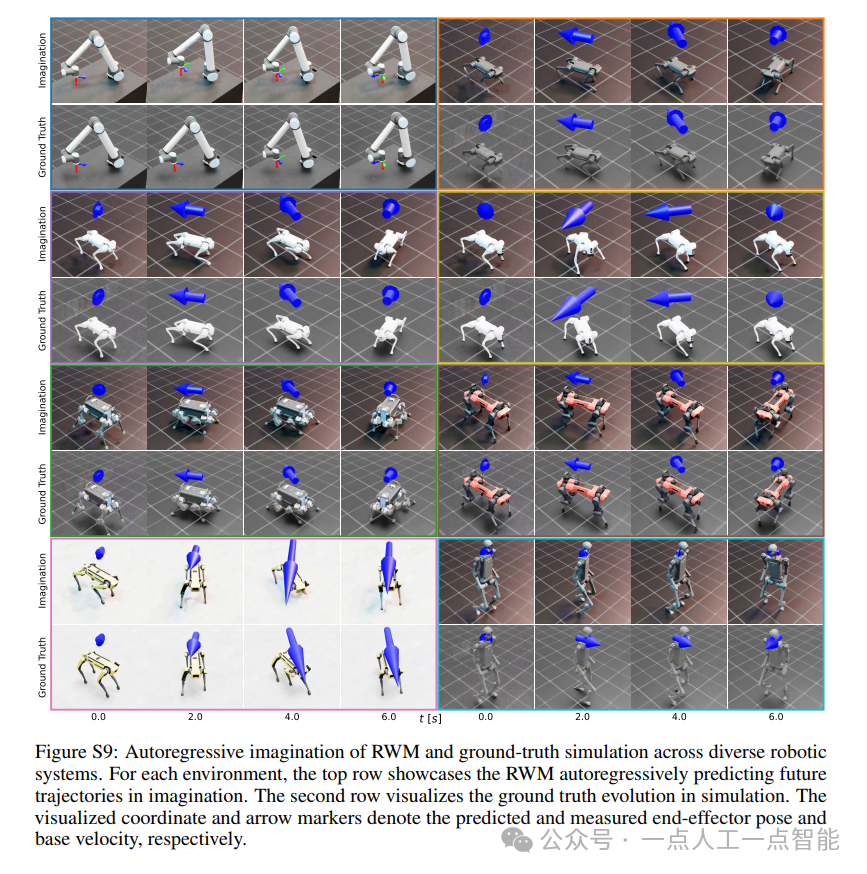
未来机器人的大脑:如何用神经网络模拟器实现更智能的决策?
编辑:陈萍萍的公主一点人工一点智能 未来机器人的大脑:如何用神经网络模拟器实现更智能的决策?RWM通过双自回归机制有效解决了复合误差、部分可观测性和随机动力学等关键挑战,在不依赖领域特定归纳偏见的条件下实现了卓越的预测准…

Linux应用开发之网络套接字编程(实例篇)
服务端与客户端单连接
服务端代码
#include <sys/socket.h>
#include <sys/types.h>
#include <netinet/in.h>
#include <stdio.h>
#include <stdlib.h>
#include <string.h>
#include <arpa/inet.h>
#include <pthread.h>
…

华为云AI开发平台ModelArts
华为云ModelArts:重塑AI开发流程的“智能引擎”与“创新加速器”!
在人工智能浪潮席卷全球的2025年,企业拥抱AI的意愿空前高涨,但技术门槛高、流程复杂、资源投入巨大的现实,却让许多创新构想止步于实验室。数据科学家…
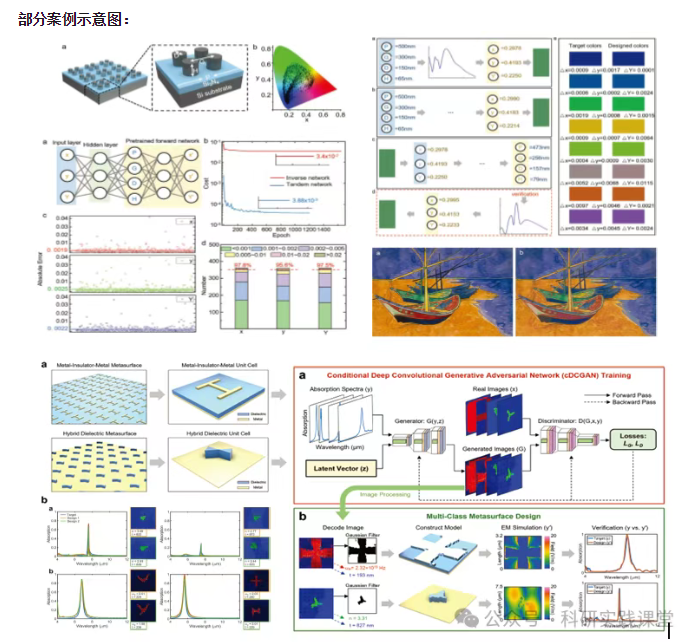
深度学习在微纳光子学中的应用
深度学习在微纳光子学中的主要应用方向
深度学习与微纳光子学的结合主要集中在以下几个方向:
逆向设计 通过神经网络快速预测微纳结构的光学响应,替代传统耗时的数值模拟方法。例如设计超表面、光子晶体等结构。
特征提取与优化 从复杂的光学数据中自…