Java、Python、NodeJS等开发环境安装及配置镜像加速到国内源
news2026/3/26 0:40:39
文章目录Java1.我应该用哪个版本的JDK1.1 版本推荐1.2 发行版推荐1.3 下载JDK1.4 ubuntu版本1.5 JDK镜像选择2.Windows2.1 scoop方式安装JDK3.Linux3.1 apt方式安装JDK3.1.1 切换JDK3.1.2 验证版本3.1.3 原理Python1.Windows1.1 scoop方式安装Python1.2 uv方式安装Python推荐2.Linux2.1 apt方式安装Python2.1.1 配置版本切换2.1.2 切换Python2.1.3 验证版本2.2 uv方式安装Python推荐3.uv方式说明3.1 查看版本列表3.2 初始化项目3.3 添加依赖3.4 查看依赖3.5 同步依赖NodeJS1.Windows1.1 scoop方式安装NodeJS1.2 nvm方式安装NodeJS推荐2.Linux2.1 nvm方式安装NodeJS推荐3.nvm方式说明3.1 安装版本3.2 查看版本列表3.3 切换版本3.4 验证版本配置国内源1.linuxmirrors2.pip国内源3.maven和gradle国内源4.npm5.apt国内源(backup)6.uv国内源Java从图中可以看出下载8/11/17三个版本即可其他版本按需下载。从图中可以看出除了Oracle外Amazon和Eclipse Adoptium都挺好。来源https://newrelic.com/resources/report/2024-state-of-the-java-ecosystem1.我应该用哪个版本的JDKhttps://whichjdk.com/首选Adoptium Eclipse Temurin 21且需确保本地、CI持续集成和生产环境版本一致。1.1 版本推荐JDK VersionTypeRelease DateHighlightsRecommendation8LTS03/2014LambdasLast LTS version under previous release model. Free updates by Oracle ended, but still maintained by others. Upgrade to 21 now!9Feature09/2017ModulesNew release model was introduced. EOL. Upgrade to 21 now!10Feature03/2018varEOL. Upgrade to 21 now!11LTS09/2018New HTTP ClientUpgrade to 21 now!12Feature03/2019EOL. Upgrade to 21 now!13Feature09/2019EOL. Upgrade to 21 now!14Feature03/2020Switch expressionsEOL. Upgrade to 21 now!15Feature09/2020Text blocksEOL. Upgrade to 21 now!16Feature03/2021RecordsEOL. Upgrade to 21 now!17LTS09/2021Sealed ClassesIt’s time to upgrade to 21.18Feature03/2022UTF-8 by DefaultEOL. Upgrade to 21 now!19Feature09/2022EOL. Upgrade to 21 now!20Feature03/2023EOL. Upgrade to 21 now!21LTS09/2023Pattern Matching, Virtual ThreadsCurrent LTS version.22Feature03/2024Stick with 21.23Feature09/2024Markdown Documentation CommentsStick with 21.24Feature03/2025Ahead-of-Time Class LoadingStick with 21.1.2 发行版推荐Adoptium Eclipse TemurinEclipse 基金会项目高质量、 vendor-neutral厂商中立、经 TCK 测试支持 LTS强烈推荐。Amazon CorrettoAWS 提供适合在 AWS 的 Amazon Linux 2 上运行推荐。1.3 下载JDKhttps://adoptium.net/zh-CN/temurin/releases?version8osanyarchany1.4 ubuntu版本https://releases.ubuntu.com/Ubuntu 24.04.3 LTS (Noble Numbat) ›Ubuntu 22.04.5 LTS (Jammy Jellyfish) ›Ubuntu 20.04.6 LTS (Focal Fossa) ›1.5 JDK镜像选择https://hub.docker.com/_/eclipse-temurin2.Windows2.1 scoop方式安装JDKscoopinstalltemurin8-jdk temurin17-jdk temurin21-jdk# 不建议scoopinstallcorretto8-jdk corretto17-jdk corretto21-jdk3.Linux3.1 apt方式安装JDKaptinstallsoftware-properties-common-yaptinstallopenjdk-8-jdk openjdk-11-jdk openjdk-17-jdk openjdk-21-jdk-y3.1.1 切换JDKupdate-alternatives--configjava3.1.2 验证版本java-version3.1.3 原理# 入口: /usr/bin/java - /etc/alternatives/java*ll /usr/bin/java# 切换 /etc/alternatives/java - /usr/lib/jvm/java-21-openjdk-amd64/bin/java*ll /etc/alternatives/java# 版本目录/usr/lib/jvmll /usr/lib/jvmPython1.Windows1.1 scoop方式安装Pythonscoopinstallpython38 python39 python310 python311 python312 python313 python3141.2 uv方式安装Python推荐scoopinstalluv2.Linux2.1 apt方式安装Pythonaptinstallsoftware-properties-common-yadd-apt-repository ppa:deadsnakes/ppaaptinstallpython{3.7,3.8,3.9,3.10,3.11,3.12,3.13,3.14}-y2.1.1 配置版本切换update-alternatives--install/usr/bin/python python /usr/bin/python2.71update-alternatives--install/usr/bin/python python /usr/bin/python3.72update-alternatives--install/usr/bin/python python /usr/bin/python3.83update-alternatives--install/usr/bin/python python /usr/bin/python3.94update-alternatives--install/usr/bin/python python /usr/bin/python3.105update-alternatives--install/usr/bin/python python /usr/bin/python3.116update-alternatives--install/usr/bin/python python /usr/bin/python3.127update-alternatives--install/usr/bin/python python /usr/bin/python3.138update-alternatives--install/usr/bin/python python /usr/bin/python3.1492.1.2 切换Pythonupdate-alternatives--configpython2.1.3 验证版本python--version2.2 uv方式安装Python推荐curl-LsSfhttps://astral.sh/uv/install.sh|sh或wget-qO- https://astral.sh/uv/install.sh|shinstalling to /home/d/.local/bin uv uvx everythings installed! To add $HOME/.local/bin to your PATH, either restart your shell or run: source $HOME/.local/bin/env (sh, bash, zsh) source $HOME/.local/bin/env.fish (fish)来源https://docs.astral.sh/uv/getting-started/installation/3.uv方式说明uv pythoninstallpython3.7 python3.8 python3.9 python3.10 python3.11 python3.12 python3.13 python3.143.1 查看版本列表uv python list3.2 初始化项目uv init3.3 添加依赖uvaddrequests3.4 查看依赖uv tree3.5 同步依赖uvsyncNodeJS1.Windows1.1 scoop方式安装NodeJSscoopinstallnodejs16 nodejs17 nodejs18 nodejs19 nodejs20 nodejs21 nodejs22 nodejs231.2 nvm方式安装NodeJS推荐scoopinstallnvm2.Linux2.1 nvm方式安装NodeJS推荐curl-o- https://raw.githubusercontent.com/nvm-sh/nvm/v0.40.3/install.sh|bash或wget-qO- https://raw.githubusercontent.com/nvm-sh/nvm/v0.40.3/install.sh|bash Appending nvm source string to /home/d/.zshrc Appending bash_completion source string to /home/d/.zshrc Close and reopen your terminal to start using nvm or run the following to use it now: export NVM_DIR$HOME/.nvm [ -s $NVM_DIR/nvm.sh ] \. $NVM_DIR/nvm.sh # This loads nvm [ -s $NVM_DIR/bash_completion ] \. $NVM_DIR/bash_completion # This loads nvm bash_completion来源https://github.com/nvm-sh/nvm?tabreadme-ov-file#install–update-script3.nvm方式说明3.1 安装版本nvminstall23nvminstall22nvminstall21nvminstall20nvminstall19nvminstall18nvminstall17nvminstall163.2 查看版本列表nvm list3.3 切换版本nvm use233.4 验证版本node-v配置国内源1.linuxmirrorshttps://linuxmirrors.cn/giteebash(curl-sSLhttps://gitee.com/SuperManito/LinuxMirrors/raw/main/ChangeMirrors.sh)defaultbash(curl-sSLhttps://linuxmirrors.cn/main.sh)githubbash(curl-sSLhttps://raw.githubusercontent.com/SuperManito/LinuxMirrors/main/ChangeMirrors.sh)auto推荐https://github.com/SuperManito/LinuxMirrors/blob/main/docs/use/index.mdbash(curl-sSLhttps://gitee.com/SuperManito/LinuxMirrors/raw/main/ChangeMirrors.sh)\--sourcemirrors.tuna.tsinghua.edu.cn\--protocolhttp\--use-intranet-sourcefalse\--install-epeltrue\--backuptrue\--upgrade-softwarefalse\--clean-cachefalse\--ignore-backup-tipsaliyun会报错应该是请求太大被封了https://mirrors.aliyun.com/ubuntubash(curl-sSLhttps://gitee.com/SuperManito/LinuxMirrors/raw/main/ChangeMirrors.sh)\--sourcemirrors.aliyun.com\--protocolhttp\--use-intranet-sourcefalse\--install-epeltrue\--backupfalse\--upgrade-softwarefalse\--clean-cachefalse\--ignore-backup-tips# 403 Forbidden You dont have permission to access the URL on this server. denied by IP ACL blacklist --- Powered by Tengine CDN Request Id: 7c5fbe2b17549643434472542etencent不支持pvehttps://mirrors.tencent.com/proxmox/debian/pvebash(curl-sSLhttps://gitee.com/SuperManito/LinuxMirrors/raw/main/ChangeMirrors.sh)\--sourcemirrors.tencent.com\--protocolhttp\--use-intranet-sourcefalse\--install-epeltrue\--backupfalse\--upgrade-softwarefalse\--clean-cachefalse\--ignore-backup-tipsE: The repository http://mirrors.tencent.com/proxmox/debian/pve bookworm Release does not have a Release file.2.pip国内源清华贼快推荐https://mirrors.tuna.tsinghua.edu.cn/help/pypi/腾讯备用https://mirrors.cloud.tencent.com/pypi/simple/阿里贼慢还缺包https://developer.aliyun.com/mirror/pypi豆瓣重定向到腾讯https://pypi.doubanio.com/simple/python-mpipinstall-ihttps://mirrors.tuna.tsinghua.edu.cn/pypi/web/simple--upgradepip pip configsetglobal.index-url https://mirrors.cloud.tencent.com/pypi/simple/ pip configsetglobal.extra-index-urlhttps://mirrors.cloud.tencent.com/pypi/simple/ https://mirrors.aliyun.com/pypi/simple# 阿里有时候缺包 (venv) dd:~/SourceCode/test-gpu$ pip3 install torch torchvision torchaudio --index-url https://developer.aliyun.com/mirror/pypi Looking in indexes: https://developer.aliyun.com/mirror/pypi ERROR: Could not find a version that satisfies the requirement torch (from versions: none) ERROR: No matching distribution found for torch # 豆瓣重定向到腾讯了 (venv) dd:~/SourceCode/test-gpu$ pip3 install torch torchvision torchaudio --index-url https://pypi.doubanio.com/simple/ Looking in indexes: https://pypi.doubanio.com/simple/ Collecting torch Downloading https://mirrors.cloud.tencent.com/pypi/packages/d1/35/e8b2daf02ce933e4518e6f5682c72fd0ed66c15910ea1fb4168f442b71c4/torch-2.5.1-cp311-cp311-manylinux1_x86_64.whl (906.5 MB)3.maven和gradle国内源参考https://developer.aliyun.com/mvn/guide.m2/settings.xmlmirrorsmirroridaliyunmaven/idmirrorOfcentral/mirrorOfname阿里云公共仓库/nameurlhttps://maven.aliyun.com/repository/public/url/mirrormirroridpentaho-public/idnamePentaho Public/namemirrorOf*/mirrorOfurlhttp://nexus.pentaho.org/content/groups/omni//url/mirror/mirrors\init.d\init.gradleallprojects{repositories{mavenLocal()maven{nameAlibaba;urlhttps://maven.aliyun.com/repository/public}mavenCentral()}buildscript{repositories{maven{nameAlibaba;urlhttps://maven.aliyun.com/repository/public}}}}4.npm#npm config set registry https://registry.npm.taobao.orgnpmconfigsetregistry https://registry.npmmirror.comnpmupdate5.apt国内源(backup)#--quiet#-O filewget-qO- https://gitee.com/duhongming/shell-script/raw/master/mirrors/apt-sources.sh|bash6.uv国内源cat~/.config/uv/uv.toml[pip]index-urlhttps://mirrors.aliyun.com/pypi/simple/extra-index-url[https://pypi.org/simple]
本文来自互联网用户投稿,该文观点仅代表作者本人,不代表本站立场。本站仅提供信息存储空间服务,不拥有所有权,不承担相关法律责任。如若转载,请注明出处:http://www.coloradmin.cn/o/2443791.html
如若内容造成侵权/违法违规/事实不符,请联系多彩编程网进行投诉反馈,一经查实,立即删除!相关文章
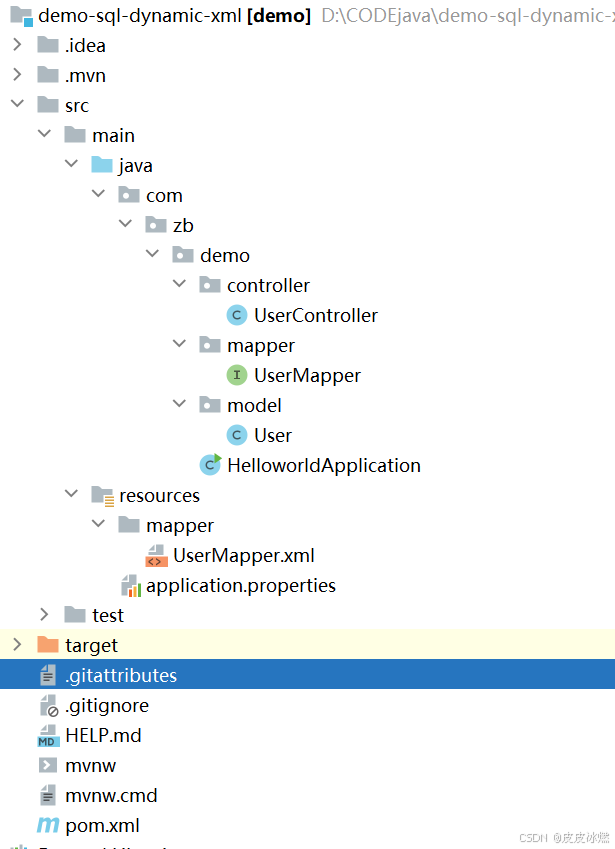
SpringBoot-17-MyBatis动态SQL标签之常用标签
文章目录 1 代码1.1 实体User.java1.2 接口UserMapper.java1.3 映射UserMapper.xml1.3.1 标签if1.3.2 标签if和where1.3.3 标签choose和when和otherwise1.4 UserController.java2 常用动态SQL标签2.1 标签set2.1.1 UserMapper.java2.1.2 UserMapper.xml2.1.3 UserController.ja…
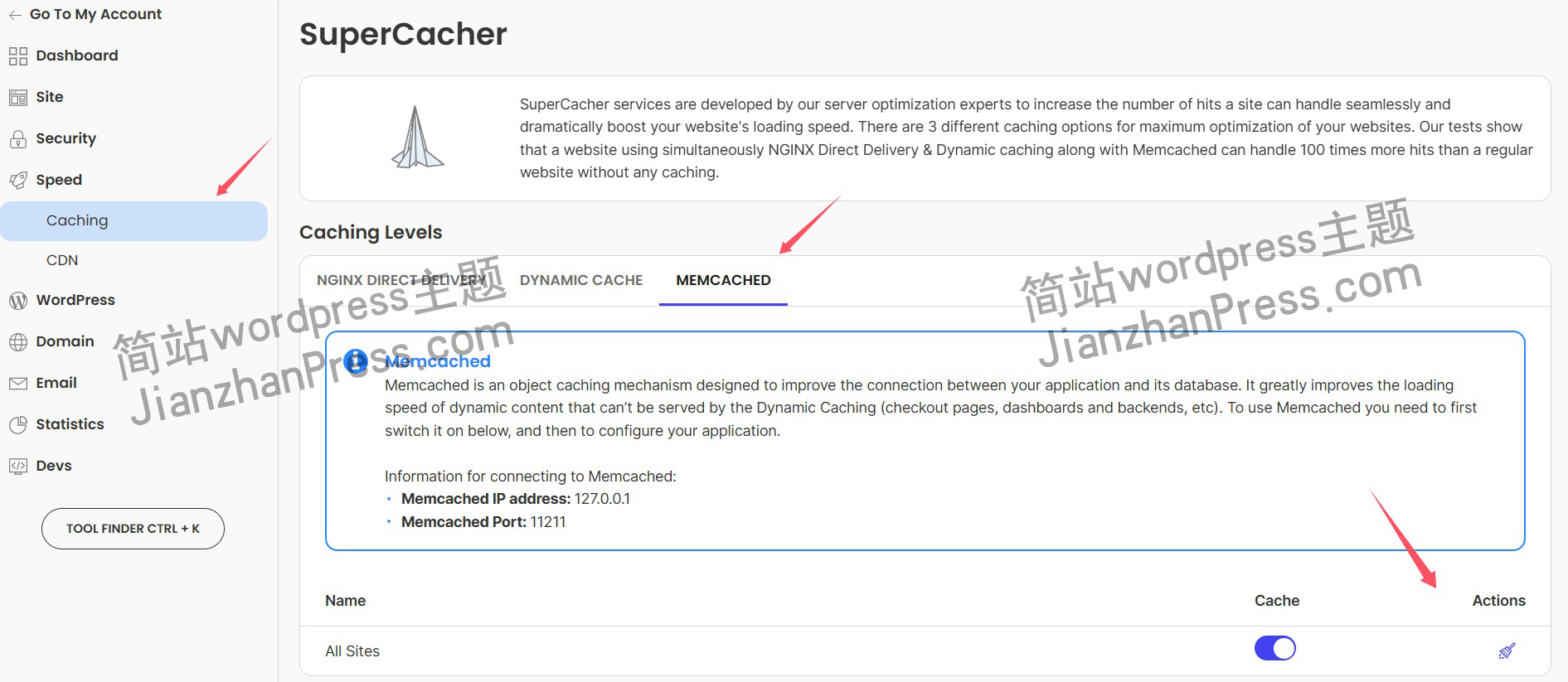
wordpress后台更新后 前端没变化的解决方法
使用siteground主机的wordpress网站,会出现更新了网站内容和修改了php模板文件、js文件、css文件、图片文件后,网站没有变化的情况。
不熟悉siteground主机的新手,遇到这个问题,就很抓狂,明明是哪都没操作错误&#x…
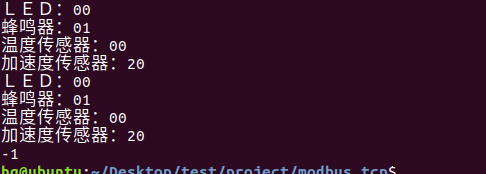
网络编程(Modbus进阶)
思维导图 Modbus RTU(先学一点理论)
概念 Modbus RTU 是工业自动化领域 最广泛应用的串行通信协议,由 Modicon 公司(现施耐德电气)于 1979 年推出。它以 高效率、强健性、易实现的特点成为工业控制系统的通信标准。 包…
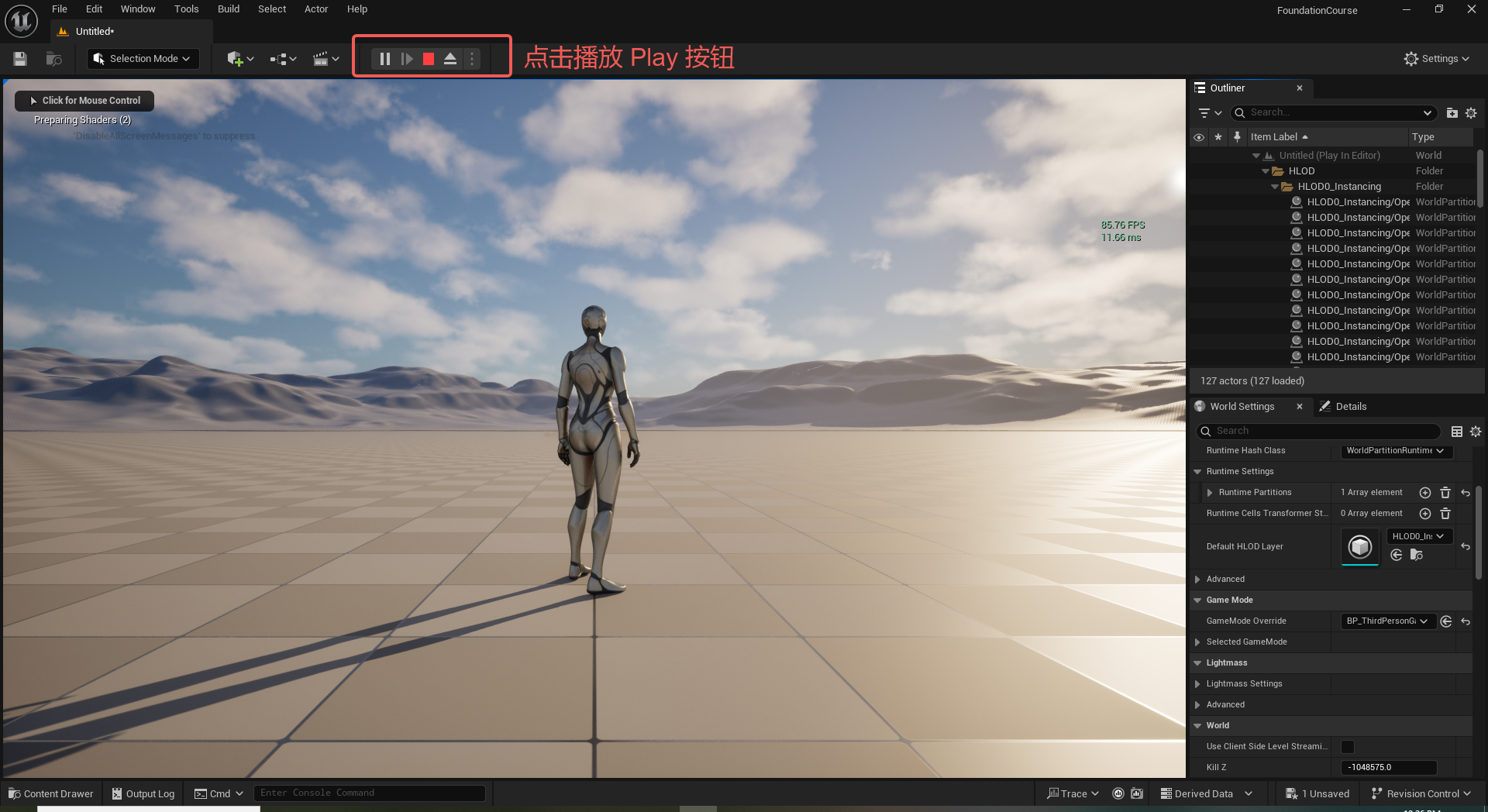
UE5 学习系列(二)用户操作界面及介绍
这篇博客是 UE5 学习系列博客的第二篇,在第一篇的基础上展开这篇内容。博客参考的 B 站视频资料和第一篇的链接如下:
【Note】:如果你已经完成安装等操作,可以只执行第一篇博客中 2. 新建一个空白游戏项目 章节操作,重…
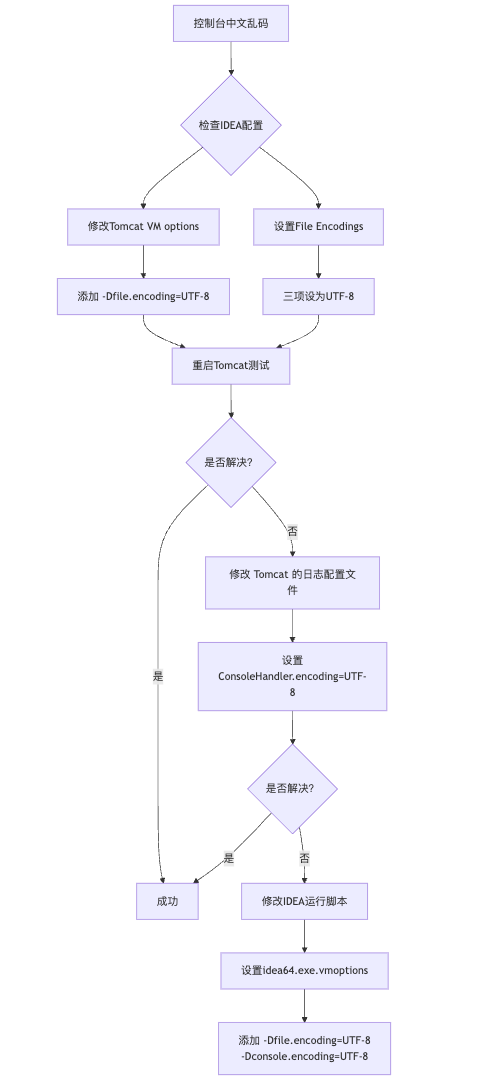
IDEA运行Tomcat出现乱码问题解决汇总
最近正值期末周,有很多同学在写期末Java web作业时,运行tomcat出现乱码问题,经过多次解决与研究,我做了如下整理:
原因:
IDEA本身编码与tomcat的编码与Windows编码不同导致,Windows 系统控制台…

利用最小二乘法找圆心和半径
#include <iostream>
#include <vector>
#include <cmath>
#include <Eigen/Dense> // 需安装Eigen库用于矩阵运算 // 定义点结构
struct Point { double x, y; Point(double x_, double y_) : x(x_), y(y_) {}
}; // 最小二乘法求圆心和半径 …
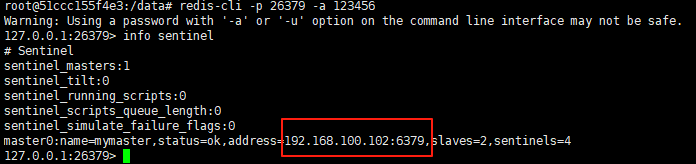
使用docker在3台服务器上搭建基于redis 6.x的一主两从三台均是哨兵模式
一、环境及版本说明
如果服务器已经安装了docker,则忽略此步骤,如果没有安装,则可以按照一下方式安装: 1. 在线安装(有互联网环境): 请看我这篇文章 传送阵>> 点我查看 2. 离线安装(内网环境):请看我这篇文章 传送阵>> 点我查看
说明:假设每台服务器已…
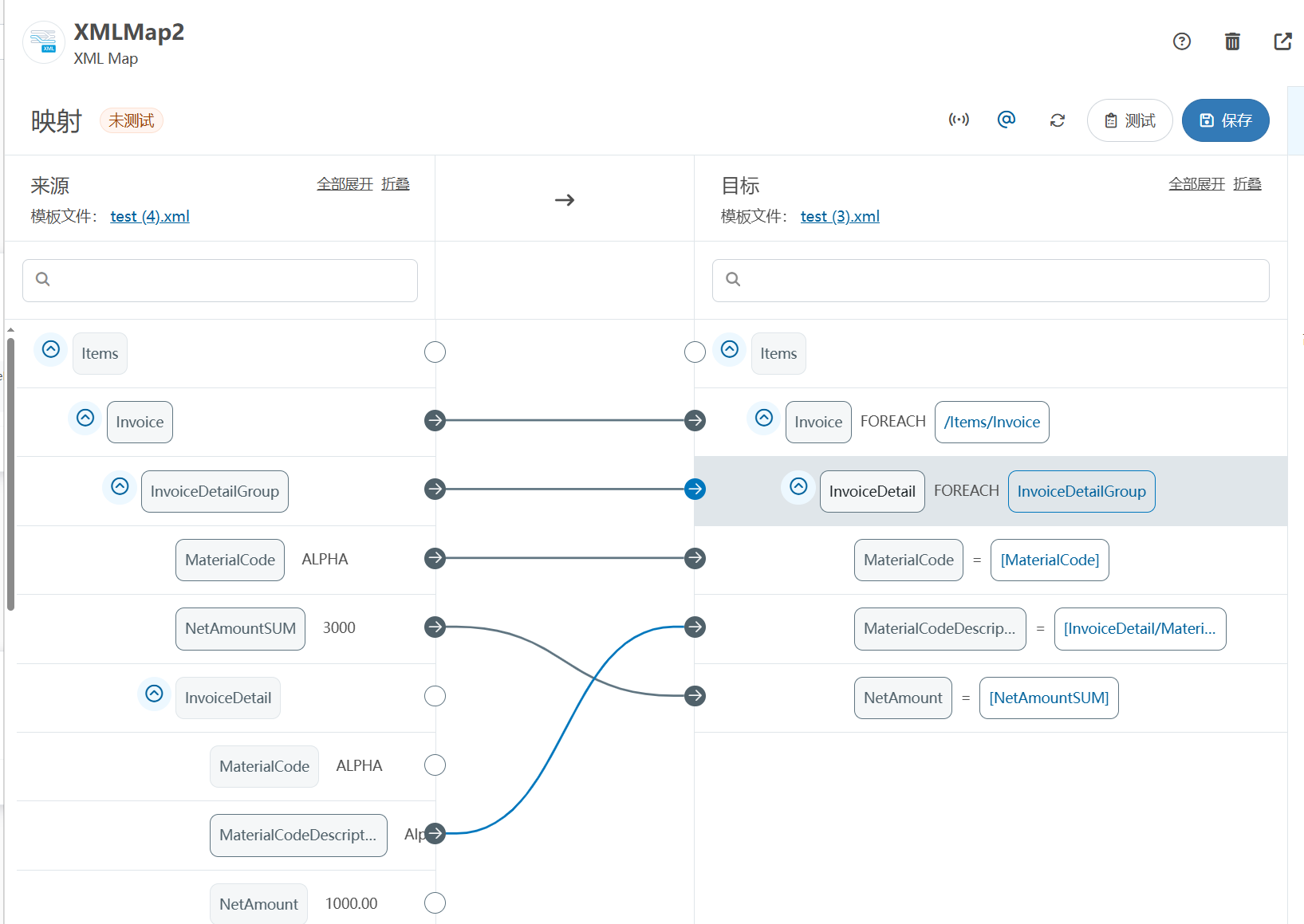
XML Group端口详解
在XML数据映射过程中,经常需要对数据进行分组聚合操作。例如,当处理包含多个物料明细的XML文件时,可能需要将相同物料号的明细归为一组,或对相同物料号的数量进行求和计算。传统实现方式通常需要编写脚本代码,增加了开…
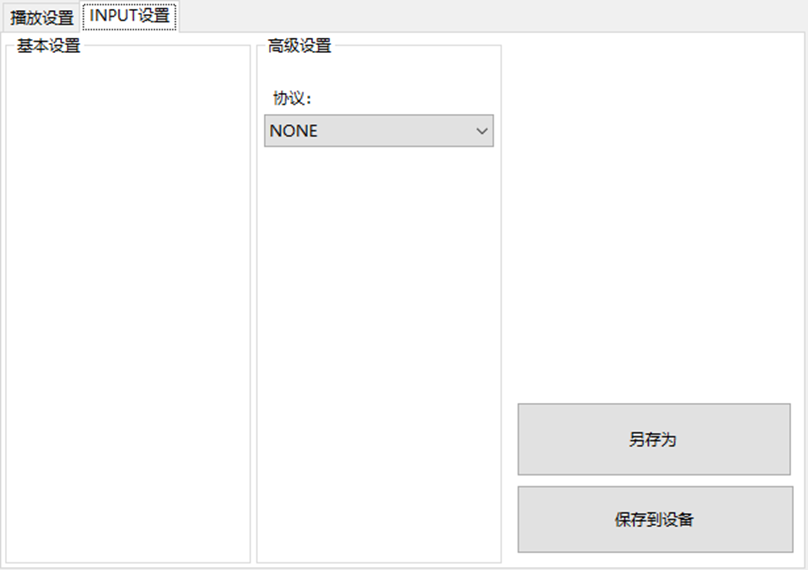
LBE-LEX系列工业语音播放器|预警播报器|喇叭蜂鸣器的上位机配置操作说明
LBE-LEX系列工业语音播放器|预警播报器|喇叭蜂鸣器专为工业环境精心打造,完美适配AGV和无人叉车。同时,集成以太网与语音合成技术,为各类高级系统(如MES、调度系统、库位管理、立库等)提供高效便捷的语音交互体验。
L…
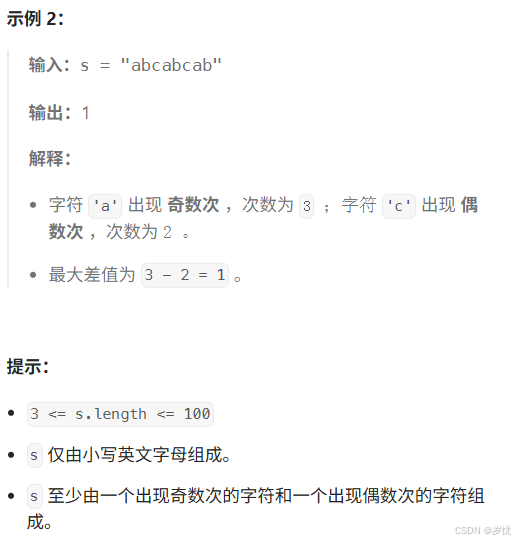
(LeetCode 每日一题) 3442. 奇偶频次间的最大差值 I (哈希、字符串)
题目:3442. 奇偶频次间的最大差值 I 思路 :哈希,时间复杂度0(n)。 用哈希表来记录每个字符串中字符的分布情况,哈希表这里用数组即可实现。
C版本:
class Solution {
public:int maxDifference(string s) {int a[26]…
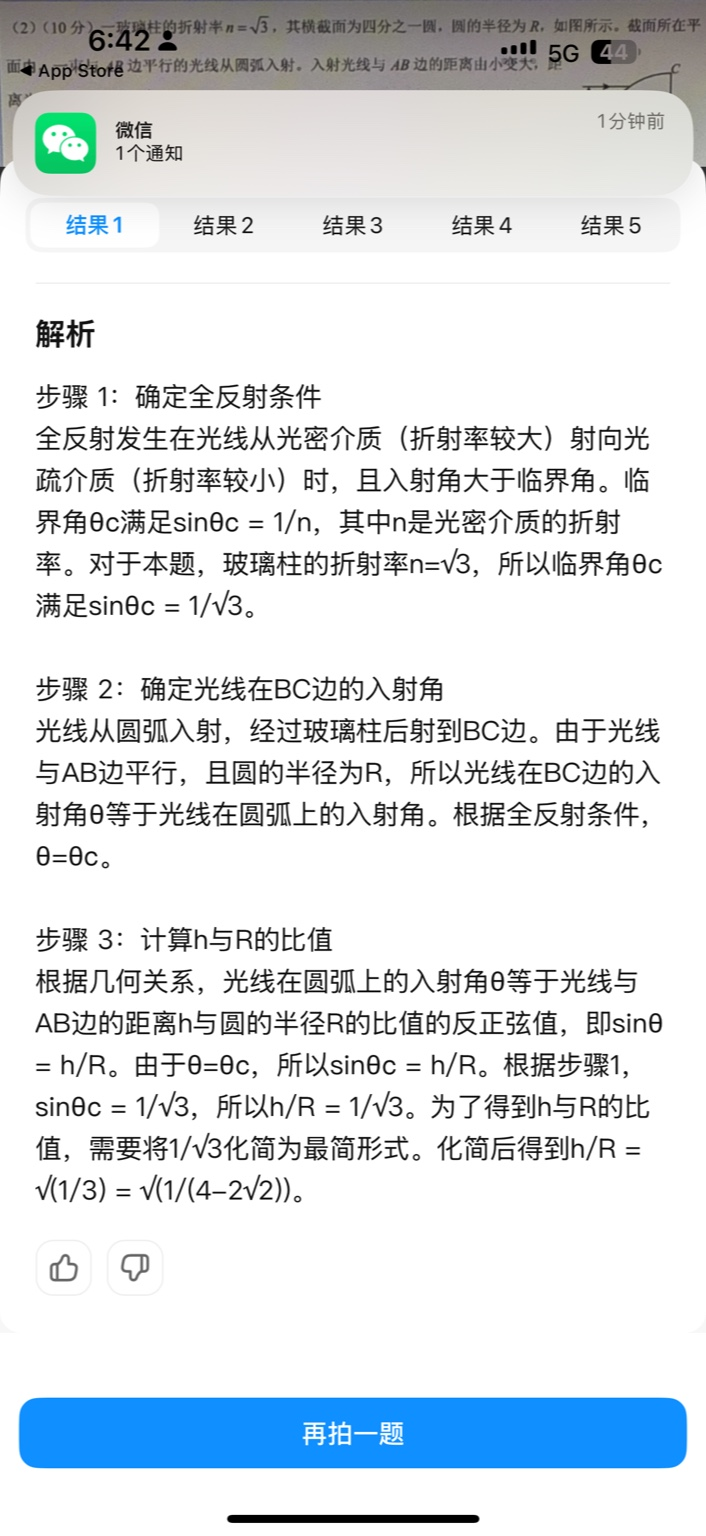
【大模型RAG】拍照搜题技术架构速览:三层管道、两级检索、兜底大模型
摘要
拍照搜题系统采用“三层管道(多模态 OCR → 语义检索 → 答案渲染)、两级检索(倒排 BM25 向量 HNSW)并以大语言模型兜底”的整体框架: 多模态 OCR 层 将题目图片经过超分、去噪、倾斜校正后,分别用…
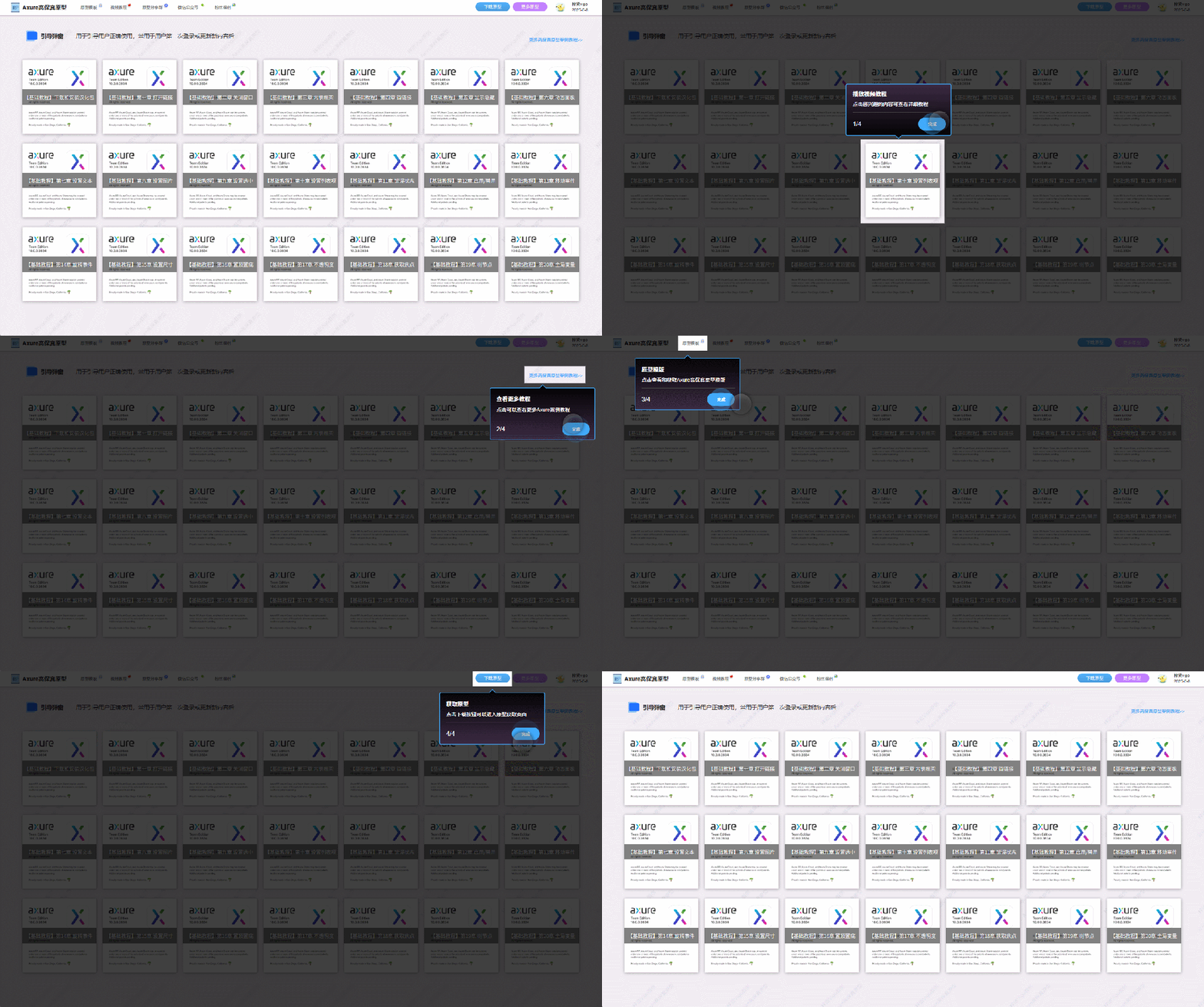
【Axure高保真原型】引导弹窗
今天和大家中分享引导弹窗的原型模板,载入页面后,会显示引导弹窗,适用于引导用户使用页面,点击完成后,会显示下一个引导弹窗,直至最后一个引导弹窗完成后进入首页。具体效果可以点击下方视频观看或打开下方…
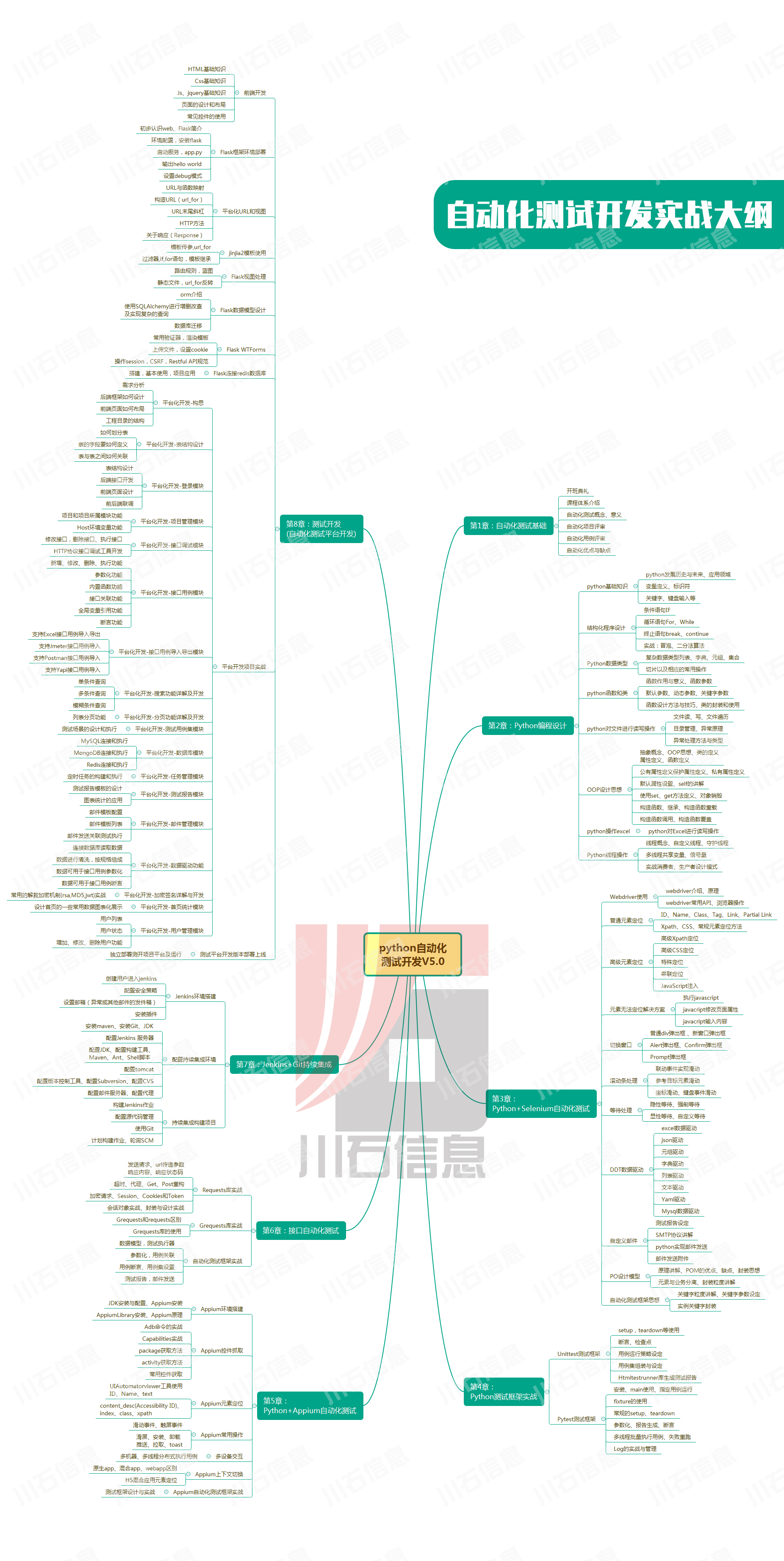
接口测试中缓存处理策略
在接口测试中,缓存处理策略是一个关键环节,直接影响测试结果的准确性和可靠性。合理的缓存处理策略能够确保测试环境的一致性,避免因缓存数据导致的测试偏差。以下是接口测试中常见的缓存处理策略及其详细说明:
一、缓存处理的核…

龙虎榜——20250610
上证指数放量收阴线,个股多数下跌,盘中受消息影响大幅波动。 深证指数放量收阴线形成顶分型,指数短线有调整的需求,大概需要一两天。 2025年6月10日龙虎榜行业方向分析 1. 金融科技
代表标的:御银股份、雄帝科技
驱动…
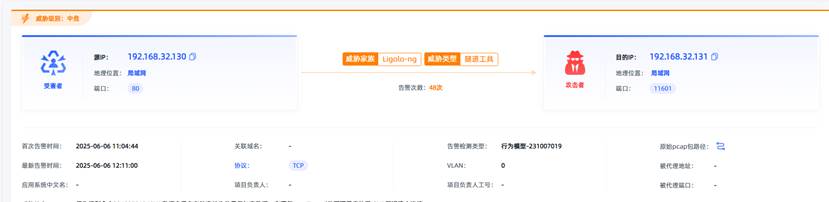
观成科技:隐蔽隧道工具Ligolo-ng加密流量分析
1.工具介绍
Ligolo-ng是一款由go编写的高效隧道工具,该工具基于TUN接口实现其功能,利用反向TCP/TLS连接建立一条隐蔽的通信信道,支持使用Let’s Encrypt自动生成证书。Ligolo-ng的通信隐蔽性体现在其支持多种连接方式,适应复杂网…

铭豹扩展坞 USB转网口 突然无法识别解决方法
当 USB 转网口扩展坞在一台笔记本上无法识别,但在其他电脑上正常工作时,问题通常出在笔记本自身或其与扩展坞的兼容性上。以下是系统化的定位思路和排查步骤,帮助你快速找到故障原因:
背景:
一个M-pard(铭豹)扩展坞的网卡突然无法识别了,扩展出来的三个USB接口正常。…
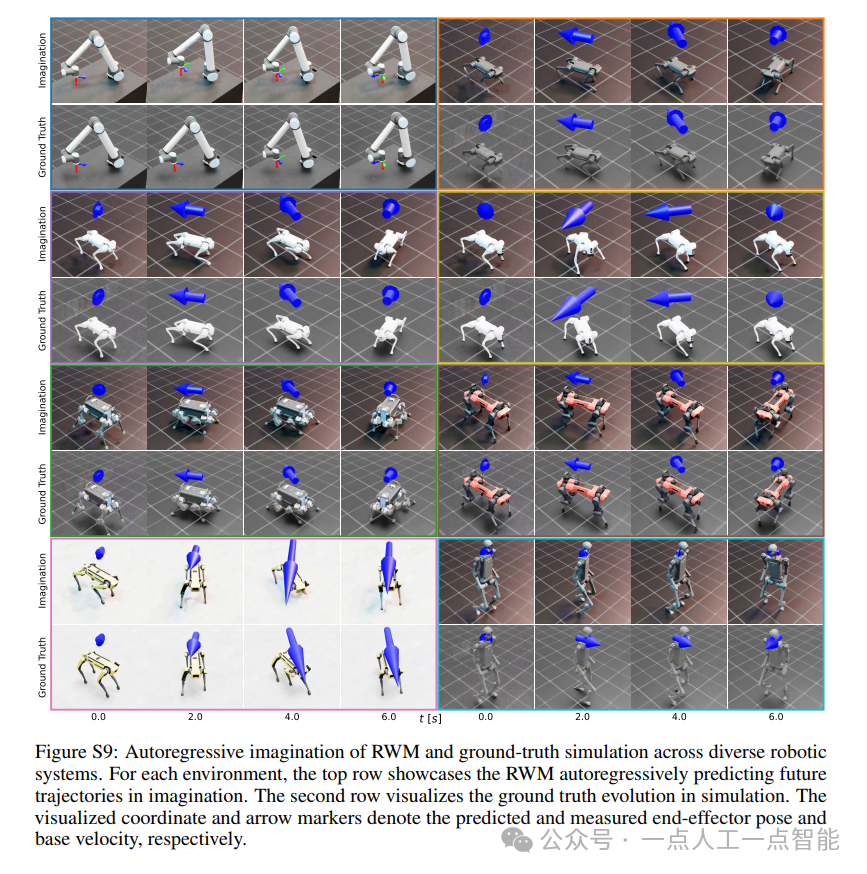
未来机器人的大脑:如何用神经网络模拟器实现更智能的决策?
编辑:陈萍萍的公主一点人工一点智能 未来机器人的大脑:如何用神经网络模拟器实现更智能的决策?RWM通过双自回归机制有效解决了复合误差、部分可观测性和随机动力学等关键挑战,在不依赖领域特定归纳偏见的条件下实现了卓越的预测准…

Linux应用开发之网络套接字编程(实例篇)
服务端与客户端单连接
服务端代码
#include <sys/socket.h>
#include <sys/types.h>
#include <netinet/in.h>
#include <stdio.h>
#include <stdlib.h>
#include <string.h>
#include <arpa/inet.h>
#include <pthread.h>
…

华为云AI开发平台ModelArts
华为云ModelArts:重塑AI开发流程的“智能引擎”与“创新加速器”!
在人工智能浪潮席卷全球的2025年,企业拥抱AI的意愿空前高涨,但技术门槛高、流程复杂、资源投入巨大的现实,却让许多创新构想止步于实验室。数据科学家…
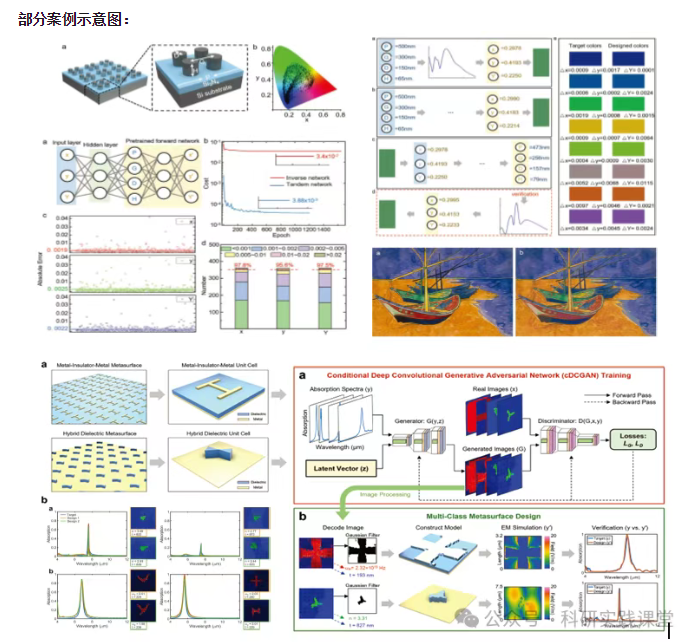
深度学习在微纳光子学中的应用
深度学习在微纳光子学中的主要应用方向
深度学习与微纳光子学的结合主要集中在以下几个方向:
逆向设计 通过神经网络快速预测微纳结构的光学响应,替代传统耗时的数值模拟方法。例如设计超表面、光子晶体等结构。
特征提取与优化 从复杂的光学数据中自…