模型服务治理:实时口罩检测-通用OpenTelemetry链路追踪接入
news2026/3/17 23:42:04
模型服务治理实时口罩检测-通用OpenTelemetry链路追踪接入1. 项目背景与价值在当今的AI应用场景中实时口罩检测已经成为许多公共场所和企业的必备功能。无论是商场入口、办公大楼还是公共交通场所都需要快速准确地检测人员是否佩戴口罩。然而仅仅部署一个检测模型是不够的我们还需要确保服务的稳定性、可观测性和可维护性。这就是OpenTelemetry链路追踪的价值所在。通过在实时口罩检测服务中集成OpenTelemetry我们可以实时监控服务性能和健康状况快速定位问题根源减少故障排查时间优化性能了解每个环节的耗时情况提升用户体验确保检测服务始终稳定可靠本文将带你一步步为实时口罩检测服务接入OpenTelemetry链路追踪让你能够全面掌握服务的运行状态。2. 环境准备与依赖安装在开始接入OpenTelemetry之前我们需要确保环境准备就绪。实时口罩检测服务基于ModelScope和Gradio部署我们需要安装必要的OpenTelemetry依赖。2.1 安装OpenTelemetry相关包pip install opentelemetry-api opentelemetry-sdk opentelemetry-instrumentation pip install opentelemetry-instrumentation-flask opentelemetry-instrumentation-requests pip install opentelemetry-exporter-jaeger opentelemetry-exporter-prometheus2.2 验证安装结果import opentelemetry from opentelemetry import trace print(fOpenTelemetry版本: {opentelemetry.__version__})3. OpenTelemetry基础配置接下来我们需要配置OpenTelemetry的基本设置包括追踪器、导出器和采样策略。3.1 初始化OpenTelemetryimport os from opentelemetry import trace from opentelemetry.sdk.trace import TracerProvider from opentelemetry.sdk.trace.export import BatchSpanProcessor from opentelemetry.exporter.jaeger.thrift import JaegerExporter from opentelemetry.sdk.resources import Resource # 创建资源描述 resource Resource.create({ service.name: real-time-mask-detection, service.version: 1.0.0, deployment.environment: production }) # 设置追踪提供者 trace.set_tracer_provider(TracerProvider(resourceresource)) # 配置Jaeger导出器 jaeger_exporter JaegerExporter( agent_host_namelocalhost, agent_port6831, ) # 添加批处理处理器 span_processor BatchSpanProcessor(jaeger_exporter) trace.get_tracer_provider().add_span_processor(span_processor) # 获取追踪器 tracer trace.get_tracer(__name__)3.2 配置采样策略为了平衡性能和数据量我们需要配置合适的采样策略from opentelemetry.sdk.trace.sampling import TraceIdRatioBased # 设置采样率为50% sampler TraceIdRatioBased(0.5) trace.get_tracer_provider().sampler sampler4. 集成到实时口罩检测服务现在我们将OpenTelemetry集成到现有的实时口罩检测服务中。服务基于Gradio构建我们需要在关键位置添加追踪点。4.1 初始化Gradio应用并集成OpenTelemetryimport gradio as gr from modelscope.pipelines import pipeline from modelscope.utils.constant import Tasks from opentelemetry.instrumentation.gradio import GradioInstrumentor import cv2 import numpy as np # 初始化OpenTelemetry对Gradio的自动插桩 GradioInstrumentor().instrument() # 创建口罩检测pipeline mask_detection_pipeline pipeline( taskTasks.domain_specific_object_detection, modeldamo/cv_tinynas_object-detection_damoyolo_facemask ) def detect_mask(image): 执行口罩检测的核心函数 # 创建新的span来追踪检测过程 with tracer.start_as_current_span(mask_detection) as span: try: # 记录输入图像信息 span.set_attribute(input.image.shape, str(image.shape)) span.set_attribute(input.image.dtype, str(image.dtype)) # 执行检测 result mask_detection_pipeline(image) # 记录检测结果 if result and boxes in result: span.set_attribute(detection.boxes_count, len(result[boxes])) span.set_attribute(detection.success, True) # 可视化检测结果 output_image visualize_detection(image, result) return output_image else: span.set_attribute(detection.success, False) return image except Exception as e: # 记录异常信息 span.record_exception(e) span.set_attribute(detection.success, False) raise e def visualize_detection(image, result): 可视化检测结果 with tracer.start_as_current_span(visualize_detection) as span: # 复制原始图像 output_image image.copy() # 绘制检测框 for i, box in enumerate(result[boxes]): # 记录每个检测框的信息 span.add_event(fdrawing_box_{i}, attributes{ box_coordinates: str(box), score: float(result[scores][i]), label: str(result[labels][i]) }) # 绘制矩形框 x1, y1, x2, y2 map(int, box) label 戴口罩 if result[labels][i] 1 else 未戴口罩 color (0, 255, 0) if result[labels][i] 1 else (0, 0, 255) cv2.rectangle(output_image, (x1, y1), (x2, y2), color, 2) cv2.putText(output_image, f{label}: {result[scores][i]:.2f}, (x1, y1 - 10), cv2.FONT_HERSHEY_SIMPLEX, 0.5, color, 2) return output_image4.2 创建Gradio界面# 创建Gradio界面 with gr.Blocks(title实时口罩检测-OpenTelemetry监控) as demo: gr.Markdown(# 实时口罩检测服务) gr.Markdown(上传图片进行口罩检测系统会自动追踪检测过程) with gr.Row(): with gr.Column(): input_image gr.Image(label上传图片, typenumpy) detect_btn gr.Button(开始检测, variantprimary) with gr.Column(): output_image gr.Image(label检测结果) status gr.Textbox(label检测状态, interactiveFalse) # 添加检测事件 detect_btn.click( fndetect_mask, inputs[input_image], outputs[output_image] ) # 添加示例图片 gr.Examples( examples[ [examples/mask_example1.jpg], [examples/mask_example2.jpg] ], inputs[input_image] ) if __name__ __main__: demo.launch(server_name0.0.0.0, server_port7860)5. 高级追踪配置为了获得更详细的追踪信息我们需要配置一些高级特性。5.1 自定义跨度属性def add_custom_span_attributes(span, image, resultNone): 添加自定义跨度属性 # 基础图像属性 span.set_attribute(image.height, image.shape[0]) span.set_attribute(image.width, image.shape[1]) span.set_attribute(image.channels, image.shape[2] if len(image.shape) 2 else 1) # 如果有检测结果添加结果属性 if result: span.set_attribute(detection.total_boxes, len(result.get(boxes, []))) if boxes in result: masked_count sum(1 for label in result[labels] if label 1) unmasked_count sum(1 for label in result[labels] if label 2) span.set_attribute(detection.masked_faces, masked_count) span.set_attribute(detection.unmasked_faces, unmasked_count)5.2 性能指标收集除了追踪我们还可以收集性能指标from opentelemetry import metrics from opentelemetry.sdk.metrics import MeterProvider from opentelemetry.sdk.metrics.export import PeriodicExportingMetricReader from opentelemetry.exporter.prometheus import PrometheusMetricExporter from opentelemetry.sdk.resources import Resource # 创建指标收集器 metric_reader PeriodicExportingMetricReader(PrometheusMetricExporter()) meter_provider MeterProvider( metric_readers[metric_reader], resourceResource.create({service: mask-detection}) ) # 设置全局meter provider metrics.set_meter_provider(meter_provider) meter metrics.get_meter(mask_detection.meter) # 创建指标 detection_duration meter.create_histogram( detection_duration_seconds, description检测耗时分布, units ) detection_count meter.create_counter( detection_total, description总检测次数, unit1 ) successful_detection_count meter.create_counter( successful_detection_total, description成功检测次数, unit1 )6. 部署与监控完成代码集成后我们需要部署监控系统来收集和展示追踪数据。6.1 使用Docker Compose部署完整监控栈version: 3.8 services: # 口罩检测服务 mask-detection: build: . ports: - 7860:7860 environment: - OTEL_EXPORTER_JAEGER_AGENT_HOSTjaeger - OTEL_EXPORTER_JAEGER_AGENT_PORT6831 - OTEL_SERVICE_NAMEreal-time-mask-detection depends_on: - jaeger - prometheus # Jaeger追踪系统 jaeger: image: jaegertracing/all-in-one:latest ports: - 16686:16686 # Jaeger UI - 6831:6831/udp # Jaeger agent # Prometheus指标收集 prometheus: image: prom/prometheus:latest ports: - 9090:9090 volumes: - ./prometheus.yml:/etc/prometheus/prometheus.yml # Grafana仪表板 grafana: image: grafana/grafana:latest ports: - 3000:3000 environment: - GF_SECURITY_ADMIN_PASSWORDadmin volumes: - ./grafana-dashboards:/var/lib/grafana/dashboards6.2 Prometheus配置创建prometheus.yml配置文件global: scrape_interval: 15s scrape_configs: - job_name: mask-detection static_configs: - targets: [mask-detection:9464] - job_name: jaeger static_configs: - targets: [jaeger:14269]6.3 监控仪表板配置创建Grafana仪表板来可视化监控数据{ dashboard: { title: 口罩检测服务监控, panels: [ { title: 请求吞吐量, type: graph, targets: [{ expr: rate(detection_total[5m]), legendFormat: 检测请求数 }] }, { title: 检测耗时分布, type: heatmap, targets: [{ expr: histogram_quantile(0.95, rate(detection_duration_seconds_bucket[5m])), legendFormat: P95延迟 }] }, { title: 成功率, type: stat, targets: [{ expr: successful_detection_total / detection_total * 100, legendFormat: 成功率 }] } ] } }7. 故障排查与优化建议在实际使用过程中可能会遇到各种问题。以下是一些常见的故障排查方法和优化建议。7.1 常见问题排查问题现象可能原因解决方案Jaeger中看不到追踪数据网络连接问题或配置错误检查OTEL_EXPORTER_JAEGER_AGENT_HOST和PORT配置检测性能下降图像预处理或后处理耗时过长使用OpenTelemetry定位耗时环节并优化内存使用过高图像缓存或模型加载问题监控内存使用优化图像处理流程7.2 性能优化建议# 优化后的检测函数示例 tracer.start_as_current_span(optimized_mask_detection) def optimized_detect_mask(image): 优化版的口罩检测函数 try: # 添加性能监控 start_time time.time() # 图像预处理优化 processed_image preprocess_image(image) # 执行检测 result mask_detection_pipeline(processed_image) # 后处理优化 output_image optimized_visualize(image, result) # 记录性能指标 detection_duration.record(time.time() - start_time) detection_count.add(1) successful_detection_count.add(1) return output_image except Exception as e: current_span trace.get_current_span() current_span.record_exception(e) current_span.set_status(Status(StatusCode.ERROR)) raise e def preprocess_image(image): 图像预处理函数 with tracer.start_as_current_span(image_preprocessing): # 调整图像大小以优化性能 target_size (640, 640) if image.shape[:2] ! target_size: image cv2.resize(image, target_size) return image8. 总结通过为实时口罩检测服务集成OpenTelemetry链路追踪我们实现了全面的可观测性能够实时监控服务的运行状态和性能指标快速故障定位通过分布式追踪快速定位问题根源性能优化依据基于真实数据做出有针对性的优化决策用户体验提升确保服务稳定可靠提升用户满意度OpenTelemetry为我们的AI服务提供了强大的监控能力让我们能够更好地理解和管理服务运行状态。这种方案不仅适用于口罩检测服务也可以推广到其他AI模型服务中。在实际部署时记得根据具体需求调整采样率、导出器配置和监控仪表板以获得最佳的监控效果和性能平衡。获取更多AI镜像想探索更多AI镜像和应用场景访问 CSDN星图镜像广场提供丰富的预置镜像覆盖大模型推理、图像生成、视频生成、模型微调等多个领域支持一键部署。
本文来自互联网用户投稿,该文观点仅代表作者本人,不代表本站立场。本站仅提供信息存储空间服务,不拥有所有权,不承担相关法律责任。如若转载,请注明出处:http://www.coloradmin.cn/o/2421025.html
如若内容造成侵权/违法违规/事实不符,请联系多彩编程网进行投诉反馈,一经查实,立即删除!相关文章
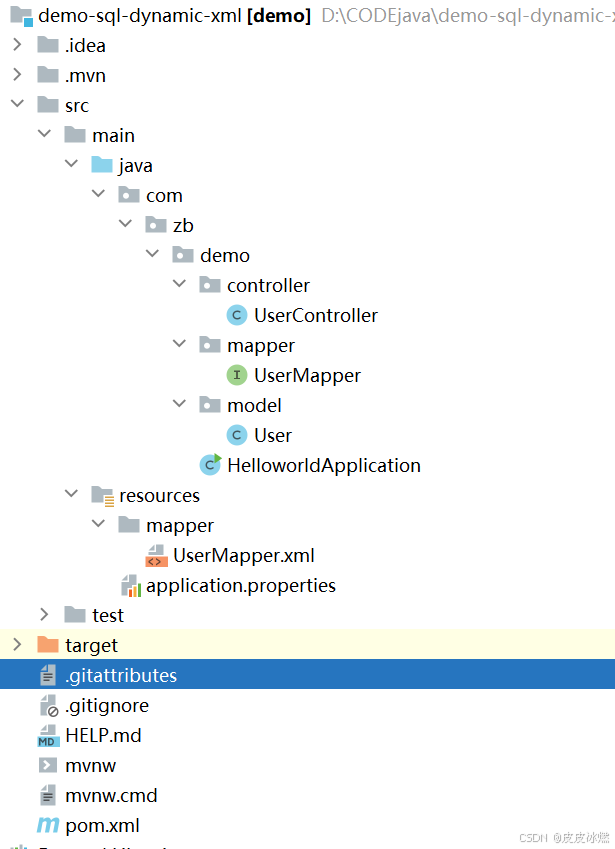
SpringBoot-17-MyBatis动态SQL标签之常用标签
文章目录 1 代码1.1 实体User.java1.2 接口UserMapper.java1.3 映射UserMapper.xml1.3.1 标签if1.3.2 标签if和where1.3.3 标签choose和when和otherwise1.4 UserController.java2 常用动态SQL标签2.1 标签set2.1.1 UserMapper.java2.1.2 UserMapper.xml2.1.3 UserController.ja…
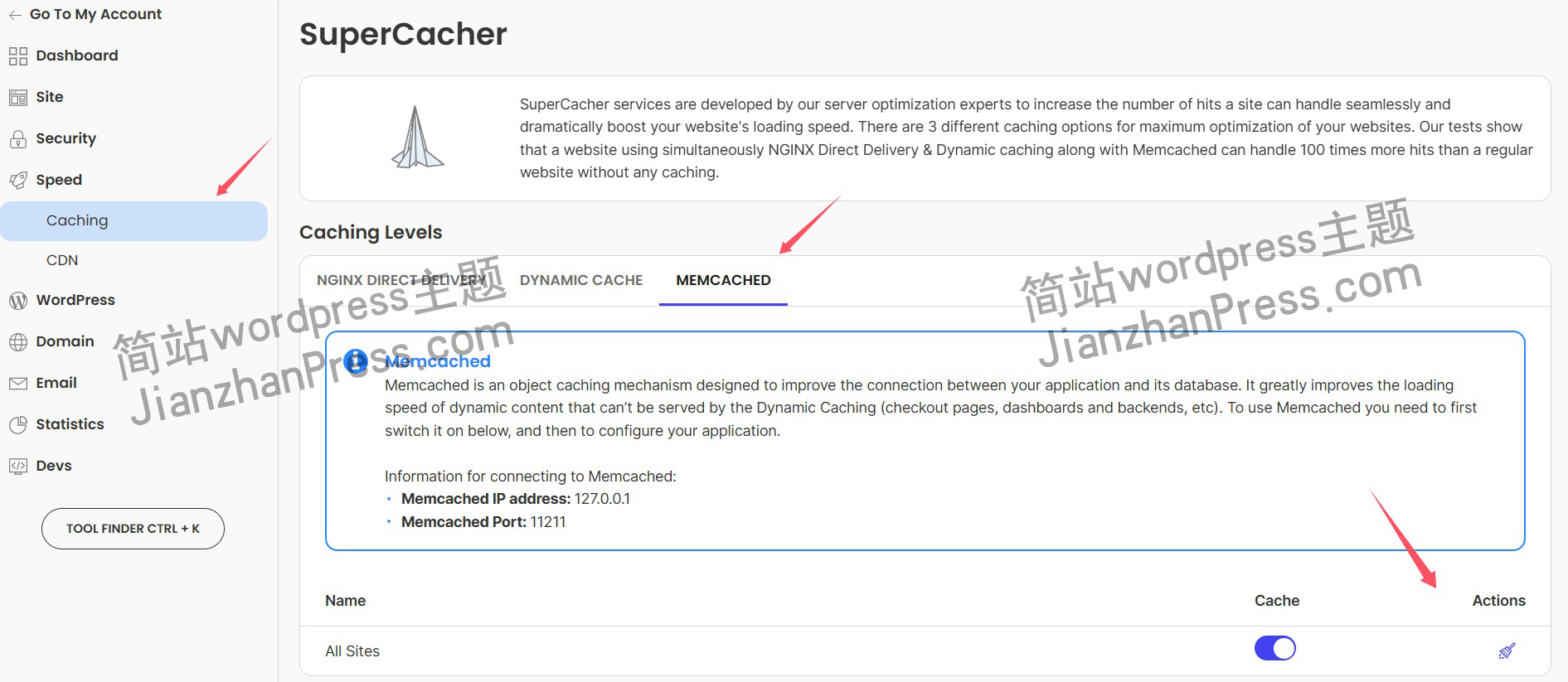
wordpress后台更新后 前端没变化的解决方法
使用siteground主机的wordpress网站,会出现更新了网站内容和修改了php模板文件、js文件、css文件、图片文件后,网站没有变化的情况。
不熟悉siteground主机的新手,遇到这个问题,就很抓狂,明明是哪都没操作错误&#x…
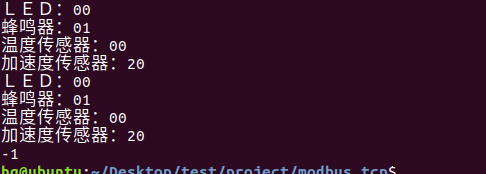
网络编程(Modbus进阶)
思维导图 Modbus RTU(先学一点理论)
概念 Modbus RTU 是工业自动化领域 最广泛应用的串行通信协议,由 Modicon 公司(现施耐德电气)于 1979 年推出。它以 高效率、强健性、易实现的特点成为工业控制系统的通信标准。 包…
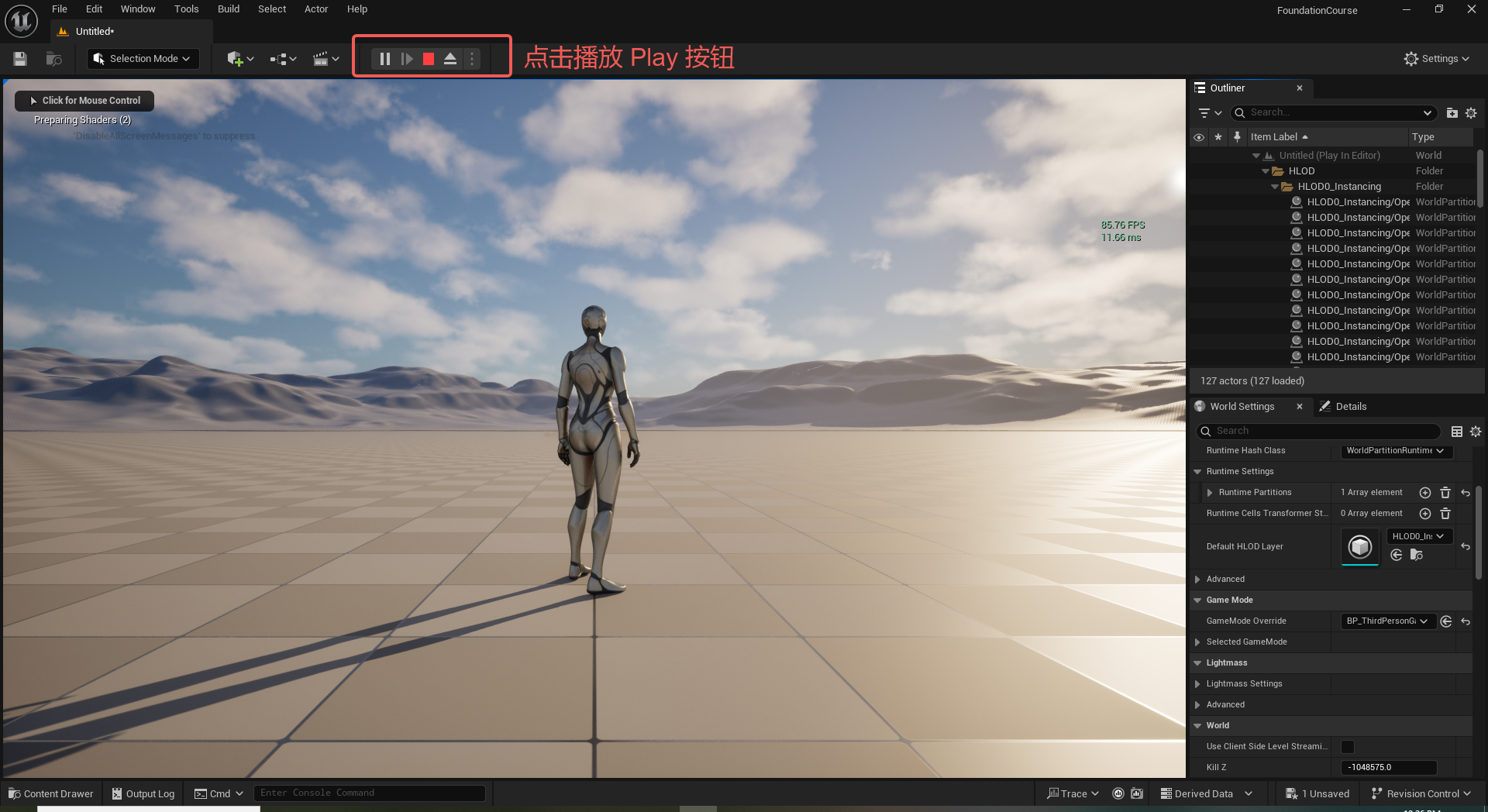
UE5 学习系列(二)用户操作界面及介绍
这篇博客是 UE5 学习系列博客的第二篇,在第一篇的基础上展开这篇内容。博客参考的 B 站视频资料和第一篇的链接如下:
【Note】:如果你已经完成安装等操作,可以只执行第一篇博客中 2. 新建一个空白游戏项目 章节操作,重…
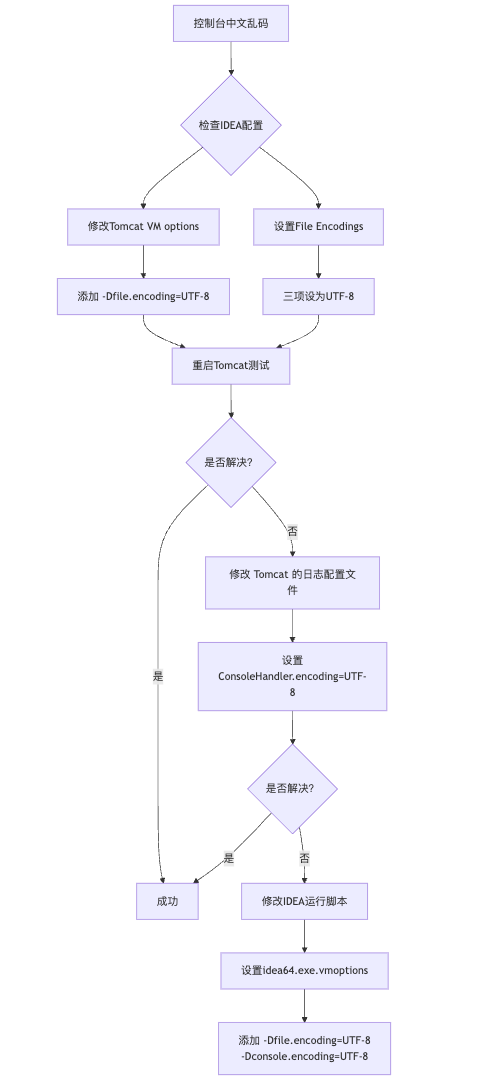
IDEA运行Tomcat出现乱码问题解决汇总
最近正值期末周,有很多同学在写期末Java web作业时,运行tomcat出现乱码问题,经过多次解决与研究,我做了如下整理:
原因:
IDEA本身编码与tomcat的编码与Windows编码不同导致,Windows 系统控制台…
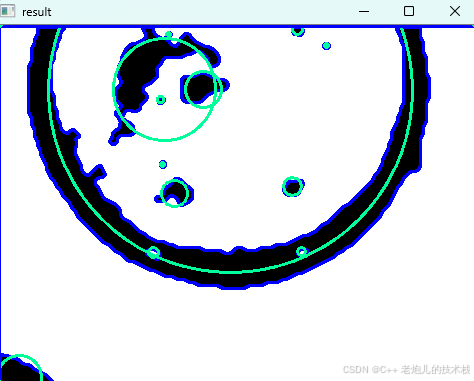
利用最小二乘法找圆心和半径
#include <iostream>
#include <vector>
#include <cmath>
#include <Eigen/Dense> // 需安装Eigen库用于矩阵运算 // 定义点结构
struct Point { double x, y; Point(double x_, double y_) : x(x_), y(y_) {}
}; // 最小二乘法求圆心和半径 …
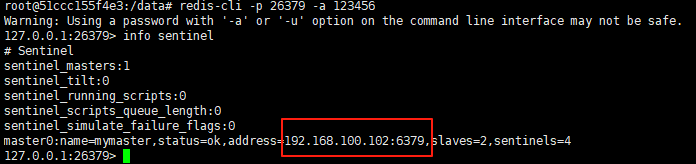
使用docker在3台服务器上搭建基于redis 6.x的一主两从三台均是哨兵模式
一、环境及版本说明
如果服务器已经安装了docker,则忽略此步骤,如果没有安装,则可以按照一下方式安装: 1. 在线安装(有互联网环境): 请看我这篇文章 传送阵>> 点我查看 2. 离线安装(内网环境):请看我这篇文章 传送阵>> 点我查看
说明:假设每台服务器已…
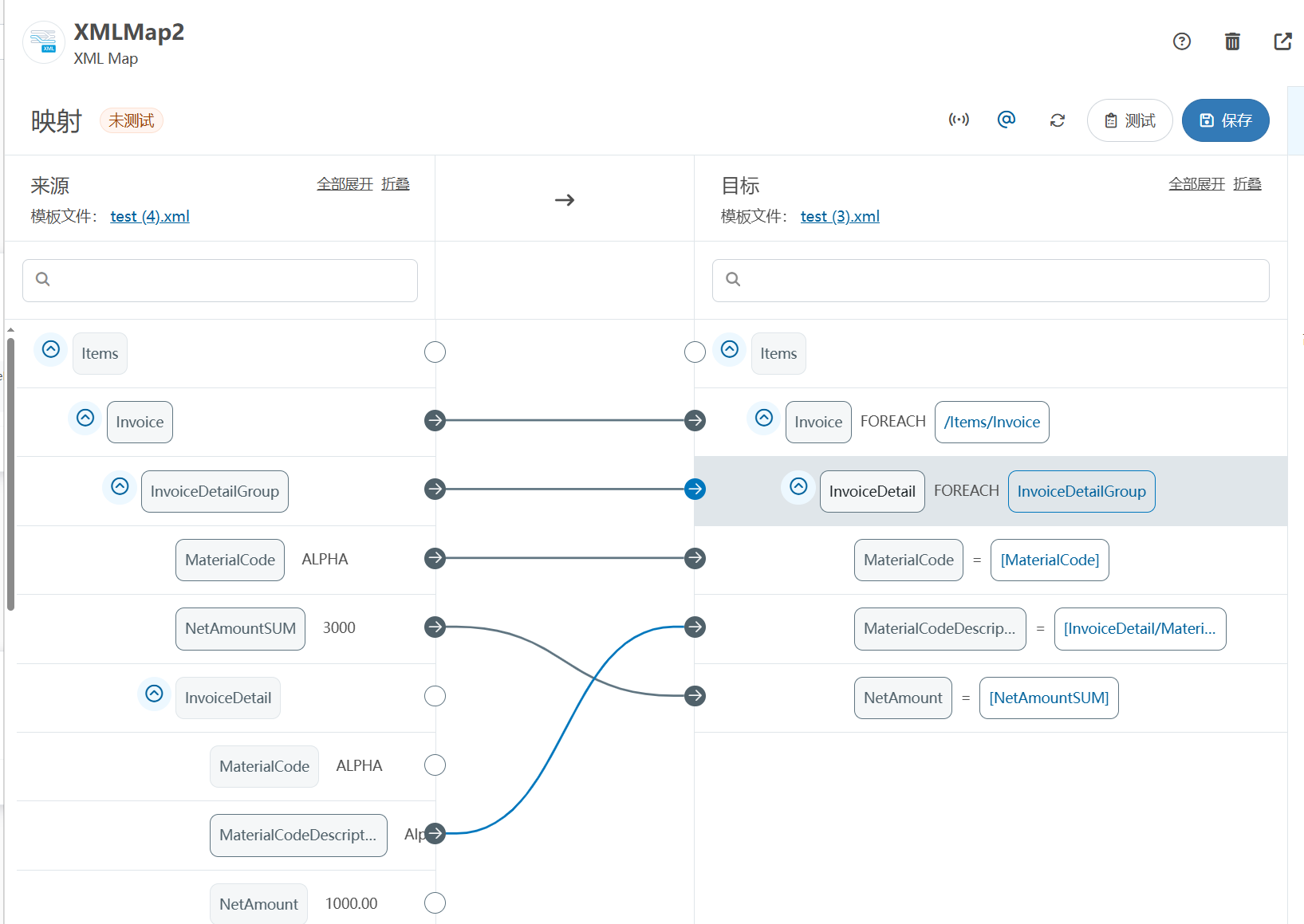
XML Group端口详解
在XML数据映射过程中,经常需要对数据进行分组聚合操作。例如,当处理包含多个物料明细的XML文件时,可能需要将相同物料号的明细归为一组,或对相同物料号的数量进行求和计算。传统实现方式通常需要编写脚本代码,增加了开…
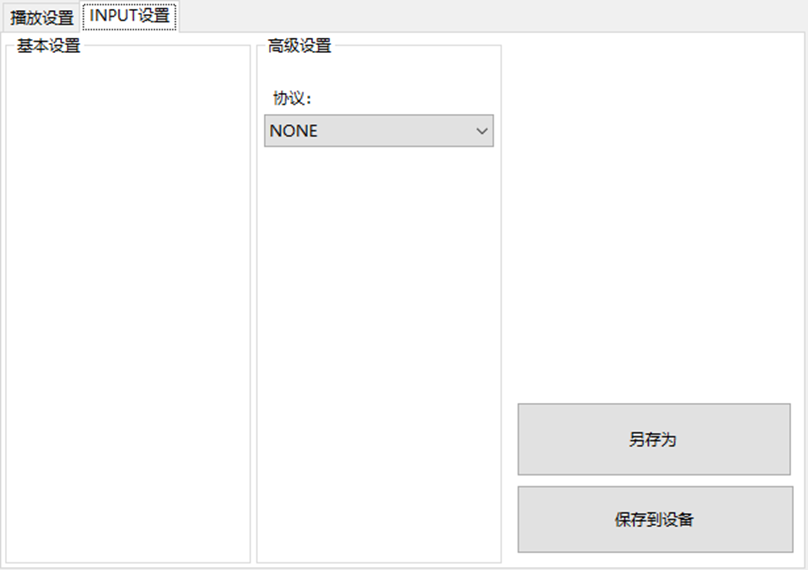
LBE-LEX系列工业语音播放器|预警播报器|喇叭蜂鸣器的上位机配置操作说明
LBE-LEX系列工业语音播放器|预警播报器|喇叭蜂鸣器专为工业环境精心打造,完美适配AGV和无人叉车。同时,集成以太网与语音合成技术,为各类高级系统(如MES、调度系统、库位管理、立库等)提供高效便捷的语音交互体验。
L…
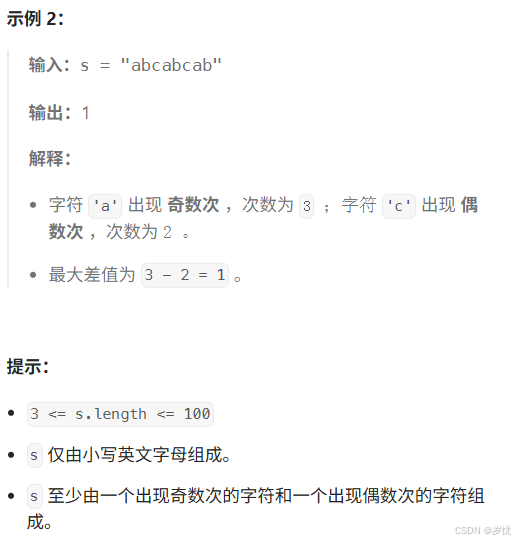
(LeetCode 每日一题) 3442. 奇偶频次间的最大差值 I (哈希、字符串)
题目:3442. 奇偶频次间的最大差值 I 思路 :哈希,时间复杂度0(n)。 用哈希表来记录每个字符串中字符的分布情况,哈希表这里用数组即可实现。
C版本:
class Solution {
public:int maxDifference(string s) {int a[26]…
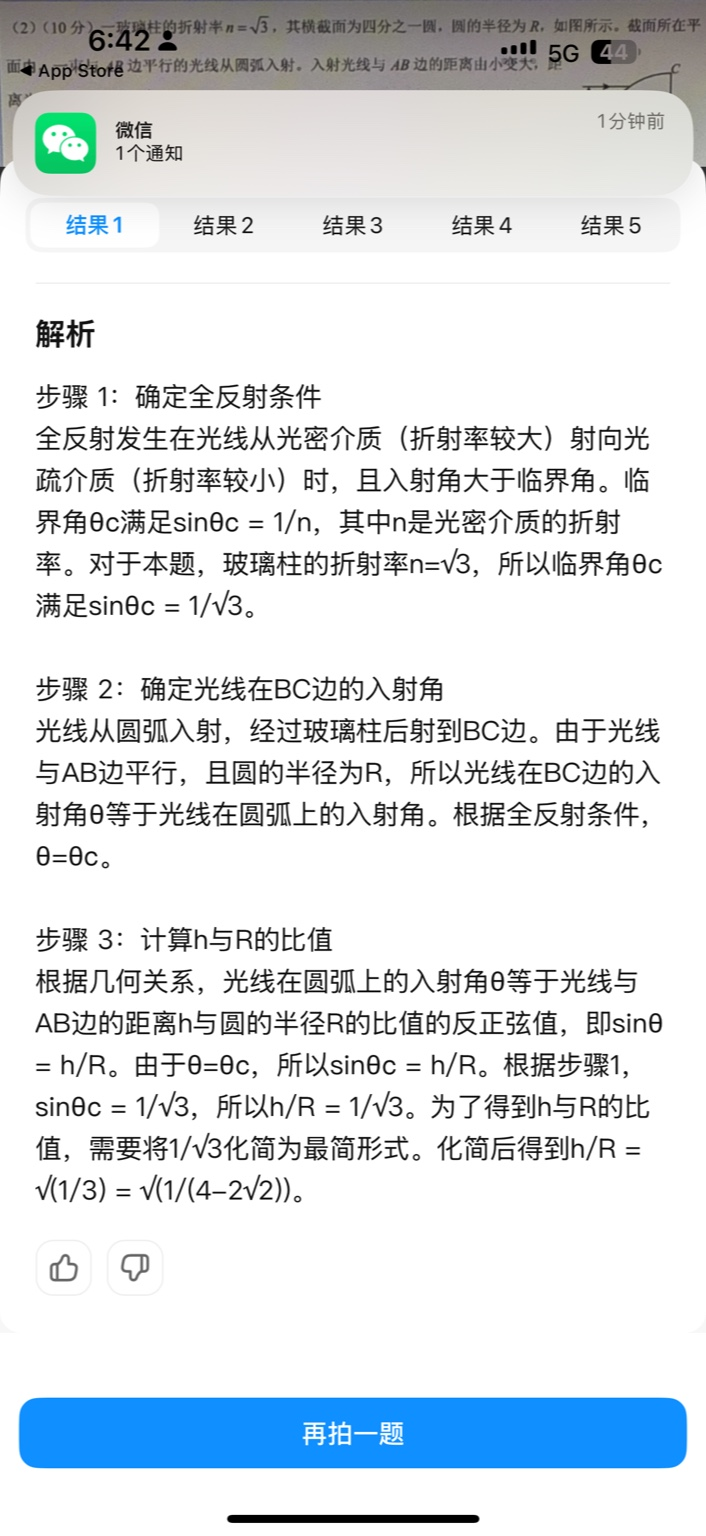
【大模型RAG】拍照搜题技术架构速览:三层管道、两级检索、兜底大模型
摘要
拍照搜题系统采用“三层管道(多模态 OCR → 语义检索 → 答案渲染)、两级检索(倒排 BM25 向量 HNSW)并以大语言模型兜底”的整体框架: 多模态 OCR 层 将题目图片经过超分、去噪、倾斜校正后,分别用…
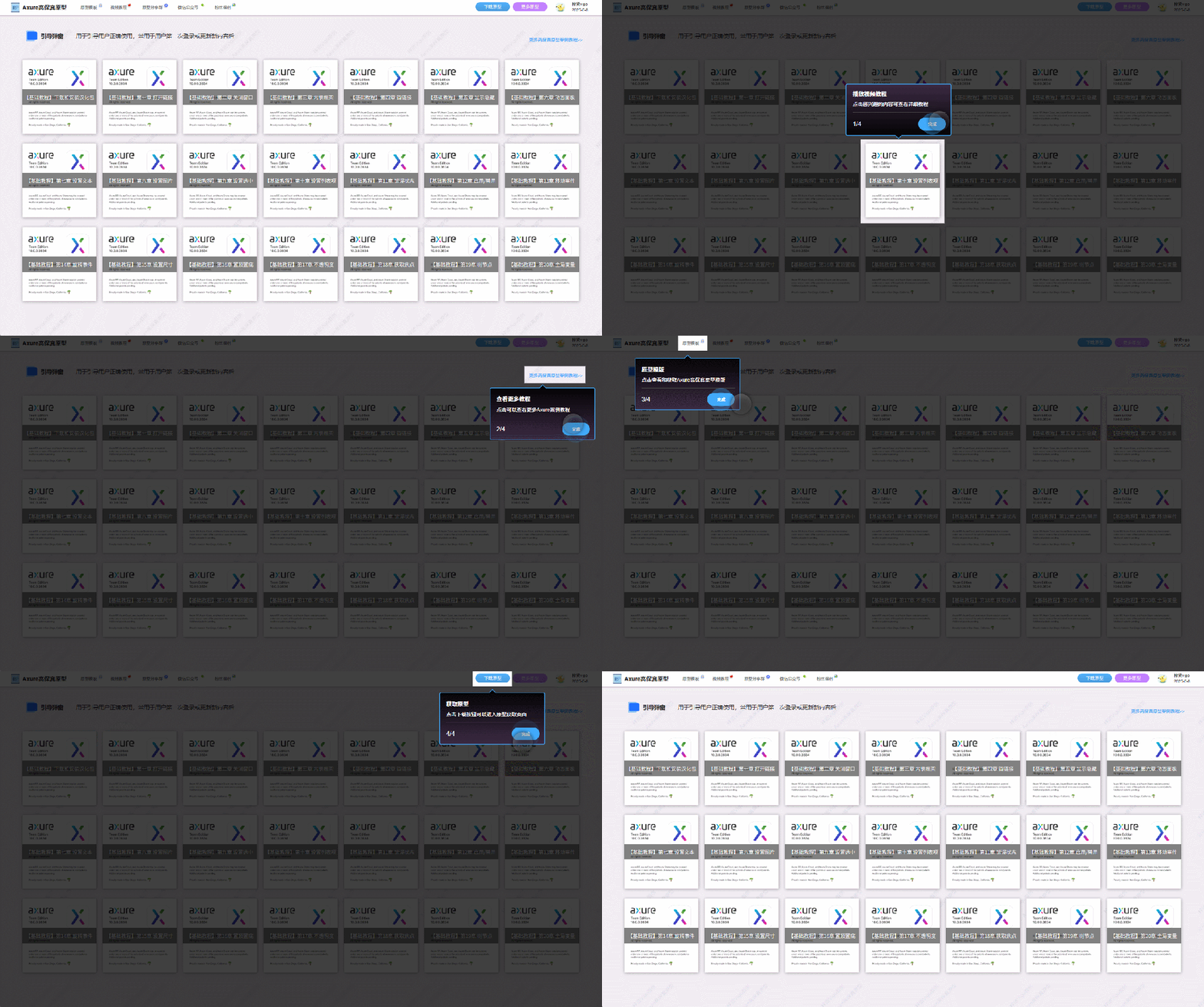
【Axure高保真原型】引导弹窗
今天和大家中分享引导弹窗的原型模板,载入页面后,会显示引导弹窗,适用于引导用户使用页面,点击完成后,会显示下一个引导弹窗,直至最后一个引导弹窗完成后进入首页。具体效果可以点击下方视频观看或打开下方…
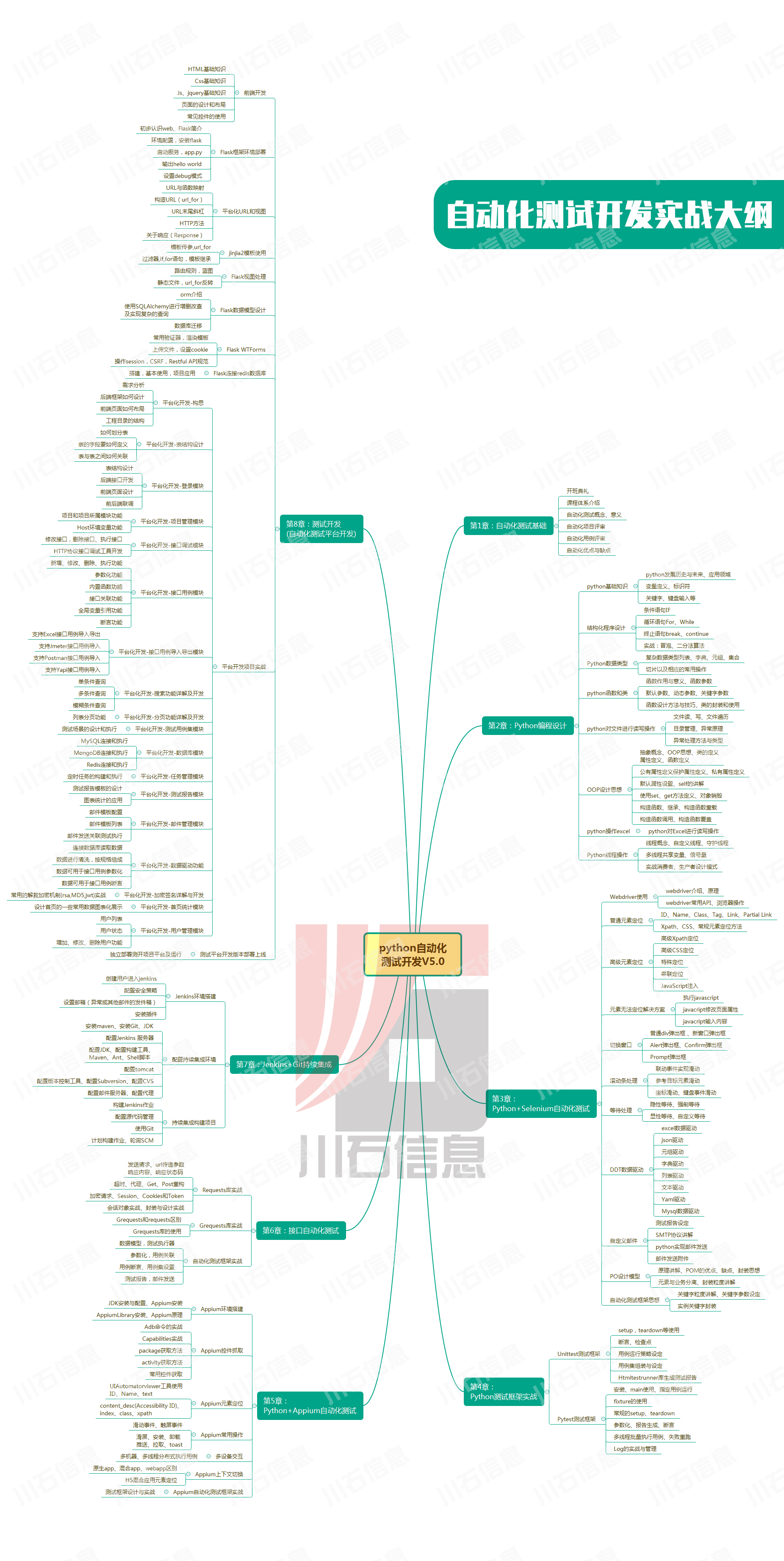
接口测试中缓存处理策略
在接口测试中,缓存处理策略是一个关键环节,直接影响测试结果的准确性和可靠性。合理的缓存处理策略能够确保测试环境的一致性,避免因缓存数据导致的测试偏差。以下是接口测试中常见的缓存处理策略及其详细说明:
一、缓存处理的核…
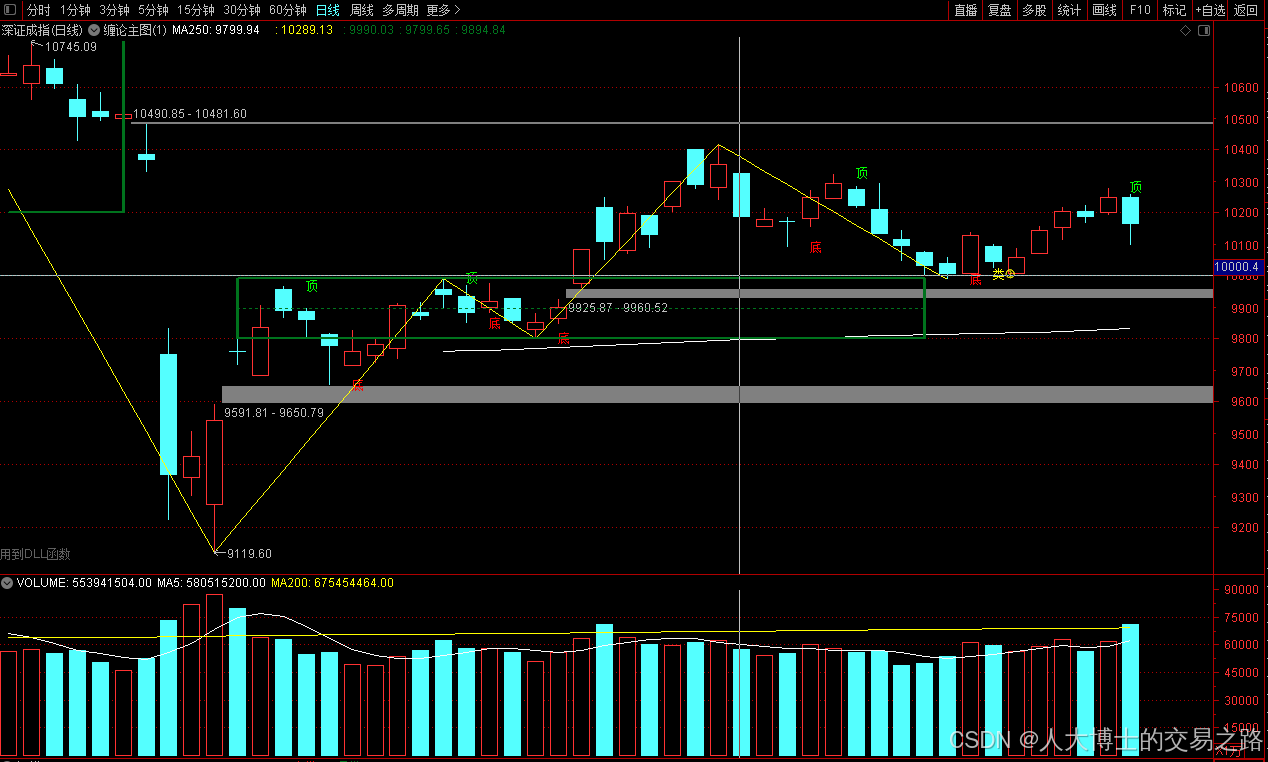
龙虎榜——20250610
上证指数放量收阴线,个股多数下跌,盘中受消息影响大幅波动。 深证指数放量收阴线形成顶分型,指数短线有调整的需求,大概需要一两天。 2025年6月10日龙虎榜行业方向分析 1. 金融科技
代表标的:御银股份、雄帝科技
驱动…
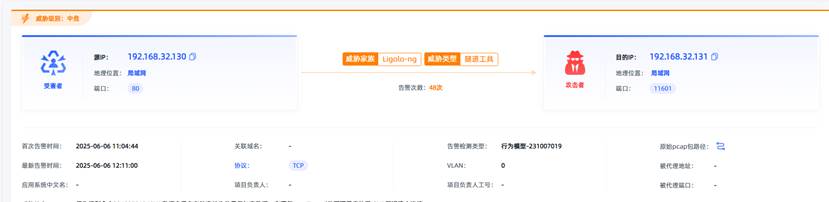
观成科技:隐蔽隧道工具Ligolo-ng加密流量分析
1.工具介绍
Ligolo-ng是一款由go编写的高效隧道工具,该工具基于TUN接口实现其功能,利用反向TCP/TLS连接建立一条隐蔽的通信信道,支持使用Let’s Encrypt自动生成证书。Ligolo-ng的通信隐蔽性体现在其支持多种连接方式,适应复杂网…
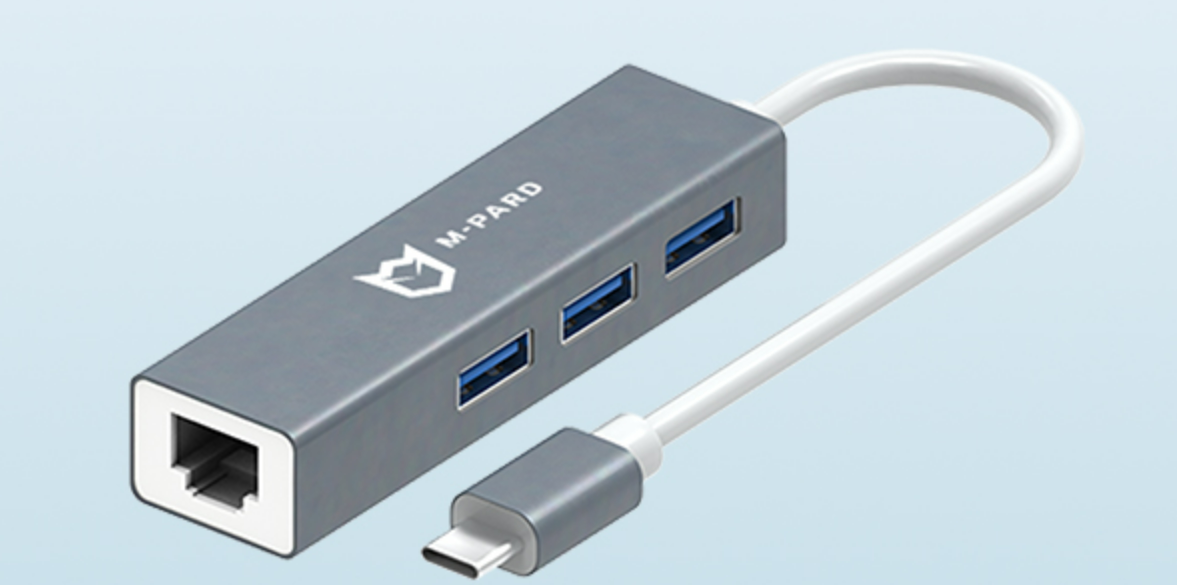
铭豹扩展坞 USB转网口 突然无法识别解决方法
当 USB 转网口扩展坞在一台笔记本上无法识别,但在其他电脑上正常工作时,问题通常出在笔记本自身或其与扩展坞的兼容性上。以下是系统化的定位思路和排查步骤,帮助你快速找到故障原因:
背景:
一个M-pard(铭豹)扩展坞的网卡突然无法识别了,扩展出来的三个USB接口正常。…
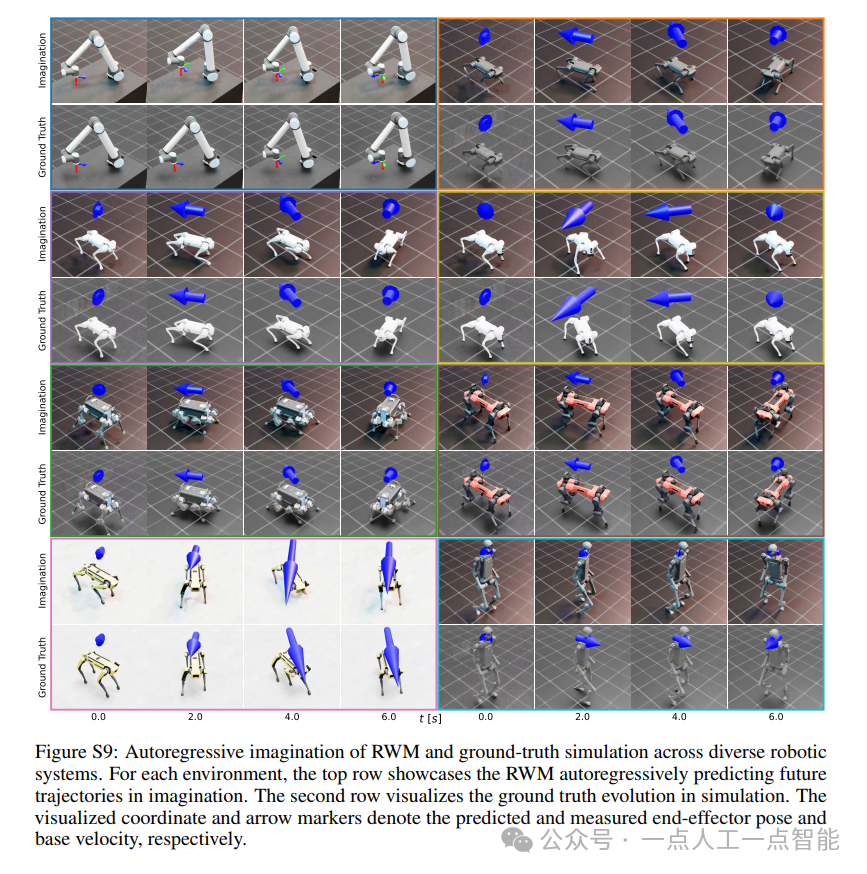
未来机器人的大脑:如何用神经网络模拟器实现更智能的决策?
编辑:陈萍萍的公主一点人工一点智能 未来机器人的大脑:如何用神经网络模拟器实现更智能的决策?RWM通过双自回归机制有效解决了复合误差、部分可观测性和随机动力学等关键挑战,在不依赖领域特定归纳偏见的条件下实现了卓越的预测准…

Linux应用开发之网络套接字编程(实例篇)
服务端与客户端单连接
服务端代码
#include <sys/socket.h>
#include <sys/types.h>
#include <netinet/in.h>
#include <stdio.h>
#include <stdlib.h>
#include <string.h>
#include <arpa/inet.h>
#include <pthread.h>
…

华为云AI开发平台ModelArts
华为云ModelArts:重塑AI开发流程的“智能引擎”与“创新加速器”!
在人工智能浪潮席卷全球的2025年,企业拥抱AI的意愿空前高涨,但技术门槛高、流程复杂、资源投入巨大的现实,却让许多创新构想止步于实验室。数据科学家…
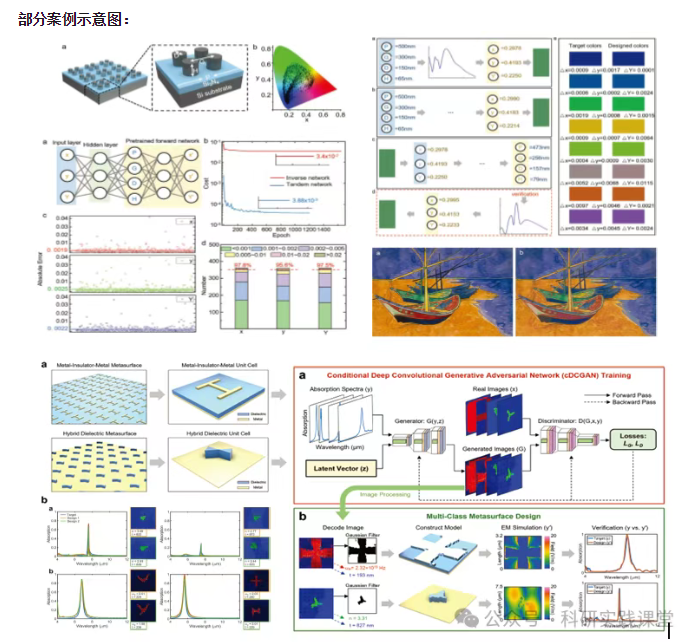
深度学习在微纳光子学中的应用
深度学习在微纳光子学中的主要应用方向
深度学习与微纳光子学的结合主要集中在以下几个方向:
逆向设计 通过神经网络快速预测微纳结构的光学响应,替代传统耗时的数值模拟方法。例如设计超表面、光子晶体等结构。
特征提取与优化 从复杂的光学数据中自…