Unity 在URP中显示动态批处理 Dynamic Batching 选项
- 前言
- 步骤
- 1. 打开 Preferences 设置
- 2. 选择 Core Render Pipeline 选项卡
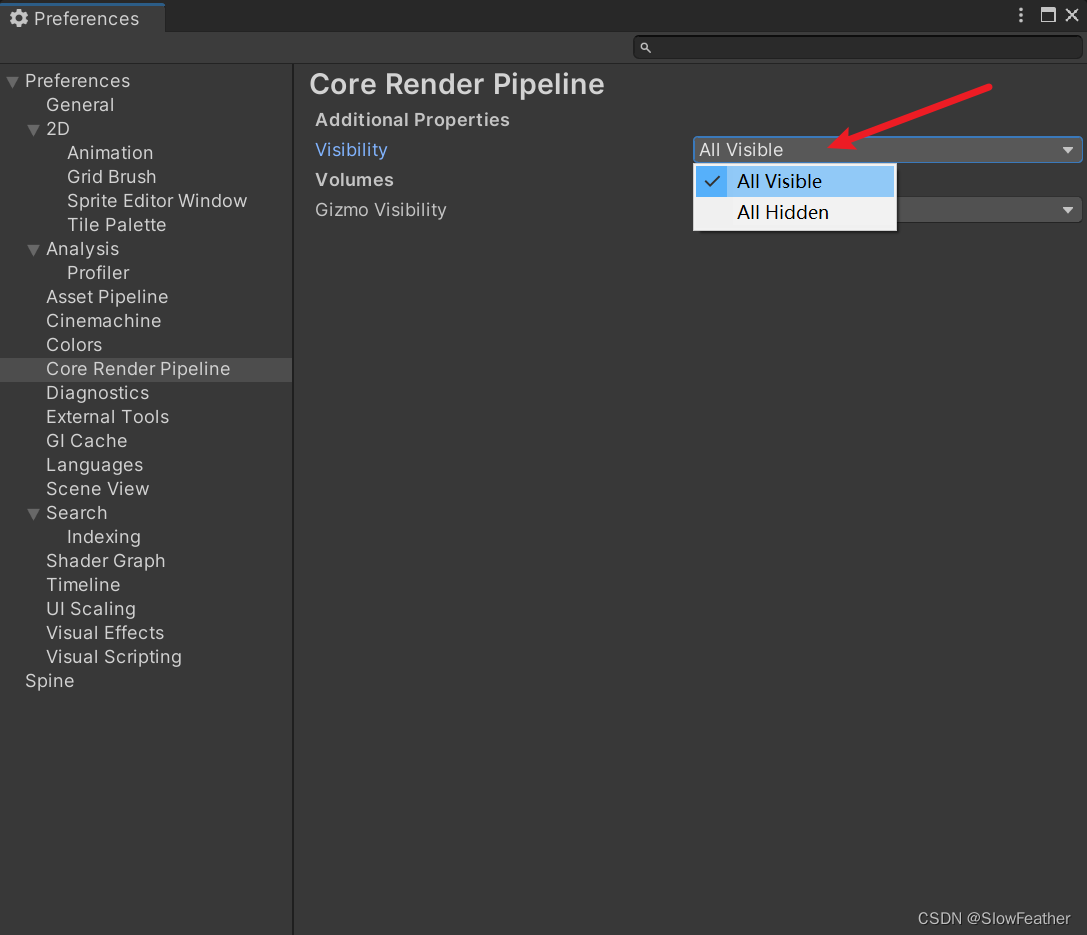
- 3. 修改 Visibility 为 All Visible
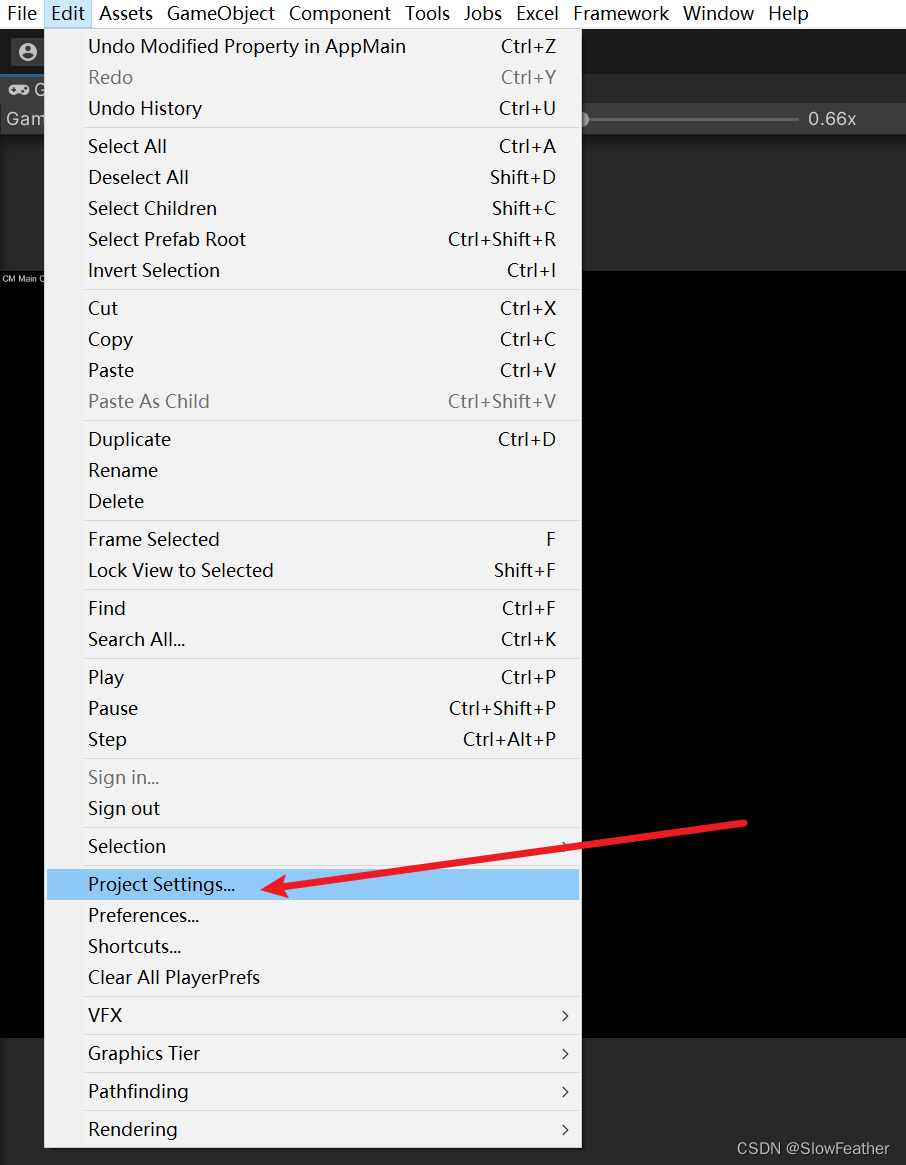
- 4. 打开 Project Settings
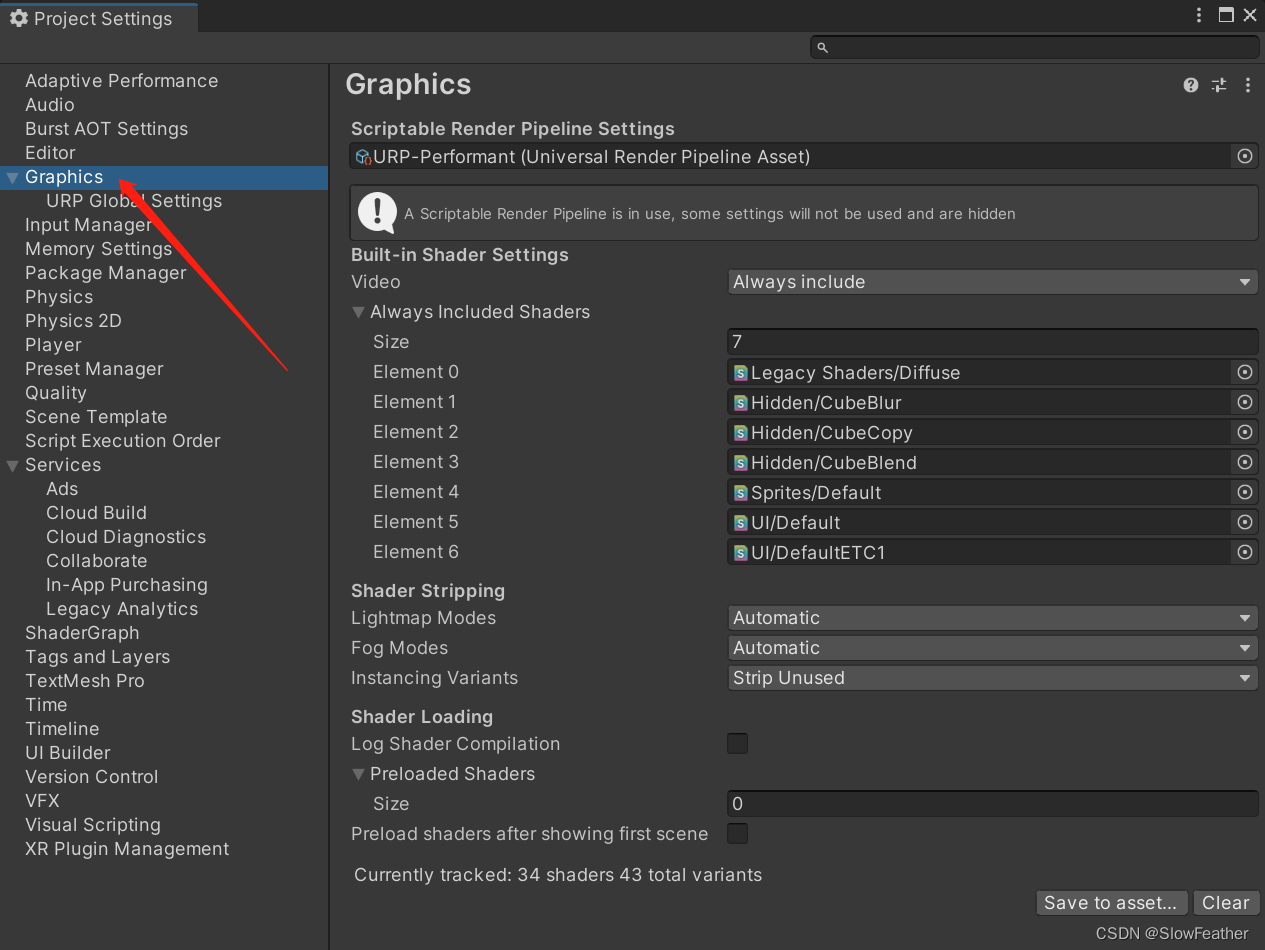
- 5. 打开 Graphics 选项卡
- 6. 找到 URP 设置
- 7. 开启 Dynamic Batching
- 鸣谢
前言
使用URP时突然发现平时勾选的Dynamic Batching在Other Setting中找不到了,搜索了一下,原来是默认隐藏了,开启一下就好了.
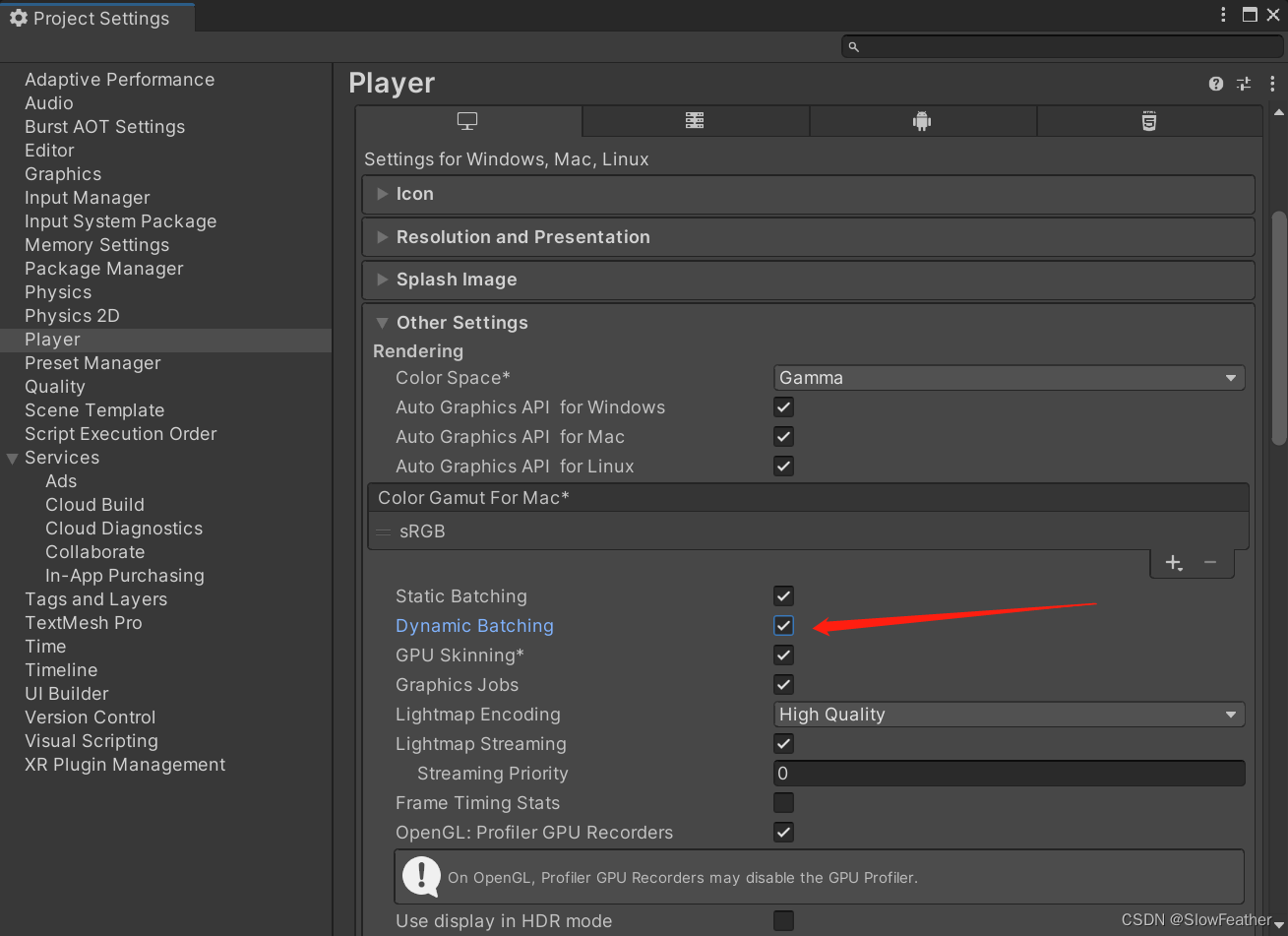
下图是默认渲染管线中Dynamic Batching选项的位置
步骤
1. 打开 Preferences 设置
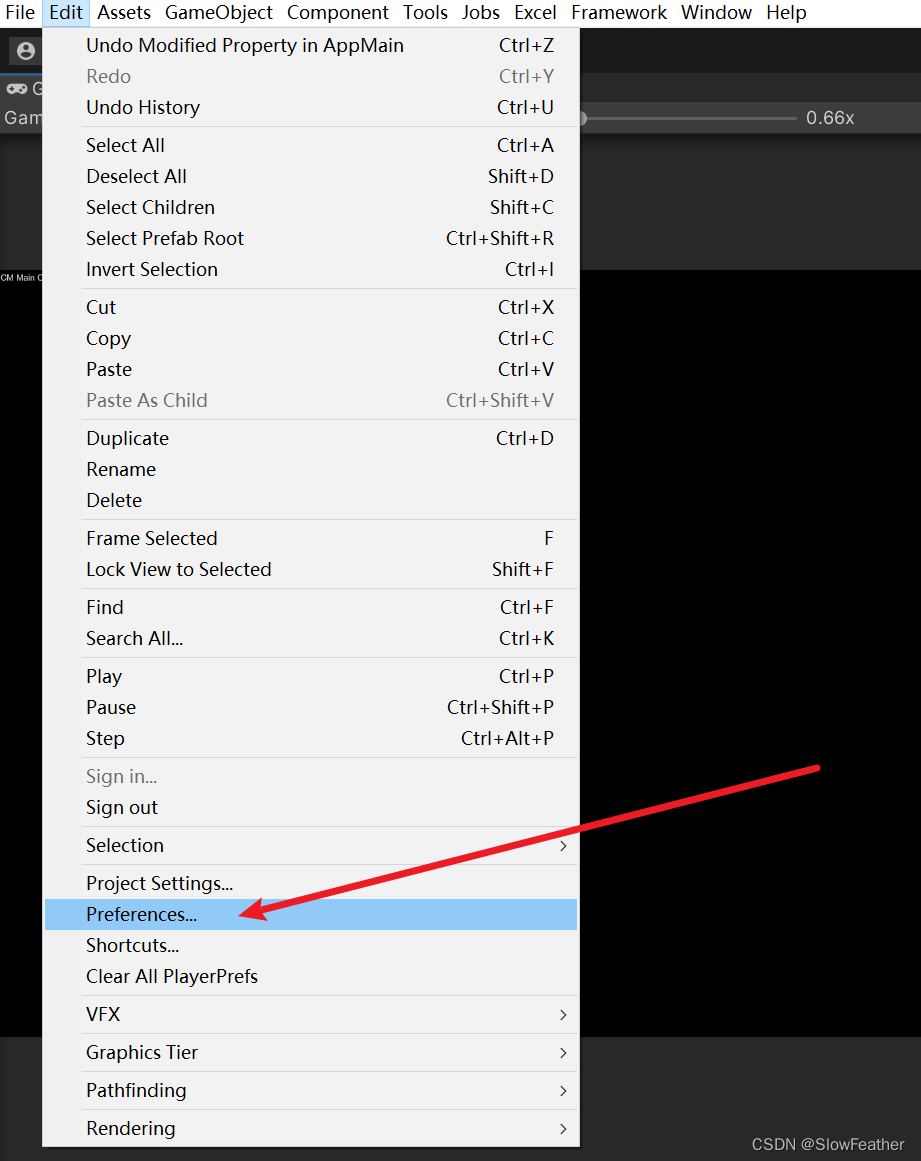
2. 选择 Core Render Pipeline 选项卡
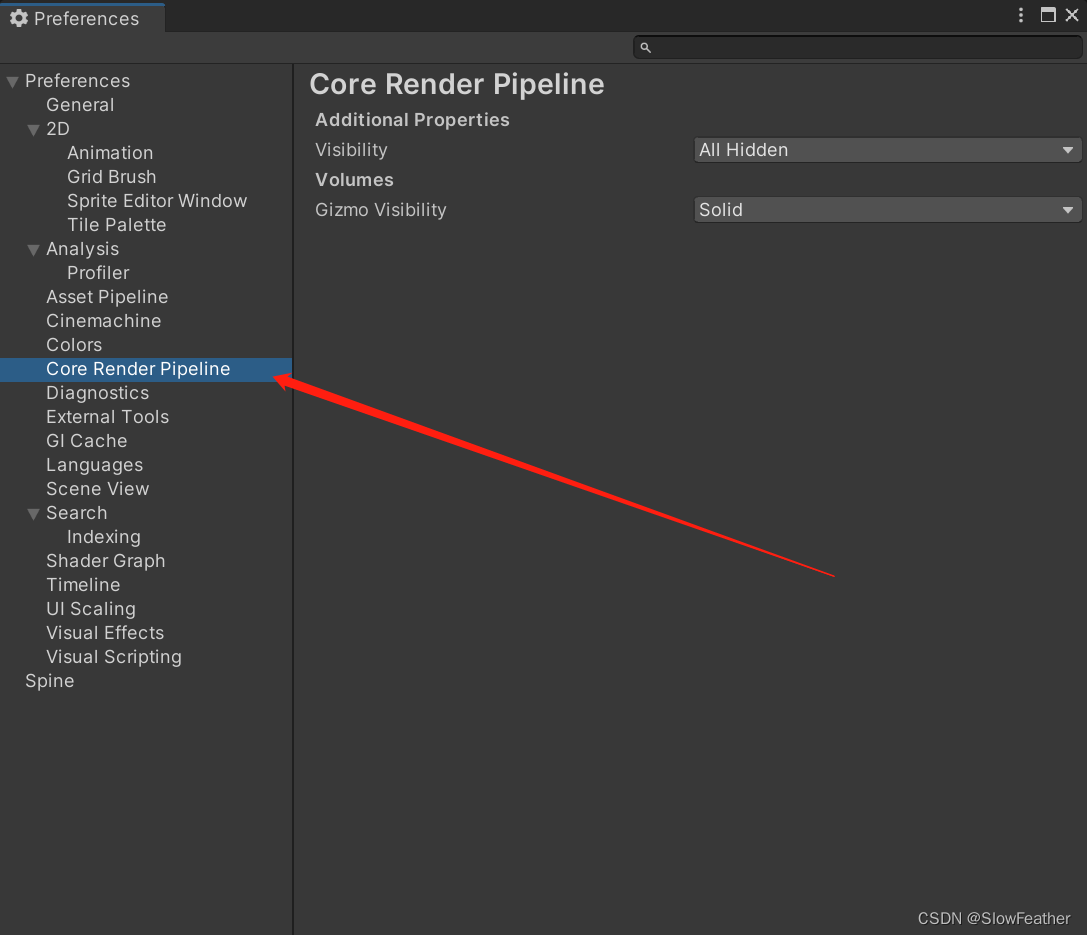
3. 修改 Visibility 为 All Visible
4. 打开 Project Settings
5. 打开 Graphics 选项卡
6. 找到 URP 设置
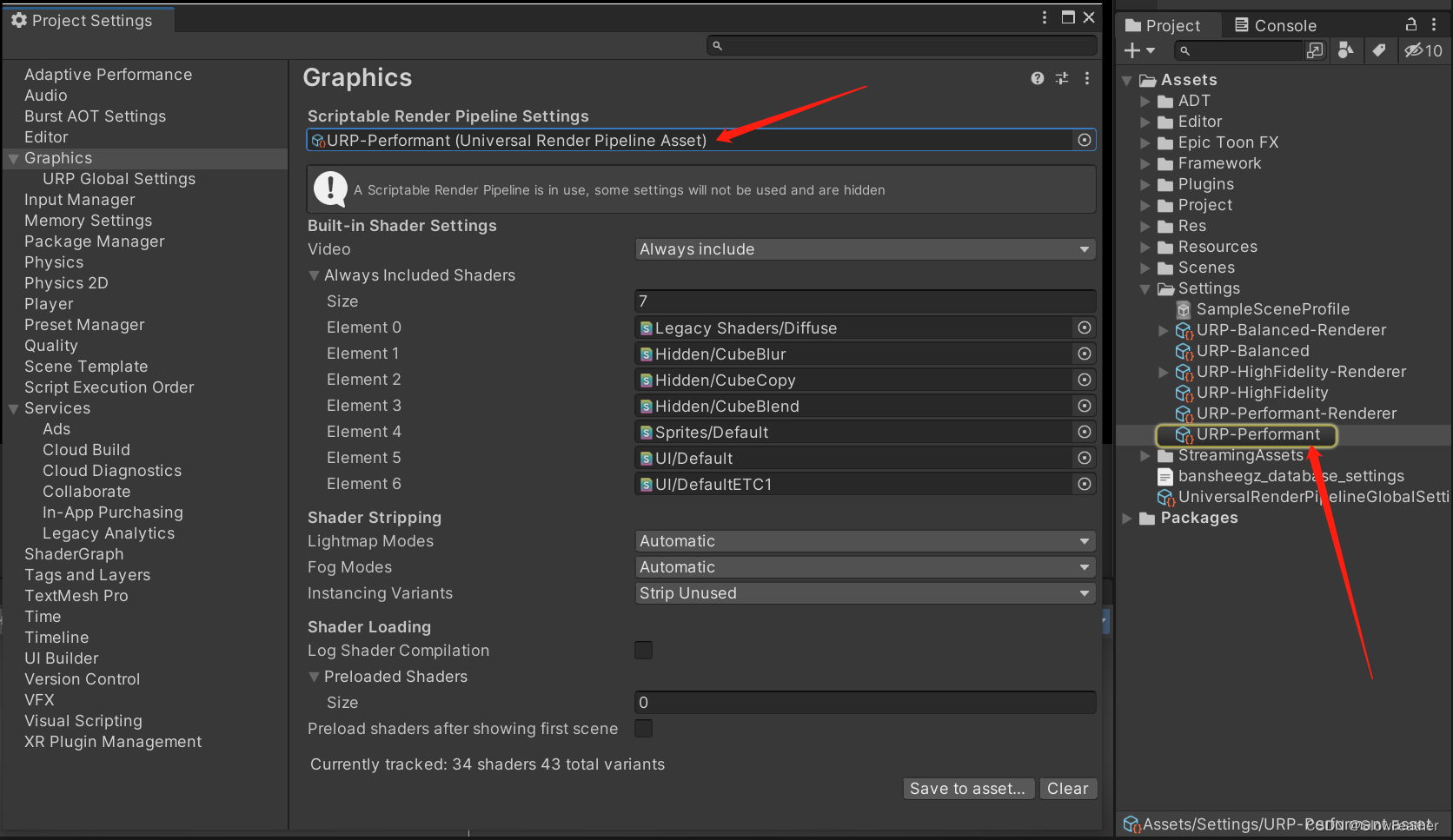
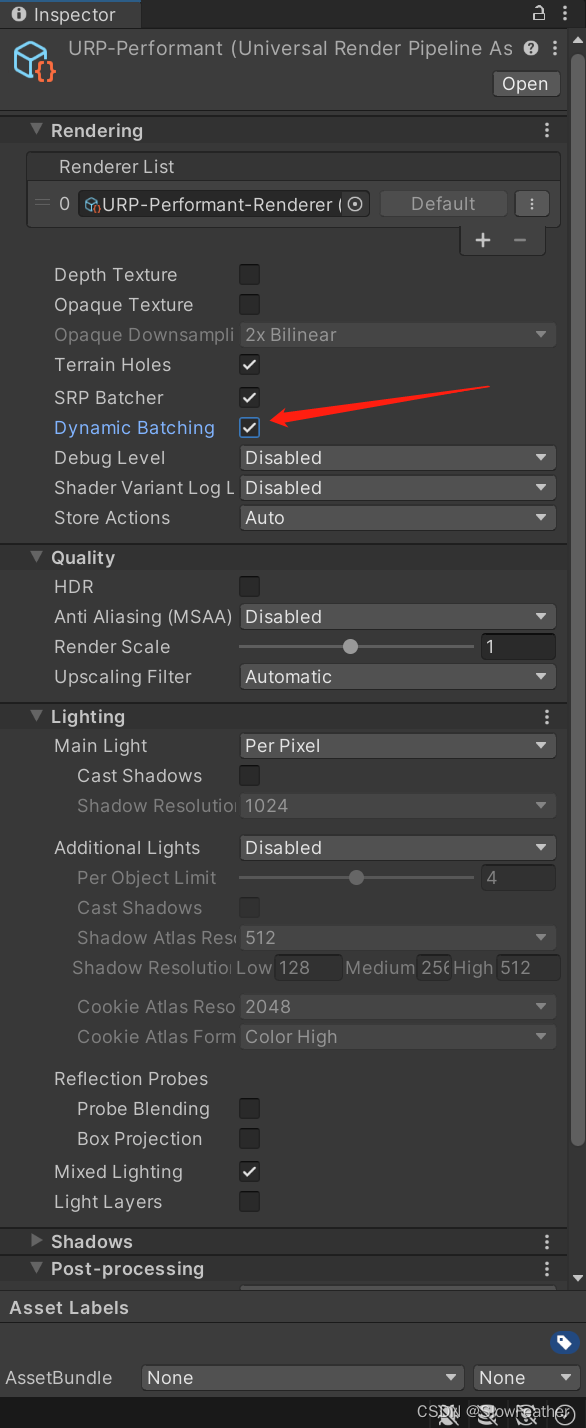
7. 开启 Dynamic Batching
鸣谢
参考链接: Dynamic Batching is missing (URP)
https://forum.unity.com/threads/dynamic-batching-is-missing-urp.1299333/