一、导入示例资源
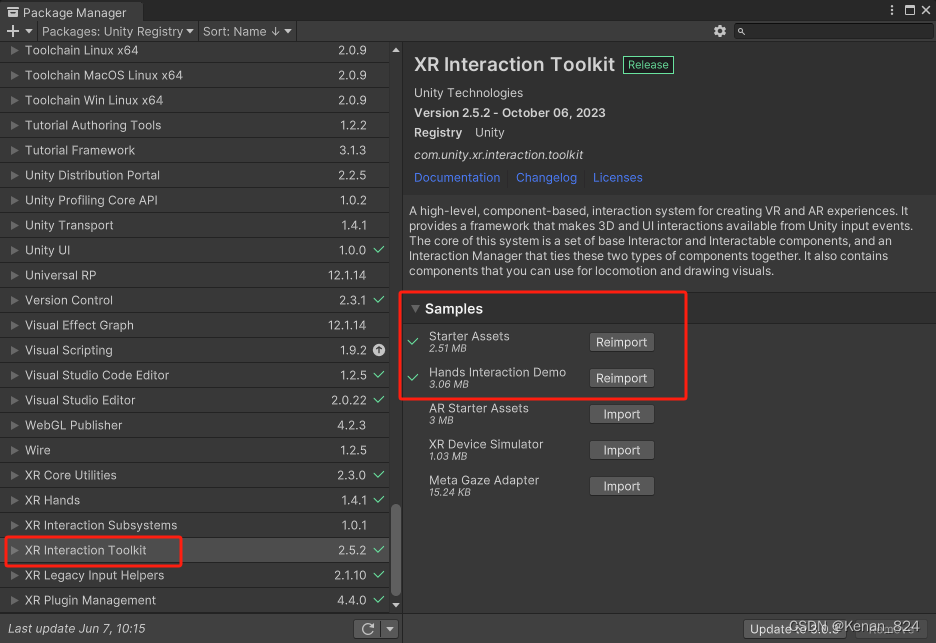
1、打开Package Manager面板,导入示例资源。
2、打开示例场景,方面后面测试。
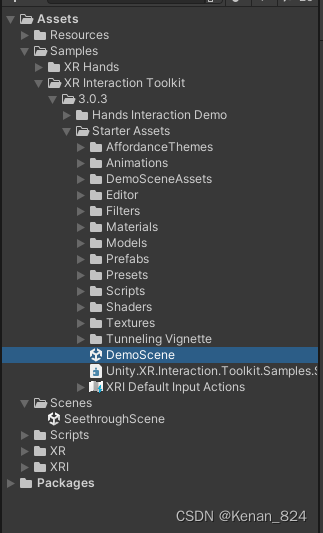
二、打开 XRI Default Input Actions
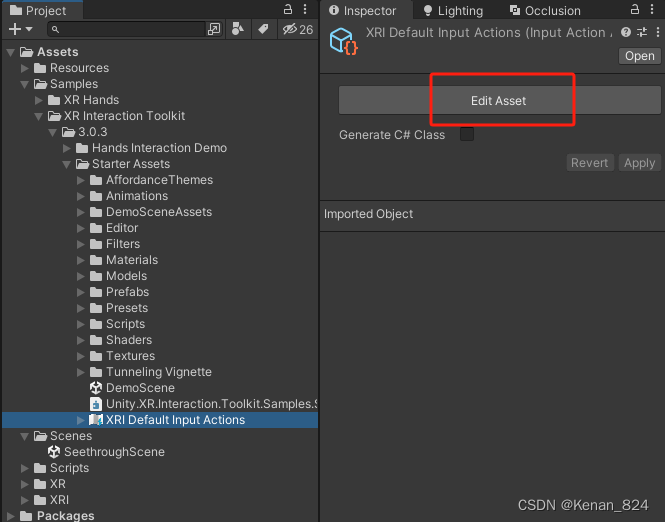

三、设置XRI Default Input Actions 面板参数
1、点击+号新增一项,重命名为Pico
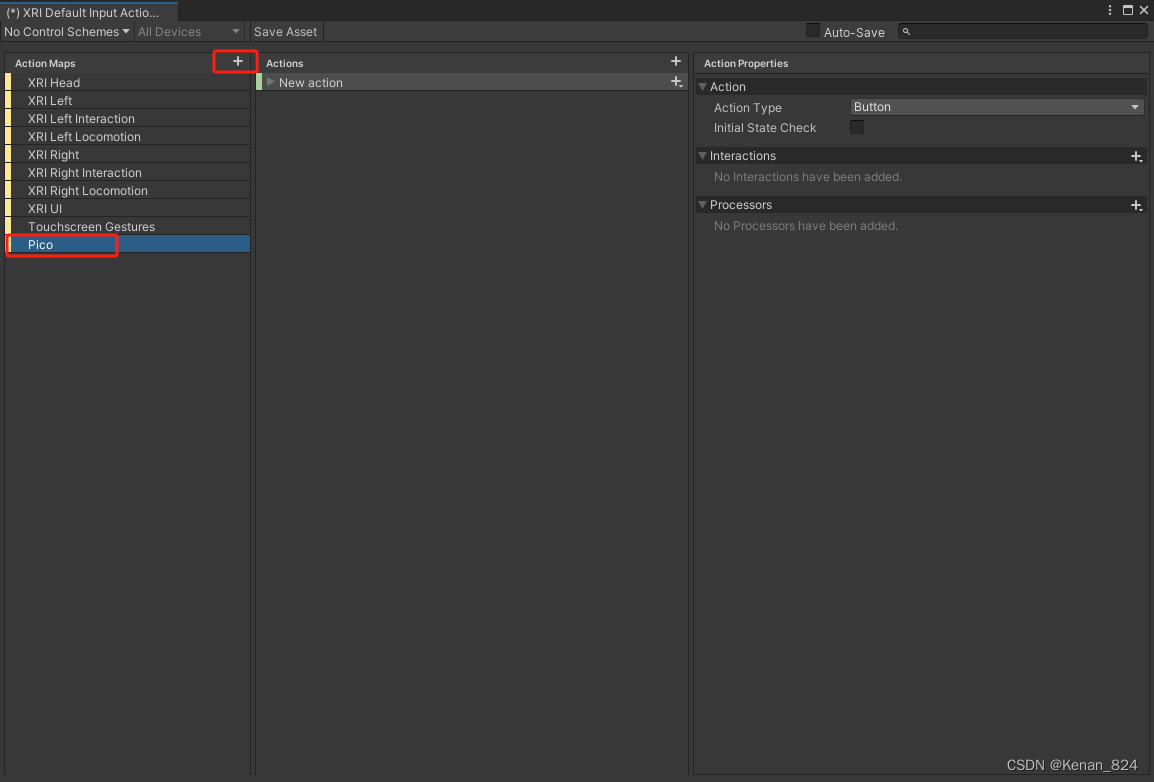
2、新增并重命名Action
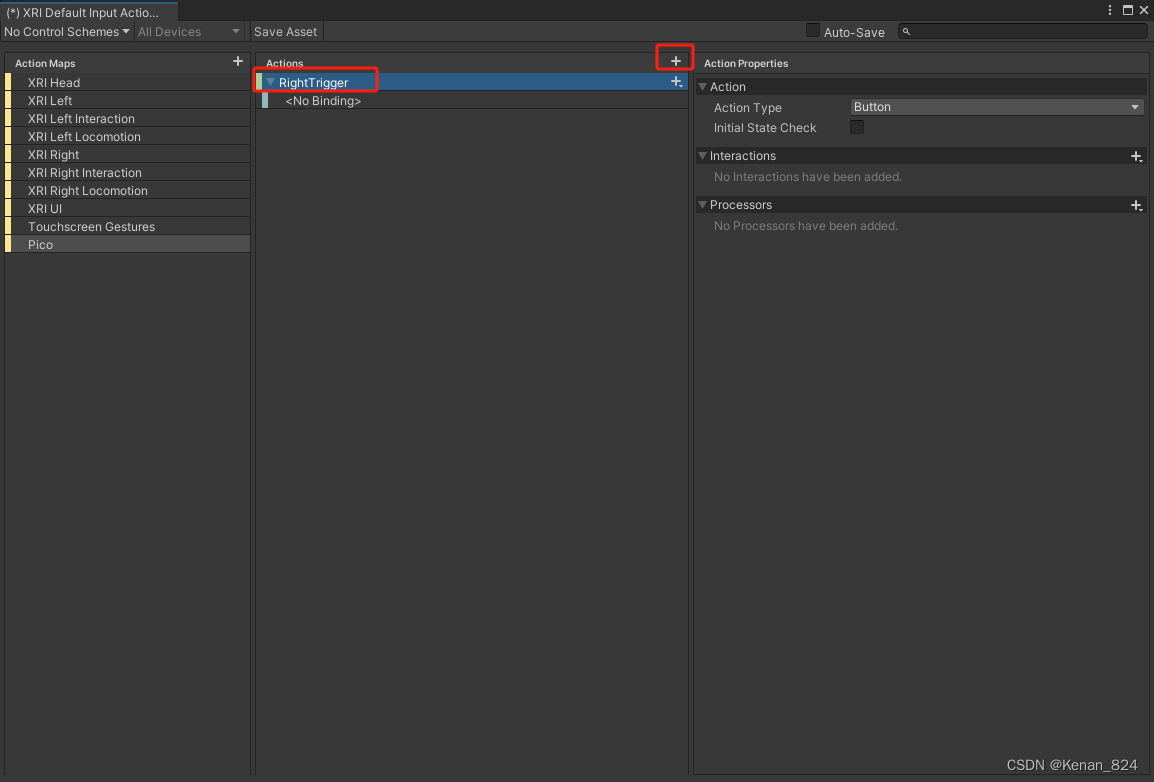
3、设置按钮索引
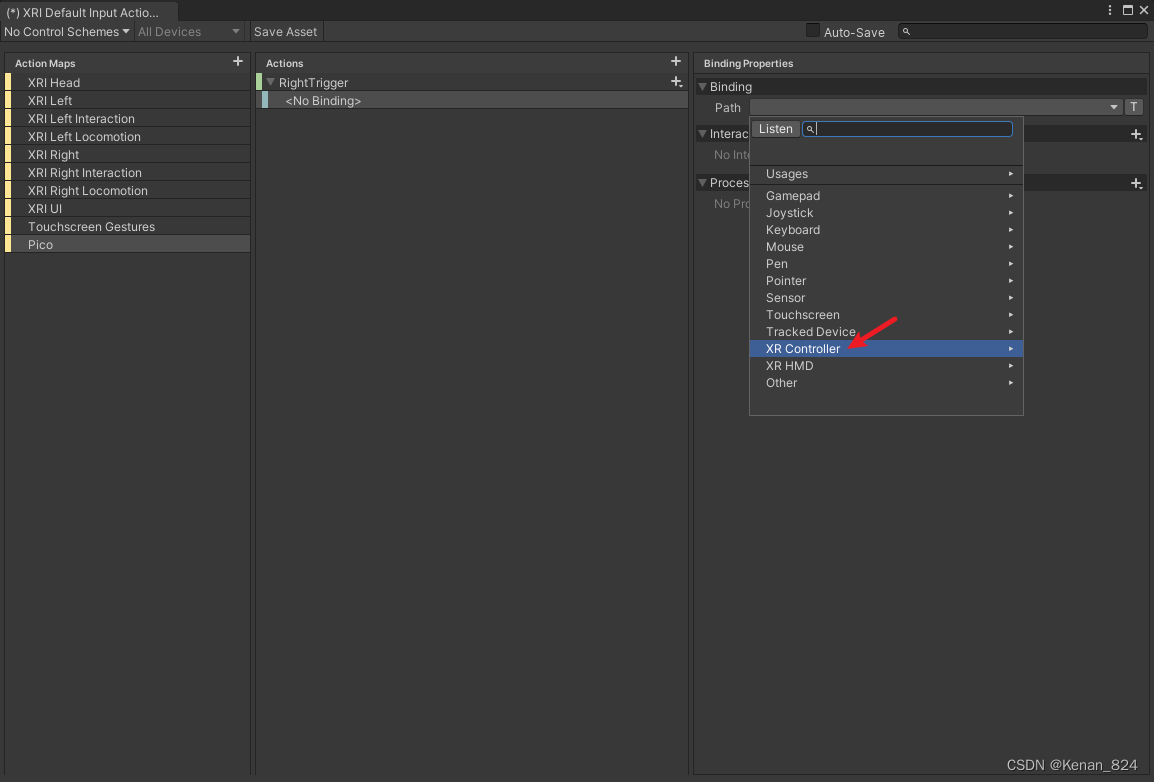

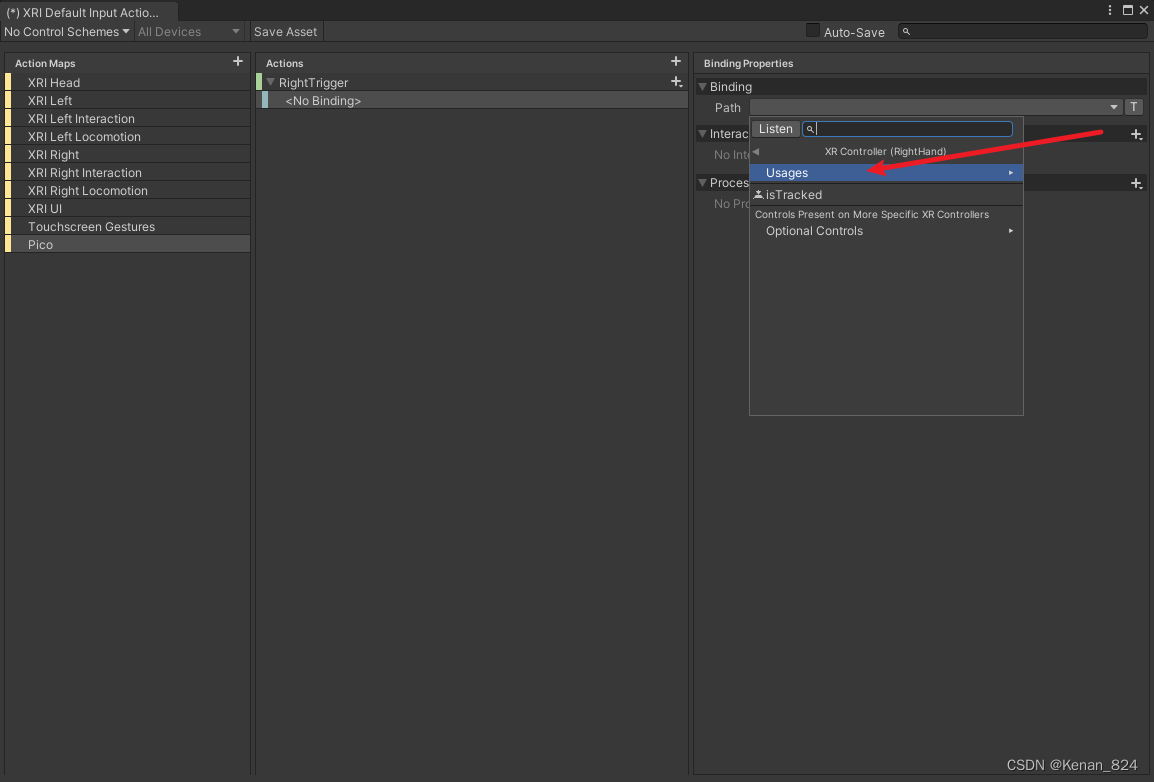
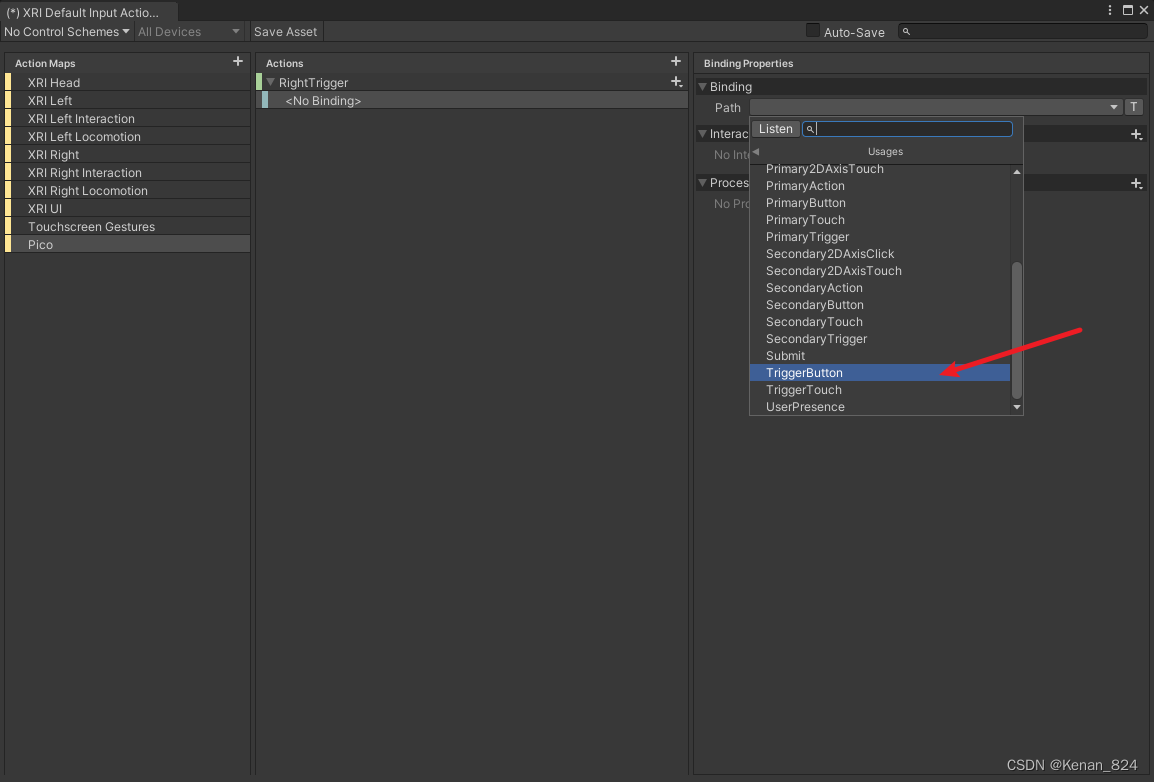
注意:蓝框中的两行是串流运行后才会出现的,如果你没有串流运行过,则不会出现,不影响使用。

4、点击Save Asset保存
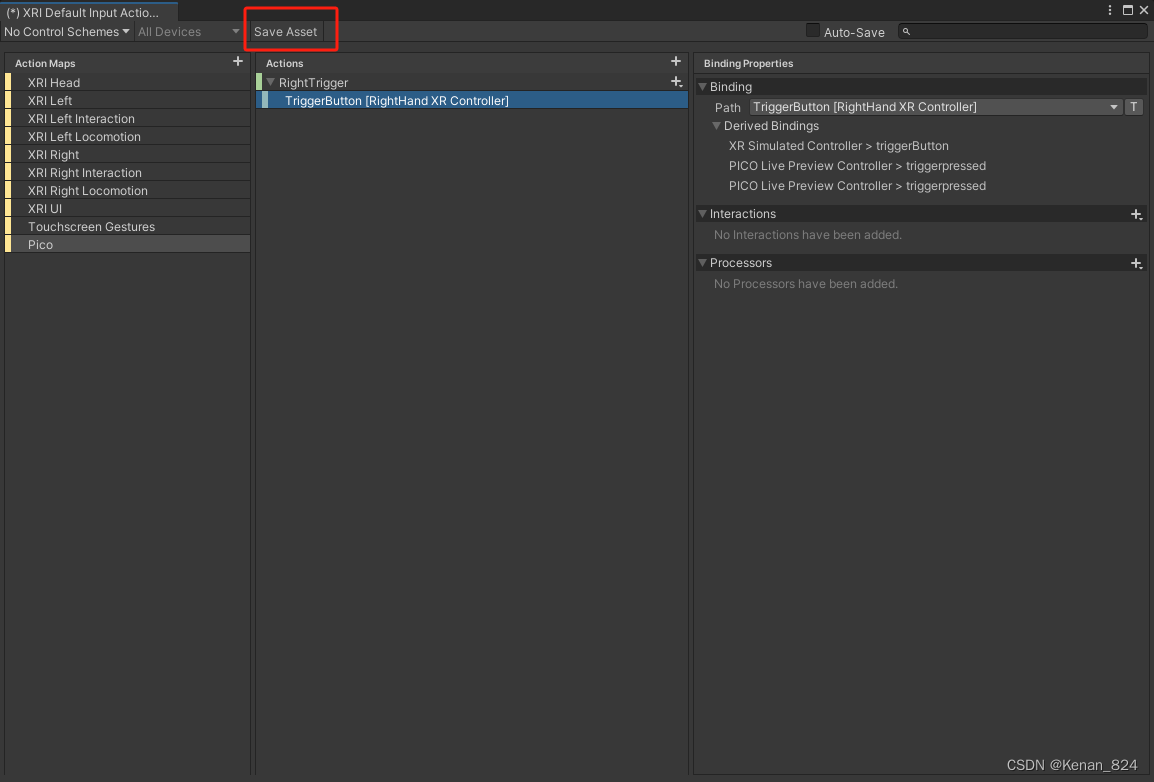
5、保存成功后在列表里会显示。
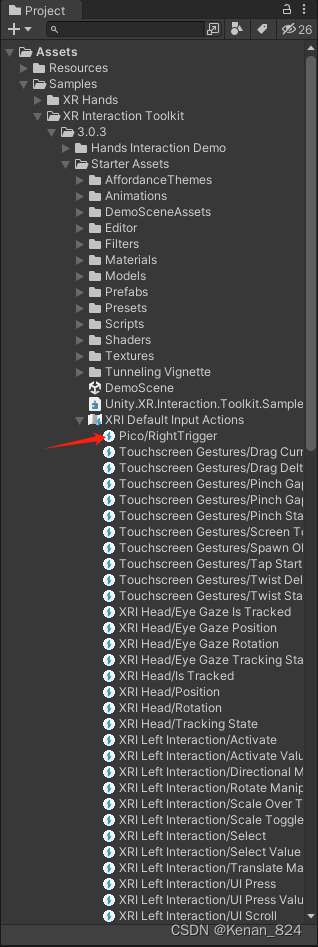
四、编写代码测试。
1、源码如下:
using System;
using System.Collections;
using System.Collections.Generic;
using UnityEngine;
using UnityEngine.InputSystem;

public class PicoGamepadKeyTest : MonoBehaviour
{
    public InputActionReference rightTrigger_Action;
    private void OnEnable()
    {
        //开始按的时候触发
        rightTrigger_Action.action.started += RightTriggerStartedAction;
        //按下时触发
        rightTrigger_Action.action.performed += RightTriggerPerformedAction;
        //抬起时触发
        rightTrigger_Action.action.canceled += RightTriggerCanceledAction;
    }
    private void OnDisable()
    {
        rightTrigger_Action.action.started -= RightTriggerStartedAction;
        rightTrigger_Action.action.performed -= RightTriggerPerformedAction;
        rightTrigger_Action.action.canceled -= RightTriggerCanceledAction;
    }
    private void RightTriggerPerformedAction(InputAction.CallbackContext context)
    {
        Debug.Log("按下");
    }

    private void RightTriggerCanceledAction(InputAction.CallbackContext obj)
    {
        Debug.Log("抬起");
    }

    private void RightTriggerStartedAction(InputAction.CallbackContext obj)
    {
        Debug.Log("开始按下");
    }


}
2、挂载脚本,外部赋值。

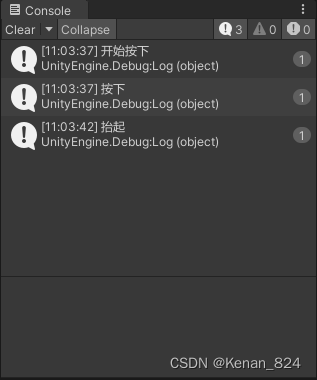
3、测试结果如下。
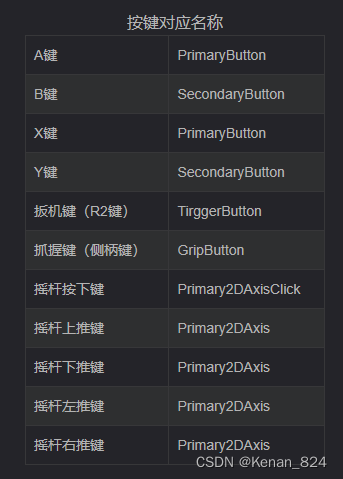
五、按键对应名称
![[office] excel怎么设置图表格式- excel中chart tools的使用方法 #笔记#经验分享#其他](https://img-blog.csdnimg.cn/img_convert/0a0ed6e2c67e20c20fb07206c234cae5.jpeg)