Jenkins参数化构建
- web服务器
- jenkins服务器
- 编写主机清单
- 编写脚本代码
- jenkins服务web页面操作
web服务器
下载nginx
下载git

cd /usr/share/nginx

rm -rf html

git clone http://root:Qq123456@192.168.188.176/ximu/test-nginx.git

mv test-nginx/ html
jenkins服务器
下载ansible
编写主机清单
vim /opt/hosts
[nginx]
web服务器ip
编写脚本代码
vim ansible.sh

#/bin/bash
SERVICE_NAME=$1
SERVICE_STATUS=$2
GITLAB_CODE=$3
GITLAB_ID=$4

HOSTFILE=/opt/hosts

CMD="ansible -i $HOSTFILE $1"


if [ $SERVICE_NAME = "nginx" ];then
  if [ $GITLAB_CODE = "pull" ];then
     $CMD -m shell -a 'chdir=/usr/share/nginx/html git pull origin main'
  elif [ $GITLAB_CODE = "reset1" ];then
     $CMD -m shell -a 'chdir=/usr/share/nginx/html git reset --hard HEAD^'
  elif [ $GITLAB_CODE = "reset2" ];then
     $CMD -m shell -a 'chdir=/usr/share/nginx/html git reset --hard HEAD^^'
  elif [ $GITLAB_CODE = "reset_id" ];then
     $CMD -m shell -a "chdir=/usr/share/nginx/html git reset --hard $GITLAB_ID"
  fi
  if [ $SERVICE_STATUS != "none" ]  ;then
    systemctl $SERVICE_STATUS nginx
  fi
fi
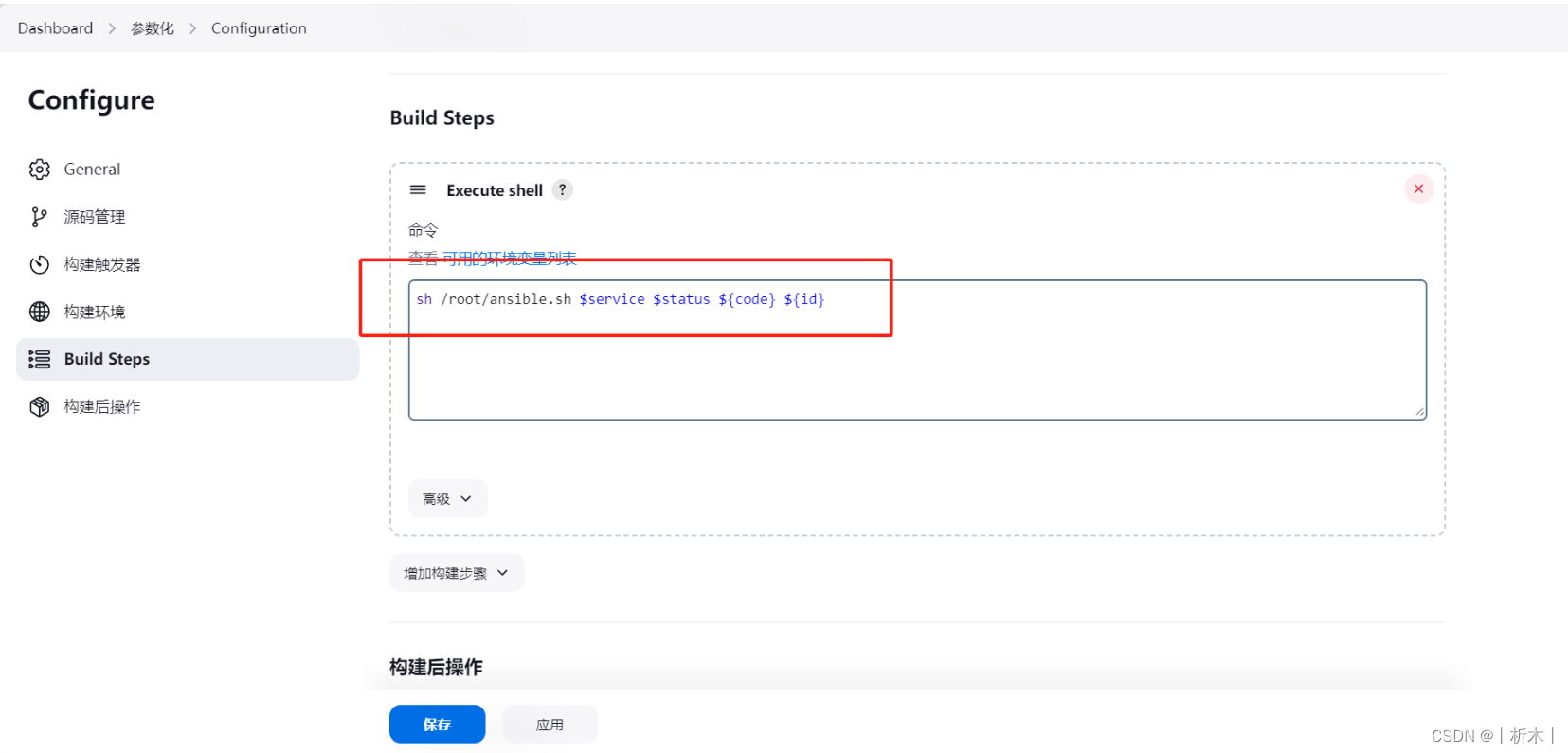
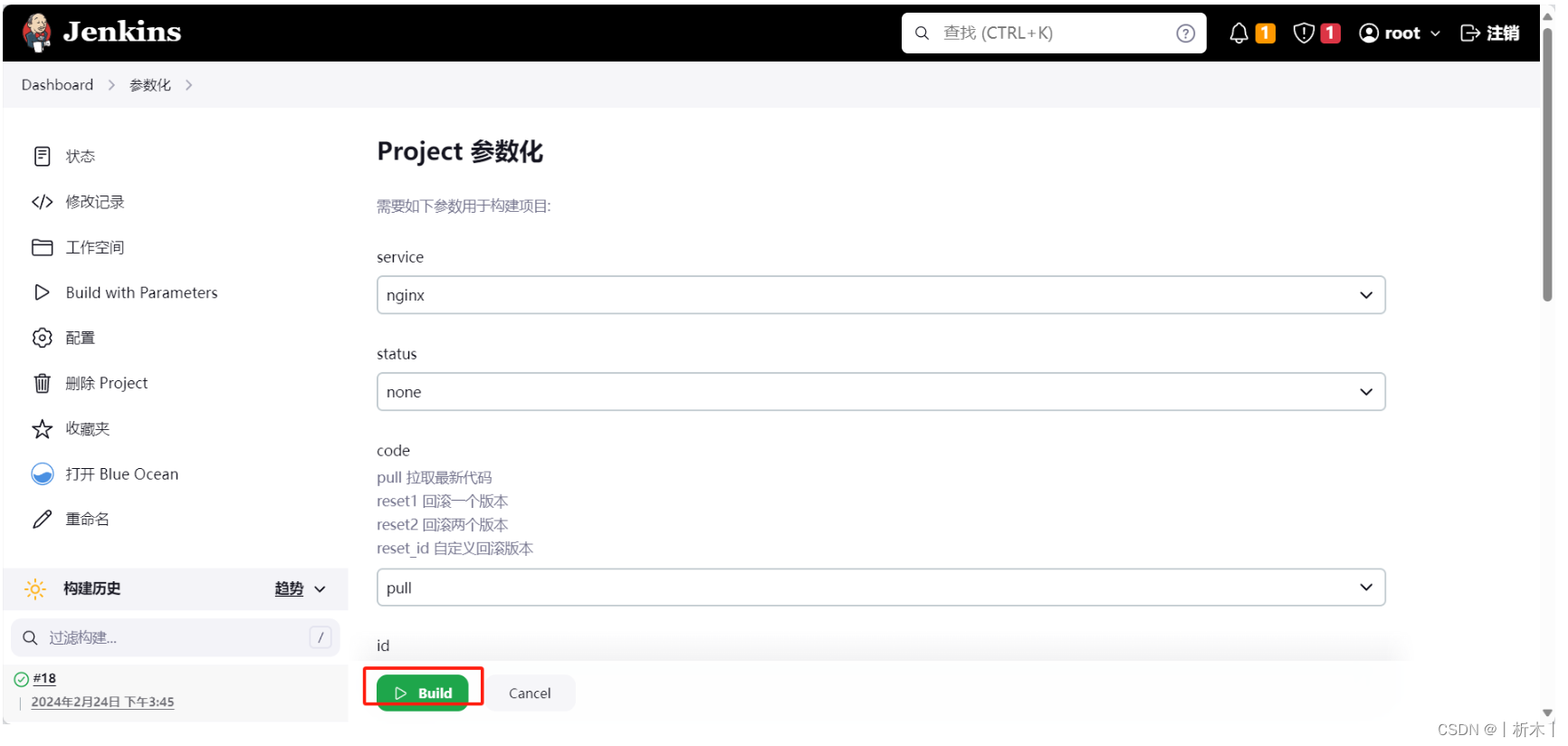
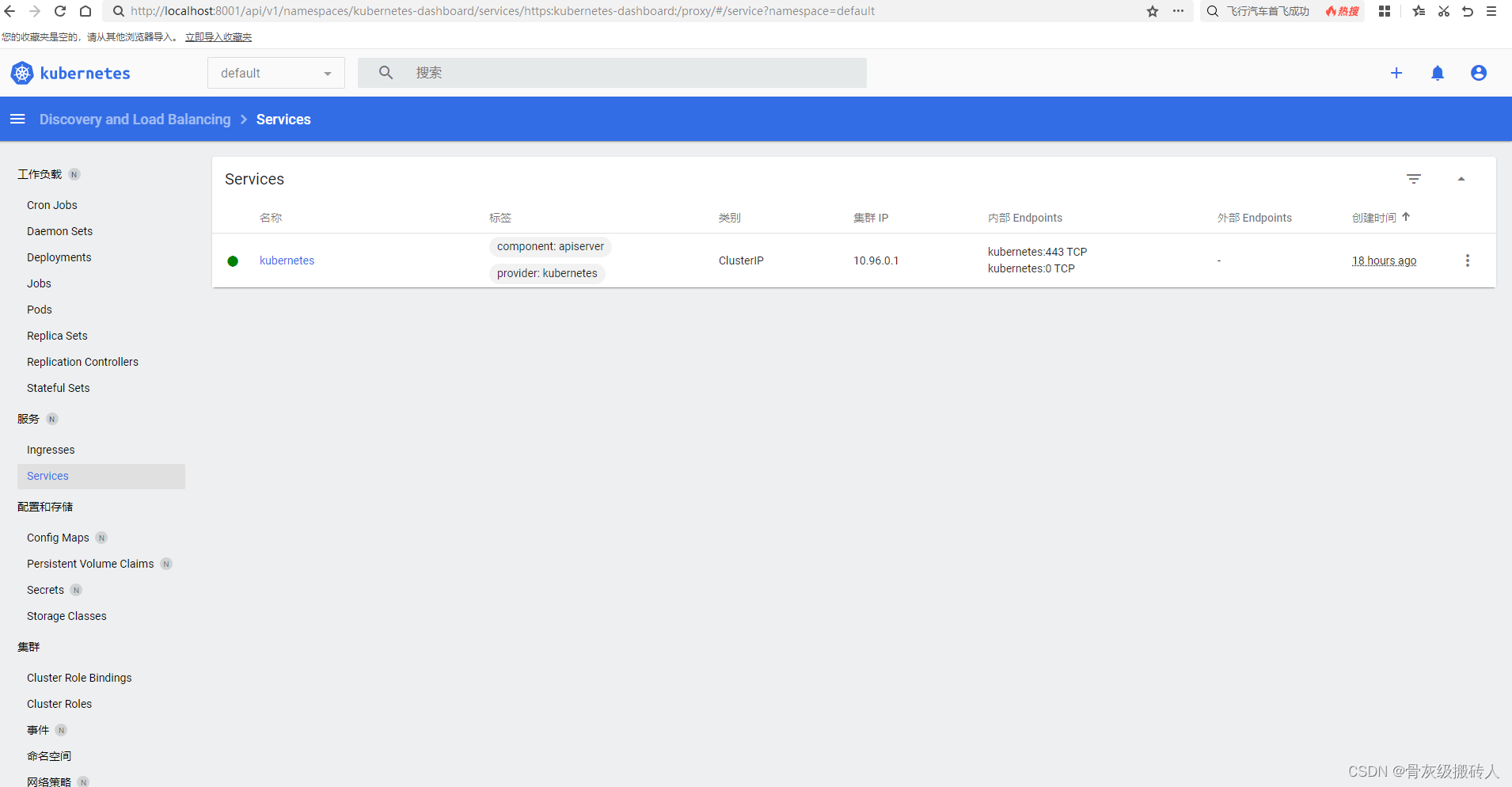
jenkins服务web页面操作
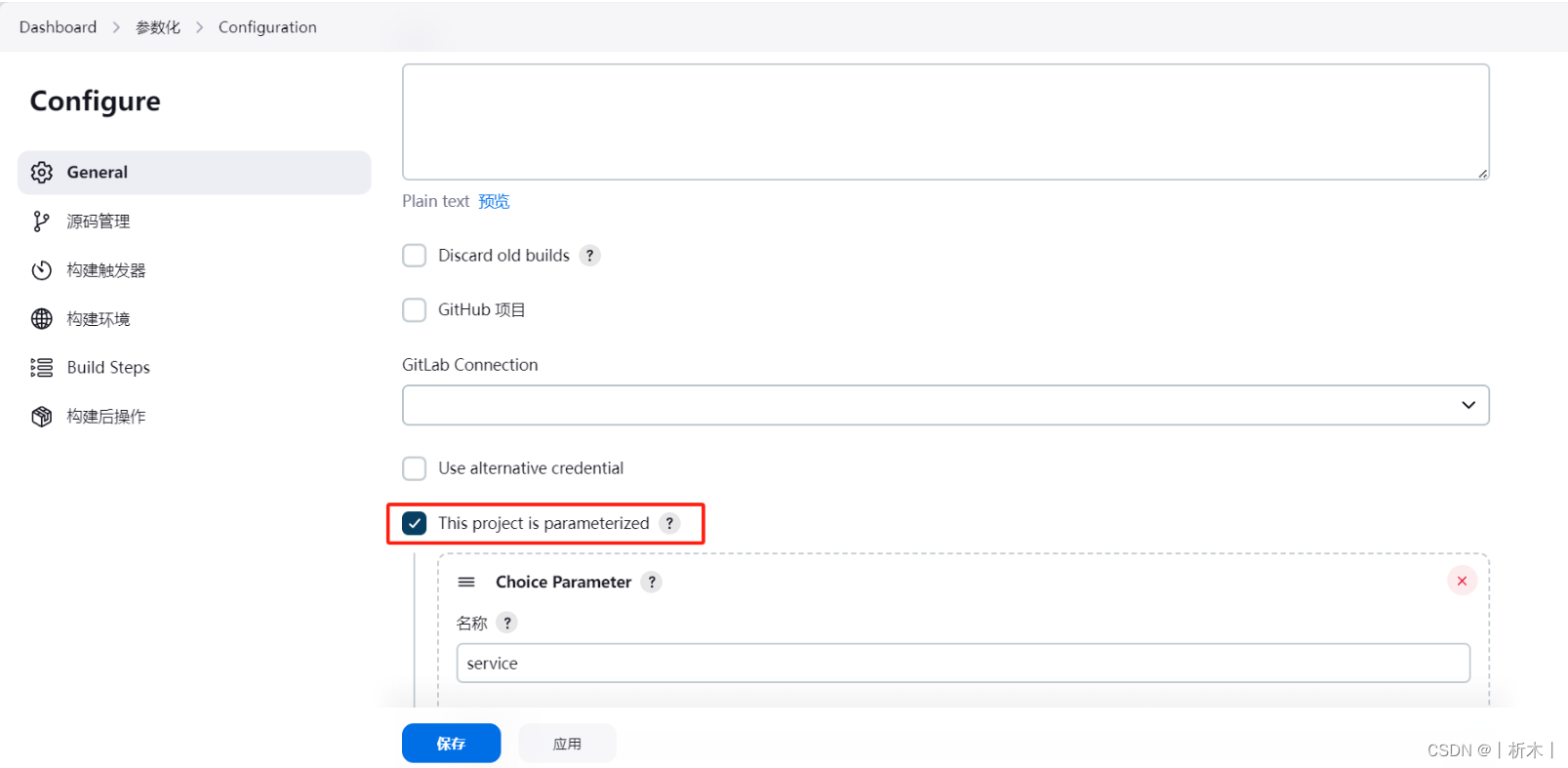
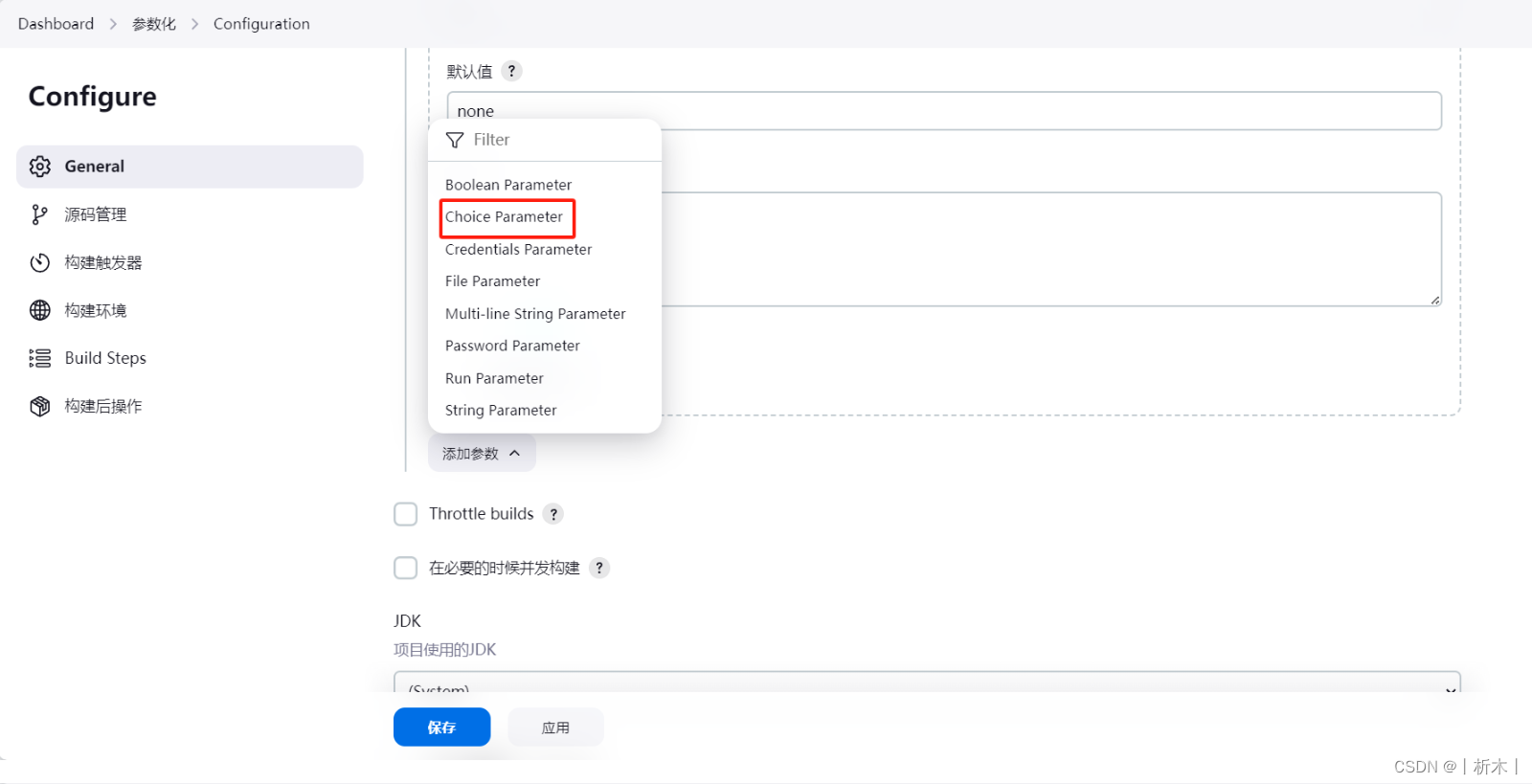
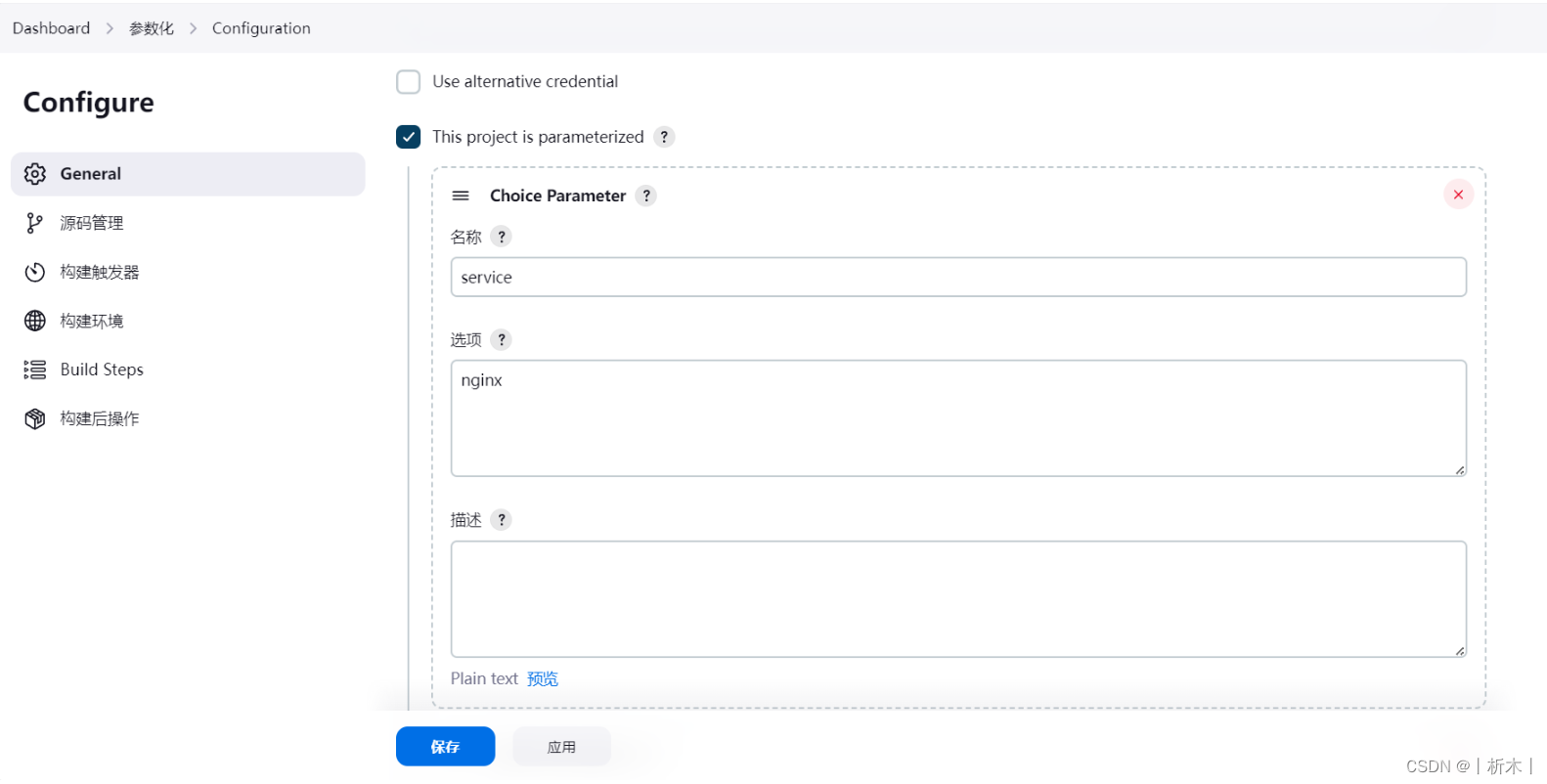
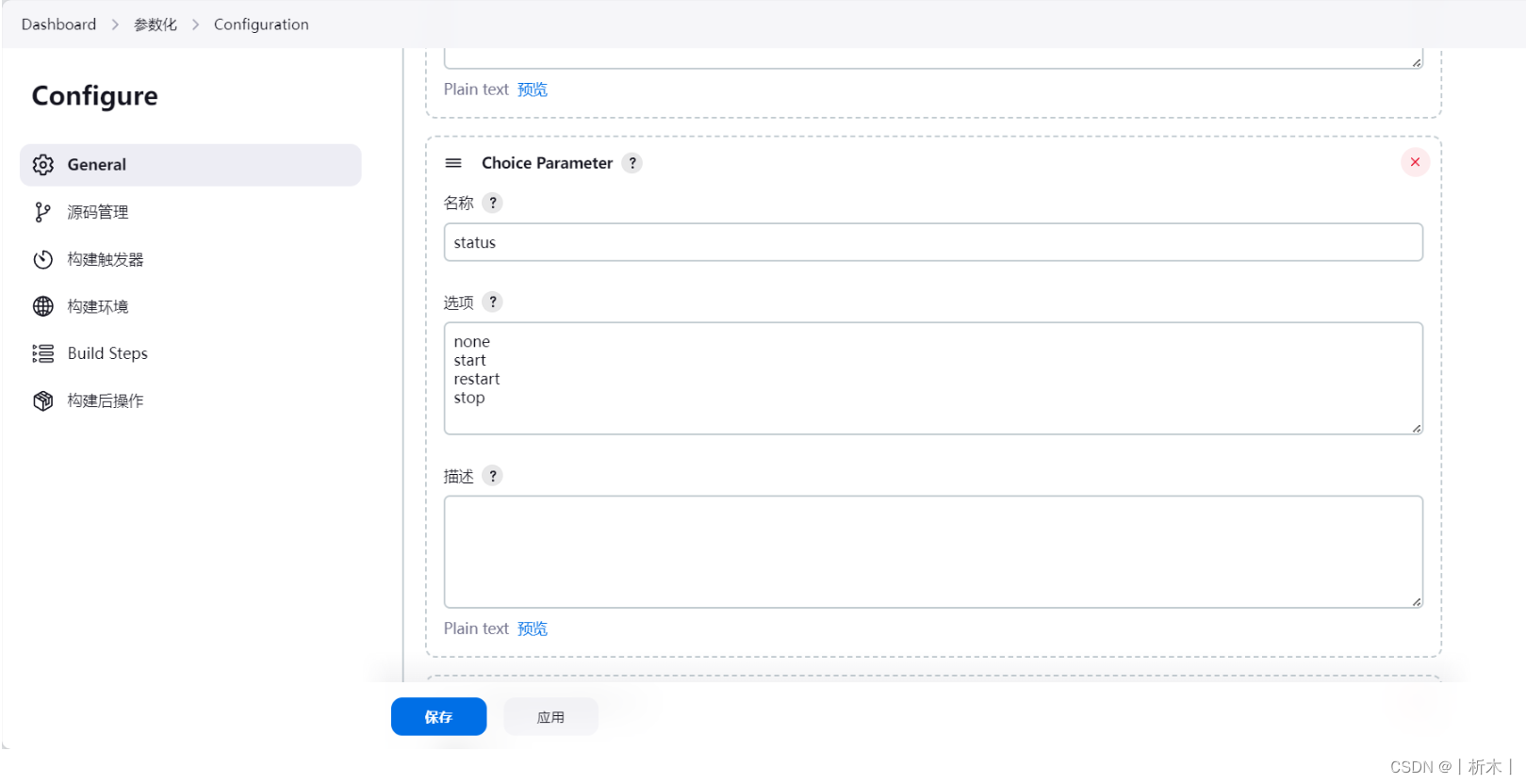
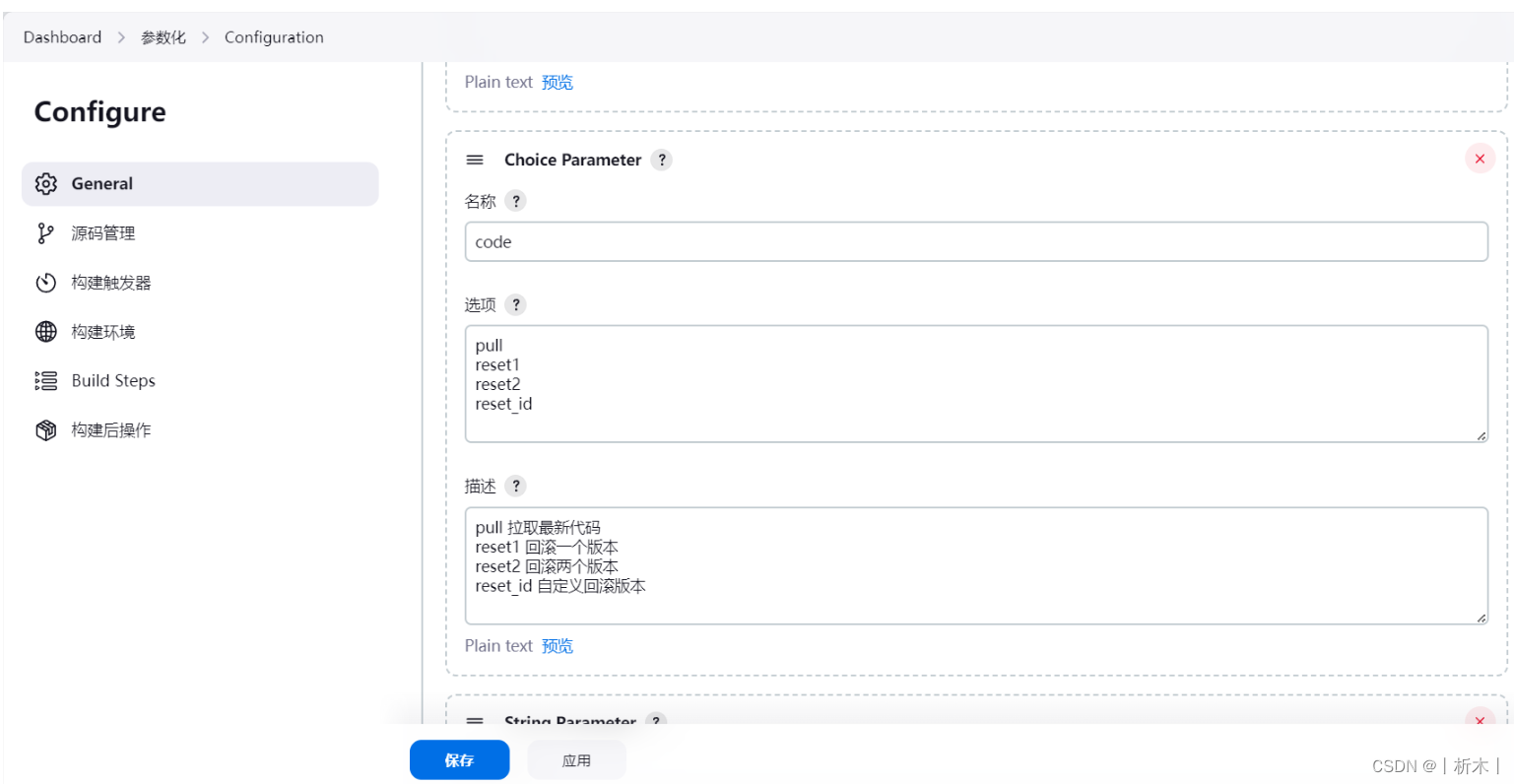
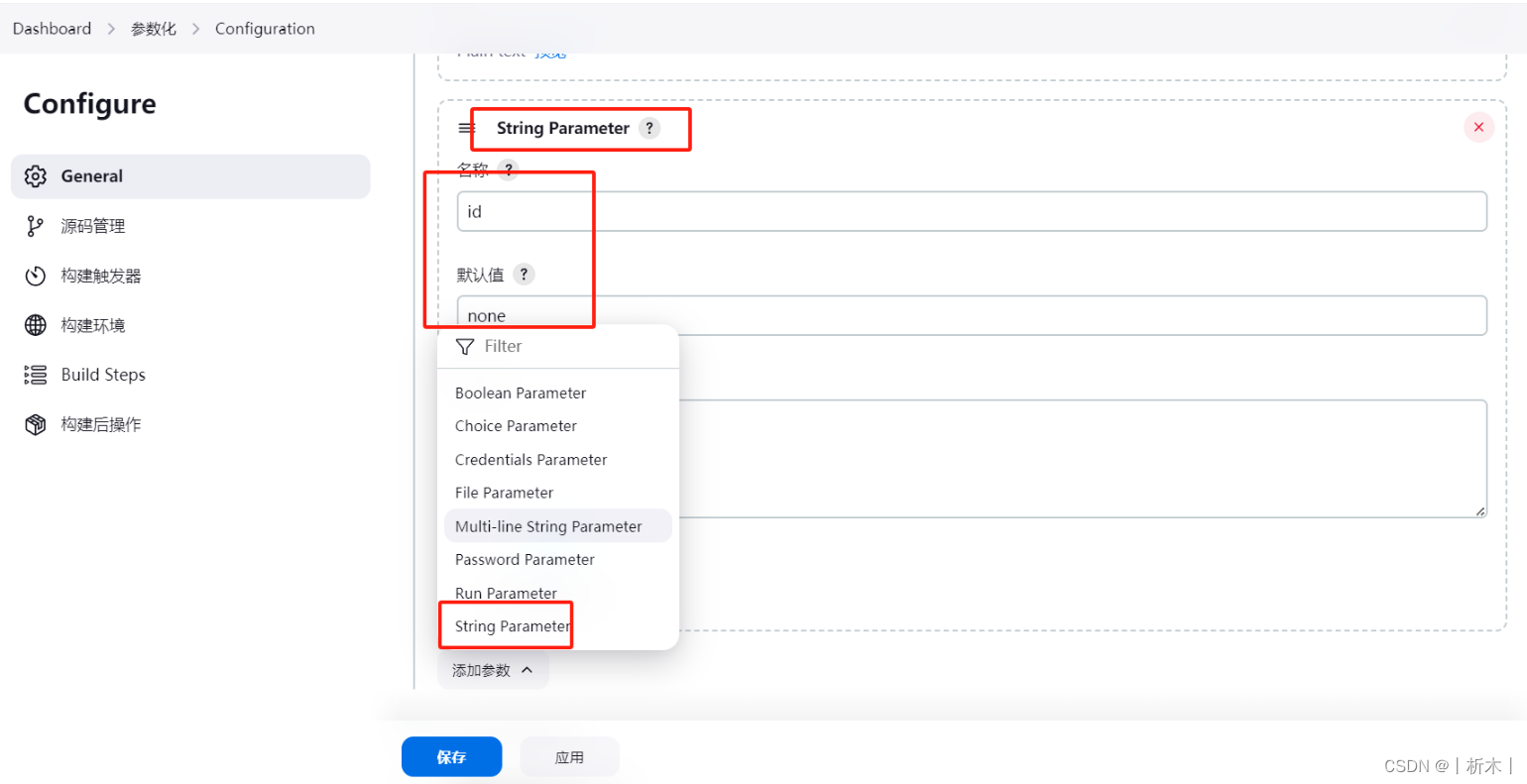
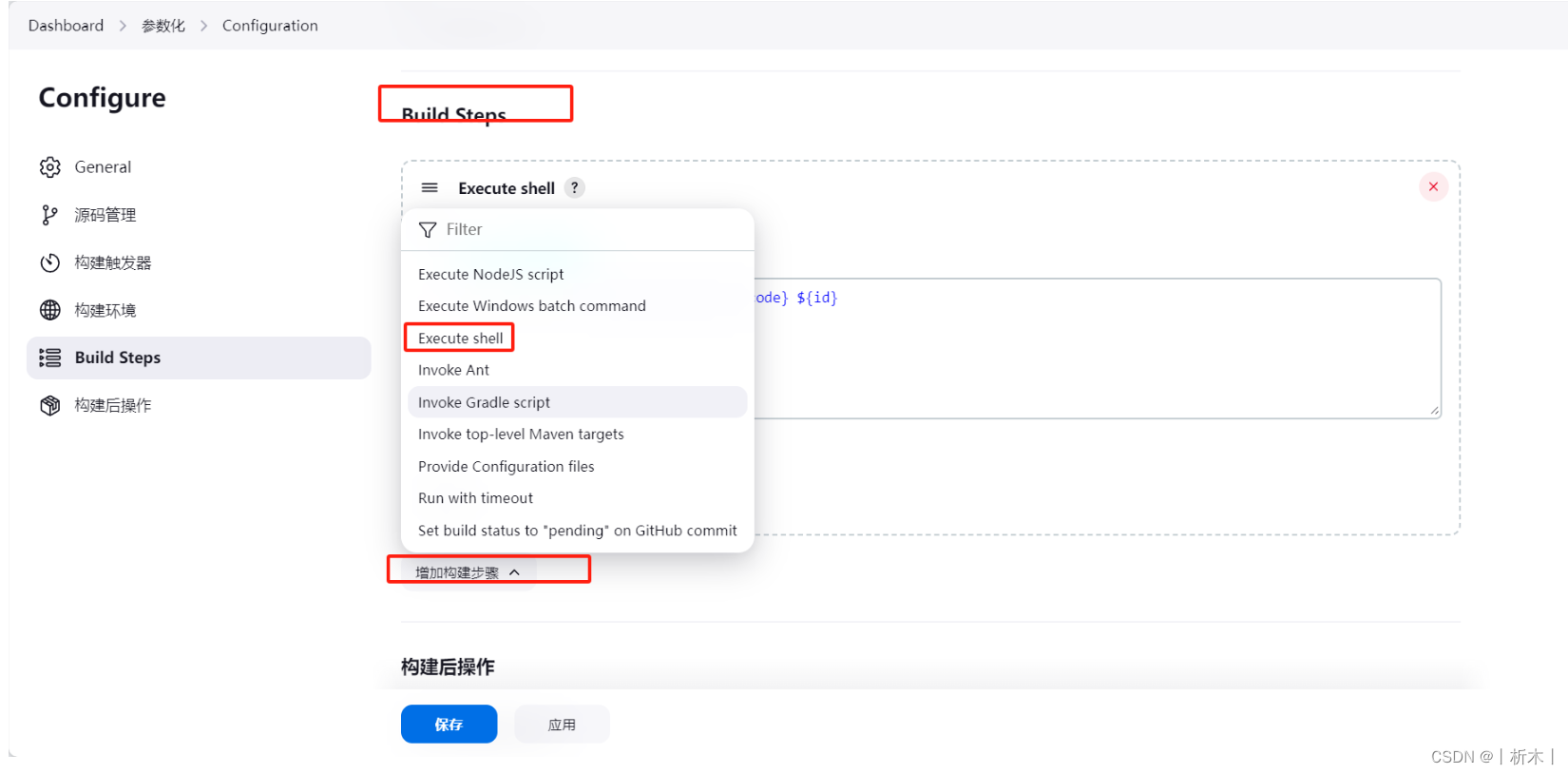




![[方案实操]中国电子副总陆志鹏:《数据资产化路径的思考与探索》演讲实录和解析](https://img-blog.csdnimg.cn/img_convert/1eda9356cd9a1fb63de4227a55088112.jpeg)
![[BUUCTF]-PWN:oneshot_tjctf_2016解析(字符串输入,onegadget)](https://img-blog.csdnimg.cn/direct/8853294f3b7a4564ae01c7d1fc89b6ee.png)



![【洛谷 P9240】[蓝桥杯 2023 省 B] 冶炼金属 题解(二分答案)](https://img-blog.csdnimg.cn/direct/08380953de5345f5880c7125af2d5701.png)