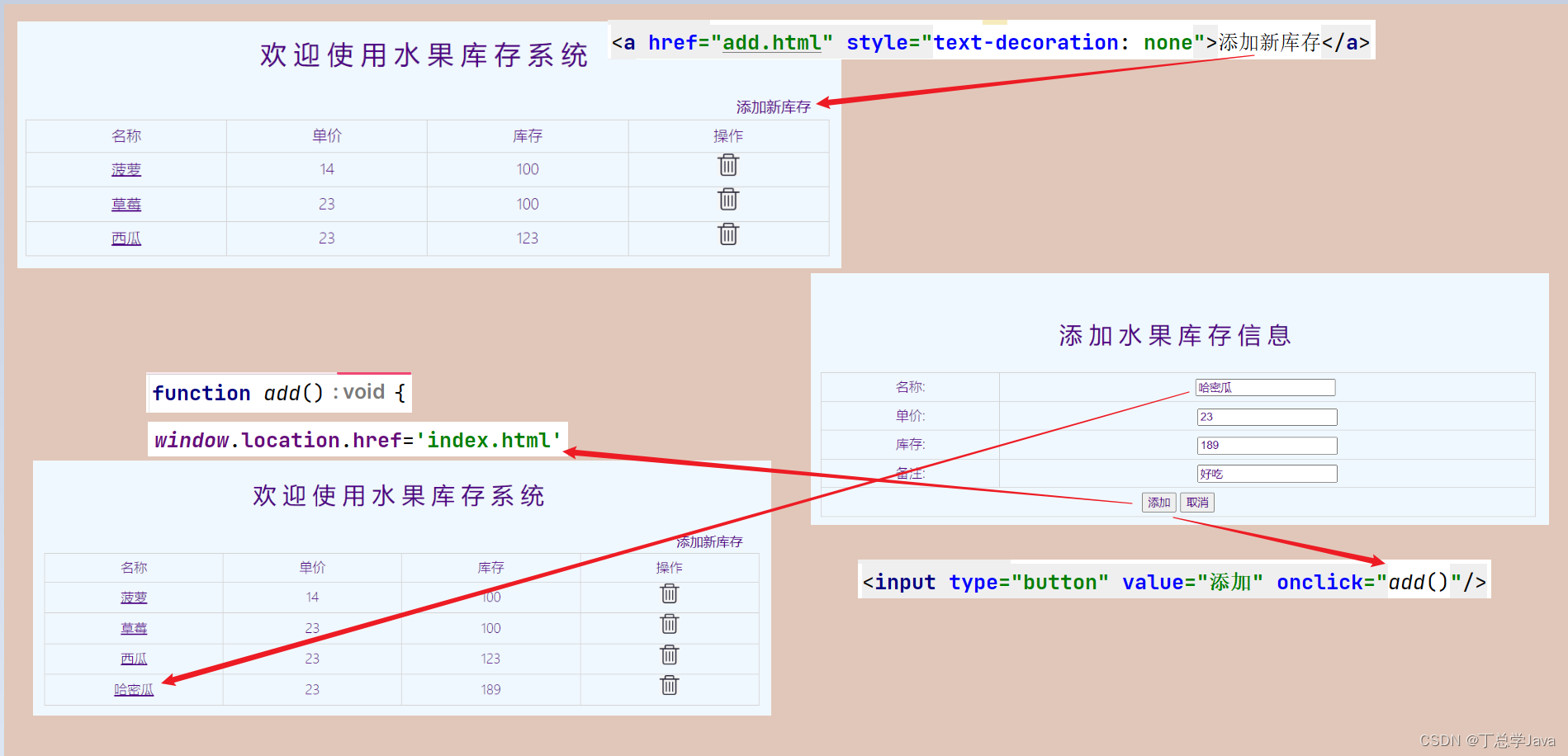
1、在index.html添加超链接,添加新库存add.html
<!DOCTYPE html>
<html lang="en">
<head>
    <meta charset="UTF-8">
    <title>Title</title>
    <link rel="stylesheet" href="style/index.css">
    <script src="script/axios.min.js"></script>
    <script src="script/index.js"></script>
    <script src="script/common.js"></script>
</head>
<body>
  <div id="div0">
    <div id="div_title">
      <p>欢迎使用水果库存系统</p>
        <div style="float: right;border: 0px solid red;margin-right:8%;margin-bottom: 4px">
            <a href="add.html" style="text-decoration: none">添加新库存</a>
        </div>
    </div>
    <div id="div_fruit_table">
      <table id="fruit_tbl">
        <tr>
          <th class="w25">名称</th>
          <th class="w25">单价</th>
          <th class="w25">库存</th>
          <th>操作</th>
        </tr>
        <!--
        <tr>
          <td><a href='edit.html?fid=1'>苹果</a></td>
          <td>5</td>
          <td>100</td>
          <td><img class="delImg" src="imgs/del.png" onclick='delFruit(1)'/></td>
        </tr>
        -->
      </table>
    </div>
  </div>
</body>
</html>
2、编写add.html添加点击事件负责提交onclick
<!DOCTYPE html> <html lang="en"> <head> <meta charset="UTF-8"> <title>Title</title> <link rel="stylesheet" href="style/index.css"> <script src="script/axios.min.js"></script> <script src="script/add.js"></script> <script src="script/common.js"></script> </head> <body> <div id="div0"> <div id="div_title"> <p>添加水果库存信息</p> </div> <div id="div_fruit_table"> <table id="fruit_tbl"> <tr> <th class="w25">名称:</th> <td><input type="text" id="fname" onkeyup="checkFname(this.value)"/><span id="fnameSpan"> </span></td> </tr> <tr> <th class="w25">单价:</th> <td><input type="text" name="price" id="price"/> </td> </tr> <tr> <th class="w25">库存:</th> <td><input type="text" name="fcount" id="fcount"/> </td> </tr> <tr> <th class="w25">备注:</th> <td><input type="text" name="remark" id="remark"/> </td> </tr> <tr> <th colspan="2"> <input type="button" value="添加" onclick="add()"/> <input type="button" value="取消"/> </th> </tr> </table> </div> </div> </body> </html>3、编写add.js
3.1、common.js
function $(key){
    if(key){
        if(key.startsWith("#")){
            key = key.substring(1)
            return document.getElementById(key)
        }else{
            let nodeList = document.getElementsByName(key)
            return Array.from(nodeList)
        }
    }
}
function add(){ let fname = $("#fname").value let price = $("#price").value let fcount = $("#fcount").value let remark = $("#remark").value //let fruit = {"fname":fname,"price":price,"fcount":fcount,"remark":remark} let fruit = {} fruit.fname=fname fruit.price = price fruit.fcount=fcount fruit.remark=remark axios({ method:'post', url:'add', data:fruit }).then(response=>{ if(response.data.flag){ window.location.href='index.html' } }) } /* function checkFname(fname){ axios({ method:'get', url:"getFname", params:{ fname:fname } }).then(response=>{ let fnameSpan= $("#fnameSpan"); if(response.data.flag){ fnameSpan.innerText = '名称可添加' fnameSpan.style.color='green' }else{ fnameSpan.innerText = '名称已存在' fnameSpan.style.color='red' } }) }*/4、编写Controller层AddServlet
package com.csdn.fruit.servlet;
import com.csdn.fruit.dao.FruitDao;
import com.csdn.fruit.dao.impl.FruitDaoImpl;
import com.csdn.fruit.dto.Result;
import com.csdn.fruit.pojo.Fruit;
import com.csdn.fruit.util.RequestUtil;
import com.csdn.fruit.util.ResponseUtil;
import jakarta.servlet.ServletException;
import jakarta.servlet.annotation.WebServlet;
import jakarta.servlet.http.HttpServlet;
import jakarta.servlet.http.HttpServletRequest;
import jakarta.servlet.http.HttpServletResponse;
import java.io.IOException;
@WebServlet("/add")
public class AddServlet extends HttpServlet {
    private FruitDao fruitDao = new FruitDaoImpl();
    @Override
    protected void service(HttpServletRequest req, HttpServletResponse resp) throws ServletException, IOException {
        Fruit fruit = (Fruit) RequestUtil.readObject(req, Fruit.class);
        fruitDao.addFruit(fruit);
        ResponseUtil.print(resp, Result.OK());
    }
}
项目实战:添加新库存记录
news2026/5/20 17:38:30
本文来自互联网用户投稿,该文观点仅代表作者本人,不代表本站立场。本站仅提供信息存储空间服务,不拥有所有权,不承担相关法律责任。如若转载,请注明出处:http://www.coloradmin.cn/o/1168040.html
如若内容造成侵权/违法违规/事实不符,请联系多彩编程网进行投诉反馈,一经查实,立即删除!相关文章
项目实战:修改水果库存系统特定库存记录
1、在edit.html修改库存页面添加点击事件 <!DOCTYPE html>
<html lang"en">
<head><meta charset"UTF-8"><title>Title</title><link rel"stylesheet" href"style/index.css"><script s…
kubernetes集群编排——k8s存储
configmap 字面值创建 kubectl create configmap my-config --from-literalkey1config1 --from-literalkey2config2kubectl get cmkubectl describe cm my-config 通过文件创建 kubectl create configmap my-config-2 --from-file/etc/resolv.confkubectl describe cm my-confi…

18张图揭秘高性能Linux服务器内存池技术是如何实现的
大家生活中肯定都有这样的经验,那就是大众化的产品都比较便宜,但便宜的大众产品就是一个词,普通;而可以定制的产品一般都价位不凡,这种定制的产品注定不会在大众中普及,因此定制产品就是一个词,…
java基础练习(使用java实现跨库数据调度ETL)
简介 本文写一篇关于java库与库之间的数据传输,现实生产中可能是通过其他方式完成,在没有架构的基础上使用java实现跨库的数据传送,非常不便利。但是作为练习我觉得确实非常有用,涉及的java知识点相对较多。本文以一个实列讲解&am…

双十一越来越早,公域电商何去何从——深度解析
为什么双十一越来越早?传统的公域电商越来越饱和,某淘某东甚至和某79元网红打起了价格战 ,市面上标品越来越多,商家越来越多,买东西的变少了,商家越卖越便宜。 公域电商:
就像一个大市场。里面摆满了各种商…
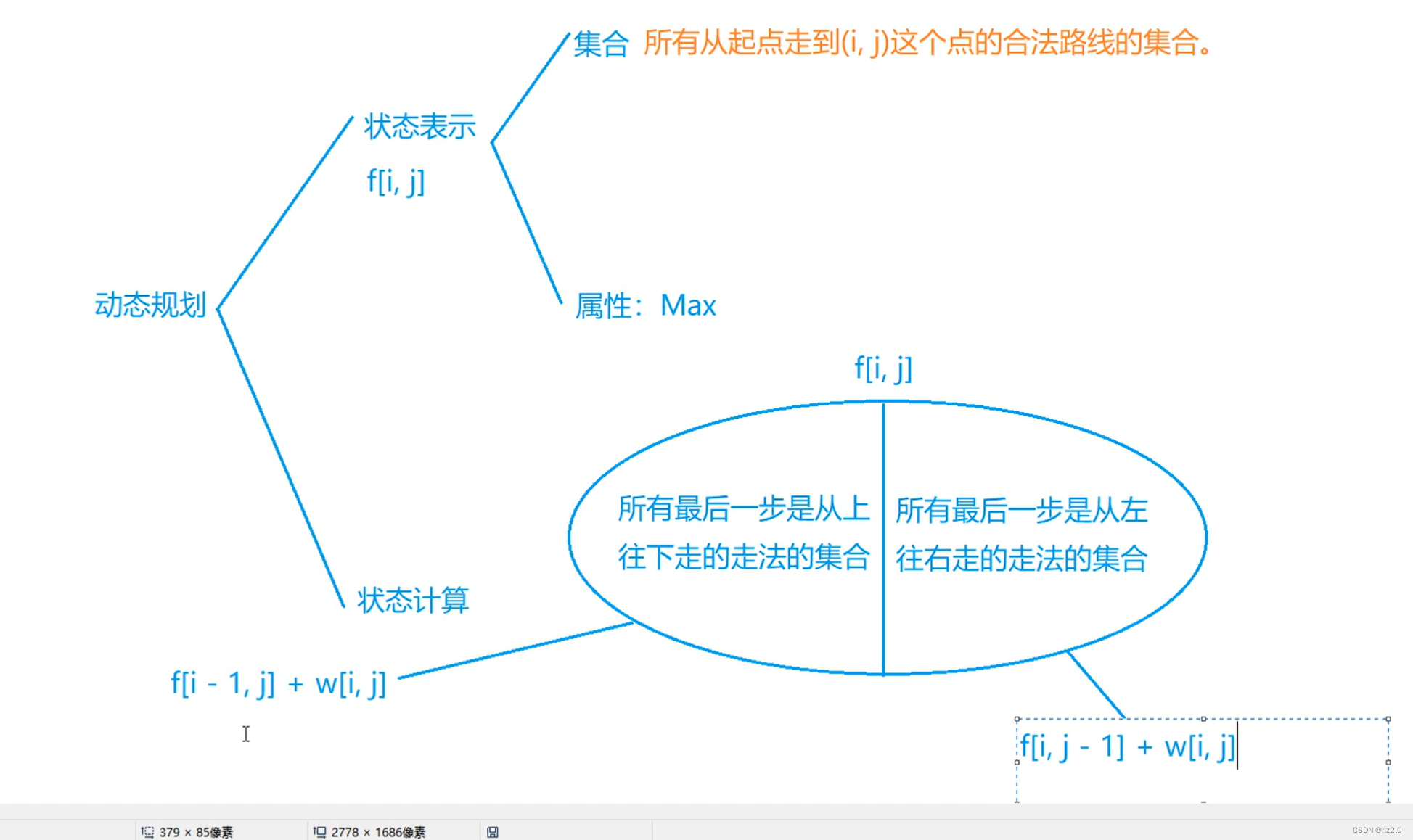

性能优化之懒加载 - 基于观察者模式和单例模式的实现
一、引入 在前端性能优化中,关于图片/视频等内容的懒加载一直都是优化利器。当用户看到对应的视图模块时,才去请求加载对应的图像。 原理也很简单,通过浏览器提供的 IntersectionObserver - Web API 接口参考 | MDN (mozilla.org),…

Express框架开发接口之书城商店原型图和数据库设计
1.原型图
这是利用Axure画的,简单画一下原型图,根据他们的业务逻辑我们完成书城商店API开发
首页 分类 商品详情
购物车
个人中心
2.数据库设计
首页
首页导航 导航栏产品
通过点击导航栏对应id和产品id关联获取产品内容 设置外建 sql语句
CR…

CRM系统数据库是如何影响客户体验的?
CRM客户关系管理由概念到软件实体,已经有几十年的时间,随着信息技术的进步,数字化让CRM软件乘上快车,迅速成为各类企业的数字化管理工具。CRM客户管理系统的一个重要功能便是改善并提升客户体验,且CRM数据库是与客户体…
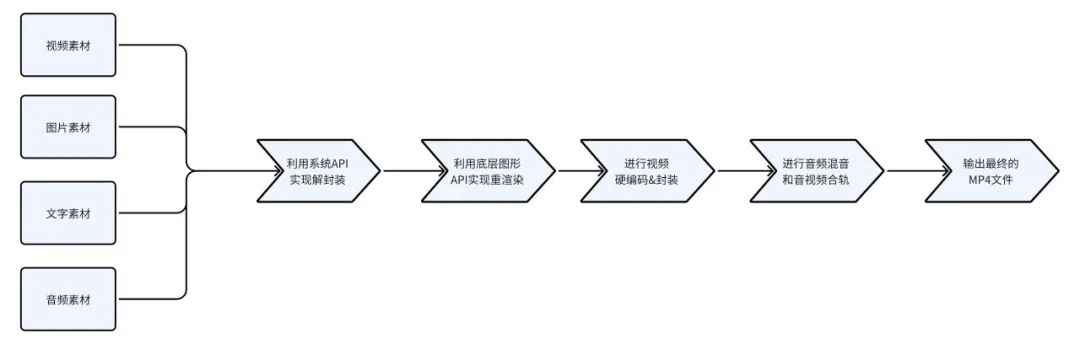
朝夕光年游戏高光全套解决方案
作为全球用户与开发者的游戏研发与发行业务品牌——朝夕光年,一直致力于服务全球玩家,帮助玩家在令人惊叹的虚拟世界中一起玩耍与创造。 游戏研发的过程中遇到很多玩家痛点和提效、拉新的问题,如何帮助玩家更好地记忆、记录、分享和传播自己的…

【Redis】String字符串类型-内部编码使用场景
文章目录 内部编码使用场景缓存功能计数功能共享会话手机验证码 内部编码
字符串类型的内部编码有3种:
int:8个字节(64位)的⻓整型,存储整数embstr:压缩字符串,适用于表示较短的字符串raw&…
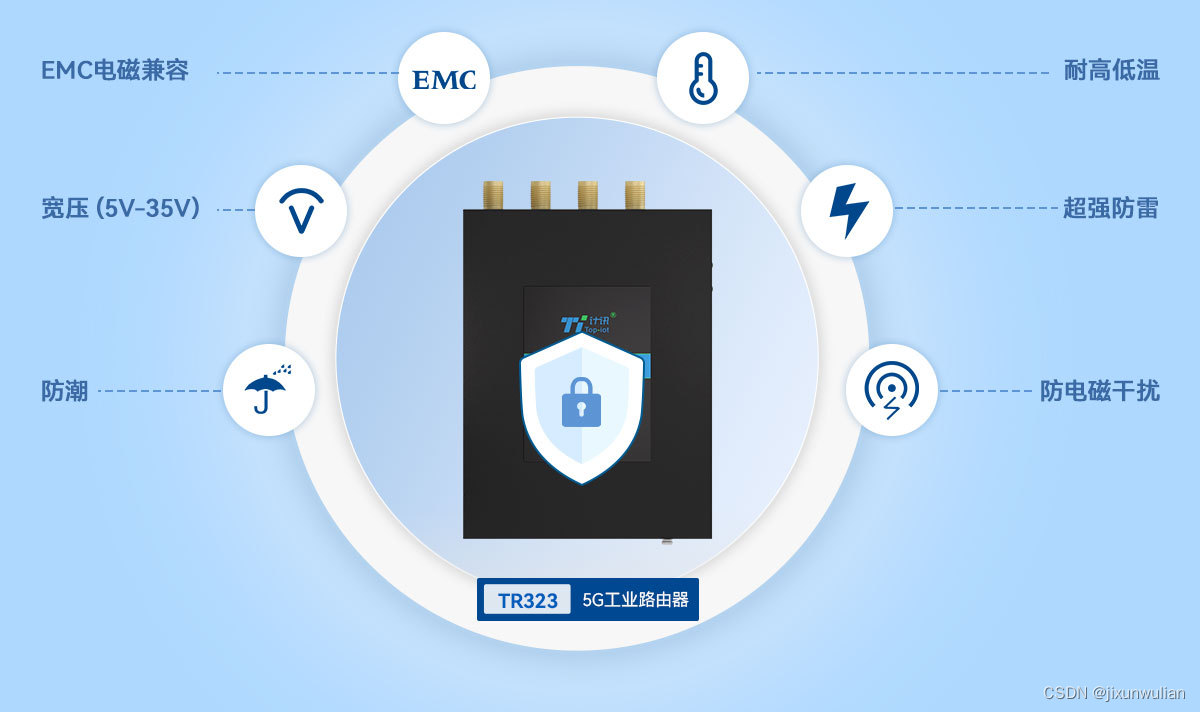
工业5G路由器;小体积 千兆高速通信组网
计讯物联工业路由器TR232,5G高速网络,超低时延、高可靠性,小体积、易安装、强兼容,串口/网口多设备接入联网,为用户提供高速稳定的数据传输通道 。
小体积5G工业路由器TR323,外形1047824mm࿰…
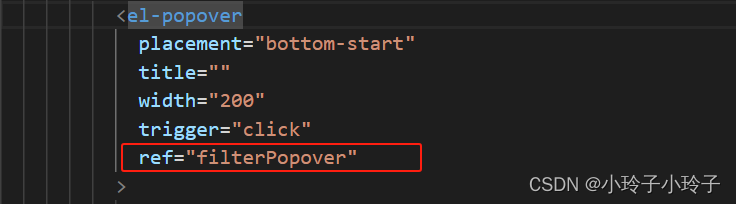
el-popover触发元素位置改变后更新弹出框的偏移位置
el-popover的使用如下:包含一个触发元素和一个弹出框元素 但是如果触发元素位置发生变化时,如根据弹框选择内容,会显示或隐藏对应的元素,从而导致弹出框触发元素的位置的变化,此时触发元素位置变化了,但是…
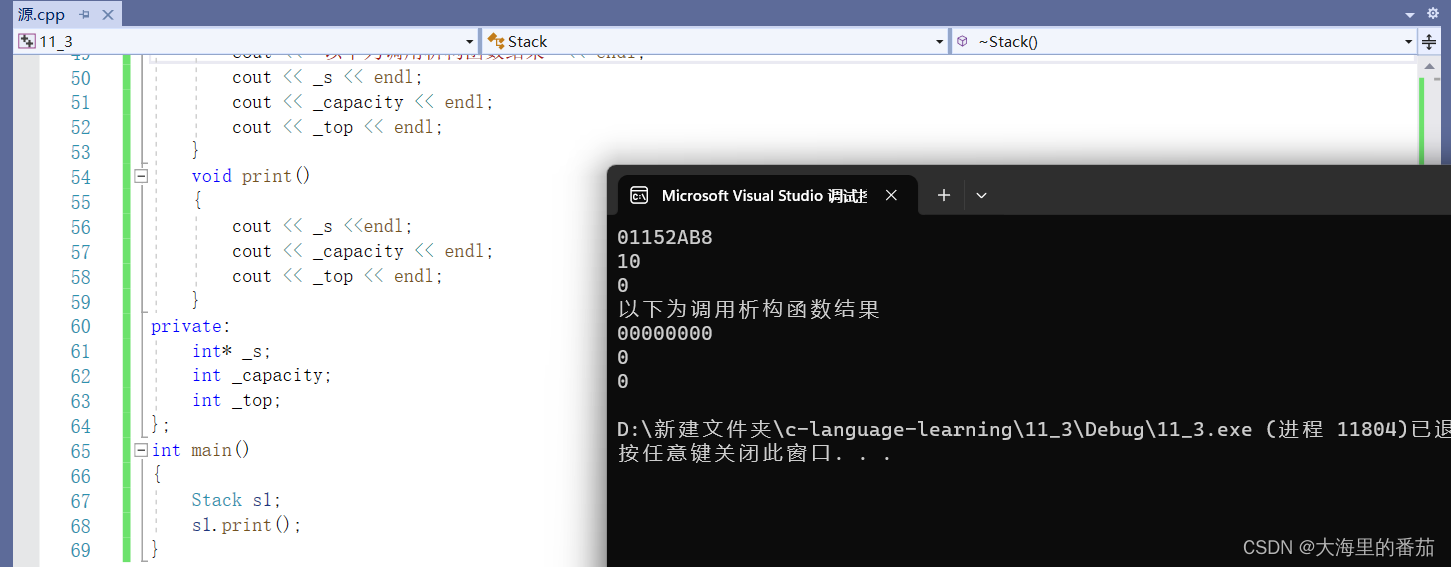
C++ 初阶 类和对象(中)
前言:C初阶系列,每一期博主都会使用简单朴素的语言将对应的知识分享给大家,争取让所有人都可以听懂,C初阶系列会持续更新,上学期间将不定时更新,但总会更的 目录
一、构造函数
1.1为什么要有构造函数&…

树状数组 and 线段树
目录
🦖解释 -- 树状数组
(一)公式
(二)操作
(1) 求前缀和
(2) 某个位置上的数更新
🦖解释 -- 线段树
🌼1264. 动态求连续区间和
AC 树状
AC 线段树
🌼1265. 数星星
暴…
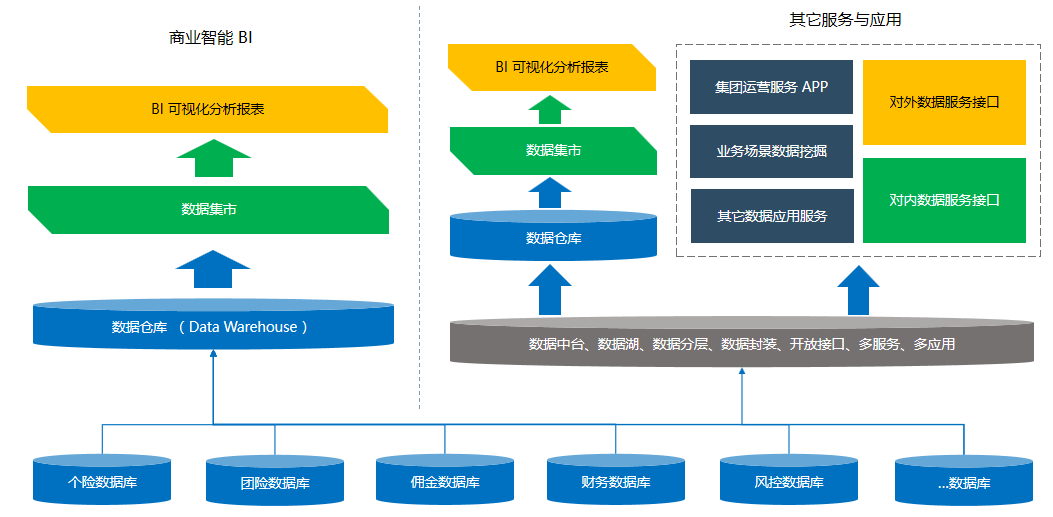
数字化时代,数据仓库是什么?有什么用?
在激烈的市场竞争和全新的数字经济共同作用下,数字化转型成为了大多数企业的共识,也是获取数字经济的最佳方式。在整个数据价值生产链路中,数据仓库的主要作用就是中心化分发,将原始数据与数据价值挖掘活动隔离。
所有的原始数据…
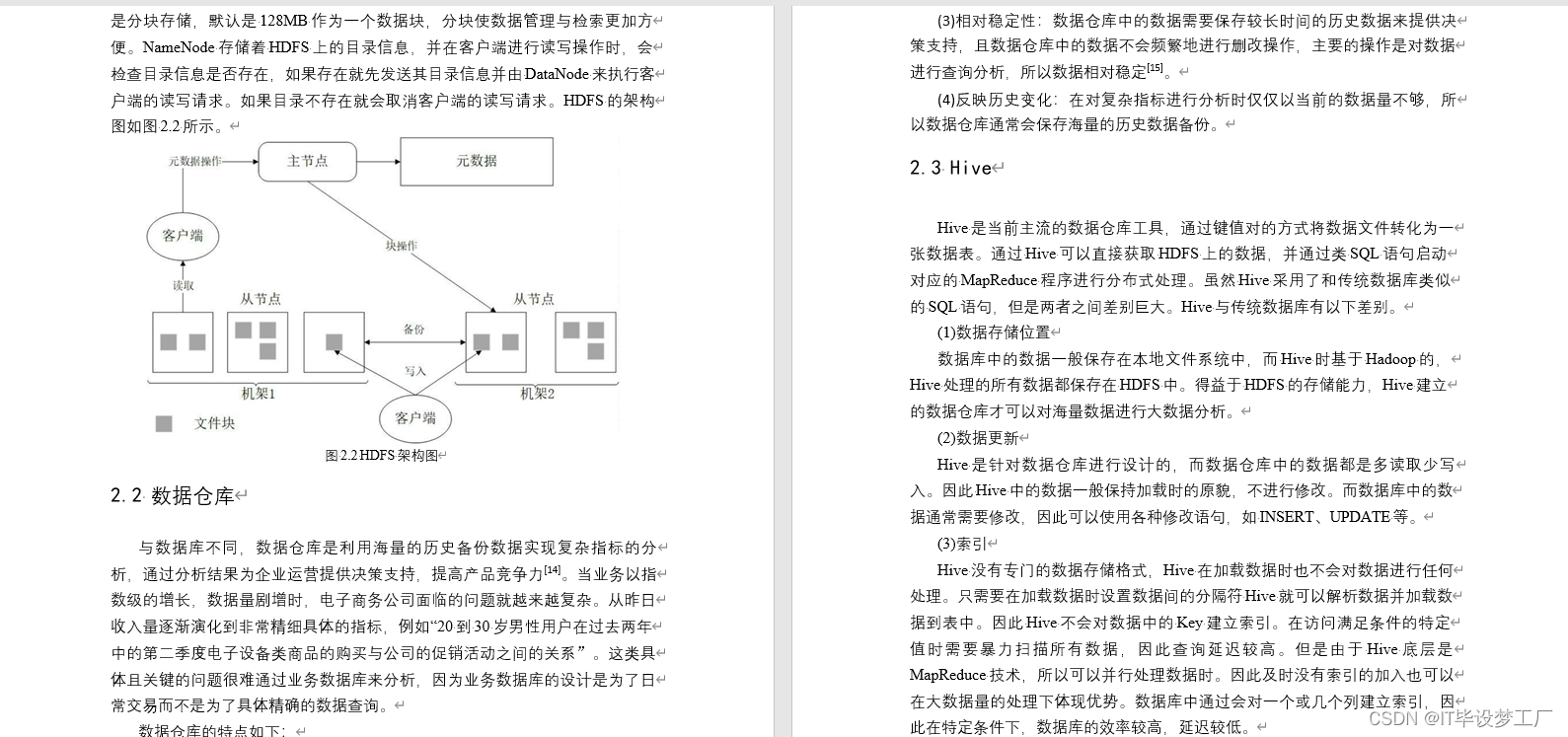
大数据毕业设计选题推荐-自媒体舆情分析平台-Hadoop-Spark-Hive
✨作者主页:IT毕设梦工厂✨ 个人简介:曾从事计算机专业培训教学,擅长Java、Python、微信小程序、Golang、安卓Android等项目实战。接项目定制开发、代码讲解、答辩教学、文档编写、降重等。 ☑文末获取源码☑ 精彩专栏推荐⬇⬇⬇ Java项目 Py…

Docker学习路线3:安装设置
Docker提供了一个名为Docker Desktop的桌面应用程序,简化了安装和设置过程。还有另一个选项可以使用Docker引擎进行安装。
Docker Desktop网站Docker引擎
Docker Desktop
Docker Desktop是一款易于安装的应用程序,可使开发人员快速在其台式机上设置Do…
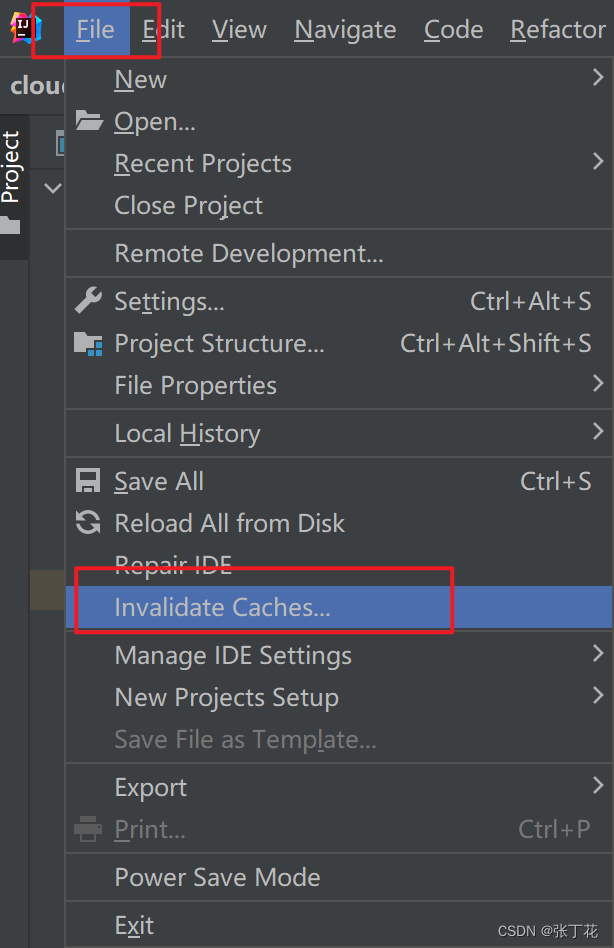
IntelliJ IDEA Services工具栏运行不显示端口问题解决
问题
如Spring Boot服务启动时,端口不显示。
解决
1、 清理所有缓存
2、 关闭IntelliJ IDEA后,到C:\Users\(你自己的用户名)\AppData\Local\Temp路径把所有文件都删除,因为时一个缓存,不影响其他软件…
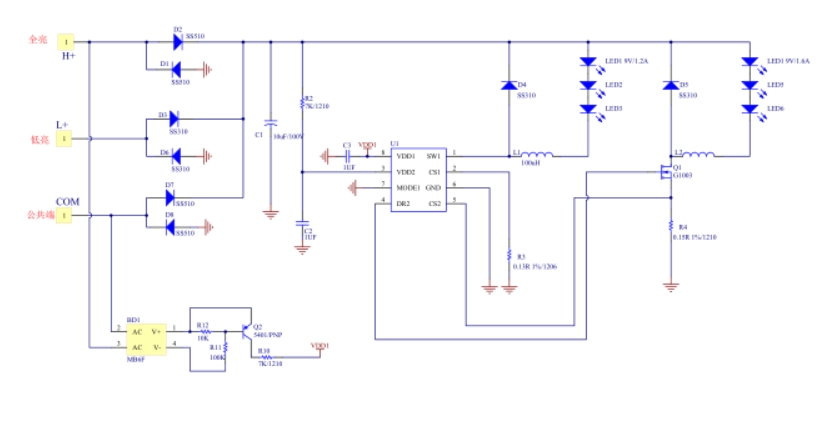
世微 DC-DC平均电流双路降压恒流驱动器 LED车灯AP2813
产品描述 AP2813 是一款双路降压恒流驱动器,高效率、外 围简单、内置功率管,适用于 5-80V 输入的高精度降 压 LED 恒流驱动芯片。内置功率管输出最大功率可达 12W,最大电流 1.2A。 AP2813 一路直亮,另外一路通过 MODE1 切换 全亮,…