当你想要关闭一个终端时,弹出“确认关闭?”多少有些烦。
比如当前为root下,要么一路exit,要么就点击确认:

解决方法:
- 安装一个配置编辑器来帮我们方便地编辑配置项
sudo apt install dconf-editor
- 找到
org/gnome/terminal/legacy,把“confirm-close”选项关闭,然后重新加载即可。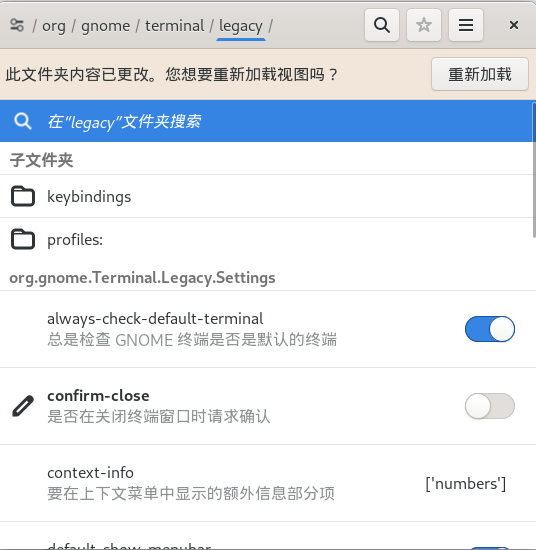
参考链接:How to disable popup “Close this terminal?” when closing terminal?



![[1Panel]开源,现代化,新一代的 Linux 服务器运维管理面板](https://img-blog.csdnimg.cn/img_convert/3e13ac76cd454c675c973ff645802c0e.png)